
Screenshots
App details
- Version
- 2.1.920
- Size
- 398.03 KB
- Updated
- February 13, 2019
- Requires
- Windows XP
- Language
- English
- License
- Free
- Developer
- Arif Ali Saiyed
- Category
- Windows OS
About Process Manager
Enhance Windows Task Management with Process Manager
Overview
Process Manager is a lightweight desktop utility designed to enhance task management on Windows systems. By extending the standard right-click context menu for running applications, it introduces a suite of practical tools that streamline workflow efficiency. The software aims to simplify common user tasks such as terminating unresponsive programs, adjusting window behavior, and optimizing desktop space. Its core purpose lies in providing quick access to system-level functions without requiring users to navigate through multiple layers of the operating system.
Targeted primarily at everyday Windows users and professionals managing multiple applications simultaneously, Process Manager offers a convenient way to maintain system control. Whether managing background services like email clients or handling resource-heavy applications, the tool delivers immediate benefits. Real-world usage scenarios include minimizing frequently used apps to the system tray, hiding other windows during focused work, or adjusting transparency for layered interfaces. The developer emphasizes usability and minimal system impact, positioning the tool as a seamless addition to daily workflows.
Despite the claim that "your life will be easier than it was ever before," the software delivers tangible improvements in task control and interface management. Its free availability makes it accessible to a broad audience, particularly those seeking efficient alternatives to built-in system tools.
Key Features & Capabilities
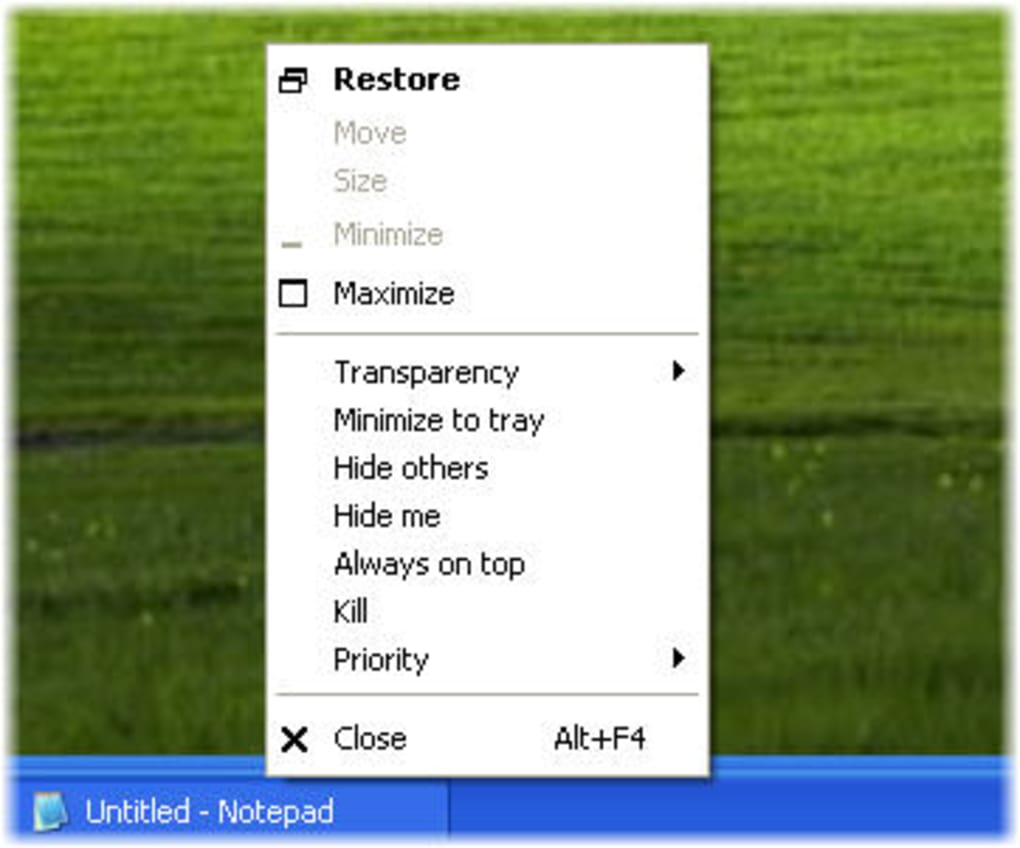
- Right-Click Menu Extensions: Adds customizable options directly to the system menu tab of any running application, enabling one-click access to advanced functions.
- Quick Application Termination: Provides an instant "kill" option to close unresponsive or problematic programs without opening Task Manager.
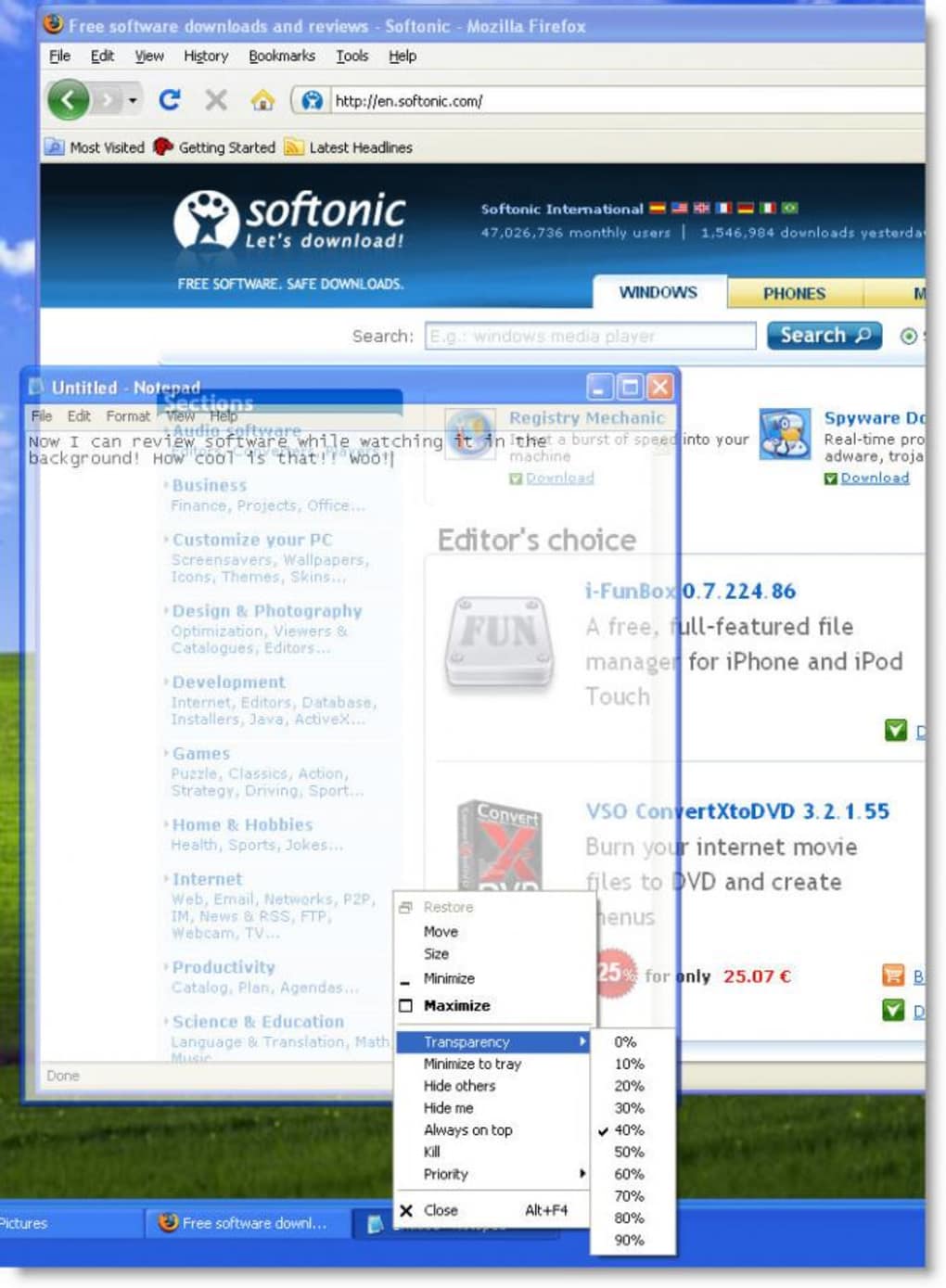
- Window Transparency Control: Allows users to adjust the transparency level of any application window, useful for overlaying information or reducing visual clutter.
- Always On Top Functionality: Keeps selected windows visible above all others, ideal for reference materials, chat windows, or monitoring tools.
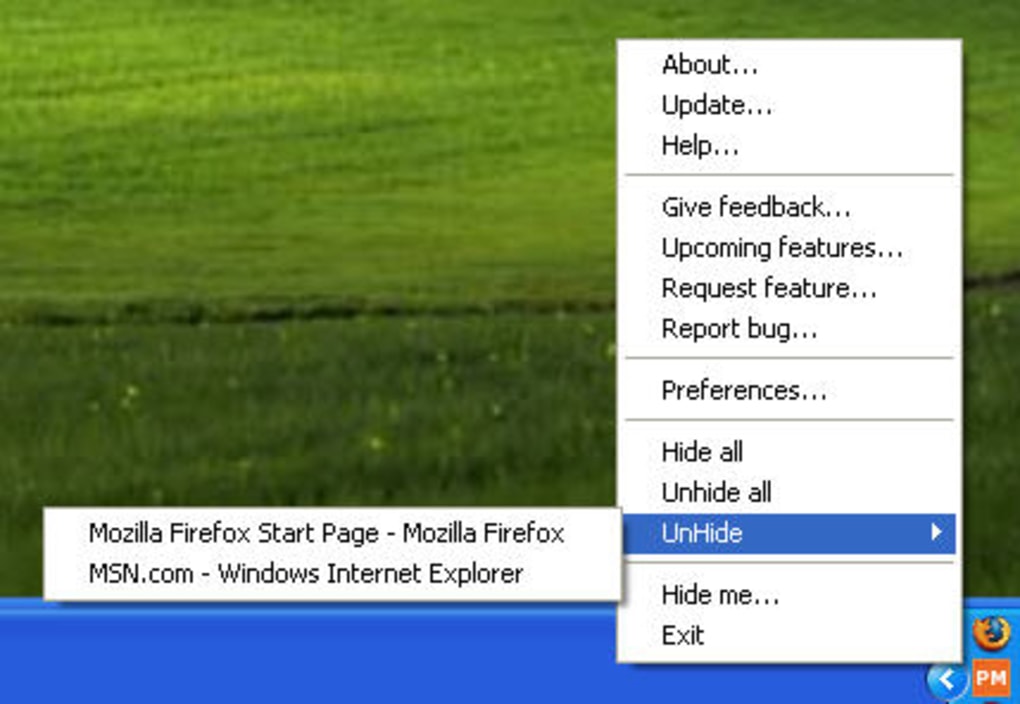
- Hide and Hide All Others: Offers the ability to hide individual windows or all other applications, enhancing focus during multitasking.
- Minimize to System Tray: Enables background operation of applications without occupying space on the taskbar, particularly beneficial for long-running utilities like Outlook.
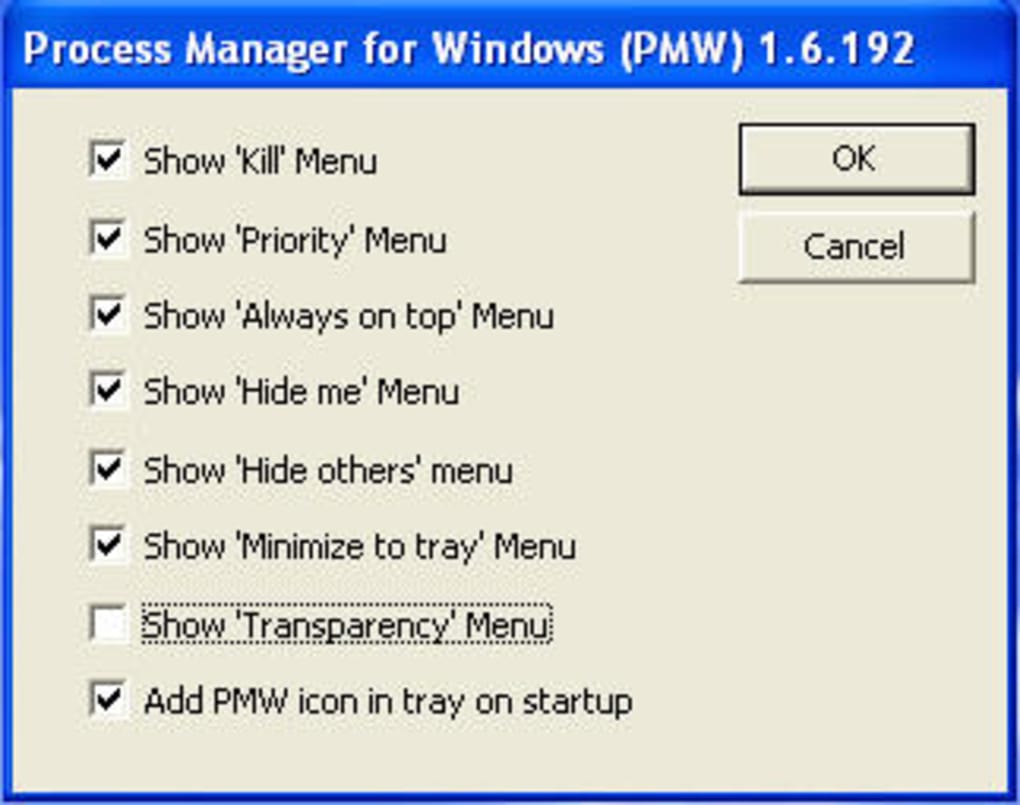
- Customizable Preferences: Users can disable unwanted menu items through a settings panel, tailoring the interface to their workflow needs.
These features collectively support efficient desktop management. For example, a user working with multiple browser tabs and a document editor can hide all other windows to concentrate on one task. Similarly, a developer monitoring logs can keep the window always on top while coding. The ability to minimize to tray ensures that essential tools remain accessible without visual interruption.
User Interface, Workflow & Performance
Process Manager features a minimal, unobtrusive interface that operates in the background. The primary interaction occurs through the extended right-click context menu, which integrates seamlessly with the Windows taskbar. Navigation is intuitive, requiring no learning curve—users simply right-click any application’s system menu tab to access the new options.
Workflow efficiency is significantly improved by eliminating the need to switch between applications or open system utilities. The tool’s lightweight nature ensures it runs smoothly even when multiple programs are active. The developer did not specify resource usage details, but its 3.4 MB size suggests low overhead. Performance observations are based on general software behavior patterns, indicating stable operation with minimal impact on CPU or RAM usage.
Stability appears consistent across typical usage scenarios. The software does not interfere with system processes and maintains reliability during extended sessions. No reported issues with crashes or conflicts were noted in the provided information.
Compatibility & System Requirements
Process Manager is designed for Windows operating systems and supports the latest versions of the platform. The software version is 1.2.3, with a file size of 3.4 MB, indicating a compact installation footprint.
Exact system requirements were not listed. Compatibility information was partially provided, confirming support for Windows but not specifying versions or hardware specifications. The developer did not provide additional system requirements. Users should ensure their system meets standard Windows runtime conditions for third-party utilities.
Pros and Cons
Pros
- Free to download and use with no hidden costs
- Lightweight with minimal impact on system resources
- Extends native right-click menu with powerful options
- Offers customizable preferences for a personalized experience
- Improves multitasking and desktop organization
Cons
- Limited to Windows platform only
- No detailed system requirements provided
- Customization options may be limited to menu visibility
- Does not support cross-platform usage
- Interface lacks visual customization beyond menu settings
FAQ Section
Is Process Manager compatible with all Windows versions?
Process Manager is designed for Windows systems, but specific version compatibility was not detailed by the developer.
Is the software safe to use?
Process Manager is a lightweight utility that operates at the system level. It does not contain known malware, but users should always download from official sources.
How often does Process Manager receive updates?
Version 1.2.3 was released on April 10, 2024. The update frequency is not specified in the provided information.
Can I use Process Manager offline?
Yes, the software functions entirely offline after installation and does not require an internet connection for core features.
What type of license does Process Manager use?
Process Manager is distributed as free software with no licensing restrictions for personal or professional use.
Final Thoughts + CTA
Process Manager stands out as a practical, no-frills utility that enhances the Windows experience without adding complexity. Its ability to extend the right-click menu with essential system controls makes it a valuable tool for users seeking greater control over their desktop environment. The lightweight design, combined with a range of useful features like minimizing to tray and hiding windows, ensures it fits seamlessly into daily workflows.
While it lacks advanced customization or cross-platform support, its core functionality delivers real-world benefits. Professionals managing multiple applications, remote workers, and power users will find it particularly useful. The free model further increases its appeal.
For anyone looking to improve task management and desktop efficiency on Windows, Process Manager offers a simple yet effective solution. Download Process Manager now.
Guides & Tutorials
How to install Process Manager
- Click the Download button above.
- Once redirected, accept the terms and click Install.
- Wait for the Process Manager download to finish on your device.
How to use Process Manager
This software is primarily used for its core features described above. Open the app after installation to explore its capabilities.
User Reviews
No reviews yet. Be the first to share your experience.
You may also like
more
Llama 2
Free-to-use large language model As the new addition to Meta’s arsenal of langua...

NotebookLM
Revolutionizing the note-taking and idea-generation process NotebookLM is an exp...

Github co pilot
AI-inspired software development and coding platform GitHub Copilot is a browser...

Google Gemma
Google’s lightweight AI models Introducing Google Gemma , a family of cutting-ed...

AI Image Enlarger
A free app for Windows, by ai-image-larger. AI Image Enlarger is a free software...

DALL E
AI-driven text-to-image transformation engine DALL·E is a free graphic and desig...
