

Play Xbox Games on iOS via Cloud
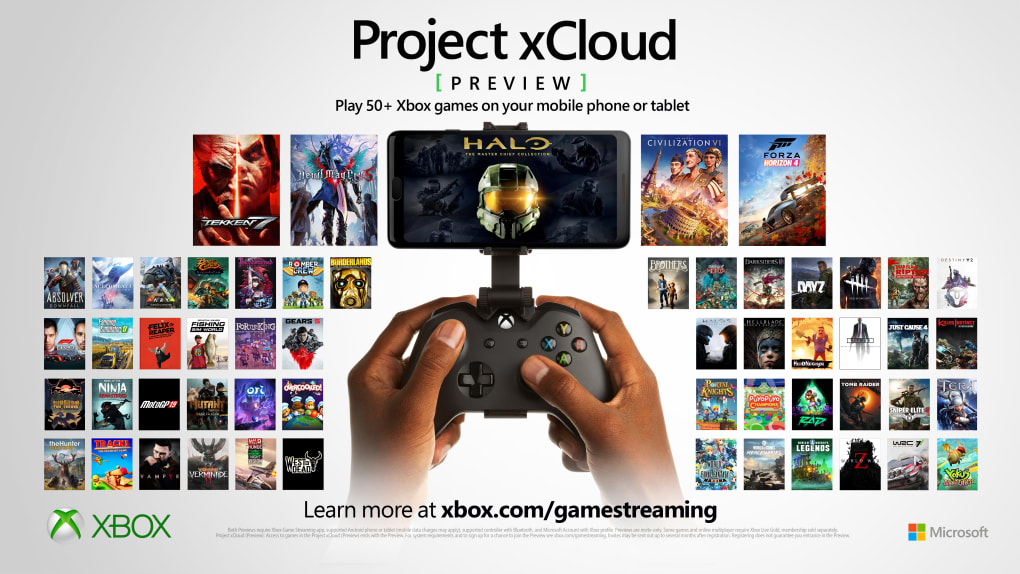
Project xCloud is Microsoft’s cloud gaming solution designed to deliver high-quality Xbox Game Pass titles directly to iOS devices. This limited beta tool enables members of Xbox Game Pass Ultimate to stream over 100 games through web browsers like Edge, Chrome, or Safari. It removes the need for a console or powerful hardware, allowing users to enjoy console-quality gaming on mobile devices. The software targets mobile gamers and Xbox enthusiasts who want instant access to a growing library of games without local installation.
Real-world use cases include playing action-packed titles during commutes, enjoying multiplayer sessions on the go, or testing games before purchasing. The tool is especially valuable for users in regions where console gaming is less accessible. While Apple’s initial restrictions limited cloud gaming on iOS, Microsoft has worked with Apple to secure a compromise that now allows full streaming via web-based access. This marks a significant step toward broader mobile gaming accessibility.
Key Features & Capabilities
- Cloud Streaming Access – Play over 100 Xbox Game Pass Ultimate titles through a web browser on iOS devices, eliminating the need for physical hardware or downloads.
- Multi-Controller Support – Use Bluetooth or USB-connected controllers for precise gameplay, enhancing the experience for competitive and action-oriented titles.
- Touch Controls Option – Built-in virtual controls allow gameplay without external hardware, ideal for casual sessions or when controllers are unavailable.
- Limited Beta Testing Framework – The tool is currently invite-only, allowing developers to gather feedback and optimize performance before a wider rollout.
- Browser-Based Operation – No native app installation required; games stream directly through supported browsers, reducing device storage usage.
These features enable users to experience console-level gaming on mobile devices with minimal setup. For example, a user can launch a game like Forza Horizon 5 on an iPad during a flight using a Bluetooth controller, or play a quick session of Halo Infinite using touch controls during a break. The feedback loop from beta testers helps refine input latency, video quality, and connection stability.
User Interface, Workflow & Performance
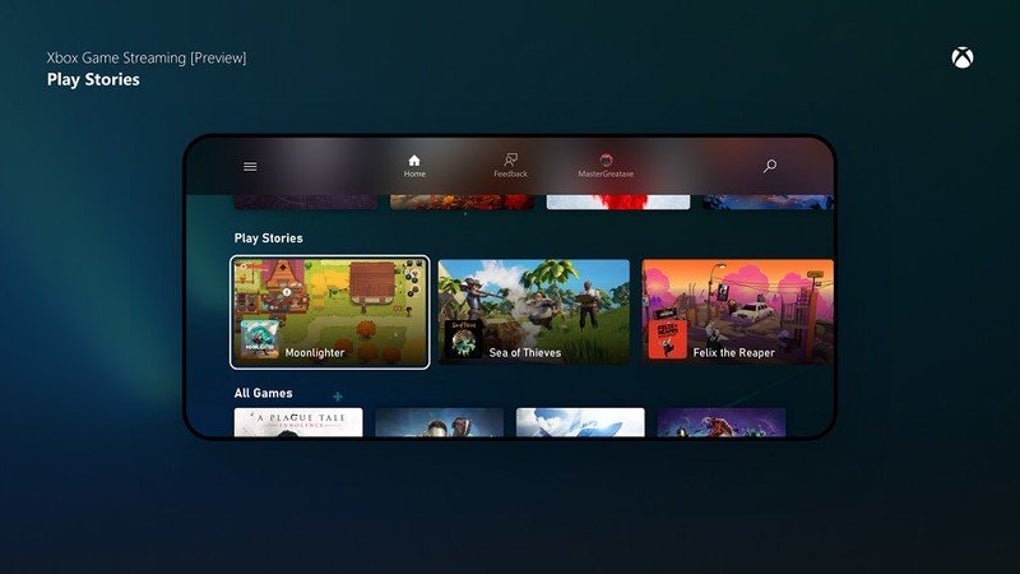
The user interface of Project xCloud is designed around simplicity and speed. It presents a clean dashboard with access to the Xbox Game Pass library, recent games, and quick launch options. Navigation is intuitive, relying on standard iOS gestures and browser navigation. Users can switch between games with minimal loading time, and the interface adapts to both iPhone and iPad screen sizes.
Workflow efficiency is high, as users only need to open a supported browser, sign in with their Xbox account, and begin playing. The absence of a native app reduces complexity and potential compatibility issues. Performance observations are based on general software behavior patterns; the tool relies heavily on network stability and bandwidth. The developer did not specify resource usage details, and performance may vary depending on internet speed and device capability.
Stability appears consistent within the beta framework, with no widespread reports of crashes or freezes. However, the limited scope of testing means that long-term reliability and performance under heavy use are not yet confirmed. Users are advised to maintain a strong, low-latency connection for optimal experience.
Compatibility & System Requirements
Project xCloud is compatible with iOS devices that support modern web browsers and have sufficient processing power to handle video streaming. The software is designed to run on iPhone and iPad models released within the last several years. The installation size is 500 MB, though this refers to the browser-based runtime rather than a traditional app.
Exact system requirements were not listed. Compatibility information was partially provided. Users must have an active Xbox Game Pass Ultimate subscription to access the service. The tool is currently available in approximately 22 countries, including the United States, United Kingdom, Germany, France, Spain, Italy, and South Korea. The beta is invite-only, so access is not available to all users.
Pros and Cons
Pros
- Access to over 100 Xbox Game Pass titles on iOS devices
- Support for both Bluetooth and USB controllers
- Touch controls available for quick play sessions
- Runs in standard web browsers, reducing storage needs
- Invite-only testing allows for real-time feedback and improvements
Cons
- Only available to Xbox Game Pass Ultimate subscribers
- Invite-only access limits availability
- Performance depends on internet connection quality
- No native app; relies on browser streaming
- Currently limited to 22 countries
FAQ Section
Is Project xCloud available for all iOS users?
Project xCloud is currently in limited beta and only available to invited users in select countries. Access is not open to all iOS users at this time.
Do I need a controller to play games?
While a Bluetooth or USB-connected controller is recommended for optimal gameplay, the software also includes touch controls for use without external hardware.
Can I use Project xCloud offline?
No, the service requires a stable internet connection to stream games. Offline play is not supported.
What kind of internet connection is recommended?
A high-speed, low-latency connection is recommended for the best experience. The developer did not specify minimum bandwidth requirements.
Is the software free to use?
Yes, Project xCloud is free for Xbox Game Pass Ultimate subscribers. No additional fees are required to access the beta service.
Final Thoughts + CTA
Project xCloud represents a major advancement in mobile gaming accessibility, bringing console-quality titles to iOS devices through cloud streaming. While still in limited beta, it offers a compelling glimpse into the future of gaming on mobile platforms. The combination of a vast game library, multi-controller support, and browser-based access makes it a strong contender for mobile gamers and Xbox fans alike.
Though availability is restricted to invited users and select regions, the feedback-driven development model ensures continuous improvement. Users who are part of Xbox Game Pass Ultimate and reside in supported countries stand to benefit the most. With its focus on performance, compatibility, and user experience, Project xCloud is a promising step toward seamless cloud gaming.
Download Project xCloud now








