



Guides - Proxyway https://proxyway.com/guides Your Trusted Guide to All Things Proxy Wed, 20 May 2026 11:53:17 +0000 en-US hourly 1 https://wordpress.org/?v=6.8.5 https://proxyway.com/wp-content/uploads/2023/04/favicon-150x150.png Guides - Proxyway https://proxyway.com/guides 32 32 cURL or Wget: Differences Explained https://proxyway.com/guides/curl-vs-wget https://proxyway.com/guides/curl-vs-wget#respond Tue, 19 May 2026 08:36:11 +0000 https://proxyway.com/?post_type=guides&p=43247 Both cURL and Wget are command-line tools for transferring data. But there are crucial differences under the hood that make them suitable for different tasks.

The post cURL or Wget: Differences Explained appeared first on Proxyway.

]]>

Guides

The world of web scraping relies heavily on command-line tools. Among them, cURL and Wget are the most prominent. But why are there two of them? And why would you choose one over the other? Here are the differences between cURL and Wget explained. 

cURL vs Wget banner image

What Is cURL?

cURL is a tool (and associated library) for transferring files that runs in the command line/terminal. The tool is meant for simple one-shot data transfers, including uploads. It comes preinstalled on macOS and Windows 10/11.

But that’s just the tip of the iceberg. cURL is wildly universal. It supports not just HTTP(S) and FTP, but a dozen other protocols as well. cURL can also run on a wide variety of platforms – any old system that can run a C89 compiler (that is, a compiler that supports ANSI C, the 1989 standard for the C programming language) will do. The tool can be compiled with 11 SSL/TLS libraries (some of which can be combined) for security, and supports SOCKS4, SOCKS5, and HTTPS proxies.

Other features include parallel downloads, content encoding, and decompression.

cURL Use Examples

A simple curl command to check the IP address of a proxy server you set up on your machine would look like this:

				
					curl ipinfo.io


The response would look like this:

				
					{
"ip": "45.152.180.180",
"city": "New York City",
"region": "New York",
"country": "US",
"loc": "40.7143,-74.0060",
"org": "AS9009 M247 Ltd",
"postal": "10004",
"timezone": "America/New_York",
"readme": "https://ipinfo.io/missingauth"
}


A slightly fancier version of the request would be checking the IP of a commercially acquired proxy server that requires you to enter your login credentials:

				
					curl -U username:password -x us.proxyendpoint.com:20000 ipinfo.io


These examples have been drawn from our guide on how to use cURL with a proxy. 

What Is Wget?

Wget is a command-line-only tool for downloading files, known for its recursive download and download resumption qualities. It also enables features like cookies and following redirects by default. It can be installed on any Unix-like system (Linux, FreeBSD, OpenBSD, etc.). 

Wget only supports HTTP(S) and FTP protocols, and its security features are more limited. However, recursive downloads allow it to download the contents of not only the given URL, but also any URL found on it. This is what makes it capable of web crawling. 

Moreover, it is capable of automatically resuming interrupted transfers. This was initially attractive for university students with unstable connections. Anyone using Wget for web scraping probably has a reliable connection, but you’ll appreciate automatic resumption anyway as a quality-of-life feature.

Wget Use Examples

Here’s a simple Wget command to download a txt file:

				
					wget https://example.com/new-file.txt


And here’s how you check IP via HTTPbin with Wget:

				
					wget -qO- https://httpbin.io/ip


For a more fancy request, here’s downloading a file while using a proxy that requires you to put in your login credentials:

				
					wget -e use_proxy=yes -e http_proxy=https://username:password@proxyserver:port https://example.com/file.zip


These examples were gathered from our guide on how to use Wget with a proxy.

cURL vs Wget – What’s the Difference?

Here are the most important differences between cURL and Wget in a table:


cURL

Wget

Use

File transfer

File download

Supported protocols

HTTP(S), FTP, GOPHER(S), SCP, SFTP, TFTP, TELNET, DICT, LDAP(S), MQTT, FILE, POP3(S), IMAP(S), SMB(S), SMTP(S), RTMP, RTSP, WS(S).

HTTP(S), FTP

SOCKS support

SOCKS4 and SOCKS5 proxies

No

Recursive downloads

No

Yes

Proxy support

Yes

Yes

HTTP authentication

Basic, Digest, NTLM, Negotiate, AWS v4 

Basic

Redirect following

Optional

Automatic

File upload

Yes

Requires the Wput tool

Parallel transfers

Yes

No

System support

Preinstalled on macOS and Windows 10/11, can be run on any system supporting a C89 compiler.

Unix systems, Windows port, any system that can support a C99 compiler (for the 1999 standard of the C programming language).

In Conclusion

cURL and Wget are very similar, both being file transfer tools. But cURL can both upload and download files, while Wget comes with inbuilt recursive download capability and interrupted download resumption. In the end, cURL is both more complex and more adaptable, better used for individual downloads and API calls. On the other hand, Wget has a lot of options enabled by default, and can be easily used for stable web crawling . Use this as guidance when deciding which tool would be better for you. 

proxy servers as houses

Frequently Asked Questions About cURL vs. Wget

The main difference between cURL and Wget is that Wget can do recursive downloads, which makes it capable of basic web crawling. Of course, that’s not the only difference – you can claim that cURL’s ability to both download and upload files is the main one – but it’s likely the one most important for web crawling. 

Wget is faster for bulk downloads or website scraping while cURL is faster for individual downloads and API calls. 

cURL is better for scraping via API calls due to its flexibility. 

Neither cURL nor Wget includes built-in mechanisms for handling advanced anti-bot protections, so other tools or proxy infrastructure are required. 
Picture of Chris Becker
Chris Becker
Proxy reviewer and tester.

The post cURL or Wget: Differences Explained appeared first on Proxyway.

]]>
https://proxyway.com/guides/curl-vs-wget/feed 0
How to Follow Redirects With cURL https://proxyway.com/guides/how-to-follow-redirects-with-curl https://proxyway.com/guides/how-to-follow-redirects-with-curl#respond Tue, 19 May 2026 07:24:18 +0000 https://proxyway.com/?post_type=guides&p=43066 When using cURL, you can easily add commands to follow redirects, limit the amount of redirects, ask for more data, and submit specific browser versions.

The post How to Follow Redirects With cURL appeared first on Proxyway.

]]>

Guides

With cURL, you can manage data transfers – both uploading and downloading – via command line. It is an essential tool in the web scraper’s toolbox. However, no tool set is complete without a way to handle redirects – for example, when a website sends you to its www2 version for load-balancing purposes. This is how you follow redirects with cURL. 

Image

Following Redirects With cURL

To follow a redirect, add -L (--location) to the cURL request. This will instruct the software to follow all HTTP redirects until the final URL is reached. It will follow a maximum of 30 redirects to avoid creating loops. 

Here’s how it looks:

				
					curl -L "https://proxyway.com/glossary/curl"


Note: cURL can’t follow HTML tag or JavaScript-based redirects. 

Limiting the Number of Redirects With cURL

If 30 redirects is too many for your purposes, add --max-redirs [number] to your cURL command:

				
					curl -L --max-redirs 5 "https://proxyway.com/glossary/curl"


Following Redirects Without Displaying cURL Progress Tracker

To follow redirects without displaying the progress tracker  use -Ls instead of -L:

				
					curl -Ls "https://proxyway.com/glossary/curl"


Following Redirects With cURL Displaying More Data

To get more detail by showing HTTP redirects – useful for debugging – add -I to your command:

				
					curl -L -I "https://proxyway.com/glossary/curl"


If you need to know more about using cURL (such as how to use it with a proxy), feel free to follow our cURL guide

proxy servers as houses

Frequently Asked Questions About Anti-Detect Browsers

A redirect occurs when a web user or a search engine is sent to a different URL than the one they entered, usually via HTTP forwarding functionality (marked by status codes 3XX, like 301 and 302). Redirects are often used to temporarily route users when the original page is under maintenance or overloaded, or more permanently to maintain links when the original content is moved.

cURL is a command-line tool used to transfer files over the internet, often used in webscraping. 

cURL, as a tool, works on a very basic level unless ordered to do differently. Therefore, following redirects is one of those options that have to be manually toggled by the user. 

It is generally safe to follow redirects. While malicious redirects – such as open redirect scams – exist, web scraping is a task that is not exactly vulnerable to them. 

Neither cURL nor Wget can follow non-HTTP redirects. If you need to follow HTML or JavaScript redirects, you will need to use another tool. 

If you haven’t done so, add -L to the cURL command to make it follow redirects. If it still doesn’t follow, also add -v to the command to get a full report on your request for troubleshooting. Note that cURL doesn’t follow HTML or JavaScript redirects. 

The post How to Follow Redirects With cURL appeared first on Proxyway.

]]>
https://proxyway.com/guides/how-to-follow-redirects-with-curl/feed 0
MCP vs API: What to Choose for AI Agent Development? https://proxyway.com/guides/mcp-vs-api https://proxyway.com/guides/mcp-vs-api#respond Wed, 25 Feb 2026 09:04:40 +0000 https://proxyway.com/?post_type=guides&p=40408 Agentic AI use is the wave of the future. But what tools does your agent need to function – MCP or API? Read our article comparing the two.

The post MCP vs API: What to Choose for AI Agent Development? appeared first on Proxyway.

]]>

MCP vs API: What to Choose for AI Agent Development?

You, your mother, and your cat have already heard everything there is to hear about AI – but what about AI agents? Instead of using an LLM as a chatty search engine, an agent is closer to the robotic servant of our dreams. However, somebody has to develop those agents in the first place. And one of the major questions arising today is about the tools your LLM will use. When developing an AI agent, do you give it access to MCP servers or APIs? That’s what the article is about. 

Image

What Is an AI Agent?

Your regular LLM is nice and all, but it can’t really do stuff. At the most basic level, an AI can only tell you things based on what it has been taught. For the longest time, it couldn’t even search the internet. And it cannot interact with the world in other ways, like browsing websites, filling out forms, or turning on the smart lights in another room. 

An AI agent is a much grander application of the technology. With an LLM at its core, an AI agent can, without close human supervision, carry out complex tasks: writing reports, booking vacations, aiding software development – the works. But to become agentic, one of the things it needs is tools: special software to allow it to interact with its digital environment. Those tools largely come in the shapes of APIs and MCP servers.

What Is an API?

API – application programming interface – is a concept that is in no way new. It’s a framework for allowing software to interact with each other. Today, most people say API and mean web API

As an app can’t just look at another app’s interface to get data like a human would, the devs have to do the heavy lifting. They’re the ones setting up endpoints for specific tasks. So where a human would click a button on the user interface to achieve a specific result, an app queries the endpoint. With a skilled-enough developer, an AI agent can use an API just like that. 

API Pros

  • Deterministic: APIs don’t think, APIs don’t reason, they always deliver result Y for input X. It’s great for operations where precision of output trumps other considerations – like in healthcare, government services, and financial operations. 
  • Grand processing power: API are very efficient at carrying out large-scale data processing tasks without running into any issues that an agent might encounter, for example, by missing data due to pagination. 
  • Speed: once again, due their unthinking nature, APIs work fast. A query to an endpoint has a list of defined procedures to follow, no need to spend time reasoning what tool would be best.

API Cons

  • Manual labor: API endpoints have to be described well for the AI agent to understand what they can do. And since APIs aren’t usually made with AI in mind, you, the agent developer, will have to do the heavy lifting. 
  • Authorization and security risks: if an agent is hooked up directly to an API, it will handle all the login/authorization credentials. The developer needs to ensure that any OAuth or other security data isn’t misused or leaked by the agent. 
  • Stateless and contextless: APIs don’t carry memory of whatever was done before, and maintain no context for subsequent tasks. The AI agent would have to provide those things, and that means setting up the agent properly.
  • Scaling: so you decided to use a different LLM or build a new agent. Congrats, you have to rewrite all the endpoint definitions for that new model. While all AIs understand natural language, they have been trained to understand queries and output schemas differently based on the developer. That’s just the natural outcome of trying to make LLMs hallucinate less.

What Is an MCP?

MCP – Model Context Protocol – is an Anthropic-designed standard for easy integration of digital tools and AI. To simplify, the magic is in the MCP server, which acts essentially like a translation service. An LLM can ask an MCP server for a resource in natural language, and it will then translate the request for the tools the server was made for, and vice versa. 

An MCP server is usually created by the official developers of an application, similar to APIs. In fact, it is a fairly common approach to bundle one’s APIs into an MCP server for LLM use. And just like that, instead of AI developers having to do integration work anytime a model and API have to work together, there’s a single standard that works with them all.

MCP Pros

  • Less hardcoding: when an MCP exposes tools and resources, it’s done so with descriptions in natural language, which AI understands. As such, the AI developer doesn’t have to code for all the functions like they would with an API. 
  • Increased security: as the MCP server manages direct access to APIs, it’s also where the OAuth tokens, API keys, and other sensitive information are handled. The AI doesn’t see them, so it can’t leak or misuse it. 
  • Stateful resources: one of the three types of primitives an MCP server can expose to an AI is resources – to put it simply, data like log files, database contents, the works. These non-interactive primitives then work as memory, providing the agent with the ability to task the context and progress of the task – statefulness.

MCP Cons

  • Easy tasks for easy tools: even with an MCP, an AI agent can mess up by, for example, not accounting for pagination. Meanwhile, a deterministic API will always go through the data exactly as ordered. 
  • Too many tools: an MCP server that exposes too many tools gives too much food for thought for the AI, meaning it may burn through tokens just by considering what tool to use. The industry is working on solutions, like Bright Data introducing tool groups for their MCP, or Programmatic Tool Calling by Claude.

MCP vs. API: A Table

Here’s final tally of the pros and cons, as well as some recommendations that arise from it:


API

MCP

Setup

Requires custom code

Is made for easy AI integration

Portability

Needs to be prepared for every new LLM to account for model differences

Meant to ingrate with any AI

Security

An agent may leak or expose authentication data

All the authentication data is handled without exposing it to the agent 

Maintenance

API integrations can break if the API changes

Any changes to the MCP are handled before anything reaches AI

Speed

Very fast 

Can impose unnecessary reasoning overhead 

Memory

Not stateful; does not get the context of the task

Stateful 

Complexity handling

Reliably handles any complex task it is coded to do

Large data pools and complex data transformations may lead to hallucinations 

Best suited for:

  • Large scale data tasks
  • Tasks where speed in essential
  • Tasks where deterministic outcomes are prioritized (for legal compliance, etc.). 
  • Building agents without too much manual labor
  • Tasks with sensitive authentication data 
  • New, agent-focused ecologies 

In Conclusion

While API as a concept predates MCP, it doesn’t mean that it’s outdated or useless when building AI agents. As is often the case, there’s a right tool for the right task. 

If the task calls for large-scale data handling, speed, or accuracy of detail, then an API is the best choice. 

If automation, scalability, and ease of integration are what you need, then you should use an MCP. 

In terms of web scraping, you can take a look at the list of the best web scraping APIs and check our list of best MCP servers for web scraping.

The post MCP vs API: What to Choose for AI Agent Development? appeared first on Proxyway.

]]>
https://proxyway.com/guides/mcp-vs-api/feed 0
How to Scrape ChatGPT: Input Prompt, Harvest Response https://proxyway.com/guides/how-to-scrape-chatgpt https://proxyway.com/guides/how-to-scrape-chatgpt#respond Mon, 29 Dec 2025 09:31:25 +0000 https://proxyway.com/?post_type=guides&p=39312 Scrape the output of ChatGPT prompts to check how well you rank with the LLM, inspect its response quality, and more.

The post How to Scrape ChatGPT: Input Prompt, Harvest Response appeared first on Proxyway.

]]>

Guides

You’ve heard about using ChatGPT to scrape the internet. But what about scraping the LLM itself? Naturally, you can’t just break into the servers and rake over whatever passes for its brain. But you can scrape the ChatGPT responses to your outputs. In fact, you can automate the whole process – including feeding it the prompts. We’ve prepared two methods to let you do just that.

Scraper bot drawing a rake over the ChatGPT logo

Why Scrape ChatGPT Responses?

Your uncle trusts ChatGPT data because Google has become increasingly annoying to use due to various changes made to make Search generate more revenue. But there is interest to be had in just what ChatGPT tells you. You may try to scrape the AI’s responses to:

  • Track your ChatGPT mentions: Previously, your visibility online was very much determined by Google SERP. Those days are rapidly going away as users turn to ChatGPT for their search purposes. Now, to know whether your product ranks, you need to learn whether ChatGPT thinks it does. By programmatically scraping ChatGPT, you can quickly test it with a variety of prompts relevant to your case. 
  • Monitor the competition: your product isn’t the only one appearing on ChatGPT – if it were, you wouldn’t be reading the article. But by scraping ChatGPT answers about your niche or the specific competing product, you can gain insight into what tactics the competitors use to appear in AI responses. 
  • Optimize for AI: SEO was a game of reading bird entrails: looking at SERP results and comparing content that ranks with what doesn’t. With ChatGPT, the approach is similar. Scraping such data en masse will allow you to get a clearer picture of what you need for your product or service to rank higher in the “eyes” of AI. 
  • Shape AI training: maybe you have a local model running that needs attention? By having an automated GPT response scraping pipeline, you can quickly compare its responses to ChatGPT output and quickly see where it has issues.

Method 1: Build a ChatGPT Scraper from Scratch

This method shows you how to build a simple ChatGPT scraper from zero. It uses a headless browser (they’re unfortunately necessary) to open a logged out page, enter a prompt, and download the output in Markdown.

To scrape ChatGPT response, we’ll be using Python. Our example is written with the assumption that you already have Python installed on your system. 

The whole process will be carried out in the command line. For Windows users, the command line interface is commonly known as CMD (Command Prompt). For Mac or Linux users, that will be Terminal

Preliminaries

Our script will need the following libraries and tools to work:

  • Camoufox: an open-source anti-detect browser based on Firefox.
  • Markdownify: a tool to convert the output into Markdown.
  • Proxies: they’re optional. But if you’re planning to scale your scraping, you’ll need proxy servers to avoid getting rate-limited. 

Discover top proxy service providers – thoroughly tested and ranked to help you choose.

To install Camoufox, open the command line first. Then:

  • For Windows, enter the line:
				
					camoufox fetch
				
			
  • For Mac, enter the line:
				
					python3 -m camoufox fetch
				
			
  • For Linux, enter the line:
				
					python -m camoufox fetch
				
			
  • For fresh Linux installs, you may also need to install the following dependencies.
    • On Debian-based distros: 
				
					sudo apt install -y libgtk-3-0 libx11-xcb1 libasound2
				
			
    • On Arch-based distros: 
				
					sudo pacman -S gtk3 libx11 libxcb cairo libasound alsa-lib


To install Markdownify, open the command line. Then enter:

				
					pip install markdownify


Putting the Code Together

Once you get to the finished Python code example, you should download it and save it as chatgpt_scraper.py.

We start by importing the tools we’re going to use: Camoufox, Markdownify, and the logging functionality. We also set up the query that will be entered into ChatGPT. 

				
					from camoufox.sync_api import Camoufox
from markdownify import markdownify
import logging

query = "What are the top three dog breeds?"


The output_file line shows what the text file with the scraped response will be called. Running the code several times will overwrite this file, so make sure to save any data you want to keep.

				
					output_file = "output_md.txt"


These lines are where you enter, respectively, the URL of your proxy server, your proxy username, and password. 

We also set up a 60-second timeout limit.

				
					proxy_server = "XXX"
proxy_uname = "YYY"
proxy_pass = "ZZZ"

timeout = 60_000 


The following defines the CSS selectors, starting with the URL of the page. The selectors will be used to detect the window for text entry, the button for submitting the query, and the section with the response.

				
					url = "https://chatgpt.com/"

selector_textarea = "div#prompt-textarea"
selector_submit = "button#composer-submit-button"
selector_response = "div.markdown"


We also set up logging – if anything breaks down in the scraping process, this will help us find out why. 

				
					logging.basicConfig(filename="chatgpt_scraper.log", level=logging.DEBUG)
logger = logging.getLogger(__name__)


Here we have the code to reach ChatGPT, scrape it, and return the results. First up, we try to access the page and set up a log message in case that doesn’t work. 

				
					def scrape(url: str, page: Camoufox) -> None:
    try:
        response = page.goto(
            url, 
            wait_until="domcontentloaded",
            timeout=timeout)
        if response and not response.ok:
            logger.warning(f"Page returned status code: {response.status}")


The code now uses the selectors we defined to:

  • Find the text entry field in the ChatGPT window.
  • Fill in the query.
  • Find the button to submit it.
  • Click the button.
  • Wait for the response.
  • Find and extract the response.

Additionally, appropriate messages are created to inform you of any failures. 


        textarea_elem = page.locator(selector_textarea)

        if not textarea_elem:
            raise Exception("Textarea element not found.")
        
        textarea_elem.fill(query)
        
        submit_button = page.locator(selector_submit)
        
        if not submit_button:
            raise Exception("Submit button not found")
        
        submit_button.click()

        page.wait_for_load_state("networkidle", timeout=timeout)

        response_elem = page.locator(selector_response)
        if not response_elem:
            raise Exception(f"Response element with selector '{selector_response}' not found")

        response_text = response_elem.text_content()


Next up, we set the scraped data as the output, which is then converted into Markdown and saved as a file. There’s also the appropriate error logging setup. 

				
					        print ("Output: ")
        print (response_text)

        response_md = markdownify(response_elem.inner_html())
        print ("Markdown:")
        print (response_md)

        if not response_text:
            logger.warning("Response element is empty")

        write_output(response_md)

    except Exception as e:
        logger.error(f"Scrape failed: {str(e)}", exc_info=True)


Finally, here’s the setup for running Camoufox.  That’s where the proxy logins are actually used.

The headless = True line sets Camoufox to run, well, headless. You can set it to False instead if you want to see it in action. 

				
					def main() -> None:
    with Camoufox(geoip=True,
        proxy={
            "server": proxy_server,
            "username": proxy_uname,
            "password": proxy_pass,
        },
        headless = True, 
    ) as browser:
        page = browser.new_page()
        scrape(url, page)
        browser.close()


if __name__ == "__main__":
    main()


The Finished Code Example

Putting it all together, the full code for scraping ChatGPT response looks like this. Remember to save it as chatgpt_scraper.py

				
					from camoufox.sync_api import Camoufox
from markdownify import markdownify
import logging

query = "What are the top three dog breeds?"

output_file = "output_md.txt"

proxy_server = "XXX"
proxy_uname = "YYY"
proxy_pass = "ZZZ"

timeout = 60_000 

url = "https://chatgpt.com/"

selector_textarea = "div#prompt-textarea"
selector_submit = "button#composer-submit-button"
selector_response = "div.markdown"

logging.basicConfig(filename="chatgpt_scraper.log", level=logging.DEBUG)
logger = logging.getLogger(__name__)

def write_output(response_md: str) -> None:
    try:
        with open (output_file, "w") as f:
            f.write(response_md)
    except Exception as e:
        logger.error(f"Write failed. Error: {str(e)}", exc_info=True)

def scrape(url: str, page: Camoufox) -> None:
    try:
        response = page.goto(
            url, 
            wait_until="domcontentloaded",
            timeout=timeout)
        if response and not response.ok:
            logger.warning(f"Page returned status code: {response.status}")
        
        textarea_elem = page.locator(selector_textarea)

        if not textarea_elem:
            raise Exception("Textarea element not found.")
        
        textarea_elem.fill(query)
        
        submit_button = page.locator(selector_submit)
        
        if not submit_button:
            raise Exception("Submit button not found")
        
        submit_button.click()

        page.wait_for_load_state("networkidle", timeout=timeout)

        response_elem = page.locator(selector_response)
        if not response_elem:
            raise Exception(f"Response element with selector '{selector_response}' not found")

        response_text = response_elem.text_content()

        print ("Output: ")
        print (response_text)

        response_md = markdownify(response_elem.inner_html())
        print ("Markdown:")
        print (response_md)

        if not response_text:
            logger.warning("Response element is empty")

        write_output(response_md)

    except Exception as e:
        logger.error(f"Scrape failed: {str(e)}", exc_info=True)


def main() -> None:
    # Setting up basic camoufox, no need for anything fancy to unblock ChatGPT yet.
    # https://camoufox.com/python/usage/
    # Setting it up with a rotating proxy
    with Camoufox(geoip=True,
        proxy={
            "server": proxy_server,
            "username": proxy_uname,
            "password": proxy_pass,
        },
        headless = True, #False to see the browser in operation.
    ) as browser:
        page = browser.new_page()
        # Beggining the scrape in the scrape() function
        scrape(url, page)
        # Closing the browser
        browser.close()


if __name__ == "__main__":
    main()


The Pros and Cons of Writing Your Own Scraper

So this is how you can code your scraper for ChatGPT responses. However, this method isn’t the only one, nor is it without downsides.

ProsCons
Cheap: if you know how to code, it’s essentially free. High barrier of entry: not everybody knows how to code, and it’s not a trivial skill to master. While extremely useful, LLMs are still brittle for anything of scale. 
Endless customization: again, if you know how to code, you can built your scraper to be whatever you want it to be. Low scalability: you’re going to need to write a scraper for every website you want to scrape, which is a big task. 
Full control: when you control the code, you’re not at the mercy of whatever wrote it. Access restrictions: websites today can have all sorts of bot protection measures, like Cloudflare and login walls. You’re going to need to figure out how to bypass them on your own. 
Reaction speed: you can troubleshoot your scraper as soon as any problem arises. Maintenance: if the target changes and breaks the script, you’re the one who’s left with the task of making it work again. 

Method 2: Scrape ChatGPT Using a Commercial Scraper

Sure, you can scrape ChatGPT on your own with a little bit of gumption and coding skill. However, you’ll still need proxies, the ability to bypass Cloudflare and other challenges that ChatGPT may throw your way. This isn’t a trivial task. 

An alternative is to use a ready-made web scraping API. As we outlined in the comparison table, writing your own code has plenty of downsides that a ready-made scraper doesn’t share. 

To illustrate the point, I’ll use Decodo’s ChatGPT scraper – after all, the provider showed some of the best results for scraping ChatGPT when we tested the service for our 2025 Scraping API report. It also offers a dedicated API for this target, which simplifies the setup. 

The Benefits of Using a Commercial Scraper​

  • Ease of setup: while our example setup describes entering but a few lines in the command line, this assumes that all goes well. It may not – even on Mac, you may still encounter issues with getting just Camoufox installed. Pre-made scrapers, on the other hand, accept simple standardized API calls. In addition, they come with a playground that is immediately accessible both for generating code and extracting responses (albeit not at scale).  
  • Built-in options: Many products allow customizing your location, device, and whether you want ChatGPT to use web search. They also support multiple output formats, including JSON, Markdown, XHR, or plain HTML. 
  • Much more scalable: The scraper automatically handles headless browsers, anti-bot systems, and proxy servers on its end. Your only worry will be to send API calls and store results.  

Using the Commercial ChatGPT Scraper Step-By-Step

1. Create an account and subscribe to Decodo.

2. Navigate to the scraper API playground where you can fiddle with the scraper settings:

  • enter the prompt (I reused “What are the top three dog breeds?”);
  • choose the output format (Markdown, in this case);
  • toggle ChatGPT’s web search function on or off;
  • set geolocation and device type.

On the right, you toggle the format tab to Python to immediately get the code. 

3. You can now click Send Request to see whether the code works or Copy Code to start using it for your own purposes. 

4. Paste the code into a word processor and save it with the .py extension. I called mine “chatgpt_scraper.py”, just like in the first example.

5. Open the command line tool, navigate to the file location, and enter python3 chatgpt_scraper.py > response.txt.

  • The appended > response.txt will create the response.txt file in the same folder and save the scraped response in it every time you run the code.  
  • Use >> response.txt if you want the file to be updated rather than overwritten every time you run the code. 

The Full Code Example

Here’s how the code for the same prompt we used in the code writing example looks – minus our authorization data:

				
					import requests
  
url = "https://scraper-api.decodo.com/v2/scrape"
  
payload = {
      "target": "chatgpt",
      "prompt": "What are the top three dog breeds?",
      "search": True,
      "markdown": True
}
  
headers = {
    "accept": "application/json",
    "content-type": "application/json",
    "authorization": "XXX"
}
  
response = requests.post(url, json=payload, headers=headers)
  
print(response.text)
				
			
Picture of Chris Becker
Chris Becker
Proxy reviewer and tester.

The post How to Scrape ChatGPT: Input Prompt, Harvest Response appeared first on Proxyway.

]]>
https://proxyway.com/guides/how-to-scrape-chatgpt/feed 0
A Short History of Ticketing Proxies https://proxyway.com/guides/ticketing-proxies-history https://proxyway.com/guides/ticketing-proxies-history#comments Tue, 30 Sep 2025 10:55:02 +0000 https://proxyway.com/?post_type=guides&p=38228 Ticketing proxies are used by ticket scalpers to buy tickets en masse. They have always been an important part of their business.

The post A Short History of Ticketing Proxies appeared first on Proxyway.

]]>

Guides

For most of history, ticket proxy would have been a guy you asked to wait outside the cinema/theater/stadium to get tickets for the hottest events on the day they started selling. Today, he has been replaced by a computer. But how did this state of business come to be? 

Image

The Rise of Online Ticketing

While the exact origins of paperless tickets are debated, Ticketmaster is definitely one of the most influential companies in the field. Even before the ‘90s, it was working on primitive versions of online tickets. Namely, the company put machines in physical stores where people could buy and print tickets instead of going to the location itself. This made use of the growing network infrastructure while also working around the issue of customers not having access to computers, the internet, or printers at home. 

But by the mid ‘90s, home computing was growing large enough and the internet accessible enough to facilitate buying tickets entirely online. Ticketmaster launched ticketmaster.com in 1995, while tickets.com was founded around the same time. The people of 1996 didn’t yet have cellphones, let alone smartphones, but the basis was there. 

By the time the millennium rolled around and the world failed to end, the adoption of online ticket sales was spreading rapidly, as this enthusiastic 2001 PR piece on theater ticket sales in the UK attests. Meanwhile, Ticketmaster was buying competitors left and right, diversifying its offerings. For example, the TicketWeb acquisition was meant to expand its reach to New York clubs and the San Diego Zoo

So, there was obviously money in selling tickets. But it’s equally true that there was always money in reselling tickets, especially at a markup, especially for hotly desired events…

The Rise of Online Ticket Scalping

With online ticket sales taking off, secondary businesses started springing up to feed on that. If you had tickets you wanted to sell, you needed a platform for that, and StubHub – launched in 2000 – was built on that premise. Of course, not everyone wanted to use an official platform, and thus ticket resellers found business on Craigslist and Facebook (once those became a thing, anyway). When eBay purchased StubHub, Ticketmaster countered by buying the competing TicketsNow to claim a piece of the ticket resale pie. 

Image
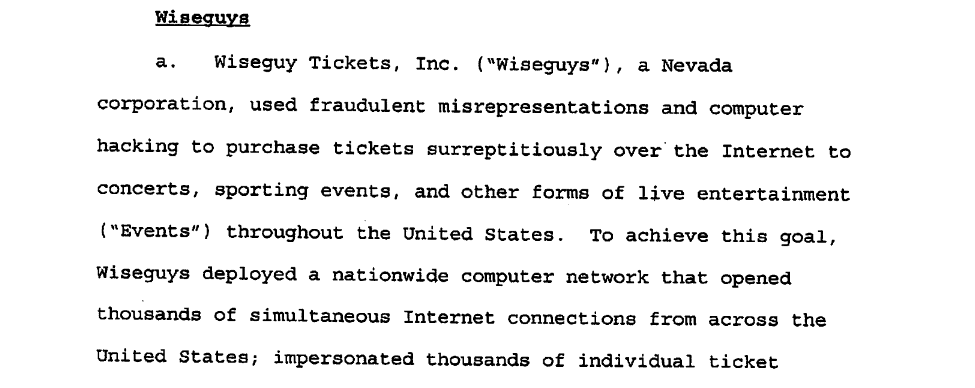
Wiseguy Tickets in the indictment.

At the same time, online ticket scalping was not far behind official online ticket sales. One of the earliest “successes” was Wiseguy Tickets (also working as Seats of San Francisco) which manipulated fan club memberships to buy up tickets for U2’s Vertigo tour in 2005, earning $2.5 million of profit in the process. When the law finally came down on them in probably the most famous case targeting ticket scalpers, the prosecution alleged that Wiseguys made $25 million during their 2002-2009 streak. 

The group used a variety of methods to overcome security measures put in place by ticket vendors – including beating multiple generations of CAPTCHA – all in order to help their employees and bots secure the most lucrative tickets. 

Bots were one of the key components of their illicit success. These automated systems could spot sales and reserve tickets faster than any human could, and could be scaled without compromising the security or the bottom line. After all, bots don’t talk or earn wages. But the bot tactics and innovations are well-documented elsewhere – what’s most important for us is what they did with proxies

Wiseguys Use Of Ticketing Proxies

Your ticketing bot may be smart, but it can’t do anything if Ticketmaster has banned its IP. To get around the issue, Wiseguys created their own network of proxies. 

According to the indictment, Wiseguys started building out covert IP infrastructure around 2007, using shell companies Smaug and Platinum Technologies. Wiseguys registered 100,000 IPs to impersonate legitimate customers. Furthermore, they aimed to rent non-consecutive IPs to hide the synthetic nature of their network. 

Wiseguys rented out these IPs from companies providing colocation services by claiming the addresses were for testing internet protocol services or brokering hotel room bookings. As such, they effectively built an infrastructure of what we call datacenter proxies

Image
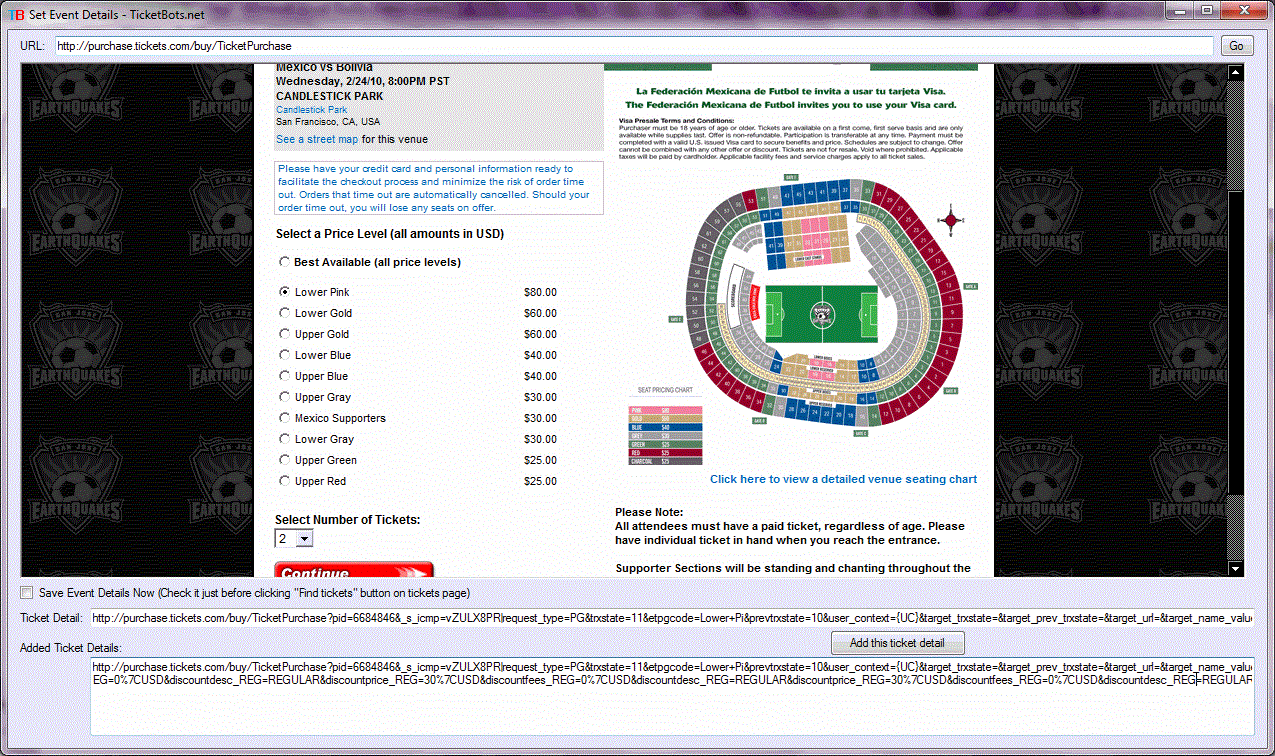
A product screenshot from a defunct website selling ticketing bots.

The first line of proxies was meant for Watchers, bots programmed to monitor ticket vendors for new events. To operate the Watchers, Wiseguys leased Amazon servers. The moment a new sale was spotted, the server lease was terminated. This hid the connection between Watchers (that were constantly refreshing the website to spot ticket sales) and the actual ticketing bots that would attack in the next wave. 

Granted, that whole infrastructure didn’t spring up at once, and neither did the technical adaptations. Moreover, 100,000 IPs wasn’t the end goal, as email correspondence showed Wiseguys’ intent to acquire up to 500,000 addresses. 

Others would have reasons to follow in their footsteps. While it’s hard to evaluate the size of the scalping market, some estimates put the ticket resale market in the US in the early 2010s to be worth around $4 billion.

The Technical Adaptations of Ticketing Proxies

It’s difficult to pinpoint when the proxy seller industry as we know it emerged – only that it definitely started with datacenter proxies. Providers merge and rebrand, so research involves turning to internet archives and hunting for snapshots of websites.

Wiseguys made do without any proxy provider – for them, it all started with sourcing datacenter proxies from colocation services. But those IPs are fairly simple to detect: either by getting data from IP geolocation services or just seeing many similar IPs connect at once. They’re also then easy to block, as the ticket seller doesn’t risk blocking actual customers. After all, people don’t live in datacenters and, as such, don’t get datacenter IPs. This made it clear scalpers needed something harder to detect – which led to the rise of residential proxies.

Residential proxies were the natural next step: hosted by real users, their IPs were identified as coming from residential areas. They would be harder to block, too – you may be blocking a paying customer! 

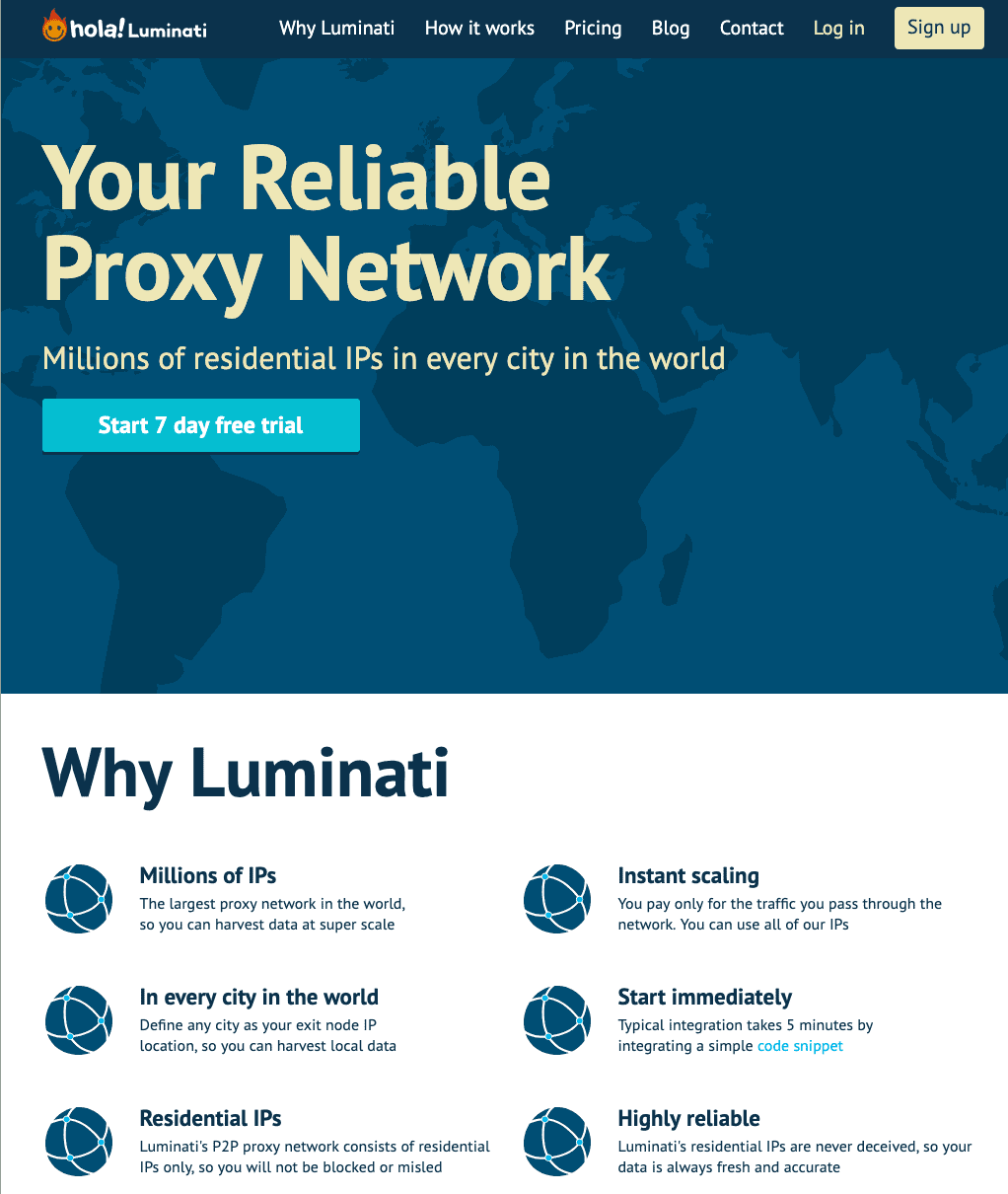
According to the scarce historical data, Luminati – that’s Bright Data before the rebrand – was marketing itself as a peer-to-peer VPN provider up till the end of 2015. From 2016, it started positioning as a proxy network with residential IPs. And if we go over Oxylabs’ archives, residential proxies as a specific product appeared in May 2018.

Image
The ol' Luminati frontpage on archive.today.

There was also (and probably still is) a shadier undercurrent of residential proxy vendors. 911 S5 was a massive supplier of proxies that started operations in 2014 before it got shut down by the FBI in 2020. It used six free VPNs to turn 19 million devices into residential proxies and reap around $100 million in profits. The existence of malicious actors like these certainly siphoned off some of the demand. 

It’s unclear when the untraceability of residential proxies became a large enough selling point for them to be legally marketed as a specialized product for ticket scalping. But we do know that the sneaker scalping craze was taking off in 2018, spurring a niche market that was looking for alternatives to datacenter proxies.

While sneakers weren’t directly tied to ticketing, the two markets developed in parallel and pushed proxy suppliers to adapt. For a long time, both sneaker releases and ticket sales worked on the first-come-first-serve-principle. As such, scalpers needed more speed, and bots could only work as fast as the internet connections allowed. This is where proxy suppliers had to adapt –  speed was essential, and ISP proxies offered it.

ISP proxies combined the speed and reliability of the datacenter proxies with the untraceability of the residential ones. But this solution didn’t work forever. Eventually, sneaker sales moved to a raffle system (as for tickets, various artists had tried doing that even in the Wiseguys days) and speed lost prominence as a selling point. Still, ISP proxies remain a staple of proxy suppliers to this day.

Image
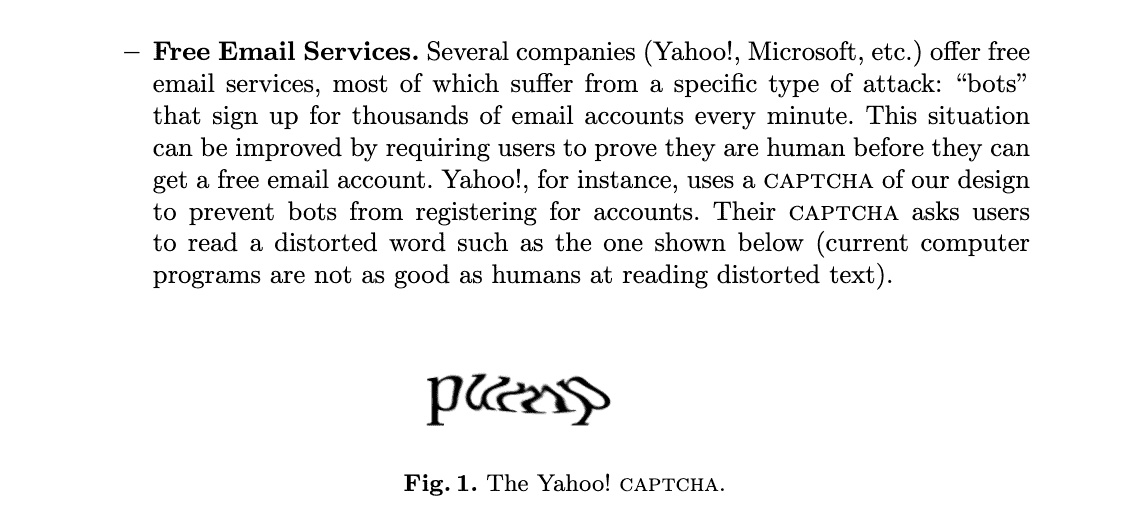
An example of a primitive CAPTCHA from an ancient paper on CAPTCHAs.

For all the evolutions of the proxies, bots are still the most important part of the technological arms race. CAPTCHAs never stopped changing; security measures to detect bot-like behavior demanded new types of bots that would act sufficiently human-like, and so on. There are far more vectors for bot detection and obfuscation than there are for proxies.

But the fight doesn’t end there: tackling scalpers solely via technological effort would mean playing catch up with a decentralized group of heavily financially-incentivized and inventive people. That’s why ticket scalping has long been combated on another front: the law.

The Legal Backlash to Ticketing

Web data scraping had been around for almost as long as the internet was, but it was rapidly increasing in prominence around the same time as sneaker copping. This was great news for proxy providers, as they could increasingly diversify their markets. Meanwhile, the legislators were somewhat catching up with the idea that automated ticket scalping is potentially harmful to consumers. 

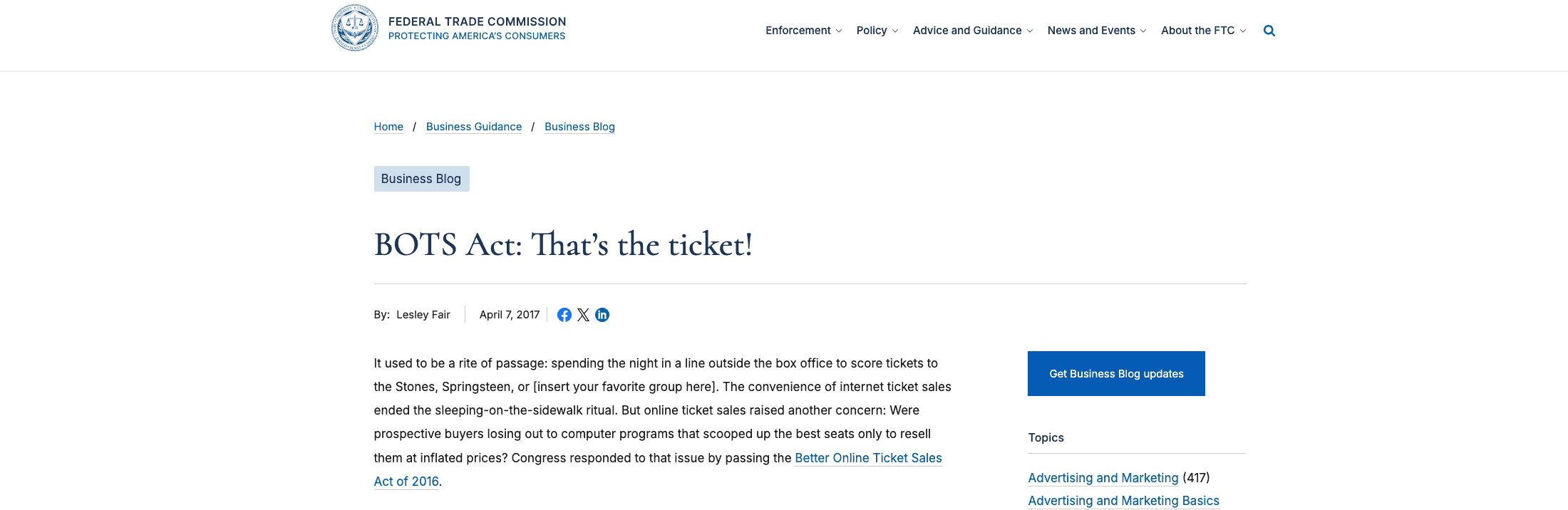
For example, in 2016, the US passed the Better Online Ticket Sales (BOTS) Act. In the Federal Trade Commission’s own words, “the law outlaws the use of computer software like bots that game the ticket system.” More than that, it also outlawed the sale of tickets that were knowingly obtained via such methods. 

Image
FTC's sassy introduction into the explanation of the BOTS Act.

Other countries have also been working on similar legislation. The UK passed a law in 2018 that would put potentially unlimited fines on “ticket touts” (that’s how the scalpers are called in the UK) for using bots. The Canadian province of Ontario implemented a similar rule in 2017. In Taiwan, both scalping and using proxies to get tickets are against the law. 

The effectiveness of the BOTS Act was, however, dubious. There was one case in 2021 when three ticket brokers were sentenced to pay $3.7 million in damages (as they were determined to be unable to pay the full $31 million sum set earlier). It was the most serious case brought before the public. This in part prompted President Trump to issue an executive order on March 31st, 2025 to make the FTC more rigorously enforce the BOTS Act. 

The enforcement of such laws remains fairly weak outside the US as well, especially when the act of scalping itself often remains unregulated and thus very lucrative. For example, the parts of the Ontario law targeting specifically scalping were rolled back in 2019 after a change of government. Taiwanese officials are currently considering making ticket purchases tied to your real name as a way to impede scalpers.

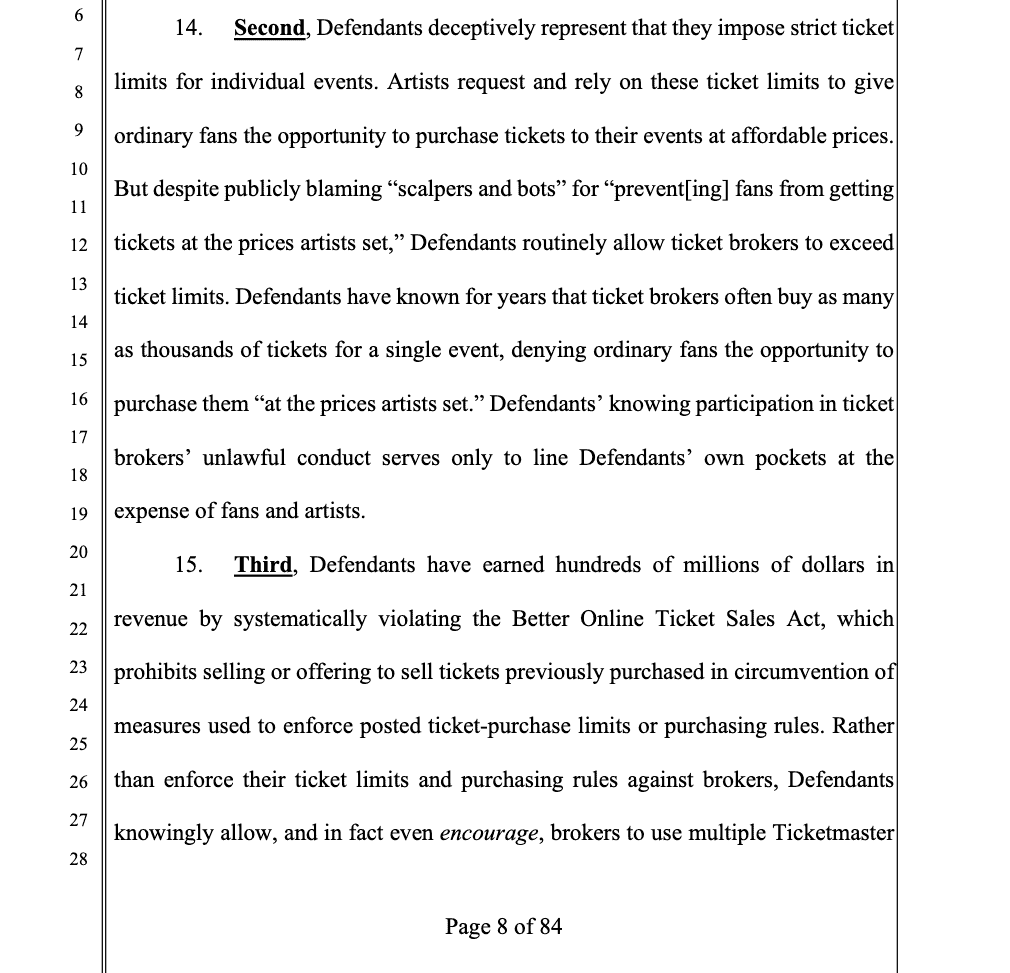
The serious implementation of such laws is also impeded by scalpers’ (alleged) secret ally: ticketing agencies themselves. You may remember that Ticketmaster had purchased a ticket reselling company to get a cut of both sales and resales. However, recent Ticketmaster and Live Nation lawsuits by the US Department of Justice and then the FTC claim that the companies knowingly allow scalpers to purchase tickets beyond their set limits (via multiple accounts) – among other shady practices. 

Image
FTC bringing down the heat on Ticketmaster.

Between weak and uneven enforcement of anti-scalping and ticketing laws and actors in the anti-scalper space, this leaves space for scalpers to survive and thrive. The profits of servicing this market don’t seem to be large enough for large companies to risk it, but the risk-reward calculation seems good enough for smaller businesses. This is also reflected in how the marketing treats this use case in the current day.

The Life of Modern Ticket Proxies

Today, there aren’t proxy providers that would market themselves as selling exclusively ticketing proxies – at least not publicly. Besides, this would be somewhat limiting when you consider the many use cases proxies have today. However, the providers’ overall attitudes towards this specific niche are varied.

As of September 2025, some prominent proxy providers either directly marketed proxies for ticketing or at least endorsed the use of their product for reselling:

Other major proxy providers forbid the use of their products for ticket scalping purposes:

But while reputable large enterprises might not be too hot on ticketing, smaller providers are seizing on the opportunity:

ISP proxies are now marketed for the ticketing crowd by smaller and more specialized proxy providers:

In Conclusion

Proxies have been an inextricable part of digital ticketing for almost as long as it existed. However, while they’re vital in enabling the process, they’re not nearly as crucial as ticketing bots. We can already see major proxy providers ditching or outright banning ticketing as a use case for their products. 

As web scraping becomes an increasingly important feature of e-commerce, proxies have other reasons to proliferate and develop. And all those developments are likely to be, one way or another, useful for ticketing. Therefore, the history of ticketing proxies is the history of commercial proxies in general. And that is a lot less criminally tantalizing!

Table of Contents
Picture of Chris Becker
Chris Becker
Proxy reviewer and tester.

The post A Short History of Ticketing Proxies appeared first on Proxyway.

]]>
https://proxyway.com/guides/ticketing-proxies-history/feed 1
What Is an AI Data Parser? https://proxyway.com/guides/what-is-an-ai-data-parser https://proxyway.com/guides/what-is-an-ai-data-parser#respond Mon, 15 Sep 2025 08:49:52 +0000 https://proxyway.com/?post_type=guides&p=37842 An AI data parser either uses an LLM to generate a web page parser algorithm or just scrapes the web page with an LLM.

The post What Is an AI Data Parser? appeared first on Proxyway.

]]>

What Is an AI Data Parser?

The Oxford Dictionary of English describes parsing as – just kidding! Parsing means turning an abstract jumbled ball of information into a nice and structured collection of data. Of course, you can do it yourself by manually entering the details of your lunch receipts – or 69,000 pages of laptops on sale on Amazon – into a spreadsheet. But AI parsing is much more powerful – and a lot better suited for scraping the web

Image

AI Data Parsing in Short

AI parsing is the method of taking unstructured information – like prices on a bunch of web pages – into nice and orderly data fit for a database by using LLMs (Large Language Models). Traditional methods already have the accuracy and speed, but the added flexibility of LLMs greatly reduces maintenance requirements and difficulty of scaling. 

But to really explain the benefits of AI-assisted data parsing, we have to first look into the ways data was structured before AI/LLMs entered the field.

Traditional Methods of Data Parsing in Web Scraping Explained

Pre-Machine Learning Parsing

The basic model of parsing a website means taking a programmer, sitting them down in front of the HTML structure of a web page, and making them write a CSS, XPath, or Regex-based algorithm for extracting data out of that page. Ideally, once written, the algorithm will be able to reliably parse all the necessary data from any page under the same category of a domain.

The parsing algorithm you get is both static and deterministic:

  • Static: it doesn’t change unless you change it manually.
  • Deterministic: run it on the same web page a thousand times, and it will always get the same output; if the listed laptop price is $850, then the database entry for the price will always be $850.

There are two downsides to this method:

  • Maintenance: a static algorithm can’t handle any changes to the web page – just like you, but with less drama. So, someone needs to keep an eye on the web design and then rewrite the algorithm to adapt to any changes. 
  • Non-scalable: let’s say it takes one developer one day to write a parser for a single domain. That’s not bad if you’re only scraping/parsing data from one domain. What if you want to hit 10,000 different domains? Then you’ll need either 10,000 developers, 10,000 days – or, more realistically, a combination of the two. Oh, and don’t forget the maintenance.

Classic Machine Learning Parsing

When machine learning (ML) became more commonplace, a new method was employed:

  1. You sit down with a web page, look at the HTML code, and split it into elements. 
  2. You label the elements: this is the price field, this is the product photo, etc.. 
  3. You train ML models on all this data before letting them loose to parse websites. 

After the training is done, you get a model that is mostly domain agnostic – so, you don’t need to retrain it for every new domain. 

The downsides are thus:

  • Intensive training: before your ML can start parsing websites, you need to train the model. And to train the model, you need to process and label thousands of websites. That’s a lot of manual labor.
  • Data drift: websites change over time, but the ML doing the parsing can’t account for that, so you will have to invest in the maintenance of the model as well.

Visual Parsing

Visual parsing is a novel take on ML parsing, and it made Diffbot famous. Instead of rooting through the code to identify elements your ML model needs to seek out, visual parsing renders the page in the browser. The model then parses the page via computer vision and returns structured contents. It’s kind of like what you do as a human when viewing a website. 

  • The big upside of the Diffbot approach is that you don’t need to know how to code to train the model: you mark all the segments on a website as you visually understand them, and then the ML model will learn from that. 
  • Since it doesn’t look into the code of the web page, just the visual output, it’s less sensitive to any changes that may happen in the background that are invisible to the eye.
  • On the other hand, it still needs a lot of human work to prepare the training materials, and the maintenance requirement isn’t going anywhere either. 

With that in mind, we can consider AI web parsing.

Using AI for Web Parsing

AI web parsing will involve large language models. There are currently two main methods at play: LLM-based instruction generation and an LLM-based JSON parser.

LLM-Based Instruction Generation

This method may also be called LLM-based parser generation – it’s what Oxylabs’ OxyCopilot runs on. You take the HTML of a target page and feed into an LLM together with instructions to generate a parser (which would include what things you want to parse). The LLM will then write a parser – xPaths and all – for you. 

In this situation, it replaces the programmer who would have to write that algorithm manually. You do it for a single page on the domain, and you now have a static and deterministic parser that will be able to snag data from any page on the same website. 

So, this approach:

  • Saves labor and time: you don’t need a specialist to painstakingly code the parser for every domain you want to scrape. 
  • Has a measure of self-healing: If you set up an alarm for when any changes to the pages you scrape are detected, the LLM can be instructed to rewrite the scraper, making maintenance that much faster. 

The downsides:

  • You need a new parser for each domain, just like with the write-the-parser-yourself methods. However, this is alleviated by the fact that you can just make the AI write more parsers. 
  • Human-written algorithms still remain superior when it comes to accuracy. To bring an AI parser up to par (at least somewhat), you’ll need to implement validation strategies, which increase complexity and cost.

LLM-Based JSON Parser

But what about skipping the middle-man – or the middle code, to be precise? Method two, LLM-based JSON parser, cuts out the whole “having to build a parser” part. What you do is take the HTML of the page, define your scraping requirements in JSON, and feed them both into a cheap LLM.

AI is much better at following the rules than writing them. Once it’s done parsing, it can then present the output as the structured data you need. You can use your own LLM for this! And with a wide-variety of MCPs available these days, all that data will then be sent to your database without you having to do anything. 

Plus, unlike your static parser which will break when encountering any changes in the website, an LLM will, with no alterations to the JSON instructions, parse the website no matter what happens.

A couple of downsides, however:

  • It is non-deterministic: you may ask the LLM to scrape the price, but the results aren’t guaranteed to always be the same even when scraping the same page twice. 
  • It’s also a little expensive: you’re making an AI query per HTML parsed, and those aren’t cheap. Also, a single LLM request can take 5-8 seconds to process, while a parser does it in one. 
  • Local models require expensive infrastructure: you’re not running a million requests on a MacBook. You have to consider at which point it becomes more economical to have a home scraping setup vs. just buying more tokens.

Still, this method is employed by Crawl4AI, SpiderScrape, Firecrawl, AI Studio and many others. That’s because there are scenarios where it is actually more efficient. 

Imagine scenario #1: you have a single domain and one million parsing requests to make:

  1. Method one runs the AI once, gets the parser, and the parser then scrapes those 1 million pages on the cheap. 
  2. Method two would make one million AI queries – you pay for each one (and remember: queries take more time than scraping).

But what about scenario #2: 100,000 domains and 10 requests per?

  1. Method one creates 100,000 algorithms that you then have to match with their specific domains and then run one million scraping requests. And if you don’t have the self-healing algorithm set up, you now have to manage your scrapers. 
  2. Method two runs that single JSON request on every page, at which point the price issue comes down to whether you’re using a local model or not, how much you paid for the infrastructure, and the alternative costs of following method one.

In Conclusion

AI web parsing is the logical next step in the evolution of web parsing. The previous methods were already good at parsing. The introduction of LLMs solve the issues of scaling and maintenance, making it easier to increase the scope of web scraping operations and to keep them going in the face of constant change.

Picture of Chris Becker
Chris Becker
Proxy reviewer and tester.

The post What Is an AI Data Parser? appeared first on Proxyway.

]]>
https://proxyway.com/guides/what-is-an-ai-data-parser/feed 0
What Is a Residential VPN? https://proxyway.com/guides/what-is-a-residential-vpn https://proxyway.com/guides/what-is-a-residential-vpn#respond Thu, 04 Sep 2025 07:57:26 +0000 https://proxyway.com/?post_type=guides&p=37428 Residential VPNs gives users a residential IP for accessing services that are either geoblocked or that block VPN connections.

The post What Is a Residential VPN? appeared first on Proxyway.

]]>

What Is a Residential VPN?

Many users may not have a working understanding of what a VPN is, and they still get assaulted with terms like residential VPN. As with a lot of networking technology, it’s not that straightforward to understand or explain. But by gum, we have it in us to do so! Read our short explanation of residential VPNs, how they work, whether you need them, and their possible alternatives.

Image

What Is a Residential VPN?

A residential VPN is a specific type of virtual private network. Like all VPNs, it encrypts your data and routes it via an intermediary device – a server. That way, all of your data is labeled with the IP address of the intermediary device, hiding your real IP and location. 

But here’s the big difference: while a regular commercial VPN uses datacenter servers as their intermediaries, residential VPNs send your requests through a computer or a laptop that belongs to a regular person. This usually takes the form of some sort of bandwidth-sharing agreement.

There’s also the possibility that a residential VPN is residential in the same way that a static residential proxy – also known as an ISP proxyis residential. By which I mean that the ISP hosts proxy servers in a datacenter, but marks their IPs as residential. 

The main benefit of a residential VPN is that you get the IP of another real internet user. This is great for various use cases: services and businesses are less likely to block a residential IP since it represents a potential customer. Datacenter IPs, on the other hand,  are almost invariably used by anonymization services and bots. 

The downside is that residential IPs are exposed to technical limitations you can expect from using a random guy’s laptop. A VPN server at a datacenter is a machine that’s optimized for handling huge volumes of traffic, served by high-grade internet connections. The random guy’s laptop – less so, so the connection may be slower and less reliable. 

Plus, just because it’s a residential IP, it doesn’t mean that the guy the IP belongs to hasn’t gone and gotten himself banned on a bunch of online services.

How Does a Residential VPN Work?

Here’s how a residential VPN works. 

  1. You either set up a VPN to route data through your buddy’s PC/laptop/etc., or subscribe to a commercial VPN that pays users to use their devices as VPN servers. 
  2. You connect to the residential VPN server – this creates a VPN tunnel: any data that travels between your device and the residential VPN server is encrypted (in addition to any encryption it may naturally have, like HTTPS).
  3. The VPN server decrypts the data (removing the VPN encryption – it can’t remove any pre-existing encryption like HTTPS) and forwards it to the website or service you wanted to reach – the data now bears the VPN server’s IP address. 
  4. The website or service sends the reply back to the residential VPN device
  5. The VPN app on the server forwards the data to your device (via the the encrypted VPN tunnel mentioned in #2). 
  6. The VPN app on your device removes the VPN encryption.


This is how you get to use websites and services without revealing your true IP.

Why Use a Residential VPN?

The main reason to use a residential VPN is to bypass geoblocks on services that are eager to block VPNs. This includes streaming services, online stores, even banking. They put in a lot of effort to sniff out likely fake (automated or scam) users. But it’s a lot harder to detect a VPN connection when it presents a residential IP address.

The rest of the use cases are identical to regular VPN:

  • Overcoming geoblocking: connect to a server in the right country, get a local IP, gain access to local content. 
  • Maintaining your privacy from your ISP: it can only see that you’re connecting to a VPN.
  • Overcoming local firewalls: your employer/school/library Wi-Fi can’t block YouTube if it doesn’t see you connect to YouTube. 

What Are the Differences Between Residential VPNs and Proxies?

VPNs and proxies are closely-related technologies, with one crucial difference: proxies don’t have to encrypt the data traveling between your device and the proxy. This is a matter of privacy, as you may not want your ISP to be able to tell what websites you’re visiting or when. Without this encryption, a VPN would be no different from a proxy. 

So why not use VPN all day, every day? Encryption has a cost, that’s why. There’s a concept called “encryption overhead” which is the additional information you need to transmit for the other device to be able to decrypt your data. This incurs a constant drain on your bandwidth, usually nearly imperceptible. However, the drain can become increasingly large when you undertake tasks that are data intensive (scraping) or speed-reliant (gaming, coping, etc.). 

That right there is the use case difference: VPNs are favored for manual tasks – as in, something the user might do themselves. This includes everyday online activities, streaming video and so on. Proxies, on the other hand, are employed for large scale automated tasks like web scraping.

Pros and Cons of Residential VPNs

So, with all these explanations of what a residential VPN is, here are the pros and cons summed up:

Residential VPN prosResidential VPN cons
Hides your IP just like any VPNThe connection is less reliable
Gives you a likely-not-banned residential IPThe IP may still get banned 
Lets you enjoy VPN benefits with a lower likelihood of being detected as a VPN userResidential VPNs are more expensive

Residential VPN Alternatives

There are three main residential VPN alternatives: residential proxies, mobile proxies, and dedicated IP on VPNs.

  • Residential proxies: literally the same as residential VPN, but without the encryption overhead, which makes residential proxies the faster option. Also, residential proxy subscriptions charge by traffic (not great for regular browsing) and, like all proxies, usually cover a single app that can be configured with proxies (while VPN coverage is system-wide).
  • Mobile proxies: like residential proxies or residential VPN, but the devices in question are on mobile carrier connections. This makes their IPs even less likely to be detected and blocked, but the connection can be shakier than with regular residential proxies. Plus, there may be more IP rotation as mobile devices move between networks.
  • Dedicated IP on VPN: this is what VPN developers that don’t offer residential VPNs will try to market as their “residential VPN-like” service. Simply put, this means that you get to use a single, unchanging VPN IP address. This ensures that you’re the only user of that address, freeing up bandwidth and lowering the likelihood of blocks… but you’re still using a datacenter IP.

In Conclusion

A residential VPN is a good choice for someone who cares less about speed than the ability to access websites and services. If you want to bypass geo-blocking for the content from a specific region, a residential VPN is hard to beat.

However, if you require volume and power, a residential proxy will suit your needs a lot better. So if you’re an enterprise user who needs to scrape data and to scrape a lot of it, go for a residential proxy.

Picture of Chris Becker
Chris Becker
Proxy reviewer and tester.

The post What Is a Residential VPN? appeared first on Proxyway.

]]>
https://proxyway.com/guides/what-is-a-residential-vpn/feed 0
What Is an MCP Server? Explaining The Important AI Enabler https://proxyway.com/guides/what-is-mcp-server https://proxyway.com/guides/what-is-mcp-server#comments Thu, 14 Aug 2025 08:09:45 +0000 https://proxyway.com/?post_type=guides&p=36473 MCP servers give LLMs/AIs easy access to tools and resources. This enables them to use real-time data and complete complex tasks.

The post What Is an MCP Server? Explaining The Important AI Enabler appeared first on Proxyway.

]]>

What Is an MCP Server? Explaining The Important AI Enabler

MCP servers are a crucial tool for AI development and the future of agentic internet. They’re an important enabler for providing AIs with tools that allow them to not just talk, but act. This is how large language models can easily access databases, interact with text-to-speech services and 3D modeling applications, and yes, scrape websites. But what exactly is an MCP server? 

Image

What Is MCP?

The MCP (Model Context Protocol) server is a major component of the MCP: an open standard for tools that LLMs can use. The protocol was launched by the Claude creators Anthropic on November 26, 2024. 

LLMs can talk all day long based on their training data – but that’s it. By default, the AI doesn’t have access to real-time data and can’t manipulate anything. You can give it such capabilities with specialized APIs, but that is time-consuming and labor-intensive. So every time you want to add a capability like looking up the time or interfacing with Slack, you have to do custom work for the specific model-app/service combination. 

But the MCP framework has introduced a new standard for creating a translator that sits between the LLM (or, to be precise, the AI application) and the tools you want it to use. Whatever weird “language” a tool speaks, its MCP server will translate into something any AI model – Claude, ChatGPT, etc. – can understand.

The MCP system contains these major components:

  • The MCP host: that’s the AI application you’re working with. 
  • The MCP client: that’s what the AI uses to create a secure connection to the MCP server.
  • The MCP server: does the translation between what the AI wants and what the service in question puts out.

What Is an MCP server?

An MPC server is the majestic translator that allows models to interact with systems and data. While an API would have to be created for a specific combination of service and LLM, an MCP server only has to be specific to a service. 

So, for example, the Oxylabs MCP server will provide web scraping functionality for whatever AI model you have. 

MCP servers can contain three types of primitives that can be exposed for AI to use:

  • Resources: this is context in its most raw/usual form: documents, files, databases. It enables AI to look up data in, say, Apache Doris databases. This way, the AI can access more than just the data it was given when the model was developed. 
  • Tools: where resources enable passive consumption, tools allow the AI to do things without human involvement. Tools are the way AI enters new entries, deletes data and otherwise manages databases – or creates memes on ImgFlip. This puts AI beyond a sophisticated chatbot and turns it into an agent.
  • Prompts: Probably the most AI-specific type of MCP server content, prompts are specialized AI instructions that allow it to execute a task in a pre-set, standardised manner. If you tell the model to “plan a holiday”, the prompt template may then enable the AI to then ask about your desired location, duration, budget, and interests.

As a concrete example, consider an MCP server that provides context about a database. It can expose tools for querying the database, a resource that contains the schema of the database, and a prompt that includes few-shot examples for interacting with the tools.

The protocol is built around communicating in JSON-RPC 2.0 – the RPC part refers to “remote procedure calls,” a concept that closely maps to how MCP clients may need to call MCP servers on the same device or somewhere else online. 

But that’s not all – MCP servers can also ask for the clients to provide data as well – or in more technical parlance, there are primitives than can be exposed: 

  • Sampling: allows servers to request language model completions from the client’s AI application to access a language model without having their own language model SDK. 
  • Elicitation: for the times when the server creators want to get either more information from the user or prompt a confirmation for an action. 
  • Logging: the simple act of submitting logs for debugging and monitoring purposes.

What's the Difference Between MCP Servers and APIs?

The key difference between MCP servers and APIs is that MCP servers are made to serve AI/LLMs. Sure, both of them allow software to interact with external services, but that’s where the similarities end:

  • We already mentioned standardization. A classical API will output the data in whatever format the developers felt was best. But since MCP is a standard, no matter what the input from the service is, the MCP server’s output will be something any AI model can easily use. 
  • API are generally created by developers to allow third party software to interact with their apps and services. For example, the Reddit API allowed for the existence of different reddit clients, but it wasn’t made with them in mind. That same API allows AIs to be trained on Reddit data, too. In contrast, an MCP server exists to provide standardised data, tools and prompts for AIs
  • APIs don’t tailor their inputs and outputs for models to easily understand and use. But MCP handles specifically that hard task of calling the API, reading the response, and turning it into usable context. The AI itself doesn’t have to be programmed to “understand” any of the processes happening under the hood.
  • APIs usually leave security to the end user. MCP servers, however, have been developed with security already in place, like the authentication procedures embedded in its transport layer.

What’s the Use of MCP Servers in Web Scraping?

Web scraping has already adopted related technologies: web scraping APIs and AI scraping. Web scraping APIs are like services that access the website and carry out the scraping for you. They do the heavy lifting for the user. AI web scraping is more advanced, since it employs machine learning and whatnot to adapt to fancy website design complexities, anti-scraping tech, and such. 

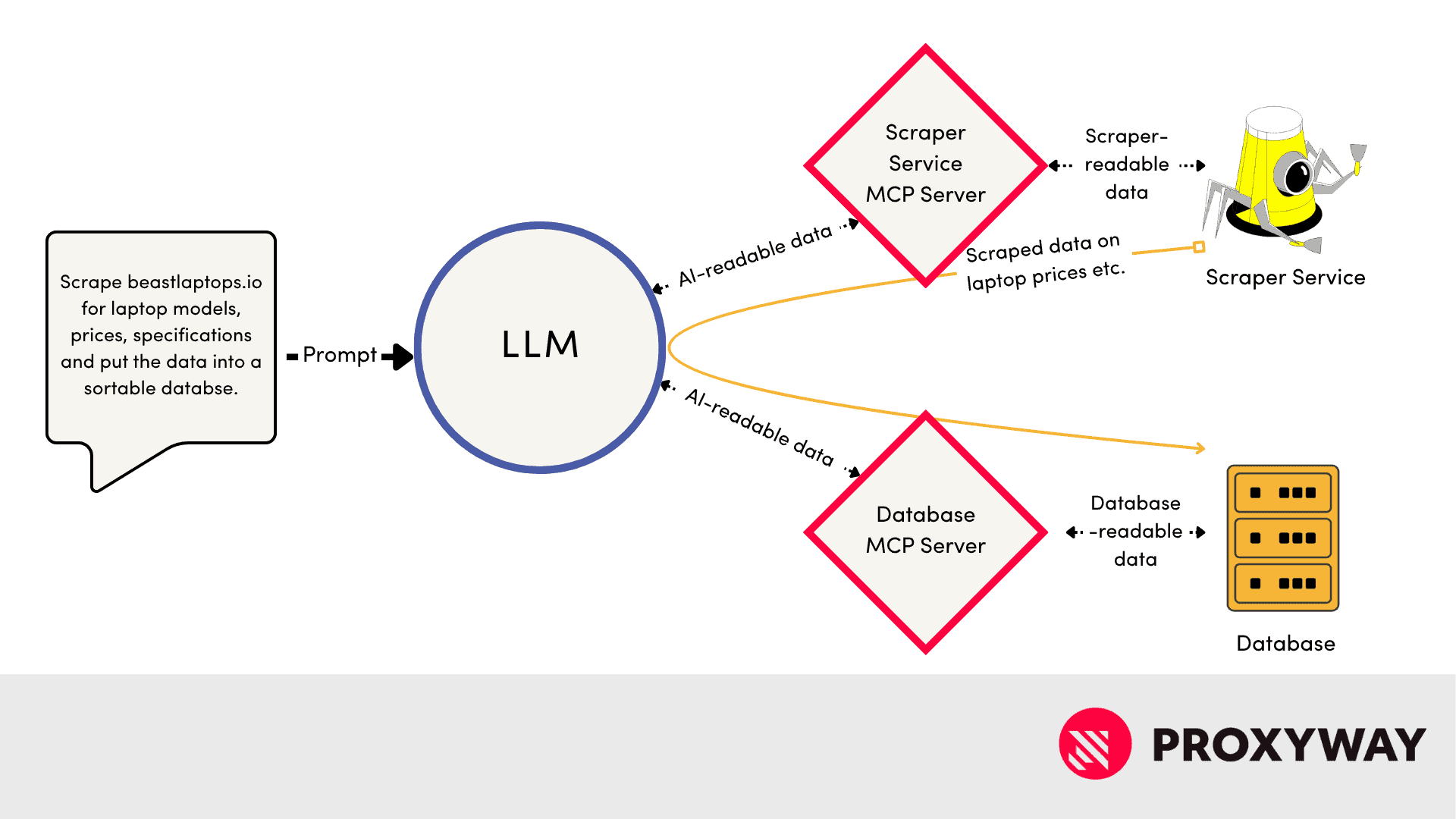
What MCP does is allow your AI/LLM to make use of those ready-made services. Now you yourself don’t even need to interact with them. You tell the AI what needs to be done, it boots up the MCP clients to reach out to the MCP servers, and they provide the tools (in the general, not MCP-server-primitives sense) to do so.

Image

At the same time, an LLM can be running MCP clients for multiple services, so it can access a web scraper MCP server, get the web scraping data you want, and then feed into a database MCP server for storage, processing and retrieval. Et voila. 

In Conclusion

MCP servers are a key part of the new MCP architecture powering AI agents. Without it, we’d be reduced to a bunch of patchwork solutions that have to be custom fitted for every new circumstance. But now, MCP servers are what makes AI and other services sing in harmony – or scrape the web efficiently.

Picture of Chris Becker
Chris Becker
Proxy reviewer and tester.

The post What Is an MCP Server? Explaining The Important AI Enabler appeared first on Proxyway.

]]>
https://proxyway.com/guides/what-is-mcp-server/feed 1
IPv6 Proxy Guide: What You Need to Know https://proxyway.com/guides/ipv6-proxy-guide https://proxyway.com/guides/ipv6-proxy-guide#respond Tue, 29 Jul 2025 06:38:54 +0000 https://proxyway.com/?post_type=guides&p=36289 IPv6 proxies support the next generation of the Internet Protocol. But what do you need to know about them?

The post IPv6 Proxy Guide: What You Need to Know appeared first on Proxyway.

]]>

Guides

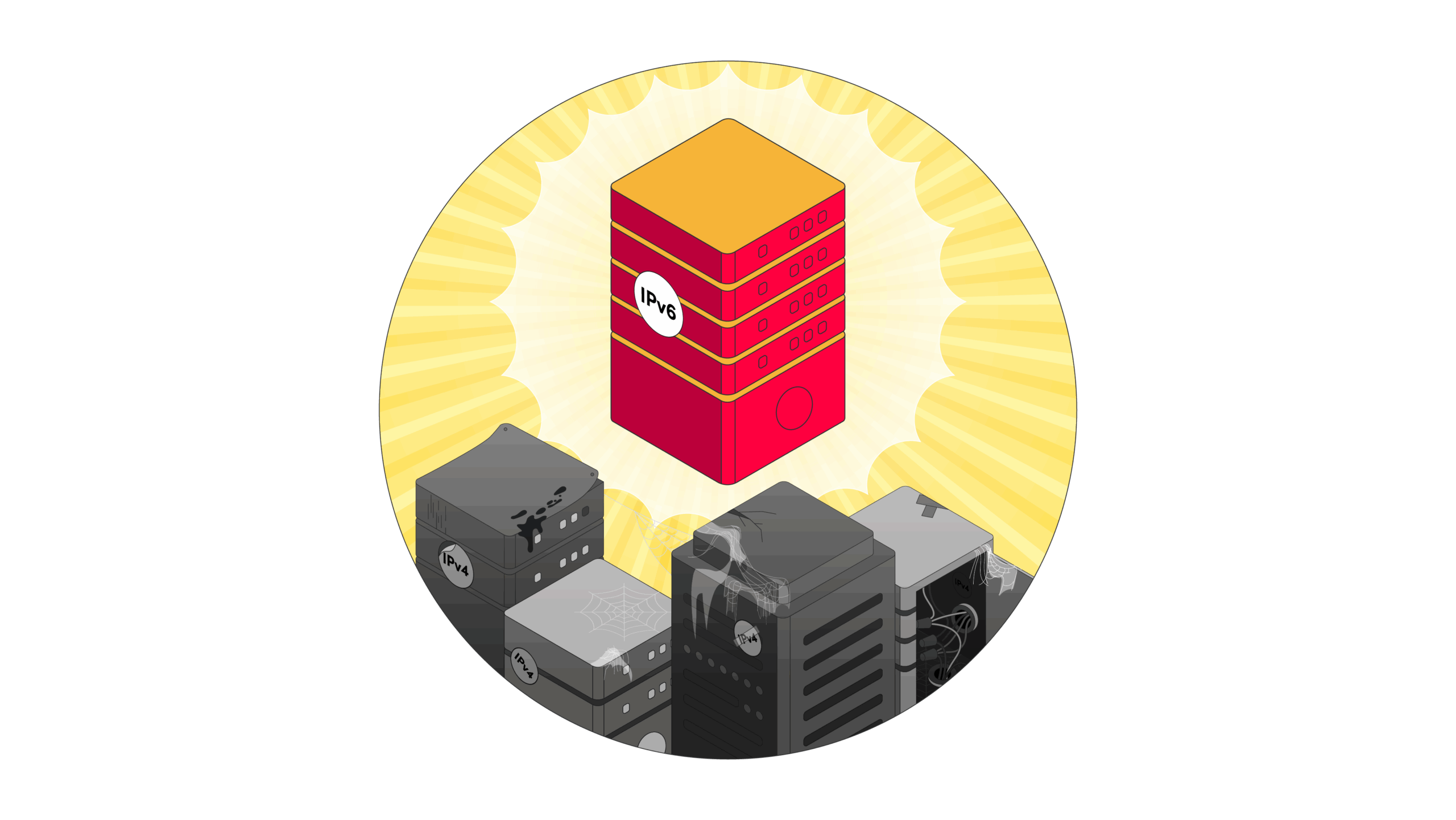
The internet today runs on IPv4 protocol – but the protocol is wildly out of date. IPv6 is the future – it’s just unclear how near or far it is. However, IPv6 will replace IPv4 as well as the pile of patches and workarounds needed to keep it going. And with that, IPv6 proxies will be the dominant type of proxy in the market. Futureproof your plans by learning about it now. 

Image

What Are IPv6 Proxies?

IPv6 proxies are proxy servers that support online communication over the IPv6 protocol. IPv6 is meant to replace the current IPv4 standard. This is a must: IPv4 addressees – necessary for online data exchange – are 8-bit long (and look like this: 104.21.55.78). This allows for about 4 billion unique addresses. As of 2025, there were 5.5 billion internet users. Since there are a lot more devices that there are users, unique IPv4 addresses ran out a long time ago. 

An IPv6 address looks like 2001:0db8:85a3:0000:0000:8a2e:0370:7334 – longer and made up of numbers and letters. This would give us 340 undecillion unique IP addresses, enough to make every sock in the world Wi-Fi capable. IPv6 proxies are configured to use this longer address as well as other new features, like a shorter header (think labels for data packages). 

On a semi-related note, some businesses call their IPv6 gateways – which translate IPv6 traffic into IPv4 and back again – “IPv6 proxies.” The differences between those are murky – they’re both intermediaries for your data – but a regular IPv6 proxy won’t necessarily be able to handle IPv4 traffic.  

What’s the Difference Between IPv4 and IPv6 Proxies?

The crucial difference between IPv4 proxies and IPv6 proxies is the kind of protocol they use: IPv4 for the former, and IPv6 for the latter. As the two formats aren’t interoperable, online infrastructure has to be built to be able to use IPv6.

Here lies the problem: building new infrastructure is expensive. So while IPv4 address exhaustion has been a known problem since the 1980s, the protocol soldiers on thanks to all sorts of smart tricks pulled to make it work. And since IPv6 adoption is slow – important websites like Amazon, Twitter, and GitHub still don’t support it – internet providers don’t feel the pressure to adopt it either.

Image
Regional Internet registries like the European RIPE NCC are working hard to promote IPv6 adoption. Source: ripe.net

This is not a universal constant across the globe. China sees IPv6 adoption as a national goal and India leads IPv6 adoption on a global scale. Part of this is, reportedly, because Asian nations got slim IPv4 address allocations. Meanwhile, companies in the west had plenty of IPv4 to go around and consequently invested into the tricks that keep it going. 

One such trick is Network Address Translation (NAT). These services stand between their own networks and the wider internet. They work as a post forwarding service for the data coming from their own networks, meaning that only the NAT has to have a unique address. At the smallest scale, NAT can exist on your router, so devices using Wi-Fi wouldn’t need unique IPs. At large scales, CG (carrier-grade) NATs exist for ISP networks. 

What does that mean for proxies? On the technical side, IPv6 proxies could be faster because they have shorter headers and sort data in more advanced ways. But on the practical side, IPv4 proxies are both less likely to get banned and more useful in the immediate term. More on that in the next section.

What Are the Benefits/Drawbacks of IPv6 Proxies?

IPv6 proxies have several things going for them, but a few downsides as well.

IPv6 prosIPv6 cons

Virgin proxies: due to both slow adoption and the potentially endless variety of proxy addresses, you can find IPs that have never been used before. 

Low adoption: while large websites are increasingly adopting IPv6, not all of them are. At the time of writing, Twitter, Amazon, and Github are still IPv4-only. 

Security: IPv6 is inherently more secure than IPv4, with IPSec protocol for authentication and encryption applied by default. 

Easy bans: as IPv6 isn’t yet widespread, any suspicious (bot-like) connections are unlikely to come from residential addresses – as such, websites and services are more likely to ban them without the fear of affecting actual customers.

Speed: IPv6 doesn’t have to deal with NAT (Network Address Translation) and has simpler datagram (data package) headers, so it should work faster. 


Can I Get IPv6 Proxies? Can I Get Residential IPv6 Proxies?

You can already get IPv6 proxies – the providers are slowly ramping up the supply. Outside of countless small suppliers, you can see companies like Oxylabs and IPRoyal advertising their wares. What’s more, Oxylabs claims theirs are drawn from their 175M+ pool. 

However, considering that the total advertised pool of Oxylabs is 175 million, it’s doubtful that they would have a large separate supply of addresses just for the IPv6 demand. 

So finding genuine IPv6 residential proxies is still difficult – the vast majority will be data center ones. But providers are stepping up their game. Several big name proxy companies now boast IPv6 proxies, including residential: 

Bright Data
Rayobyte
IPRoyal

Moreover, some offer additional services to increase usability: Bright Data supports failover which switches to IPv4 if you’re trying to access a service that doesn’t support IPv6.

Why Are IPv6 Proxies Generally So Cheap?

IPv6 proxies are generally cheaper than IPv4: for example, at the time of writing, a dedicated IPv6 IP on Rayobyte costs $0.20 while a dedicated IPv4 IP is $2.50. That’s because the supply still outstrips the demand:

  1. IPv6 proxies are mainly datacenter: data centers may provide powerful and stable connections, but they are also very likely to end up blocked. 
  2. IPv6 is less useful: a large chunk of major websites outright don’t support IPv6 connections, making them very limited in deployment.

What’s the Future of IPv6 Proxies?

The future will run on IPv6, it’s just hard to tell how long it will take. There is progress in adopting the new standard, but it’s slow. Hopefully, the process will speed up before the internet is paralyzed by IPv4’s workarounds finally breaking under the strain. 

Conclusion

Today, IPv6 proxies lack the universality of IPv4. It’s not the fault of the technology itself, but of the inertia of the wider tech world. But with adoption inexorably coming, proxy suppliers are starting to adapt. Before long, IPv6 offerings are going to be as good and prominent as IPv4s. 

Picture of Chris Becker
Chris Becker
Proxy reviewer and tester.

You May Also Like:

The post IPv6 Proxy Guide: What You Need to Know appeared first on Proxyway.

]]>
https://proxyway.com/guides/ipv6-proxy-guide/feed 0
What Is a UDP Proxy? A Simple Guide https://proxyway.com/guides/what-is-a-udp-proxy-a-simple-guide https://proxyway.com/guides/what-is-a-udp-proxy-a-simple-guide#respond Fri, 27 Jun 2025 08:20:23 +0000 https://proxyway.com/?post_type=guides&p=35617 Learn what a UDP proxy is and when to use it.

The post What Is a UDP Proxy? A Simple Guide appeared first on Proxyway.

]]>

Guides

A UDP proxy is the type of proxy that uses the UDP protocol. This protocol is used for various speedy tasks the more stable TCP protocol is unsuitable for – in turn, UDP proxies are more versatile than the ones relying on TCP. Sometimes, the target may outright refuse TCP connections, making UDP proxies even more important. But that’s just the abstract explanation – for how it works and what it’s best at, read on.  

a server titled udp holds a gushing fire hose, spraying water. It's a metaphor for how casually udp transmits data.

What Is UDP?

UDP stands for User Datagram Protocol, one of the basic technologies of the internet; it sets the rules for how data is transmitted.  

As a connectionless protocol, UDP relies on two assumptions:

  1. The recipient is ready to receive the data – there’s no need to check whether they actually are. Skipping this “handshake” is the major contributor to UDP’s speed in the modern day.
  2. The data packages will arrive in the order they were sent – therefore, there’s no need to check how they actually arrived. The recipient will correctly rebuild the messages because the packages came in one after the other in the correct order. However, packages can get lost or mis-ordered – a risk deemed acceptable.

With UDP, datagrams (the blocks data is broken down into) have much shorter headings (think package labels), so the data takes less bandwidth to transmit than it would with TCP. However, there is some minimal error checking and UDP can end up sending duplicate packages, thus potentially increasing bandwidth use. 

As UPD is one of the basic protocols of the internet, a lot of higher level protocols (and apps, and so on) are built around it.

What’s the Difference Between TCP and UDP?

The benefits and downsides of UDP become clearer when the protocol is compared to its main “rival” TCP (Transmission Control Protocol). In contrast to UDP, TCP is a connection-oriented protocol – it doesn’t assume anything. Accordingly, a handshake is carried out to ensure that the recipient is ready to receive data. Once the transmission is out, there are error checks to see whether all of the data arrived in the correct order. 

All the confirmations and longer datagram headings necessary for all the error checking make TCP slower to operate than UDP.

To explain it in less technical terms, imagine mail delivery via cannon. TCP would aim the cannon at the delivery point and then check via spyglass that the recipient is waiting to receive every time before firing. The recipient would have to acknowledge that he received each package by waving a jaunty little flag or something. 

Meanwhile, UDP would just aim the cannon and fire all the parcels as fast as it can load them. It doesn’t check whether anyone is waiting for them or how they land. Therefore, it goes through the same pile of packages as TCP a lot faster.

What Is UDP Used For?

So the obvious use case for UDP as a protocol is situations where speed matters more than anything else. That’s why it’s used for: 

  • Improvement to HTTP: HTTP/2 is the higher level protocol running the internet, but it has issues. For example, reliance on TCP makes it vulnerable to congestion: if it detects that data arrived incorrectly, the transmission channel is blocked until the data is resent. HTTP/3 aims to solve them with a transport protocol called QUIC. What makes QUIC quick is using multiple UDP channels instead. If the protocol detects  errors in transmission, it blocks only the affected channel, making connections smoother and faster.  
  • VoiP (Voice over IP) communications: your Discord voice chats, WhatsApp calls, and so on. Users prefer to hear the caller in real-time rather than wait for a clear message to arrive. The chopiness and loss of quality you’ve invariably experienced if you’ve ever had a single VoIP (or video) interaction is just UDP packages getting lost. 
  • Online gaming: ping is unavoidable – it will take time for player data to physically reach the server and vice versa. And slowing it down would be worse than losing some of the data. That’s why, say, War Thunder has both ping and packet loss indicators right there on the screen. 
  • Gaming automation: statistically, everyone loves either RuneScape or Growtopia. But if you want to run multiple accounts at the same time (or even bots), you’ll quickly need to turn to proxies for their numerous IPs. 
  • DNS lookup: DNS – Domain Name Service – is the phonebook of the internet; it turns human-readable addresses (https://proxyway.com/) into IP addresses that computers can use (172.67.170.192). So when you enter a website address into a browser, the DNS query is sent via UDP to make this initial step that much faster. 
  • Multicasting: if broadcasting just blasts signals everywhere, multicasting only reaches devices that are, well, interested. So multicasting allows a sender to, say, broadcast a stream that will reach apps tuned to that stream without having to directly connect to each one of them. 

What Is a UDP Proxy?

A UDP proxy is thus a proxy that uses UDP to transmit data. Since it doesn’t establish connections or doesn’t do any error checking, it is one of the fastest proxies around. If you’re doing such data-intensive activities like streaming, UDP is the way to go. 

When it comes to specific applications, UDP proxies are used for:

  • Gaming automation: multiplayer games use UDP, and so do bots; 
  • Torrenting: Micro Transfer Protocol found in modern torrent clients is UDP based;
  • QUIC-based tasks: more of a futureproofing thing, once QUIC becomes standard, so will UDP proxies.

What Is a SOCKS5 UDP Proxy?

SOCKS5 is the newest version of the widely-adopted SOCKS internet protocol, which enables sharing data via proxy. Previously, SOCKS only ran on TCP. But with SOCKS5, it can now use UDP for transferring data via proxies. 

As a higher-level protocol that builds upon UDP, SOCKS can provide advanced benefits like authenticating the connection and data encryption. The big takeaway is that SOCKS5 UDP proxy is probably going to be the way you’re going to use your UDP proxy of choice. 

Notably, not all SOCKS5 proxy providers offer the UDP functionality. Many of them disable UDP support out of risk-avoidance.  

If you want a quick rundown of SOCKS5 proxy providers, including those that support UDP, read our list of the best SOCKS5 proxies.

Conclusion

A UDP proxy is one of the fastest – if not the fastest – proxies around. It cannot be beat for speed or specialized use-cases. 

Picture of Chris Becker
Chris Becker
Proxy reviewer and tester.

You May Also Like:

The post What Is a UDP Proxy? A Simple Guide appeared first on Proxyway.

]]>
https://proxyway.com/guides/what-is-a-udp-proxy-a-simple-guide/feed 0
The Best Free Datasets to Use in Python Skill Practice https://proxyway.com/guides/datasets-in-python https://proxyway.com/guides/datasets-in-python#respond Mon, 17 Mar 2025 12:43:03 +0000 https://proxyway.com/?post_type=guides&p=31738 Find out where to get best datasets for practicing Python skills.

The post The Best Free Datasets to Use in Python Skill Practice appeared first on Proxyway.

]]>

Guides

Python is one of the most popular programming languages used for data analysis. Despite being relatively easy to pick up, it still requires practice to learn. And a great way to improve the skill is by analyzing datasets.

Datasets in Python Data Analysis Skill Practice

Python is an open-source language used for a variety of cases, from web scraping to software development. By itself, it has limited functions that could be useful for scraping or data analysis, but you can find dozens of Python libraries to increase its flexibility and usability.

However, practicing Python can be tricky if you don’t have a project to work on. If you’re looking to improve your data analysis skills with Python, you should look no further than datasets. 

Using Python to examine datasets can help you learn data cleaning, manipulation, handling various types of information (numeric, textual, etc.), and more. Let’s dive into the best datasets you can use to develop your proficiency with Python.

What Is a Dataset?

Datasets are pre-collected records on a specific topic, be it the inventory stock of an e-commerce website or the most popular baby names of this decade. 

They’re static organized compilations of important data points prepared for further analysis. Datasets can be used for a variety of cases, including research and business management purposes, as well as personal use, such as finding relevant job postings or product reviews.

Datasets vary not only in size, but also by type – you can encounter numeric, textual, multimedia, mixed, and other types. They will also differ in structure – the way a dataset is organized usually depends on the data type it holds.

Learn all you need to know about datasets, and how they differ from web scrapers.

What to Look for in a Practice Dataset?

When choosing a dataset to practice your Python skills, consider its size, complexity, and structure. 

If you’re new to Python, opt for smaller, organized datasets with clear labels and fewer data points – it’ll be easier to navigate Python functions with less data to handle. If you already have some familiarity with Python, you can try exploring larger, unstructured datasets that require cleaning and preprocessing.

In general, a good rule of thumb is to look for datasets that match your learning goals. If you want to practice data visualization, choose datasets with diverse numerical and categorical data. On the other hand, if you’re interested in advanced level problem-solving, opt for datasets with missing values, inconsistencies, or unstructured text.  

Lastly, consider availability and documentation. Well-documented datasets, like those from government open data portals, provide descriptions, column explanations, and sample analyses, making them easier to work with. A good dataset challenges your skills while keeping the learning process manageable.

Datasets for Python Learning
Consideration points before choosing a practice dataset

Where to Find Good Datasets for Analysis?

There are a few ways to find datasets to practice Python skills: you can pick free datasets, purchase them from dataset vendors, or make a dataset yourself.

Free Dataset Providers

If you opt for free datasets, there are multiple websites you can get them from. Free providers often have quite high collections of datasets that are often used by professionals and individuals alike. 

The key disadvantage of free datasets is their maintenance – since they are provided by courtesy of others, the data might not always be relevant and fresh enough for your project. Nevertheless, it should do the job if you’re just practicing.

  • Kaggle. Kaggle is probably one of the most popular dataset providers on the market. It has over 400K datasets for all kinds of projects.
  • Google Dataset Search. Google has a specific dataset search engine that will find you relevant datasets from all over the web based on your keyword. Keep in mind that Google Dataset Search will include results with paid datasets, too.
  • GitHub. This developer code sharing platform is great for storing, managing, and publicly sharing code, but can be a great place to find free, pre-collected practice datasets, too. 
  • Public government data websites. Websites like Data.gov or Data.gov.uk are great places to find public datasets on various country-specific topics. They are also often updated.

Paid Dataset Providers

You can also purchase datasets on your topic of interest. These datasets will contain fresh data and will be renewed on your selected frequency. Unfortunately, they don’t come cheap, so might not be the best choice if you’re just learning, but are perfect for business analysis.

  • Bright Data. The provider offers over 190 structured datasets on various business niches. The datasets can be refreshed at a chosen frequency, too. Bright Data also offers a few free datasets as well as custom datasets based on your needs.
  • Oxylabs. This provider offers ready-to-use business- and development-related datasets, such as job postings, e-commerce, or product review data. Oxylabs can also provide custom datasets on your specific interest.
  • Coresignal. The provider has a large collection of datasets on companies, employees, and job postings. It’s a great choice for analyses related to business growth.

Making Your Own Dataset

If you’d like to practice Python for web scraping in addition to data analysis, you can try creating your own dataset by extracting data from relevant websites, structuring, and exporting it in a preferred format. 

We have a useful guide on how to start web scraping with Python. It will help you build a scraper and extract web data which you’ll be able to use for building a dataset later on.

An introductory guide to Python web scraping with a step-by-step tutorial.

Python Libraries for Working With Datasets

Being a general-purpose programming language, Python can be used for various projects, but it’s especially popular for web scraping and data analysis tasks due to helpful packages – libraries. 

Adding libraries will help you increase Python’s functionality by adding features for data cleaning, filtering, clustering, and more. Here are some of the common Python packages you’ll find helpful for practicing data analysis in Python:

  • Pandas. The pandas library can be used for data manipulation and analysis. It makes it easy to clean, filter, and reshape data points as it can handle missing values or formatting issues, group and sort data points.
  • NumPy. This library is excellent for working with numerical datasets as it supports fast mathematical operations, such as algebra equations or random number generation. 
  • Matplotlib. The Matplotlib library can be used for data visualization. It’s very useful for analyzing distributions, correlations, and categorical data, and can assist in creating statistical graphics.
  • Scikit-learn. The library is useful for data preprocessing – it has tools to help with data classification, regression, and clustering, and is often used for machine learning tasks. Scikit-learn can be easily used alongside pandas and NumPy.
  • BeautifulSoup. The BeautifulSoup library can be useful if you need to extract structured information from a website (i.e., product reviews). Combined with the requests library or a headless browser for dynamic websites, it can scrape and process data.

Free Datasets to Try in Python Skill Training

Using datasets for Python training is one of the simplest ways to learn the language, but it comes with its own set of challenges. You might encounter incomplete, inconsistent, or poorly formatted data, so your challenge is to use Python to solve them before extracting necessary data.

Wine Quality Dataset (Kaggle)

The Wine Quality Dataset on Kaggle is a relatively small dataset (around 15K data points), containing information about the amount of various chemical ingredients in the wine and their effect on its quality. 

Based on the given data, your main task would be to use Python to understand the dataset, perform necessary data cleanup (if necessary), and build classification models to predict wine quality.

Wine quality dataset
Wine quality dataset on Kaggle

Electric Vehicle Population Data (Data.gov)

The Electric Vehicle Population Data on Data.gov is a public dataset providing information on various types of electric vehicles currently registered in the State of Washington. This dataset is often updated and has multiple download formats available. 

There, you’ll find counties and cities, car models, electric ranges, and more data points to work with. This dataset can be used to learn data clustering, find the average electric car range, discover most popular vehicle models, and more.

Electric vehicle population dataset
Electric vehicle population dataset on Data.gov

IMDb Movie Reviews Dataset (Kaggle)

The IMDB Movie Ratings Dataset on Kaggle has approximately 50K movie reviews that you can use to learn natural language processing or text analytics. It contains two essential data points – a full written review and the sentiment (positive or negative). 

This dataset can be used in Python practice for learning how to perform text analysis and predict the rating.

IMDb movie review dataset
IMDb movie review dataset on Kaggle

Forest Covertype Dataset (UCI Machine Learning Depository)

The Forest Covertype Dataset on UCI Machine Learning Depository is a small, well-structured dataset on four wilderness areas located in the Roosevelt National Forest of northern Colorado. It’s excellent for predicting forest cover type from cartographic variables only.  

The dataset has multiple variables, like soil type, wilderness areas, and hillshades, to work with. What’s great is that there are no missing values, so you won’t need to worry about filling them in manually.

Forest covertype dataset
Forest covertype dataset on UCI Machine Learning Depository

Surface Water Quality Dataset (Open Baltimore)

The Surface Water Quality Dataset on Open Baltimore is a large dataset covering surface water quality in the City of Baltimore from 1995 to 2024. Available in a CSV file, this dataset contains data values like coordinates, tested parameters, and timestamps. 

You can use Python to predict the surface level quality by analyzing the given parameters and their results in specific locations of the city.

Surface water quality dataset
Surface water quality dataset on Open Baltimore
Picture of Adam Dubois
Adam Dubois
Proxy geek and developer.

The post The Best Free Datasets to Use in Python Skill Practice appeared first on Proxyway.

]]>
https://proxyway.com/guides/datasets-in-python/feed 0
Web Scraping Python vs. PHP: Which One to Pick? https://proxyway.com/guides/web-scraping-python-vs-php https://proxyway.com/guides/web-scraping-python-vs-php#respond Fri, 21 Feb 2025 09:28:36 +0000 https://proxyway.com/?post_type=guides&p=31289 Let's see how two popular languages compare in web scraping tasks.

The post Web Scraping Python vs. PHP: Which One to Pick? appeared first on Proxyway.

]]>

Guides

When building a custom web scraper, you might find yourself wondering which programming language is the most suitable for your project. Let’s see whether Python or PHP is better for your use case.

Web scraping with Python vs PHP

Web scraping is widely used in many industries – business professionals, researchers, and even individuals collect various data about price comparison and market analysis, as well as research and lead generation. While there are quite a few programming languages that can handle web scraping, Python and PHP stand out as the two popular choices. 

Python is known for its simplicity and multiple helpful libraries, while PHP, primarily used for web development, also offers powerful scraping capabilities and easy integration with other web applications. 

In this guide, we’ll compare Python and PHP for web scraping, breaking down their strengths, weaknesses, and use cases to help you make the right choice for your project.

What Is Python?

Python is a high-level, versatile, mostly server-side programming language developed in the 90s, and still widely used today. 

It’s known for code readability, simplicity, and a large amount of supplementary libraries. Python can be used in various fields, including web development, data analysis, as well as artificial intelligence. With its easy-to-read syntax, Python is often a preferred choice for both beginners and experienced developers.  

The language is particularly useful for web scraping due to its powerful libraries. For example, BeautifulSoup is excellent for data parsing, Requests – for sending HTTP requests to websites, and Selenium automates browsers, making scraping data from dynamic elements easy. These tools provide efficacy for the entire scraping process.

What Is PHP?

PHP is a server-side scripting language primarily used for web development. Millions of websites are powered by PHP because of its ability to generate dynamic web pages and interact with databases.

PHP is commonly used for content management systems, e-commerce platforms, and various API integrations. However, it can also be used for web scraping, especially when data extraction needs to be integrated directly into a website. For example, web applications like that scrape airline websites and immediately display the results for the user would benefit from a PHP-based scraper.

With built-in tools like cURL and DOMDocument, PHP allows you to extract and sort data retrieved from the web.

Web Scraping Python vs. PHP: Feature Overview

Python and PHP are both viable options for data extraction, but they differ in syntax, use cases, popularity, and performance. Let’s review in-depth on how both languages compare.

Python is ideal for both small and large scraping projects, making it great for scraping basic HTML as well as dynamic, JavaScript-heavy sites. It’s fast, handles extracted data really well, and has tons of resources for learning.

PHP, on the other hand, relies on built-in functions to support scraping, so it is rather limited. It may be a slightly unorthodox choice for scraping, but it still has its use cases, especially when you need a scraper integrated within a web application.

 PythonPHP
Ease of useVery easy to learnMedium difficulty for learning
Popular libraries and featuresBeautifulSoup, Selenium, RequestscURL, DOMDocument, SimpleHTMLDOM
PerformanceFast and efficient for large-scale scrapingTypically very fast, slower for complex scraping tasks 
JavaScript handlingYes, with Selenium libraryLimited support
Community supportLarge community, great documentationSmall scraping community, great documentation
Typical use casesData analysis, large-scale scrapingWeb-based applications, basic scraping tasks

Popularity

Python is no doubt the more popular of the two languages. Being an easy-to-use, multi-purpose language, it offers flexibility, making it a perfect choice for a broad range of tasks.

PHP, on the other hand, is most commonly used for backend development – it powers over 70% of modern websites and web applications, and is the leading language for server-side development.

In terms of web scraping, Python is a more common choice, too. That’s mainly due to its extensive scraping library collection, simplicity, and large scraping enthusiast community. Nevertheless, PHP is often a preferred choice for light scraping tasks, especially for people already familiar with the language.

Most popular programming languages (GitHub data)
Most popular programming languages in 2022. Source: GitHub

Prerequisites and Installation

Getting both Python and PHP is relatively simple: all you have to do is download the packages from their respective websites (download Python; download PHP) and follow the installation steps. Though, the process might differ based on the operating system you use.

Getting Python

To get Python for Windows, download the Python package, and open the .exe file. Follow the installation wizard. Then, check if it was successfully installed by running python –version in Command Prompt. It should print the current version of Python on your device.

To get Python for macOS, download the Python package from the official website, open the .pkg file, and follow the installation instructions. Check if it was installed by running python3 –version in Terminal. If you see a version number printed, Python was installed successfully.

Getting PHP

Install PHP on Windows by downloading the package and extracting the ZIP file into a folder of your choice. Once you do so, add PHP to System PATH – go to Control Panel -> System -> Advanced -> Advanced system settings -> Environment variables. Under System variables, find Path, click Edit, and add C:\yourfolder.

Note: use the exact name of the folder you extracted PHP in.

To check if it was installed successfully, open Command Prompt, and run php -v. It should show the PHP version installed on your computer.

To install PHP on macOS, you’ll need a third-party package manager like Homebrew. Install Homebrew by running the following command in Terminal:

				
					/bin/bash -c "$(curl -fsSL https://raw.githubusercontent.com/Homebrew/install/HEAD/install.sh)"


It will download and install Homebrew. Then, follow the installation instructions. After the installation, you can run brew –version to confirm (it should print the installed Homebrew version). 

Once you have the package manager, you can easily install PHP by running brew install php in the Terminal.

Performance

Python is a relatively fast language on its own, but it can be further optimized with libraries like asyncio and aiohttp (for sending asynchronous requests concurrently instead of one-by-one). However, complex operations might take longer due to overhead. Nevertheless, Python is better suited for large scraping tasks. Even though it might take slightly longer to complete them, it still works through large amounts of data more efficiently thanks to fast-paced libraries. 

PHP generally is faster than Python because it works natively on the server. It’s also lighter on resources (i.e., CPU, memory) and performs better with basic scraping tasks, like collecting comments from a simple, HTML-based forum. Unfortunately, the speed significantly drops and resource usage increases once you start scaling up.

Best Use Cases

Both Python and PHP have their own set of strengths and thus, should be used in different scenarios.

Python has various helpful libraries to expand its capabilities, so it’s excellent for handling complex scraping tasks, especially where JavaScript-based websites are involved. With Selenium or Playwright installed, Python-based scrapers can interact with the web page and extract data from dynamic elements. 

Additionally, Python-based web scraper is well-suited for large-scale data collection because it supports asynchronous operations (performs multiple operations at the same time instead of one at the time). If you’re also planning to analyze scraped data, Python should be your preferred choice – with libraries like BeautifulSoup, you can parse the information easily. Lastly, it’s very easy to start scraping with Python due to its simple syntax.

PHP, on the other hand, is extremely useful if you’re planning to integrate scraped data directly into a web application (i.e., update product prices in real-time). In addition, PHP is great for lightweight scraping – cURL and DOMDocument packages make it quite easy to scrape data from websites like basic e-commerce sites or online forums. Unfortunately, PHP has very limited support for dynamic webpages.

If you’re a developer primarily working with PHP, you don’t need to learn another language just for scraping. That can make PHP very cost- and resource-effective.

Community Support and Documentation

Being one of the most popular programming languages, Python has extensive documentation and a community of developers and enthusiasts behind it. You can find beginner’s guides, books, series of podcasts and other resources directly on Python’s website. 

It also has large dedicated scraping communities on websites like Reddit, GitHub, or StackOverflow that will gladly help you if you find yourself stuck.

PHP, however, is lacking in terms of scraping-focused community and documentation – it has some resources for learning, but you won’t find much material. Its scraping community is active but also significantly smaller.

Choosing Between Python and PHP

It might not be easy to pick a language for your web scraping project because both PHP and Python have their own unique strengths. Therefore, when deciding which language to use, consider the following:

  • Pick Python if you’re planning to scrape large amounts of web data, work with dynamic (JavaScript-heavy) web pages, or need to process, clean, and analyze data efficiently. Python is also ideal for automation and machine learning applications.
  • Choose PHP if you’re working within a PHP-based web environment, or need simple scraping within a web application without additional dependencies. Also useful if you’re already somewhat familiar with the language.

Ultimately, we would say Python is the better choice for most web scraping tasks due to its readability, ease of use, and rich ecosystem. However, PHP can be a suitable option for people who are already familiar with the programming language and need to perform lightweight scraping tasks.

Alternatives to Python and PHP

If you want to try a completely different language for web scraping, you could pick Node.js. It’s a popular JavaScript-based language often used for scraping. While it can be slightly more difficult to learn, it’s very scalable, has a huge scraping community, and is probably the best option for extracting data from dynamic websites.

Everything you need to know about web scraping with Node.js and JavaScript in one place.

Alternatively, we compiled a list of other programming languages you can use for web scraping. Keep in mind that each language has its own pros and cons, varying performance, community support, and ideal use case.

We compare seven popular programming languages for web scraping.

The post Web Scraping Python vs. PHP: Which One to Pick? appeared first on Proxyway.

]]>
https://proxyway.com/guides/web-scraping-python-vs-php/feed 0