
Screenshots
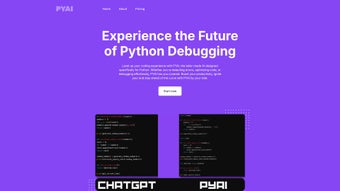
App details
- Updated
- April 14, 2025
- Requires
- Chrome
- License
- Subscription
- Developer
- pyai
- Category
- Web Apps
About PYAI
Download PYAI – AI‑Powered Python Development Tool for Faster, Secure Coding
Overview
PYAI is a cloud‑hosted, subscription‑based development assistant built specifically for Python programmers who want to write cleaner, safer code at a higher speed. The platform leverages state‑of‑the‑art large language models that have been fine‑tuned on millions of lines of Python code, documentation, and security advisories. When you type in the integrated editor or in a supported IDE, the AI scans each line in real time, flagging syntax errors, potential runtime exceptions, and anti‑patterns that could lead to performance bottlenecks. It also suggests idiomatic alternatives, automatically generates docstrings, and can produce unit tests with a single click. Because the service runs entirely in the cloud, you can reach it from any modern browser on Windows, macOS, Linux, as well as Android or iOS devices, making it an ideal companion for remote teams and developers who switch between workstations. Security is a core design principle: all code is transmitted over TLS 1.3, processed in transient containers, and never stored longer than necessary. The platform complies with GDPR, ISO‑27001, and other privacy standards, giving enterprises confidence that proprietary algorithms stay confidential. Subscriptions include regular model updates that keep pace with new Python releases, PEPs, and emerging third‑party libraries, ensuring the suggestions you receive are always aligned with the latest best practices. In short, PYAI transforms the often‑tedious aspects of Python development—debugging, refactoring, documentation, testing—into a seamless, intelligent workflow that lets you focus on solving business problems rather than wrestling with code.
Key Features That Accelerate Python Development
PYAI bundles a comprehensive suite of capabilities designed to cover every stage of the Python development lifecycle. Whether you are drafting a quick script, building a data‑science pipeline, or architecting a large‑scale web service, these features work together to boost productivity, improve code quality, and enhance security.
- Real‑time Code Analysis: The AI parses your code as you type, highlighting syntax errors, unused imports, and performance‑critical sections instantly.
- AI‑Driven Refactoring Suggestions: It recommends modern language constructs, library alternatives, and pattern‑based improvements that keep your codebase maintainable.
- Predictive Bug Detection: By analyzing data flow and type hints, PYAI forecasts runtime exceptions before they manifest in production.
- Context‑Aware Documentation Generator: Hover over any function or class to receive concise, auto‑generated docstrings and usage examples drawn from the latest official docs.
- One‑Click Unit Test Creation: Generate comprehensive pytest suites for any function, including edge‑case handling, with a single command.
- Version‑Control Integration: Seamlessly connects to GitHub, GitLab, and Bitbucket, offering suggestions that respect branch strategies and commit history.
- Custom Prompt Library: Save, share, and reuse personalized AI prompts for recurring patterns such as logging standards or data‑validation routines.
- Secure Cloud Processing: All analysis runs in encrypted containers; no code is persisted after the session ends.
- Monthly Model Refreshes: The underlying AI models are updated monthly to incorporate new Python releases, PEPs, and popular third‑party libraries.
- Cross‑Platform Accessibility: Accessible via any modern browser on Windows, macOS, Linux, Android, and iOS, ensuring you can work from any device.
Installation, Usage & Compatibility
Getting started with PYAI is frictionless because it is delivered as a Software‑as‑a‑Service (SaaS). No local binaries, no complex environment setup—just a web account and an optional IDE plug‑in. Follow these steps to begin leveraging AI‑powered assistance in minutes.
- Visit www.pyai.com and click “Start Free Trial”.
- Register with a professional email, set a strong password, and optionally enable two‑factor authentication.
- Select a subscription tier (monthly or annual) and complete payment via credit card or PayPal.
- After confirming your email, log in to the dashboard and click “Add Project”. You can link a GitHub, GitLab, or Bitbucket repository, or upload a zipped code archive.
- Install the PYAI extension for Visual Studio Code from the marketplace. Paste the API key displayed in your dashboard into the extension’s settings panel.
Once the extension is active, PYAI begins analyzing every opened file, surfacing suggestions in the editor’s gutter. For JetBrains IDEs, a similar plug‑in is available, and for developers who prefer terminal‑based workflows, a lightweight CLI wrapper can be installed with pip install pyai-cli. The CLI lets you run “pyai scan .” to receive a full‑project report in JSON format.
Compatibility: Because the core engine runs in the cloud, PYAI works on all major operating systems—Windows 10/11, macOS 12+, most Linux distributions, as well as mobile browsers on Android 9+ and iOS 14+. The only requirement is a modern browser (Chrome, Edge, Firefox, or Safari) with JavaScript enabled.
After connecting a repository, you can activate “Live Assist” for continuous inline feedback or launch a “Full Scan” to generate a comprehensive health report. The UI presents each recommendation in a collapsible card, allowing you to accept, reject, or modify the suggestion before it is applied. All communication is encrypted end‑to‑end, and PYAI never shares your code with third parties.
Pros, Cons, Frequently Asked Questions & Conclusion
Pros
- Instant, context‑aware analysis that dramatically cuts debugging time.
- AI models refreshed monthly to stay current with Python’s evolving ecosystem.
- Deep integration with VS Code, JetBrains IDEs, and a CLI for flexible workflows.
- Secure cloud processing with TLS 1.3, transient containers, and GDPR compliance.
- Cross‑platform accessibility from any device with a modern browser.
Cons
- Requires an active internet connection; offline capabilities are limited to the CLI wrapper.
- Subscription cost may be a hurdle for hobbyists, students, or small startups.
- AI suggestions are highly accurate but occasionally need manual verification.
Frequently Asked Questions
Is there a free trial available for PYAI?
Yes. PYAI offers a 14‑day free trial that provides full access to all features, allowing you to evaluate its impact on your workflow before committing to a paid plan.
Can PYAI be used with existing projects on GitHub?
Absolutely. PYAI integrates directly with GitHub, GitLab, and Bitbucket. After authorizing the platform, it reads your repositories and begins offering real‑time suggestions.
What languages does PYAI support besides Python?
Currently PYAI focuses exclusively on Python. The development team plans to add JavaScript and TypeScript in future releases based on user demand.
How does PYAI handle sensitive code or proprietary algorithms?
All code transmitted to PYAI is encrypted in transit and processed in short‑lived containers that do not retain data after analysis. PYAI adheres to GDPR and ISO‑27001, ensuring your proprietary logic remains confidential.
Is there a discount for educational institutions or students?
Yes. PYAI offers a 30 % discount for verified academic institutions and students. Provide a .edu email address or student ID to receive a personalized discount code.
Conclusion & Call to Action
PYAI stands out as a powerful ally for Python developers who value speed, code quality, and security. Its AI‑driven insights cut down repetitive debugging and refactoring, freeing you to focus on solving real business challenges. While the subscription model may not fit every budget, the productivity gains, continuous model updates, and robust privacy guarantees make it a worthwhile investment for professionals and teams alike. Ready to experience a smoother, smarter Python workflow? Start your free trial today, connect your repository, and let PYAI’s intelligent engine elevate your code to the next level.
Guides & Tutorials
How to install PYAI
- Click the Download button above.
- Once redirected, accept the terms and click Install.
- Wait for the PYAI download to finish on your device.
How to use PYAI
This software is primarily used for its core features described above. Open the app after installation to explore its capabilities.
User Reviews
No reviews yet. Be the first to share your experience.
You may also like
more
3D AI Studio
3D AI Studio Overview 3D AI Studio is a web-based AI-powered tool developed by S...

3D textures by Polycam
Generate Realistic 3D Textures Effortlessly 3D Textures by Polycam is an innovat...

3DAiLY
Customizable 3D Modeling Tool: 3DAiLY 3DAiLY is an online platform that harnesse...

3DFY
Revolutionizing 3D Model Creation: 3DFY Review 3DFY is an AI-powered service, de...

AI Dungeon
AI Dungeon: Deep Learning Text Adventure AI Dungeon is an artificial intelligenc...

Alpha3D
A subscription-based program for Web apps, by alpha3d. Alpha3D is a subscription...
