
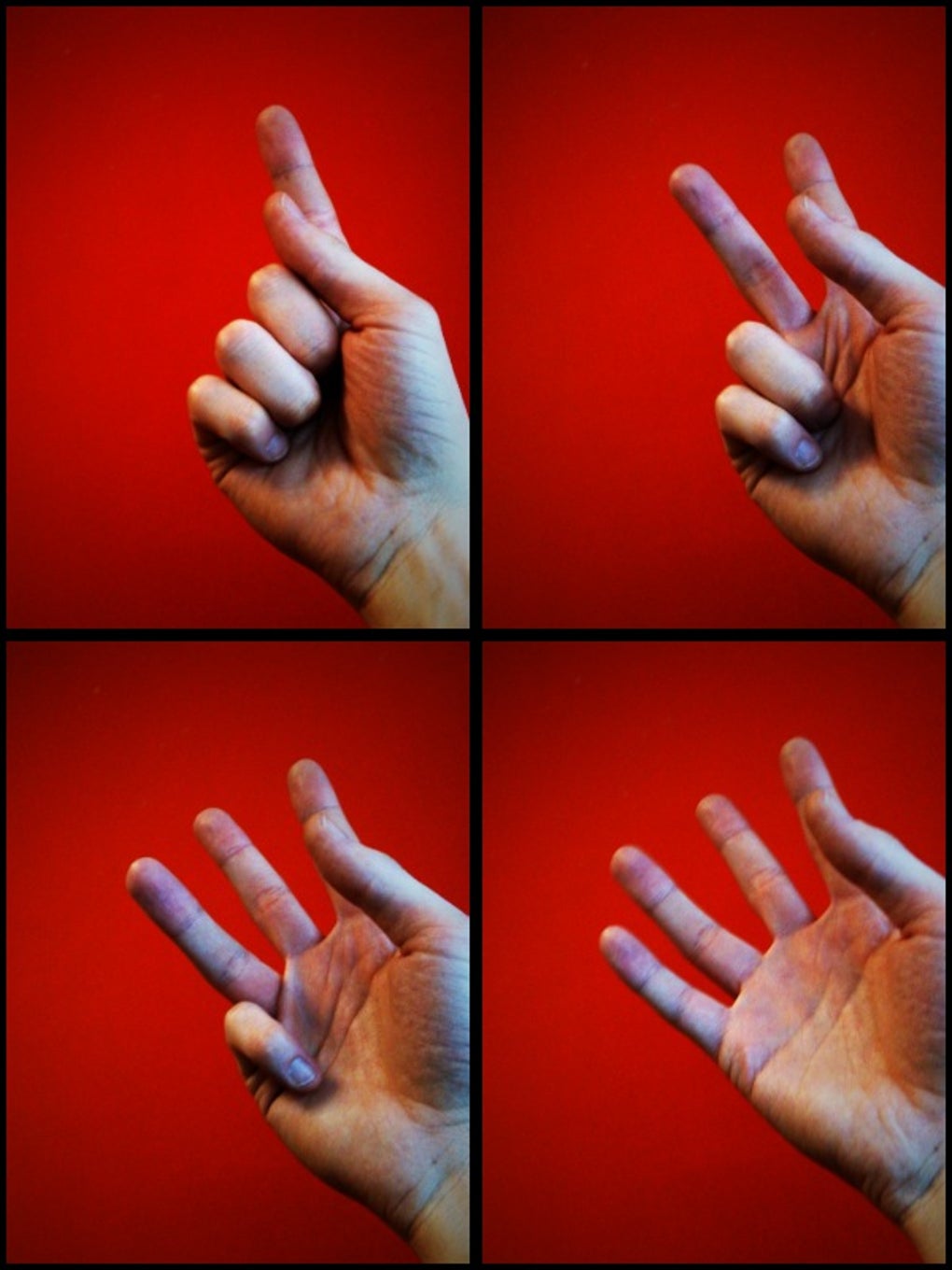



Capture Motion in a Single Frame with QuadCamera
Overview
QuadCamera is a creative photography tool designed for iPhone users who want to push the boundaries of static images. The app specializes in capturing four photos in rapid succession, combining them into a single split-frame composition that conveys motion and dynamic energy. This approach allows users to visually express movement in a way the standard iPhone camera app does not support natively. The software is particularly useful for content creators, social media users, and photography enthusiasts seeking unique visual storytelling methods.
By enabling users to adjust timing intervals between shots—from fractions of a second up to nine seconds—QuadCamera offers flexibility in capturing fast action or gradual transitions. The ability to select image styles such as high saturation or black and white adds another layer of creative control. Results are automatically saved to the device’s camera roll, ensuring seamless integration with existing workflows. While the app does not include automatic image splitting, it supports exporting animated GIFs with adjustable quality, making it a practical tool for digital sharing.
Designed specifically for iPhone, QuadCamera leverages the device’s built-in camera hardware to deliver real-time image capture and processing. The app integrates with the iPhone’s settings for border and vignette adjustments, allowing users to fine-tune the aesthetic look of their compositions. It also supports direct Twitter sharing, streamlining content distribution. The developer did not provide additional details about the company or background.
Key Features & Capabilities
- Four-Image Capture Sequence – Takes four photos in quick succession, ideal for visualizing motion within a single frame.
- Adjustable Timing Intervals – Users can set delays between shots from a fraction of a second up to nine seconds.
- Image Style Selection – Choose from presets like high saturation, black and white, or other effects to enhance visual impact.
- Animation Mode & GIF Export – View captured sequences in animation mode and export them as high-quality animated GIFs.
- Direct Social Sharing – Connect to Twitter for instant posting of results, improving content distribution speed.
- Camera Roll Integration – All captured images are automatically saved to the iPhone’s photo library for easy access.
- Customizable Visual Effects – Adjust borders and vignetting via iPhone system settings to refine the final composition.
These features are especially beneficial for users creating visual content for social media platforms, where dynamic imagery performs better. For example, a sports enthusiast can capture a sprinter mid-motion across four frames, resulting in a striking split-image that conveys speed. Similarly, a travel photographer might use the app to show the progression of a sunset across multiple moments in a single frame. The ability to export animations as GIFs makes the content suitable for use in blogs, messaging apps, or digital presentations.
User Interface, Workflow & Performance
QuadCamera features a clean, intuitive interface focused on simplicity and speed. The main screen displays a central capture button, with accessible controls for timing settings, image style selection, and animation playback. Navigation is straightforward, with minimal on-screen clutter, allowing users to focus on the creative process. The app’s workflow is designed for quick operation—users can adjust settings, take a sequence, and export the result in under 30 seconds.
Performance is consistent with typical iOS applications of its category. The app runs efficiently on supported iPhone models, leveraging the device’s processing power for real-time image capture and post-processing. The developer did not specify resource usage details, but based on general behavior, the app likely uses moderate CPU and RAM during operation. Stability has been improved in recent updates, particularly in the Twitter upload function, indicating ongoing maintenance. No crashes or performance issues were reported in the latest version.
Image processing is handled locally, ensuring privacy and faster turnaround. The app does not require an internet connection for core functionality, making it suitable for use in remote or offline environments. Users can view results immediately after capture or choose to skip preview, depending on their workflow preference.
Compatibility & System Requirements
QuadCamera is designed exclusively for iPhone devices and is compatible with the latest iOS versions. The app requires 45.5 MB of storage space for installation, which is relatively modest for a photography application. The developer did not provide additional system requirements, including minimum iOS version or hardware specifications.
Exact compatibility details beyond the platform are limited. Users should ensure their iPhone model supports the required camera functions and system-level settings for border and vignette adjustments. Installation is straightforward through the App Store, and the app integrates seamlessly with the device’s native photo library. Performance may vary slightly depending on the device’s age and processing capabilities, but no specific limitations were mentioned.
Pros and Cons
Pros
- Free to download and use with no in-app purchases
- Unique four-image split-frame capture method
- Adjustable timing intervals for creative control
- Supports animated GIF export with quality settings
- Direct Twitter integration for instant sharing
- Seamless camera roll saving and system-level customization
Cons
- No automatic image splitting for individual frame use
- Lacks Facebook integration for social sharing
- No detailed system requirements provided
- Limited to iPhone platform only
FAQ Section
Is QuadCamera free to download?
Yes, QuadCamera is available at no cost on the App Store. There are no in-app purchases or subscription fees.
Can I use QuadCamera without an internet connection?
Yes, the app functions fully offline. Core features like image capture, editing, and local saving do not require an internet connection.
Does QuadCamera support Facebook sharing?
Currently, QuadCamera does not include Facebook integration. Users must manually share results through other means.
How do I adjust the timing between photos?
Within the app, users can set the interval between captures from a fraction of a second up to nine seconds.
Can I use QuadCamera on devices other than iPhone?
QuadCamera is designed exclusively for iPhone. There is no version available for iPad, Mac, or Android devices.
Final Thoughts + CTA
QuadCamera stands out as a clever, accessible tool for iPhone users seeking creative ways to capture motion. Its ability to combine four sequential images into a single, visually striking frame offers a unique advantage in personal and social media photography. While it lacks some integrations and advanced editing features, the app delivers on its core promise with reliability and ease of use.
It’s particularly valuable for content creators, photographers, and casual users who want to experiment with dynamic visuals without complex software. The free model, combined with solid performance and useful export options, makes it a standout choice in the iPhone photography app space.
Download QuadCamera now to unlock a new dimension in mobile photography.








