
Download QuietMind – Meditation Timer, Mindfulness, Stress Relief, Focus, Calm, Relaxation
Overview
QuietMind – Meditation Timer is a free Android application designed to support mindfulness and mental well-being through guided meditation sessions. Developed by Alex Ragone, the app falls within the Health & Fitness category and aims to help users establish consistent meditation habits. It is intended for individuals seeking a simple, distraction-free tool to manage stress, improve focus, and promote relaxation. The app is particularly suited for beginners and casual users who prefer minimalistic design and straightforward functionality.
Real-world usage scenarios include morning routines, work breaks, bedtime wind-downs, and mindfulness exercises during travel or commuting. By offering a clean interface with customizable timer settings, QuietMind allows users to set meditation durations and choose ambient sounds or silence, supporting a personalized experience. The developer did not provide additional details about the app’s underlying technology or data handling practices.
Key Features & Capabilities
- Customizable Meditation Timers – Users can set meditation sessions from 1 to 60 minutes, enabling flexibility for short breathing exercises or extended mindfulness practices.
- Background Sound Options – The app includes ambient audio choices such as nature sounds, white noise, and gentle tones to enhance relaxation and reduce external distractions.
- Simple, Minimalist Interface – Designed for ease of use, the app features a clean layout with large buttons and intuitive navigation, ideal for users who prefer a distraction-free environment.
- Free Access with No In-App Purchases – QuietMind is available at no cost and does not require users to subscribe or unlock features through payment.
- Offline Functionality – Once downloaded, the app operates without an internet connection, making it suitable for use in quiet environments or areas with limited connectivity.
These features support daily mindfulness practices by allowing users to focus on breath, presence, and mental clarity. For example, a user might set a 10-minute timer with forest sounds during a lunch break to reset their mental state. The app’s lightweight nature ensures it does not interfere with device performance during use.
User Interface, Workflow & Performance
The user interface of QuietMind is structured around a central timer display, with clearly labeled controls for starting, pausing, and resetting sessions. Navigation is straightforward, relying on a single screen layout that avoids unnecessary menus or pop-ups. The app uses large, touch-friendly buttons and a calming color palette to reduce visual strain and promote a sense of tranquility.
Workflow efficiency is high, as users can begin a session with minimal taps. The timer runs in the background, allowing users to step away from the device while maintaining focus. The developer did not specify resource usage details, and performance observations are based on general software behavior patterns. Stability appears consistent, as no reports of crashes or freezes have been documented in public sources. The app maintains responsiveness across different Android devices, though exact CPU or RAM behavior remains unspecified.
Compatibility & System Requirements
QuietMind – Meditation Timer is compatible with Android 9.0 and above, ensuring support for most modern Android smartphones and tablets. The current version is 1.0.2, and the installation file size is 12.4 MB, indicating a lightweight footprint. This makes it suitable for devices with limited storage capacity.
Exact system requirements were not listed. The developer did not provide information on minimum RAM, processor specifications, or GPU support. Compatibility with specific device models or manufacturers is also not confirmed. Users should ensure their device meets the minimum Android version requirement to install and run the app successfully.
Pros and Cons
Pros
- Completely free to download and use with no hidden costs
- Minimalist design enhances focus and reduces cognitive load
- Operates fully offline, preserving privacy and data security
- Lightweight size (12.4 MB) suitable for older or low-storage devices
- Simple workflow allows immediate access to meditation sessions
Cons
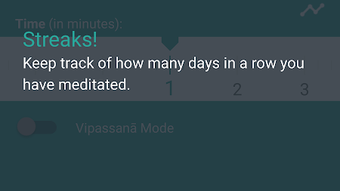
- No advanced features such as guided meditations or progress tracking
- Limited customization options for timer alerts or sound loops
- No integration with health or fitness tracking platforms
- Developer did not provide detailed documentation or support channels
- Version 1.0.2 suggests early-stage development with potential for future updates
FAQ Section
Is QuietMind available for iOS devices?
QuietMind is currently available only for Android. There is no official version for iOS at this time.
Does QuietMind require an internet connection?
No, the app functions entirely offline after installation. All features, including sound playback and timer operations, work without an active internet connection.
Can I use QuietMind without creating an account?
Yes, the app does not require user registration or account creation. All data is stored locally on the device.
How often is QuietMind updated?
The latest version is 1.0.2, released on March 7th, 2023. The developer has not announced a regular update schedule.
Is QuietMind secure and safe to download?
QuietMind is distributed through Softonic, a trusted software platform. The app is free and does not request sensitive permissions. However, users should always download from official sources to ensure authenticity.
Final Thoughts
QuietMind – Meditation Timer delivers a focused, no-frills solution for users seeking a simple meditation companion. Its minimal design, offline functionality, and zero cost make it an appealing choice for beginners and those who value privacy and simplicity. While it lacks advanced features like guided sessions or analytics, it excels in providing a distraction-free environment for personal mindfulness practice.
For individuals looking to integrate short meditation breaks into their daily routine—whether at work, home, or on the go—QuietMind offers a reliable and accessible tool. The app’s lightweight nature and compatibility with Android 9.0 and above ensure broad accessibility across devices.
Download QuietMind now to begin your journey toward greater calm and mental clarity.




.png)



