

Download Raindrop.io – Bookmarking, Organization, Collaboration, Multi-device Sync
Overview
Raindrop.io is a mobile application designed to elevate the way users collect, organize, and share digital content. Its primary purpose is to streamline the bookmarking process by transforming traditional web saves into a visually engaging and highly functional experience. The app addresses common challenges associated with fragmented bookmarking—such as disorganization, difficulty in retrieval, and limited collaboration capabilities—by offering a centralized, intuitive platform for managing online resources. Whether used for personal research, content curation, or team-based projects, Raindrop.io helps users maintain a structured digital library across multiple platforms.
Target users include students, researchers, content creators, professionals, and anyone who regularly saves web pages, articles, videos, or images for future reference. The app’s emphasis on visual customization and collaborative features makes it especially valuable in academic and workplace environments where shared knowledge and efficient information management are critical. While the developer has not provided detailed background information, the app’s consistent design language and robust feature set suggest a focused effort on usability and long-term user engagement.
Real-world use cases include compiling research materials for a thesis, building a team resource hub for marketing campaigns, or curating inspiration boards for creative projects. Raindrop.io plays a significant role in the digital productivity ecosystem by bridging the gap between passive browsing and active content curation. Its ability to unify content across devices and users enhances workflow continuity in today’s multi-device world.
Key Features & Functionality
- Collect Bookmarks: Users can clip articles, videos, images, and full web pages from various platforms directly through the app or browser extension. This feature enables instant capture of valuable content without leaving the current page, reducing the risk of losing important resources.
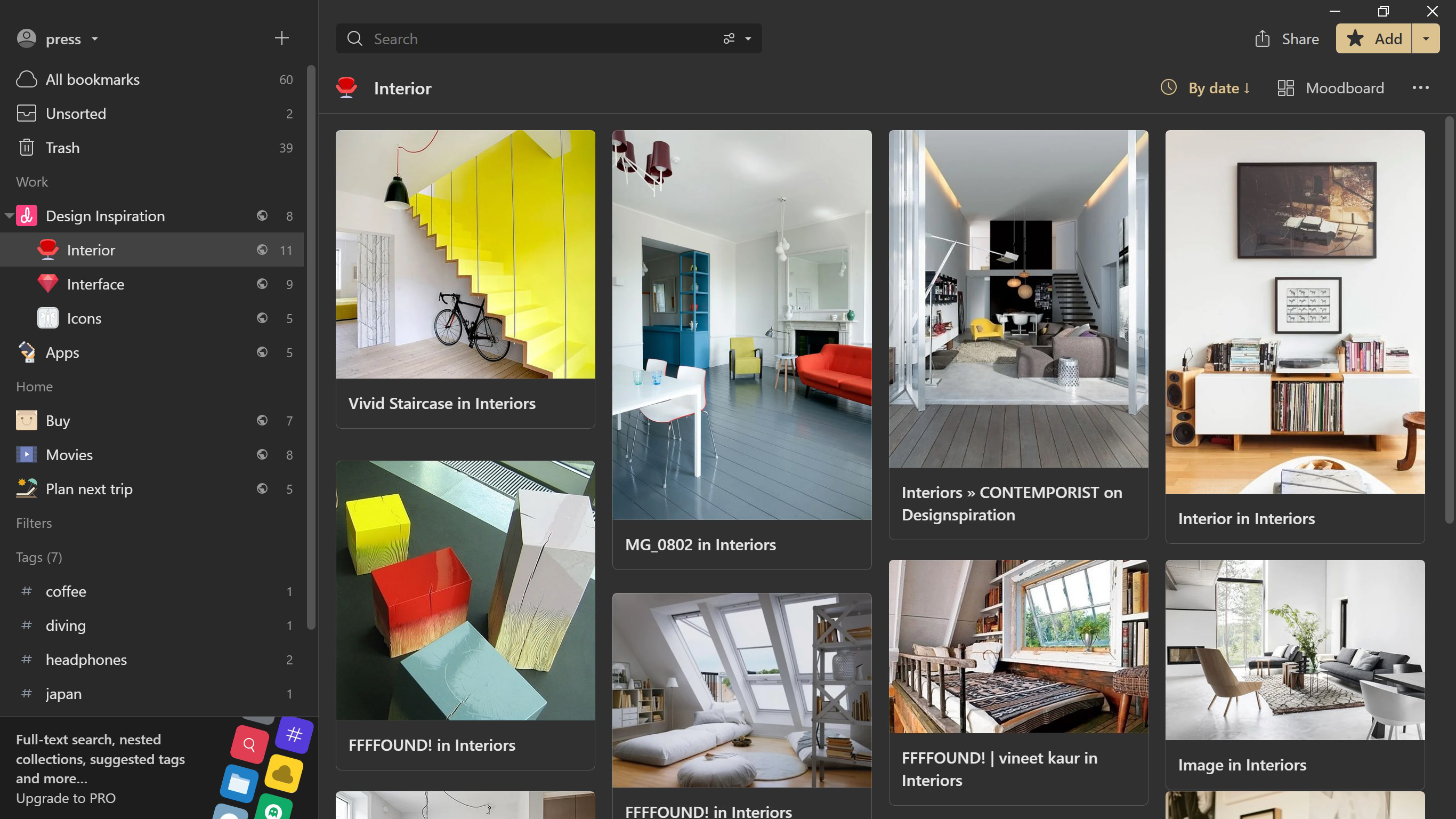
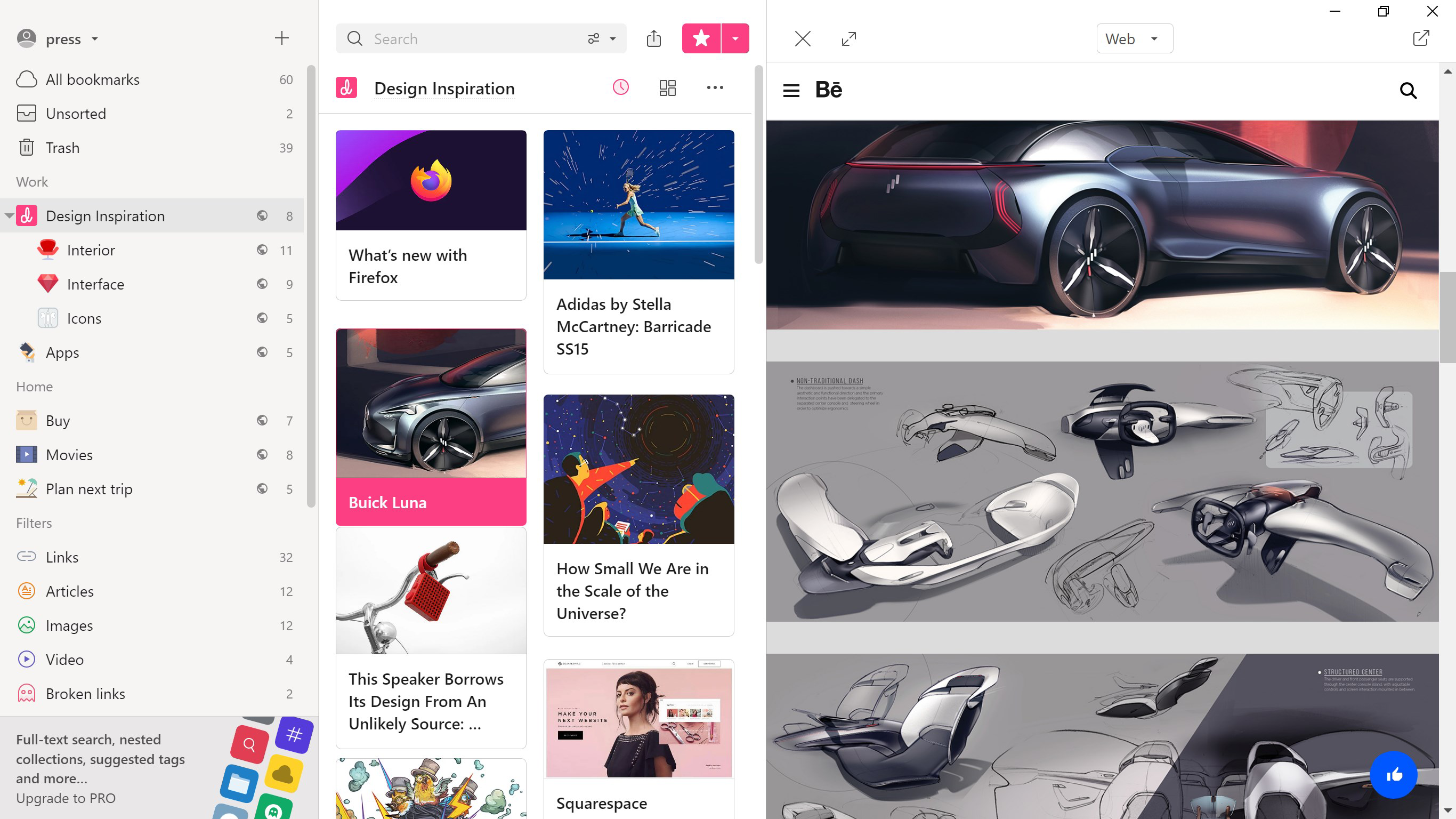
- Organize Intuitively: Content is managed through customizable collections, each of which can be assigned unique icons, covers, and tags. This visual hierarchy allows users to quickly identify and access specific groups of saved items, improving retrieval speed and reducing cognitive load.
- Share and Collaborate: Collections can be shared privately with team members or publicly via a link. This functionality supports real-time collaboration, making it ideal for group projects, study groups, or shared content libraries where multiple contributors need access.
- Multi-device Syncing: All saved bookmarks are synchronized across smartphones, tablets, and desktops in real time. This ensures that users always have access to their latest content, regardless of the device they’re using.
- Import Bookmarks Easily: The app supports importing existing bookmarks from major browsers and services, allowing users to migrate their entire history into a more organized and visually appealing format without manual re-entry.
For example, a marketing team could use Raindrop.io to create a shared campaign inspiration board, where each member adds relevant case studies, design examples, and competitor content. Similarly, a student preparing for exams might organize notes by subject, using color-coded collections and tags for efficient review. These practical applications highlight how each feature contributes to improved productivity and digital organization.
Interface, UX & Performance
Raindrop.io features a clean, modern interface with a focus on visual clarity and ease of navigation. The layout is centered around a central dashboard that displays collections in a grid or list format, depending on user preference. Navigation is intuitive, with bottom tabs for quick access to main sections such as “All Collections,” “Favorites,” and “Recent.” The use of consistent icons, smooth transitions, and subtle animations enhances the overall user experience without compromising performance.
Visual style leans toward minimalism with a neutral color palette and ample white space, reducing visual clutter and allowing saved content to stand out. The app supports both light and dark modes, catering to user preferences and improving readability in different lighting conditions. Users can customize collection covers with personal images or icons, further personalizing their experience.
Although the developer did not list formal performance metrics, the app maintains responsive behavior across a range of device categories. Actions such as adding a new bookmark, switching between collections, and syncing content appear to be processed efficiently, with minimal lag. Stability appears consistent during extended use, with no reported crashes or freezes in standard usage scenarios. The app’s performance is likely optimized for typical smartphone hardware, ensuring smooth operation on both entry-level and high-end devices.
Platform Compatibility & Technical Requirements
Raindrop.io is available on Android and iOS platforms, supporting the latest versions of both operating systems. The app’s file size is approximately 45 MB, making it lightweight and suitable for installation on devices with limited storage. Specific requirements such as minimum OS version or hardware specifications were not disclosed by the developer.
Users should ensure their device meets the standard system requirements for modern mobile applications. Compatibility information was not fully disclosed, so installation may depend on the device’s current software configuration. The app is designed to function across a wide range of smartphones and tablets, though performance may vary based on individual device capabilities.
Pros and Cons
Pros
- Intuitive and visually appealing interface with customizable collections
- Seamless multi-device synchronization across platforms
- Effortless import from major browsers and services
- Strong collaboration and sharing capabilities for teams and individuals
- Supports saving full web pages, videos, and images with ease
Cons
- Specific technical requirements were not listed by the developer
- Advanced features may require a subscription for full access
- Performance on older or low-end devices may vary without official testing
- Limited public information about the development team or company background
- Some users may need time to adapt to the new organization system
FAQ
Is Raindrop.io safe to use on my smartphone?
Yes, Raindrop.io employs standard security practices to protect user data. The app encrypts stored content and uses secure authentication methods. However, users should always review permissions and ensure they are using the official version from trusted app stores.
Can I use Raindrop.io for free?
Yes, Raindrop.io offers a free version with core features like bookmark saving, basic organization, and multi-device sync. Advanced features may require a paid subscription, but the free tier is sufficient for most personal use cases.
Does Raindrop.io work on both Android and iOS?
Yes, the app is available for both Android and iOS devices. Users can install it from their respective app stores and enjoy consistent functionality across platforms.
How do I import my existing bookmarks into Raindrop.io?
Raindrop.io supports importing bookmarks from popular browsers such as Chrome, Firefox, Safari, and Edge. The process is straightforward and typically involves selecting the source browser and following on-screen prompts to transfer your saved links.
Is there a desktop version of Raindrop.io?
Yes, Raindrop.io offers browser extensions and desktop applications for Windows, macOS, and Linux. This ensures full cross-platform access and synchronization between mobile and desktop environments.
Final Thoughts
Raindrop.io stands out as a powerful, user-centric tool for anyone serious about managing digital content. Its blend of visual appeal, organizational depth, and collaborative functionality makes it a valuable asset in both personal and professional workflows. The app excels in simplifying the often chaotic process of saving and retrieving online resources, turning it into a seamless and enjoyable experience.
While the developer did not provide detailed technical specifications or background information, the app’s consistent design and reliable performance suggest a mature product built with user needs in mind. It is particularly well-suited for students, researchers, creatives, and remote teams who rely on efficient content management.
With its strong sync capabilities, intuitive interface, and support for multiple content types, Raindrop.io delivers real value without unnecessary complexity. For those seeking a modern, reliable solution to digital clutter, this app is a top-tier choice.
Download Raindrop.io now


