
Download Rambox – Free Workspace Browser for Multitasking & Productivity
Overview
Rambox is a free workspace browser built by Rambox LLC to help knowledge workers, marketers, and remote teams keep their digital life organized. Instead of juggling dozens of browser tabs, separate desktop clients, and scattered notifications, Rambox lets you consolidate the most‑used web‑apps—such as Gmail, Slack, Trello, Discord, and even Android Messages—into a single, secure environment. The application behaves like a dedicated hub rather than a conventional web browser; it loads each service inside its own isolated container, allowing you to switch instantly without the performance penalties that typical browsers incur when many heavy sites are open at once. This design is especially valuable for professionals who need to monitor multiple communication channels, project‑management boards, and social‑media dashboards simultaneously. While the free tier already packs a powerful set of features, Rambox also offers Pro and Enterprise plans that unlock advanced capabilities like work‑hours scheduling, custom CSS, and centralized admin controls for large teams. The core promise of Rambox is simple: eliminate tab overload, reduce memory consumption, and provide a unified interface for everything you need to get work done. Although its user interface can feel a bit dense for newcomers, the underlying functionality is robust, secure, and continuously updated to support the latest web‑app integrations. Whether you are a freelancer juggling client emails, a marketing agency monitoring campaigns across platforms, or an IT department seeking a clean way to roll out internal tools, Rambox offers a versatile, cross‑platform solution that aligns with modern productivity workflows.
Key Features
- Unified Workspace – Add unlimited web‑apps and keep them organized in tabs, groups, or separate windows.
- Do Not Disturb Mode – Silence notifications across all services with a single toggle, ideal for focused work sessions.
- Master Password & Session Lock – Protect all your logged‑in accounts with an additional security layer.
- Custom CSS & Injection – Tailor the look and feel of each service, or inject scripts for deeper personalization.
- Work Hours Scheduler (Pro) – Define active and quiet periods for each app to prevent after‑hours interruptions.
- Enterprise Management – Centralized admin console, group policies, and SSO integration for large organizations.
- Cross‑Platform Sync – Keep your workspace layout, saved passwords, and preferences synchronized across Windows, macOS, Linux, Android, and iOS.
- Auto‑Update Engine – Receive security patches and feature enhancements automatically without manual downloads.
- Lightweight Rendering – Each app runs in an isolated Chromium instance, reducing memory bloat compared to opening many browser tabs.
- Extensive Service Library – Pre‑built templates for over 600 popular web services, plus the ability to add custom URLs.
These features combine to create a productivity‑centric environment that addresses the most common pain points of modern knowledge work. The Do Not Disturb mode, for instance, ensures that you can mute all incoming alerts with a single click, preventing constant context‑switching. Meanwhile, the Master Password and Session Lock features add a layer of encryption that keeps sensitive corporate communications safe, even if you step away from your workstation. For teams that need consistent branding and policy enforcement, the Enterprise tier offers granular control over which apps are available and how they appear. The ability to inject custom CSS means you can align each service with your corporate style guide or simply hide UI elements that you never use, further streamlining the interface. All of these capabilities are delivered through a single downloadable installer, eliminating the need to manage multiple native applications or browser extensions.
Installation, Usage & Compatibility
Getting Started
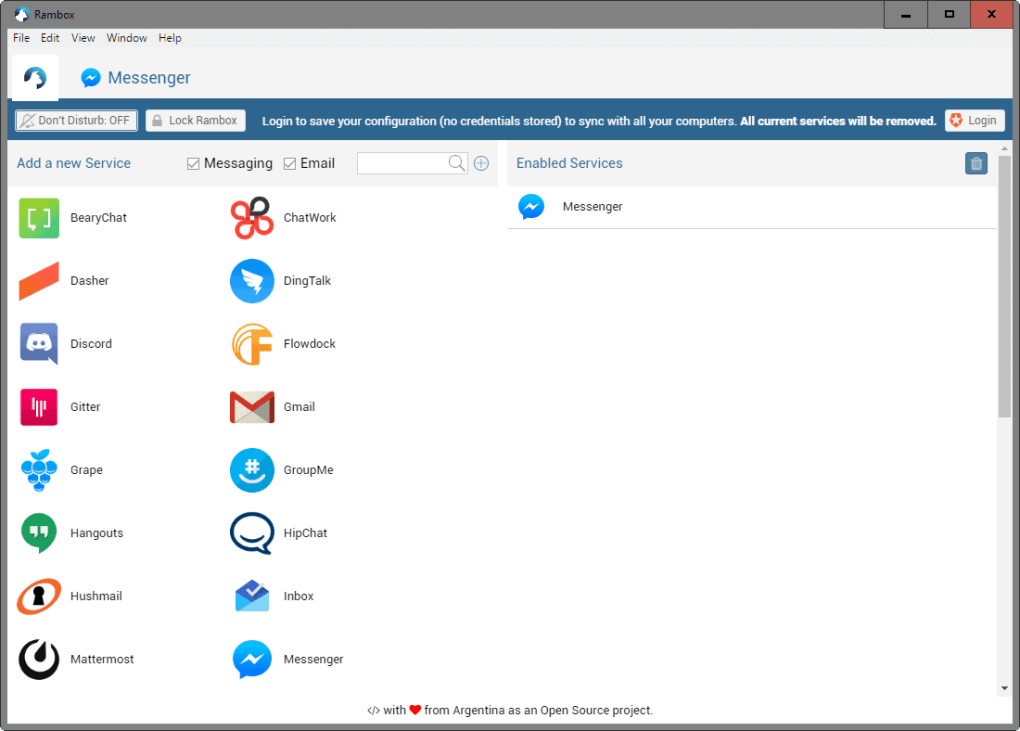
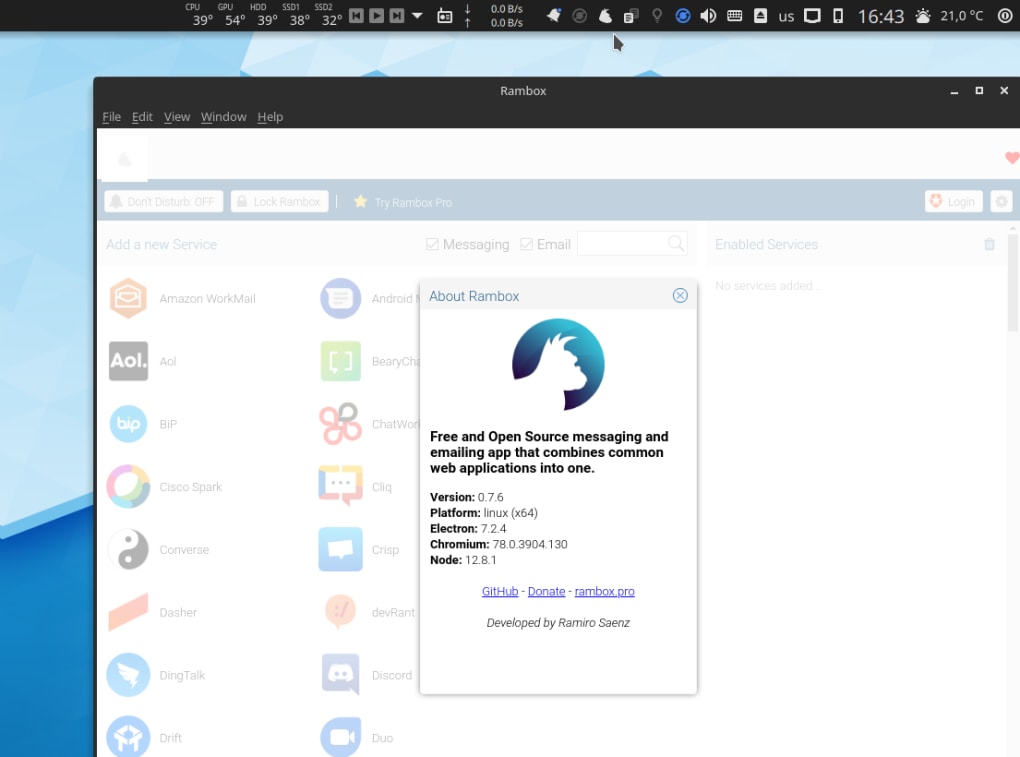
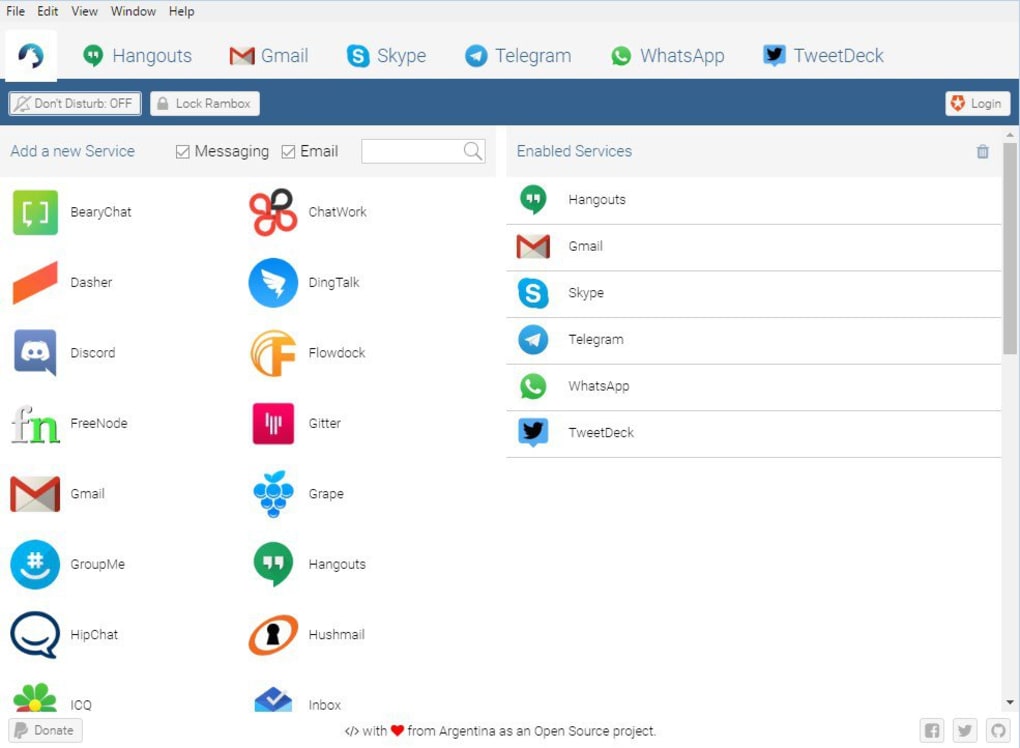
Installing Rambox is straightforward. Visit the official website, click the Download button for your operating system, and run the installer. Windows users receive an .exe file, macOS users get a .dmg, and Linux users can choose between .AppImage, .deb, or .snap. The installer performs a silent configuration of the underlying Chromium engine, so you won’t need to manage any additional dependencies. After the first launch, you’ll be greeted by a clean onboarding screen that prompts you to add your first service. Simply search for “Gmail,” “Slack,” or any other supported app, enter your credentials, and the service is added to your workspace. From there, you can drag‑and‑drop tabs into groups, rename them, or pin them for quick access.
Daily Workflow
Once your apps are added, Rambox functions as a centralized dashboard. Each service opens in its own container, which means you can reload or close one without affecting the others. The left‑hand sidebar displays a list of all added apps, and you can toggle between “List View” and “Grid View” depending on your visual preference. The built‑in search bar filters apps instantly, making it easy to jump to a specific chat or email thread. For power users, keyboard shortcuts let you switch tabs, mute notifications, or lock sessions without reaching for the mouse. The “Do Not Disturb” toggle sits at the top right, silencing all pop‑ups until you disable it again.
System Requirements & Operating System Support
Rambox is truly cross‑platform. It runs on Windows 10 and later, macOS 10.13 (High Sierra) and newer, and most major Linux distributions that support the Chromium runtime. Mobile users can download the companion app for Android 6.0+ or iOS 12+, which syncs your workspace layout via the cloud. Minimum hardware requirements are modest: a 1 GHz processor, 2 GB RAM, and 200 MB of free disk space. Because each app runs in its own isolated Chromium instance, the memory footprint scales with the number of active services, but it remains considerably lower than opening the same number of tabs in Chrome or Firefox. For enterprises, Rambox offers an offline mode that disables automatic updates, allowing IT teams to control when new versions are deployed.
After installation, you can customize the app’s appearance through the Settings menu. Themes, icon packs, and font sizes are adjustable, helping you create a workspace that matches your visual comfort. The Settings also include a “Privacy” tab where you can enable automatic clearing of cookies and cache per app, ensuring compliance with data‑protection regulations such as GDPR. Overall, the installation process, daily usage flow, and broad compatibility make Rambox a practical solution for both individual freelancers and large organizations.
Pros & Cons
Advantages
- Consolidates dozens of web‑apps into a single, organized interface, reducing tab overload.
- Lightweight and faster than keeping multiple browser tabs open, saving system resources.
- Robust security features like Master Password, Session Lock, and per‑app cookie management.
- Cross‑platform support ensures a consistent experience on Windows, macOS, Linux, Android, and iOS.
- Extensive library of pre‑configured services speeds up onboarding for new users.
- Free tier is feature‑rich, while Pro and Enterprise plans add advanced scheduling and admin controls.
- Automatic updates keep the application secure without manual intervention.
Drawbacks
- Initial UI can feel cluttered; new users may need time to understand the layout.
- Custom CSS injection requires basic coding knowledge, which may deter non‑technical users.
- Some heavy web‑apps still consume noticeable memory when many are active simultaneously.
- Advanced features (e.g., work‑hours scheduling) are locked behind paid plans.
- Mobile app lacks some desktop‑only customization options, limiting parity across devices.
The balance of strengths and weaknesses positions Rambox as a powerful productivity hub for users willing to invest a short learning curve. While the interface could benefit from a more guided onboarding experience, the depth of features—especially the security and cross‑platform syncing—outweighs the initial usability concerns for most professional environments.
FAQ & Conclusion
Is Rambox truly free or are there hidden costs?
Rambox offers a completely functional free tier with unlimited app integration and core security features. Paid Pro and Enterprise plans provide additional capabilities such as work‑hours scheduling, custom branding, and centralized admin controls, but they are optional and clearly labeled on the pricing page.
Can I sync my workspace across multiple devices?
Yes. Rambox uses cloud sync to store your workspace layout, saved passwords, and preferences. After logging into the same Rambox account on another device, your configuration is automatically restored.
Does Rambox support native notifications for all integrated apps?
Rambox forwards native web notifications from each integrated service to the operating system’s notification center, so you receive alerts even when the app window is minimized. The Do Not Disturb mode can mute these notifications globally.
How secure is my data when using Rambox?
Security is a core focus. Rambox encrypts stored passwords with a master password you set, isolates each service in its own Chromium sandbox, and allows you to clear cookies and cache per app. Enterprise customers can enforce SSO and group policies for additional protection.
What browsers does Rambox replace, and can I still use my regular browser?
Rambox is not a replacement for a full‑featured web browser. It is designed to host specific web apps you add to your workspace. You can continue using Chrome, Firefox, or any other browser for general web surfing while Rambox handles your productivity tools.
Final Thoughts & Call to Action
In today’s hyper‑connected work environment, the ability to streamline dozens of communication and project‑management tools into a single, secure interface can dramatically boost efficiency. Rambox delivers exactly that—offering a free, cross‑platform hub that reduces tab clutter, saves memory, and provides robust security features. While the initial learning curve and UI density may deter some first‑time users, the long‑term productivity gains often outweigh these early frustrations. Whether you’re a solo freelancer, a growing marketing agency, or a large enterprise seeking centralized control, Rambox equips you with the flexibility to customize, secure, and scale your digital workspace.
Ready to experience a cleaner, faster way to work? Download Rambox now and start consolidating your apps in minutes. Upgrade to Pro or Enterprise later if you need advanced scheduling, branding, or admin features—your productivity engine is just a click away.








