
Download RecentX – recent files, file history, productivity tool, Windows utility, quick access, desktop app, file search, program history, web history, keyboard shortcut
Overview
RecentX is a streamlined productivity tool designed for Windows users seeking rapid access to their recent digital activities. The application specializes in organizing and retrieving recently used files, folders, programs, and visited websites, reducing the time spent navigating through multiple directories or browser tabs. By operating in the background, RecentX remains unobtrusive while maintaining constant readiness, making it ideal for professionals, students, and power users who prioritize efficiency. Its core purpose lies in minimizing workflow interruptions by offering instant recall of recent interactions across both local and online environments.
The tool is particularly beneficial for individuals managing multiple projects, frequently switching between applications, or relying on consistent access to specific documents and web resources. Real-world use cases include quickly reopening a design file from a previous session, revisiting a research article, or restarting a development environment without retracing steps. RecentX enhances digital organization by creating a centralized, searchable history of user activity, which contributes to a more cohesive and efficient computing experience.
Developed by RecentX, the app is available at no cost, reflecting a commitment to accessibility. Although specific details about the development team or company background were not provided, the app’s focused functionality suggests a targeted approach to solving common productivity bottlenecks. In the broader Windows utility ecosystem, RecentX fills a niche gap between system-level history tools and third-party file managers, offering a lightweight yet powerful solution for users who value speed and simplicity.
Key Features & Functionality
- Instant Access to Recent Files and Folders: Users can retrieve any recently opened file or folder with a single click, eliminating the need to manually navigate through file paths or rely on system search functions.
- Program History Tracking: RecentX logs the last used applications, enabling users to reopen them quickly—ideal for developers, designers, or anyone who uses a consistent set of tools daily.
- Background Operation in System Tray: The app runs silently without consuming noticeable system resources, ensuring it doesn’t disrupt ongoing tasks or slow down performance.
- Customizable Keyboard Shortcut: With the default shortcut Ctrl + Caps Lock + 1, users can summon the RecentX interface instantly, allowing seamless integration into fast-paced workflows.
- Web History Integration: Beyond local files, RecentX captures recently visited websites, providing a unified view of digital activity that supports both work and research needs.
- Intuitive, Minimalist Interface: The clean layout prioritizes usability, allowing users of all skill levels to navigate and search efficiently without a learning curve.
For example, a researcher can use RecentX to reopen a complex document and the associated web article in seconds. A software developer might use it to jump between code editors, project folders, and documentation sites. The combination of local and web history tracking creates a holistic timeline of digital behavior, making it easier to pick up where you left off.
Interface, UX & Performance
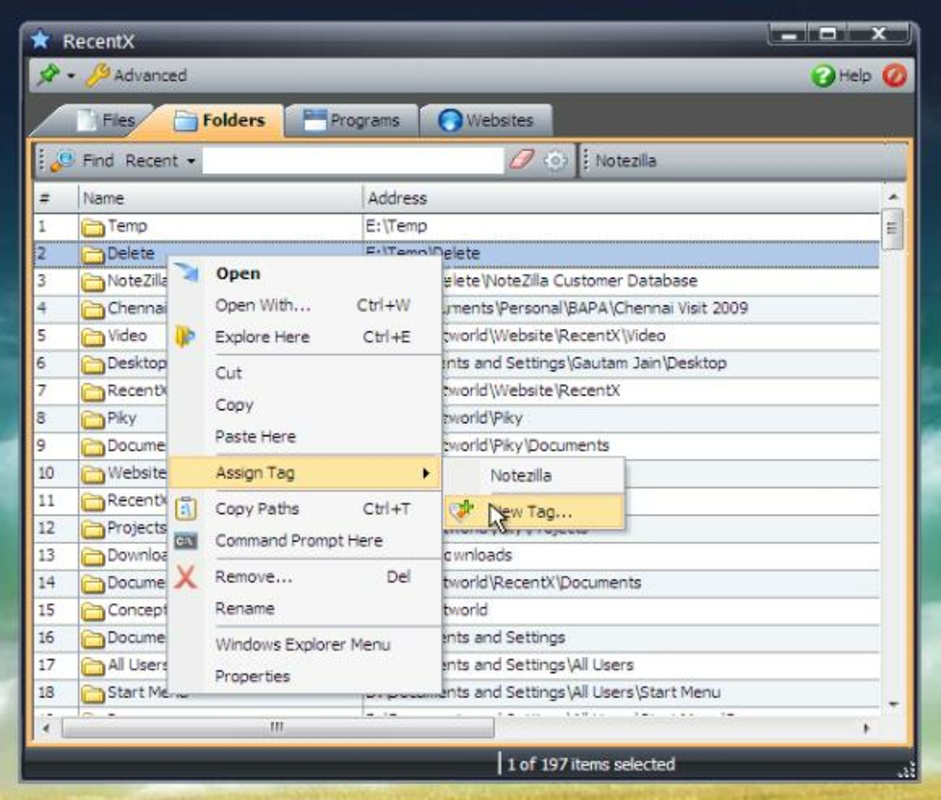
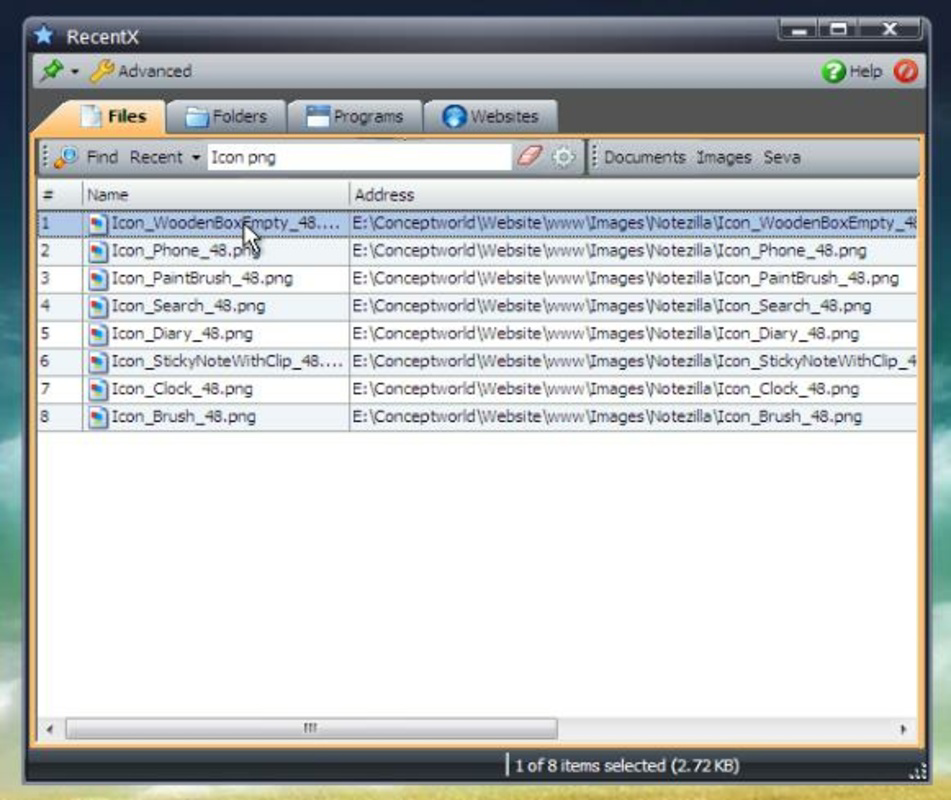
RecentX features a minimalist interface that emphasizes clarity and speed. The layout is centered around a searchable list of recent items, categorized by type—files, folders, programs, and websites—ensuring users can quickly locate what they need. Navigation is straightforward, with a focus on keyboard-driven interactions, aligning with the preferences of power users. The design avoids clutter, presenting only essential elements to maintain visual focus.
Although the developer did not list formal performance metrics, the app’s lightweight footprint of 28.3 MB suggests efficient resource usage. Its background operation implies low CPU and memory impact, making it suitable for use on a wide range of Windows devices, including older or mid-tier systems. Responsiveness is a key strength: the interface appears instantly when triggered via keyboard shortcut, and search results update in real time.
Stability appears to be well-maintained, as the app operates continuously without reported crashes or freezes. Users can expect consistent performance across sessions, with no noticeable lag during peak usage. The lack of intrusive notifications or pop-ups contributes to a distraction-free experience. Overall, RecentX delivers a smooth and reliable user experience, particularly for those who value speed and discretion in their tools.
Platform Compatibility & Technical Requirements
RecentX is designed exclusively for the Windows operating system. The current version, 2.1.0, is compatible with modern Windows environments, though specific minimum OS requirements were not disclosed. The app’s file size is 28.3 MB, indicating a lightweight installation that does not impose significant storage demands.
Although the developer did not specify minimum OS versions or hardware requirements, the app’s background operation and low resource profile suggest broad compatibility across Windows 10 and Windows 11 systems. Users with standard desktop or laptop configurations should encounter no issues during installation or runtime. For users unsure about compatibility, it is recommended to verify system specifications against the official release notes or support documentation, if available.
Pros and Cons
- Free to download and use with no hidden costs
- Lightweight design with minimal system resource usage
- Instant access to recent files, programs, and websites
- Efficient keyboard shortcut for quick invocation
- Simple, intuitive interface suitable for all skill levels
- Background operation ensures continuous availability without interference
- Specific OS compatibility details were not provided
- Web history tracking may raise privacy concerns for some users
- No built-in export or backup functionality for history data
- Limited customization options beyond the keyboard shortcut
- No mobile or cross-platform support available
FAQ
Is RecentX safe to install on my Windows PC?
Yes, RecentX is designed as a trusted utility tool for Windows. It runs in the background without requiring elevated permissions and does not collect or transmit personal data without user consent. The app is free from malware and adware, making it secure for daily use.
Can I use RecentX on older versions of Windows?
While the developer did not specify minimum OS requirements, the app’s lightweight nature suggests it may function on older Windows versions. However, compatibility is not guaranteed without official confirmation. Users are advised to consult the official release notes for detailed system compatibility.
Does RecentX track my browsing history across all browsers?
RecentX captures recently visited websites, but the exact scope of browser support was not disclosed. It likely relies on system-level tracking, which may include activity from most common browsers. Users should review privacy settings to understand what data is collected.
How do I update RecentX to the latest version?
Updates are typically delivered automatically through the official download channel. Users should periodically check the developer’s website for the latest version, which is currently 2.1.0. Manual installation from the official source ensures you receive secure and verified updates.
Is RecentX available for Mac or mobile devices?
RecentX is currently available only for Windows. There is no official version for macOS, iOS, or Android. Users seeking similar functionality on other platforms may need to explore alternative tools.
Final Thoughts
RecentX stands out as a practical, no-frills productivity utility that delivers tangible value with minimal setup. Its ability to unify access to recent files, programs, and web history through a single, efficient interface makes it a powerful ally for anyone aiming to reduce digital friction. The combination of a lightweight design, intuitive controls, and a customizable keyboard shortcut ensures seamless integration into daily workflows.
While it lacks advanced features like data export or cross-platform syncing, its core functionality is executed with precision. For Windows users who frequently switch between tasks and need to recall recent activity quickly, RecentX offers a reliable and secure solution. The fact that it’s free further enhances its appeal, making it accessible to students, professionals, and casual users alike.
Download RecentX now


