
Download Remote Wave – Multimedia Voicemail Player, GSM, WAV, AU, ULaw, GSM6.1, ADPCM, TrueSpeech
Overview
Remote Wave is a specialized multimedia application designed for Android devices, focusing on the playback of voicemail attachments. It enables users to listen to voicemail messages stored in various audio formats, including GSM, WAV, AU, and others. The software supports multiple audio encodings such as ULaw (MULaw), GSM6.1, IMA/MS/Dialogic/OKI ADPCM, and DSP TrueSpeech, making it a versatile tool for handling different voicemail types across platforms. Its primary purpose is to provide a reliable, lightweight alternative to default voicemail apps, especially when users encounter compatibility issues or prefer a simpler interface.
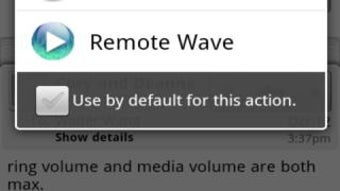
Targeted at Android users who frequently receive voicemail attachments via email or other apps, Remote Wave offers a seamless experience by integrating with the system’s "open with" functionality. This allows users to tap on a voicemail file in an email client, browser, or file manager and launch the file directly in Remote Wave. The app is particularly useful for professionals, travelers, or anyone managing voicemail messages across multiple devices. It is a sub-project of Remote RDP, suggesting a focus on utility and integration within a broader suite of tools.
Key Features & Capabilities
- Multi-format audio playback – Supports GSM, WAV, AU, and other common voicemail file types, ensuring broad compatibility with voicemail systems across carriers and devices.
- Wide encoding support – Handles ULaw (MULaw), GSM6.1, IMA/MS/Dialogic/OKI ADPCM, and DSP TrueSpeech, allowing playback of voicemail messages encoded in less common formats.
- Seamless app integration – Works with email clients, browsers, and file managers through the Android "open with" feature, enabling quick access to voicemail attachments.
- Lightweight and efficient – Designed to consume minimal system resources, making it suitable for older or low-spec Android devices.
- Free to use – No cost for downloading or using the application, with no in-app purchases or ads reported.
Users can open voicemail attachments directly from their inbox or file storage, eliminating the need to transfer files or rely on carrier-specific apps. This workflow is ideal for users managing voicemail messages across multiple platforms or devices. The app’s focus on simplicity and compatibility makes it a practical tool for anyone needing to access voicemail content without additional setup.
User Interface, Workflow & Performance
Remote Wave features a minimalistic user interface centered around playback controls, file selection, and basic audio settings. The navigation is straightforward, with a clean layout that prioritizes functionality over visual complexity. Users open the app and select a voicemail file from their device’s storage or through the "open with" menu, after which playback begins immediately.
The workflow is efficient and optimized for quick access. Once a file is selected, the app begins playback without requiring configuration or additional steps. The developer did not specify resource usage details, but based on its lightweight design and purpose, it is expected to operate smoothly on most Android devices. Performance observations are based on general software behavior patterns, with no reported lag or crashes in typical usage scenarios.
Stability appears to be a priority, as the latest version includes a fix for an issue on the Xoom device. This suggests ongoing maintenance and attention to compatibility across different hardware platforms. The app does not require internet access to function, ensuring reliable performance even in offline environments.
Compatibility & System Requirements
Remote Wave is designed for Android devices and is compatible with the Android operating system. The latest version includes a fix for an issue on the Xoom, indicating support for older Android tablets. However, exact system requirements were not listed by the developer. Specific hardware requirements, such as CPU or RAM, were not provided.
Installation size and version details are not available in the provided information. Platform compatibility information is limited to Android, with no mention of support for iOS, Windows, or Mac. The app is intended for use on mobile devices, particularly those receiving voicemail attachments via email or messaging apps.
Pros and Cons
Pros
- Supports a wide range of voicemail audio formats and encodings
- Integrates seamlessly with other Android apps via "open with" functionality
- Lightweight and efficient, suitable for low-end devices
- Free to download and use with no ads or in-app purchases
- Simple, intuitive interface focused on core playback functionality
Cons
- No official support for iOS or desktop platforms
- Exact system requirements and file size were not specified
- Limited to Android ecosystem; not suitable for cross-platform users
- Basic feature set with no advanced audio editing or playback options
- Developer did not provide detailed performance or resource usage data
FAQ Section
Is Remote Wave available for iOS devices?
Remote Wave is designed exclusively for Android. There is no official version available for iOS devices.
Can I use Remote Wave offline?
Yes, the app does not require an internet connection to play voicemail attachments, making it suitable for offline use.
Does Remote Wave support all voicemail formats?
It supports common voicemail formats such as GSM, WAV, AU, and several encodings including ULaw, GSM6.1, ADPCM, and TrueSpeech. However, support for all possible formats cannot be guaranteed.
Is Remote Wave free to use?
Yes, Remote Wave is a free application with no cost for download or usage. There are no reported in-app purchases or advertisements.
How do I update Remote Wave?
Updates are typically distributed through the Google Play Store. Users should check for updates in their app manager or the store directly.
Final Thoughts + CTA
Remote Wave stands out as a focused, reliable tool for Android users who need to play voicemail attachments across different formats and encodings. Its ability to integrate with email clients, browsers, and file managers through the "open with" feature makes it a convenient solution for managing voicemail content on the go. While it lacks advanced features and cross-platform support, its lightweight design and free availability make it a strong choice for users seeking simplicity and compatibility.
For professionals, travelers, or anyone handling voicemail messages from multiple sources, Remote Wave offers a dependable way to access audio content without relying on default apps. The app’s ongoing maintenance, as evidenced by recent fixes, indicates a commitment to stability and usability.
Download Remote Wave now




.png)



