
Download Replace Genious – document editing, text manipulation, spreadsheet editing, automation tool, productivity software
Overview
Replace Genious is a productivity-focused software designed to simplify the editing of text documents and spreadsheets through intelligent automation. The application targets users who frequently handle large volumes of text, including content creators, data analysts, and administrative professionals. By offering a streamlined interface and automated editing capabilities, Replace Genious helps reduce manual effort and minimize errors during repetitive tasks. Its primary purpose is to accelerate document workflows by enabling rapid text manipulation and formatting adjustments, particularly in environments where efficiency and accuracy are critical.
Users benefit from real-time previews of changes, allowing them to assess outcomes before finalizing edits. This is especially useful when applying batch modifications across multiple files or complex datasets. The software is tailored for individuals seeking a lightweight, reliable tool that enhances document management without demanding high system resources. While the developer did not provide additional technical details about the company’s background, the app’s release date of February 14, 2023, indicates it is a relatively recent entry in the productivity software space.
Replace Genious fits into the broader ecosystem of digital workflow tools by addressing a common pain point: the time-consuming nature of manual text editing. For users managing large documents or frequently updating spreadsheets, the ability to apply predefined or custom rules with minimal input offers tangible value. Its focus on automation and user transparency positions it as a practical utility for professionals aiming to optimize daily tasks.
Key Features & Functionality
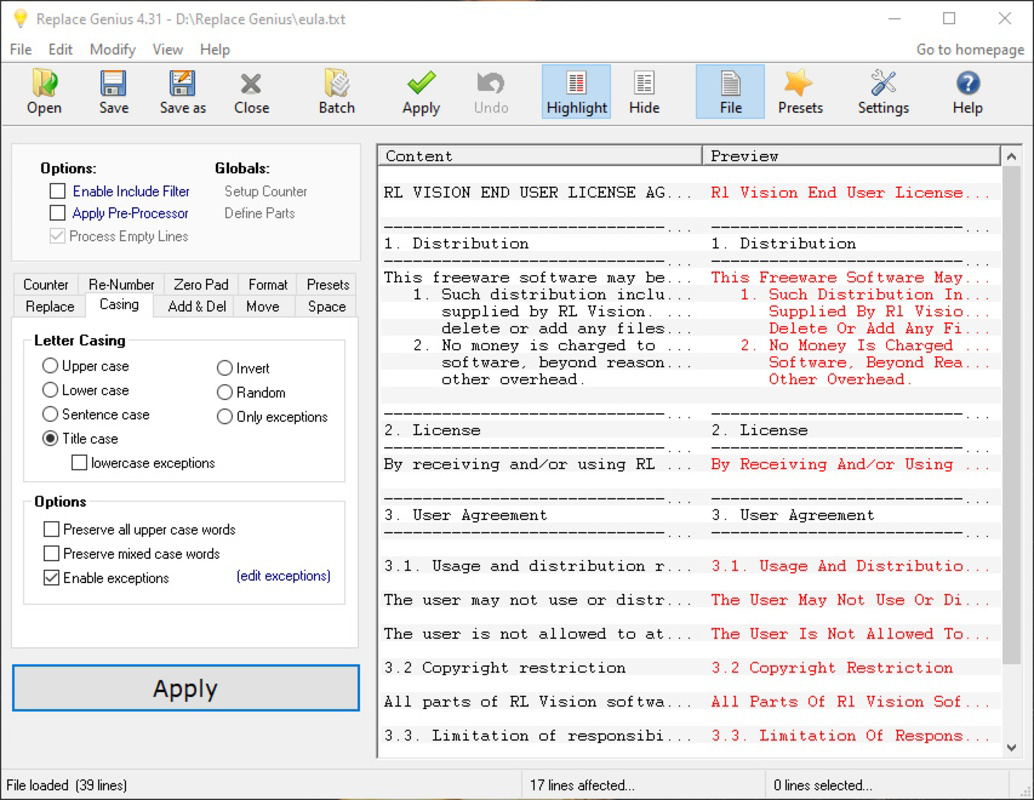
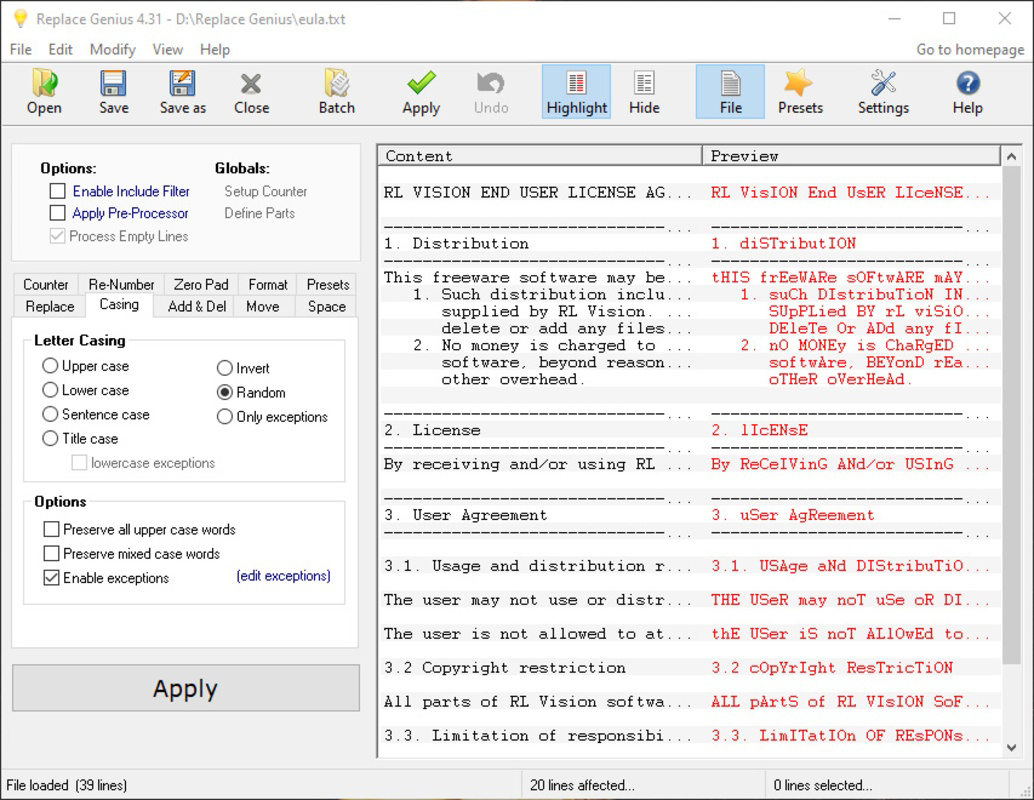
- Dual-Column Interface: The app displays the original text on one side and the modified output on the other, enabling users to compare changes in real time. This visual feedback enhances control and reduces the risk of unintended edits, particularly during bulk operations.
- Predefined Editing Rules: Users can apply a range of built-in rules with a single click, including case conversion (upper to lower), punctuation standardization, and formatting adjustments. These rules are designed to address common editing challenges without requiring advanced technical knowledge.
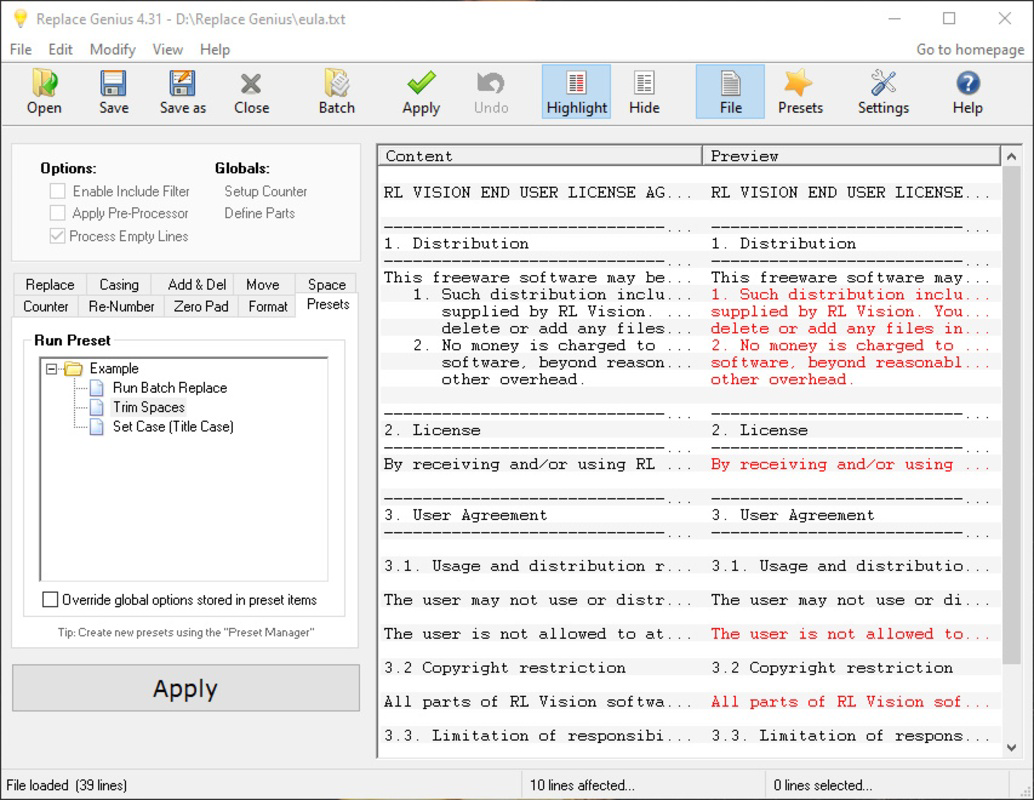
- Customizable Automations: Advanced users can create personalized rules to automate repetitive tasks based on specific document patterns. This feature supports tailored workflows, such as standardizing headers or correcting recurring typos across multiple files.
- Resource-Friendly Design: Replace Genious is optimized to operate efficiently on systems with limited processing power or memory. This makes it accessible to users with older or lower-spec hardware, broadening its usability across different environments.
- Large Document Handling: The software is capable of processing sizable documents and spreadsheets, though performance may vary when dealing with exceptionally large datasets. Users should monitor processing times for extensive files to ensure optimal workflow continuity.
For example, a content team preparing a report can use predefined rules to uniformly format citations, while a data analyst might create a custom rule to clean up inconsistent date formats across a spreadsheet. These practical applications demonstrate how Replace Genious translates automation into tangible productivity gains.
Interface, UX & Performance
Replace Genious features a clean, dual-pane layout that prioritizes clarity and ease of use. The interface is designed around a central editing workspace, with the original text displayed in the left column and the transformed output in the right. This layout supports intuitive navigation and visual tracking of changes, reducing cognitive load during editing sessions.
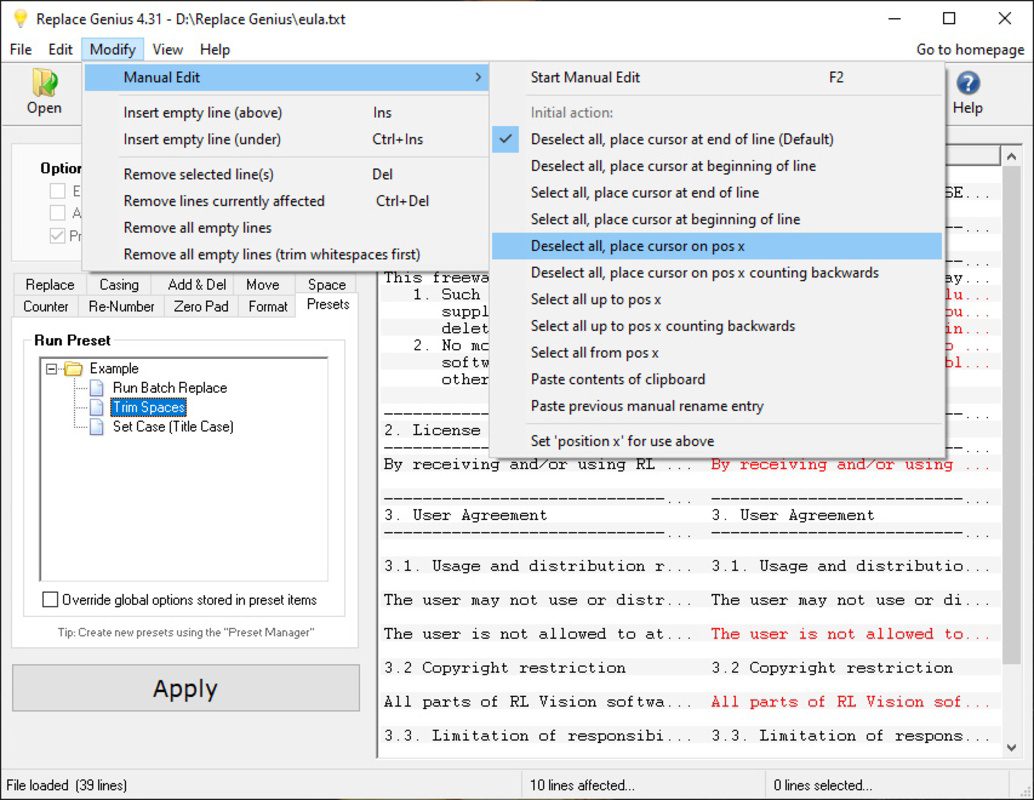
Navigation is straightforward, relying on clearly labeled buttons and a minimalistic toolbar. Users can apply rules, load files, and save results with few clicks, minimizing the learning curve. The app responds promptly to user inputs, maintaining smooth performance across typical usage scenarios.
Although the developer did not list formal performance metrics, the lightweight nature of the software suggests consistent responsiveness even on entry-level systems. Stability appears to be a focus, as the application does not report known crashes or freezing issues in its current release. However, users working with very large files may experience longer processing times, which is a known consideration for the software’s design limitations.
Platform Compatibility & Technical Requirements
Replace Genious is available exclusively for the Windows platform. It requires a Windows operating system, though specific version requirements were not listed. The application has a file size of 25.3 MB, indicating a compact footprint that contributes to fast installation and minimal storage impact.
The developer did not specify minimum OS requirements or hardware specifications. As such, compatibility with older Windows versions or low-end devices cannot be confirmed. Users should ensure their system meets general Windows compatibility standards before installation. The app is distributed as a free tool, making it accessible to a broad audience without financial barriers.
Pros and Cons
Pros
- Intuitive dual-column interface for real-time change visualization
- Predefined rules simplify common text and formatting tasks
- Custom automation support for advanced users
- Lightweight design with minimal system resource usage
- Free to download and use, with no licensing fees
Cons
- Performance may vary when handling exceptionally large documents
- Platform availability limited to Windows only
- Specific OS and hardware requirements not disclosed
- No built-in cloud sync or collaboration features
- Custom rule creation may require some learning for beginners
FAQ
Is Replace Genious safe to download and install?
Yes, the app is distributed as a free tool with no reported security risks. It does not require administrative permissions during installation, and its small file size suggests a minimal attack surface.
Can I use Replace Genious on macOS or Linux?
Currently, the software is only available for Windows. There is no official support for macOS or Linux platforms.
Does Replace Genious support batch editing across multiple files?
Yes, the app is designed to handle multiple files and apply editing rules in bulk, making it suitable for processing large sets of documents or spreadsheets efficiently.
Are updates available for Replace Genious?
Updates are likely to be released periodically to improve functionality and fix issues. Users should check the official source for the latest version.
Can I create my own editing rules?
Yes, users can customize and save their own automation rules, allowing for personalized workflows based on specific editing needs.
Final Thoughts
Replace Genious stands out as a focused, efficient tool for users seeking to accelerate text and spreadsheet editing through automation. Its dual-column interface, combined with a balance of predefined and customizable rules, delivers real value to professionals managing repetitive document tasks. While its performance may be affected by extremely large files and its platform reach is currently limited to Windows, the app’s lightweight design and free availability make it a compelling option for productivity enhancement.
Those who regularly edit text documents, clean up data, or standardize formatting across multiple files will benefit most from this utility. The ability to preview changes in real time adds a layer of confidence and precision often missing in simpler tools.
Download Replace Genious now


