Wolfram Function Repository
Instant-use add-on functions for the Wolfram Language
Function Repository Resource:
Find the color name closest to a given color
ResourceFunction["NearestColorName"][color] returns the name of color based on the similarity to the built-in Wolfram Language color symbols. |
Find the nearest built-in color for an RGB color:
| In[1]:= | ![ResourceFunction["NearestColorName"][
RGBColor[0.536757463400344, 0.43489008715454225`, 0.7325689833763229]]](https://www.wolframcloud.com/obj/resourcesystem/images/210/2108b099-65a9-4c3c-af77-a5bbd42d880c/591a2210a0dbdd8c.png) |
| Out[1]= |  |
Get the nearest color name for several colors:
| In[2]:= | ![ResourceFunction["NearestColorName"]@{Red, Green, Blue, Orange, Pink}](https://www.wolframcloud.com/obj/resourcesystem/images/210/2108b099-65a9-4c3c-af77-a5bbd42d880c/4b5ca656cd0042aa.png) |
| Out[2]= |  |
Use random colors:
| In[3]:= | ![TableForm[{#, ResourceFunction["NearestColorName"]@#} & /@ RandomColor[5]]](https://www.wolframcloud.com/obj/resourcesystem/images/210/2108b099-65a9-4c3c-af77-a5bbd42d880c/60989eb6a47fcf85.png) |
| Out[3]= | 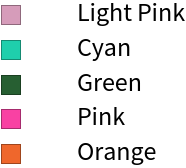 |
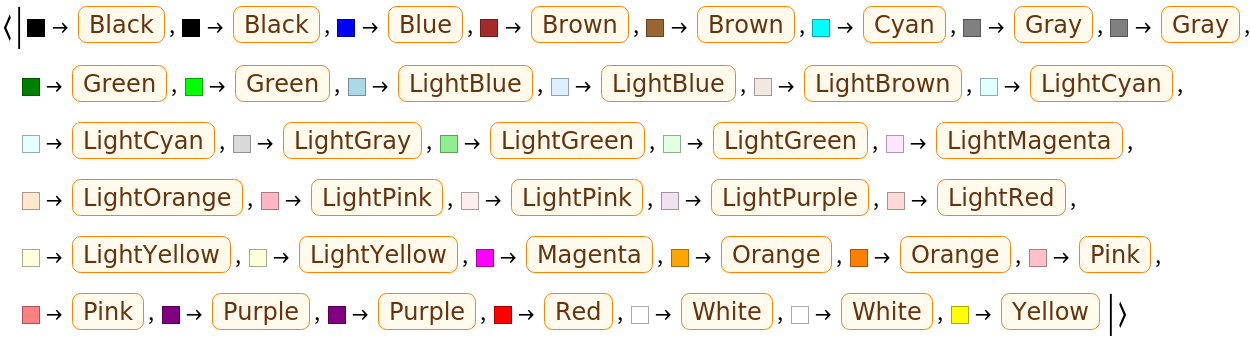
By default, the "ColorMap" option contains the rules for all the named colors of the Wolfram Language:
| In[4]:= | ![defaultRules = "ColorMap" /. Options@ResourceFunction["NearestColorName"]](https://www.wolframcloud.com/obj/resourcesystem/images/210/2108b099-65a9-4c3c-af77-a5bbd42d880c/40001e375bec70d3.png) |
| Out[4]= | 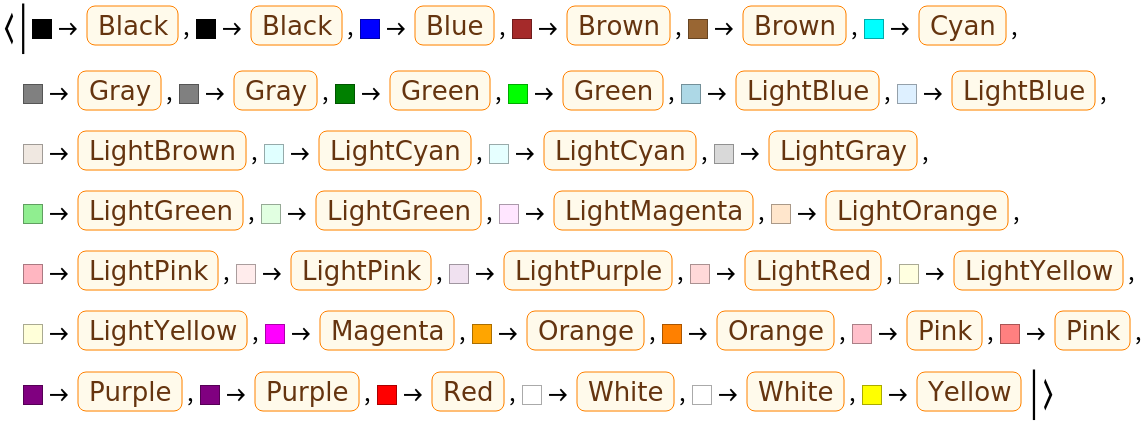 |
Use the "ColorMap" option to get the nearest color names only for the primary colors:
| In[5]:= | ![primaryRules = <|
Red -> Entity["WolframLanguageSymbol", "Red"],
Blue -> Entity["WolframLanguageSymbol", "Blue"],
Yellow -> Entity["WolframLanguageSymbol", "Yellow"]|>](https://www.wolframcloud.com/obj/resourcesystem/images/210/2108b099-65a9-4c3c-af77-a5bbd42d880c/729287b6f1271eed.png) |
| Out[5]= |  |
| In[6]:= | ![TableForm[{#, ResourceFunction["NearestColorName"][#, ColorMap -> primaryRules]} & /@ RandomColor[10]]](https://www.wolframcloud.com/obj/resourcesystem/images/210/2108b099-65a9-4c3c-af77-a5bbd42d880c/180ca3dd869f5c7d.png) |
| Out[6]= | 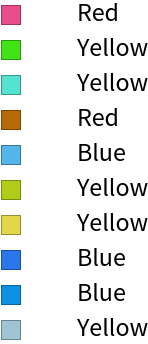 |
It also is possible to expand the list of color rules, increasing the accuracy of the function. Define many gray values:
| In[7]:= | ![allGrayColors = RGBColor[#, #, #] & /@ Range[0, 1, 1/255]](https://www.wolframcloud.com/obj/resourcesystem/images/210/2108b099-65a9-4c3c-af77-a5bbd42d880c/33617c2c331fa353.png) |
| Out[7]= | 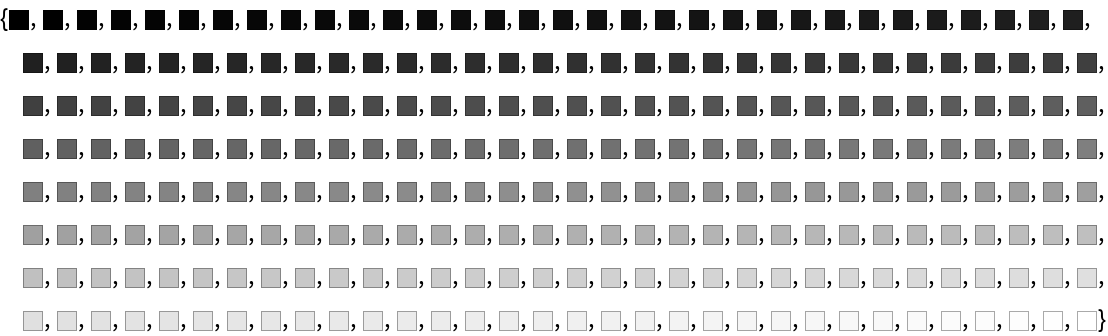 |
Expand the color rules to add every gray color:
| In[8]:= | ![defaultRules = "ColorMap" /. Options@ResourceFunction["NearestColorName"]; expandedRules = AppendTo[defaultRules, # -> Entity["WolframLanguageSymbol", "Gray"] & /@ allGrayColors];](https://www.wolframcloud.com/obj/resourcesystem/images/210/2108b099-65a9-4c3c-af77-a5bbd42d880c/7940fa65e879fbd0.png) |
Using the default rules, random gray colors give several different results:
| In[9]:= | ![randomgrays = Table[ColorConvert[GrayLevel[RandomReal[]], RGBColor], {20}];](https://www.wolframcloud.com/obj/resourcesystem/images/210/2108b099-65a9-4c3c-af77-a5bbd42d880c/464a1e1d96d226a3.png) |
| In[10]:= | ![ResourceFunction["NearestColorName"][randomgrays] // DeleteDuplicates](https://www.wolframcloud.com/obj/resourcesystem/images/210/2108b099-65a9-4c3c-af77-a5bbd42d880c/149be806a3fb6269.png) |
| Out[10]= |  |
Including the expanded rules gives more uniform results:
| In[11]:= | ![ResourceFunction["NearestColorName"][randomgrays, ColorMap -> expandedRules] // DeleteDuplicates](https://www.wolframcloud.com/obj/resourcesystem/images/210/2108b099-65a9-4c3c-af77-a5bbd42d880c/2fecd17c4f0ea15e.png) |
| Out[11]= |  |
Get the nearest color name in Portuguese for red, green and blue colors:
| In[12]:= | ![ResourceFunction["NearestColorName"][{Red, Green, Blue}, Language -> "Portuguese"] // TableForm](https://www.wolframcloud.com/obj/resourcesystem/images/210/2108b099-65a9-4c3c-af77-a5bbd42d880c/13419e1b6bd6e443.png) |
| Out[12]= | 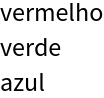 |
Get the nearest color name in Spanish for some random colors:
| In[13]:= | ![ResourceFunction["NearestColorName"][RandomColor[5], Language -> "Spanish"] // TableForm](https://www.wolframcloud.com/obj/resourcesystem/images/210/2108b099-65a9-4c3c-af77-a5bbd42d880c/6e4c807036e924eb.png) |
| Out[13]= | 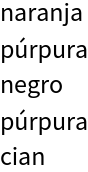 |
Some colors do not have translations in all languages. The following code returns the available translations for a color:
| In[14]:= | ![colorName = "Red";
WolframLanguageData[colorName]["Translations"][[All, 1]] // Sort](https://www.wolframcloud.com/obj/resourcesystem/images/210/2108b099-65a9-4c3c-af77-a5bbd42d880c/6bb0741e8dcdd455.png) |
| Out[13]= |  |
Create a table of results:
| In[15]:= | ![(* Evaluate this cell to get the example input *) CloudGet["https://www.wolframcloud.com/obj/79f89008-2d16-4de1-9287-93cf317acfb7"]](https://www.wolframcloud.com/obj/resourcesystem/images/210/2108b099-65a9-4c3c-af77-a5bbd42d880c/40dce0e6bd34764c.png) |
| Out[6]= | 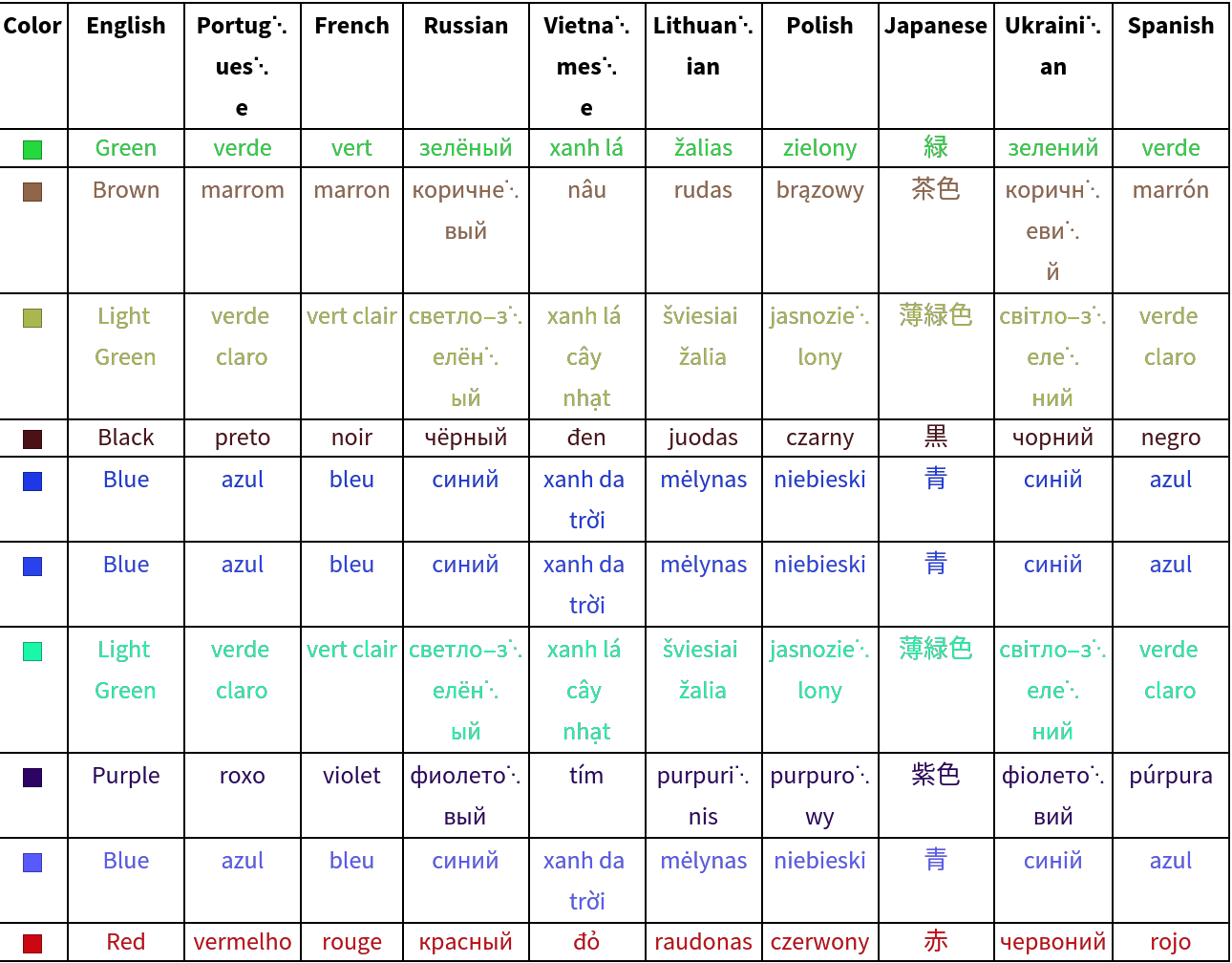 |
Get every Wolfram Language symbol entity:
| In[1]:= | ![wlSymbols = WolframLanguageData[];](https://www.wolframcloud.com/obj/resourcesystem/images/210/2108b099-65a9-4c3c-af77-a5bbd42d880c/1bf54f957482f8f0.png) |
Get the functionality areas value for every Wolfram Language symbol entity:
| In[2]:= | ![wlSymbolsFunctionalityAreas = WolframLanguageData[wlSymbols, EntityProperty["WolframLanguageSymbol", "FunctionalityAreas"]];](https://www.wolframcloud.com/obj/resourcesystem/images/210/2108b099-65a9-4c3c-af77-a5bbd42d880c/5373e3169ae01ed6.png) |
Create a new list with two values: a symbol entity and the functionality areas for the respective symbol entity:
| In[3]:= | ![symbolFunctionalityAreasMap = MapThread[{#1, #2} &, {wlSymbols, wlSymbolsFunctionalityAreas}];](https://www.wolframcloud.com/obj/resourcesystem/images/210/2108b099-65a9-4c3c-af77-a5bbd42d880c/50a000a046bf5310.png) |
Select the symbols that has only the value "ColorSymbols" in the functionality areas:
| In[4]:= | ![colorSymbols = Select[symbolFunctionalityAreasMap, ContainsOnly[Last@#, {"ColorSymbols"}] &]](https://www.wolframcloud.com/obj/resourcesystem/images/210/2108b099-65a9-4c3c-af77-a5bbd42d880c/7df6f090067b4dcc.png) |
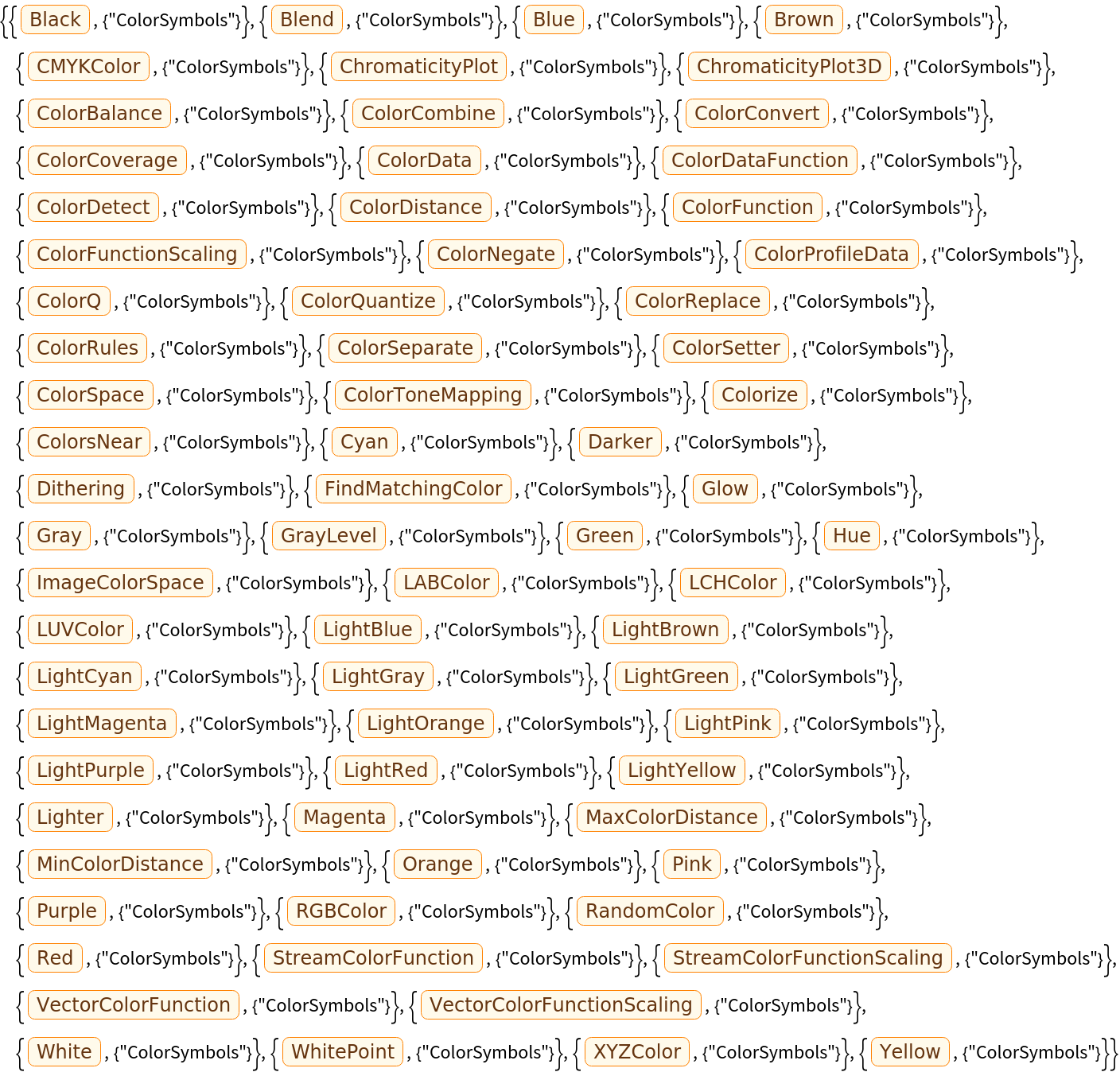
Select only the entities that are colors:
| In[5]:= | ![namedColors = Select[colorSymbols, ColorQ@ToExpression@First[#]@"Name" &][[All, 1]]](https://www.wolframcloud.com/obj/resourcesystem/images/210/2108b099-65a9-4c3c-af77-a5bbd42d880c/0c1069db2157bda9.png) |

First, transform each color entity in a RGBColor. Here, two different manners are used to translate a named color symbol entity into a RGBColor: (1) get the Name value for the entity and use it as a parameter to the RGBColor function (stored in c1); (2) get the Name value for the entity and transform it into an Expression that will return the named color symbol ( stored in c2). When c1 is different of c2, both are considered for the next step.
| In[6]:= | ![colors = Block[
{c1, c2, colors},
c1 = RGBColor@#@"Name";
c2 = ToExpression@#@"Name";
colors = {ColorQ@c1, ColorQ@c2, List @@ c1 == List @@ c2} /. {
{True, False, _} | {True, True, True} -> {c1},
{False, True, _} -> {c2},
{True, True, False} -> {c1, c2}}
] & /@ namedColors](https://www.wolframcloud.com/obj/resourcesystem/images/210/2108b099-65a9-4c3c-af77-a5bbd42d880c/2c732ddf38726e26.png) |

Then, map each RGBColor to the respective symbol entity.
| In[7]:= | ![defaultColorMapOptionValue = Association@
Flatten@MapThread[
Function[{colors, entity}, # -> entity & /@ colors], {colors, namedColors}]
defaultColorMapOptionValue == ("ColorMap" /. Options@NearestColorName)](https://www.wolframcloud.com/obj/resourcesystem/images/210/2108b099-65a9-4c3c-af77-a5bbd42d880c/4e9972b286e20566.png) |

This work is licensed under a Creative Commons Attribution 4.0 International License
