
Screenshots
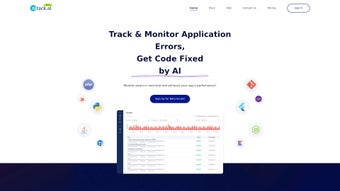
App details
- Updated
- March 27, 2025
- Requires
- Chrome
- License
- Full
- Developer
- retack
- Category
- Web Apps
About Retack
Download Retack – AI‑Powered Error Tracking, Real‑Time Fixes & Free Secure Tool
Introduction: Why Modern Developers Need an AI‑Powered Error Tracker
In today’s fast‑paced development cycles, even a single unnoticed bug can stall a release, damage user trust, and increase maintenance costs. Retack arrives as a web‑based, AI‑driven solution that continuously monitors codebases, flags errors in real time, and even proposes automatic fixes. Built to serve mobile, web, and server environments, Retack supports a wide spectrum of languages—including Python, Java, .NET, Flutter, and React—making it a universal companion for solo developers, startups, and large enterprises alike.
The platform’s core strength lies in its integration depth. By connecting directly to Git repositories, Retack can generate merge requests that contain AI‑suggested patches, cutting down manual debugging time by up to 70 % for many backend frameworks. Notifications are routed through Slack or email, ensuring that teams stay informed without juggling additional dashboards. While the AI currently handles the majority of routine errors, complex logical flaws may still require human insight, a trade‑off that many developers find acceptable given the productivity boost.
Retack also embraces the DevSecOps mindset. Every scan runs on isolated containers, guaranteeing that no malicious code is executed on your build servers. The data processed by the service never leaves the encrypted channel, and logs are retained only for the period required by compliance policies. This security‑first design gives peace of mind to organizations handling sensitive data or operating under strict regulatory frameworks.
Whether you’re looking to download a free, secure tool that updates seamlessly across Windows, macOS, Linux, Android, and iOS, or you simply need a reliable assistant that catches bugs before they hit production, Retack positions itself as a strategic asset in any modern software development workflow.
Core Features & How Retack Works
- Real‑Time Error Detection: Continuous scanning of code changes, CI pipelines, and live applications to surface issues instantly.
- Multi‑Language Support: Native parsing for Python, Java, C#, .NET Core, Flutter, React, Vue, and more.
- AI‑Generated Fixes: Machine‑learning models propose code patches, which can be auto‑merged via Git.
- Git Integration: Direct hooks into GitHub, GitLab, Bitbucket, and Azure DevOps for seamless workflow.
- Alert Channels: Configurable notifications via Slack, Microsoft Teams, email, and webhook endpoints.
- Dashboard & Analytics: Visual insights into error trends, hot‑spot modules, and remediation timelines.
- Secure Cloud Architecture: End‑to‑end encryption, role‑based access control, and GDPR‑compliant data handling.
- Custom Rule Engine: Define project‑specific linting and security policies that the AI respects.
Retack’s AI engine is trained on millions of open‑source repositories and commercial codebases, allowing it to recognize common patterns such as null‑pointer dereferences, unhandled exceptions, and insecure API usage. When a new commit is pushed, the platform performs a static analysis, cross‑referencing the change against its knowledge base. If an issue is detected, Retack automatically creates a detailed report that includes severity, stack trace, and a suggested code snippet to resolve the problem.
For developers who prefer hands‑off automation, the “Auto‑Fix” toggle can be enabled. In this mode, Retack generates a merge request containing the AI‑crafted patch, tags the appropriate reviewers, and updates the issue tracker. Teams can then approve or reject the change with a single click, dramatically reducing the back‑and‑forth that typically accompanies code reviews.
Because the tool is cloud‑native, updates to the AI model, new language support, and security patches are delivered automatically—no manual downloads or version‑control headaches. This ensures that you always benefit from the latest advancements without compromising stability. Additionally, Retack offers a RESTful API that lets you pull scan results into custom dashboards or integrate with ticketing systems such as Jira and ServiceNow.
Installation, Compatibility & Practical Usage Guide
Step‑by‑Step Installation
- Create an Account: Visit Retack’s signup page and register using your corporate email or SSO provider.
- Connect Your Repository: In the dashboard, select “Add Project,” choose your Git host (GitHub, GitLab, Bitbucket, Azure DevOps), and authorize the OAuth token.
- Configure Scanning Rules: Choose pre‑built language profiles or customize linting rules to match your coding standards.
- Set Notification Preferences: Link your Slack workspace or provide an email distribution list for alerts.
- Enable Auto‑Fix (Optional): Toggle the “Automatic Merge Request” feature and define approval thresholds.
- Run Initial Scan: Trigger a full repository scan. Results will populate the dashboard within minutes.
Operating System & Platform Compatibility
Retack is a web‑based SaaS platform, meaning it works on any modern operating system that supports a standards‑compliant browser (Chrome, Edge, Firefox, Safari). The underlying service runs on secure AWS/GCP infrastructure, providing high availability across North America, Europe, and Asia‑Pacific regions. For on‑premise requirements, Retack offers a Docker‑based appliance that can be deployed on Windows Server, Linux, or macOS environments.
Practical Usage Tips
Once Retack is up and running, consider the following best practices to extract maximum value:
- Baseline Scan: Perform a full scan after the initial integration to establish a clean baseline. Review and triage existing issues before enabling auto‑fix.
- Incremental Monitoring: Enable “Watch Branch” for feature branches so that developers receive immediate feedback before merging to main.
- Rule Tuning: Periodically audit the rule set. Suppress false positives that are irrelevant to your domain, and add custom rules for business‑critical logic.
- Team Training: Host a short onboarding session to demonstrate how to interpret Retack’s reports and how to approve AI‑generated merge requests.
- Security Audits: Leverage the built‑in vulnerability scanner to identify outdated dependencies and potential CVEs.
- CI/CD Integration: Embed Retack’s scanning step as a mandatory gate in Jenkins, GitHub Actions, or GitLab CI pipelines. This ensures that no code reaches production without passing the AI’s quality checks, reinforcing a culture of continuous improvement.
Finally, make use of the “Export” feature to download scan logs in JSON or CSV format. This is especially useful for compliance reporting or for feeding data into internal analytics platforms that track technical debt over time.
Pros, Cons & Frequently Asked Questions
Pros
- Real‑time detection reduces mean time to resolution.
- Supports a wide array of languages and frameworks.
- AI‑generated fixes can be auto‑merged, saving developer hours.
- Seamless Slack, email, and webhook notifications keep teams informed.
- Cloud‑native with automatic updates; optional on‑premise Docker deployment.
- Comprehensive dashboard with trend analytics and security insights.
- REST API enables deep integration with existing tooling.
- Role‑based access control and GDPR compliance satisfy enterprise security needs.
Cons
- AI currently resolves ~70 % of backend errors; complex business logic may still need manual review.
- Initial baseline scan can be resource‑intensive for very large monorepos.
- Free tier includes limited monthly scans; larger teams may require a paid plan.
- Learning curve for customizing rule sets and integrating with existing CI pipelines.
- Auto‑fix feature, while powerful, may introduce unexpected changes if not carefully monitored.
FAQ
Is Retack completely free to use?
Retack offers a free tier that includes up to 5,000 scanned lines per month and basic AI suggestions. For larger teams or unlimited scans, paid plans start at $49 per month.
Can Retack be used with private repositories?
Yes. Retack supports OAuth authentication for private GitHub, GitLab, Bitbucket, and Azure DevOps repositories. All data is encrypted in transit and at rest.
How does Retack handle security and compliance?
Retack is GDPR‑compliant, offers role‑based access control, and stores all scanned code on ISO‑27001 certified cloud infrastructure. You can also opt for the on‑premise Docker deployment for stricter data residency requirements.
What languages are currently supported?
Out‑of‑the‑box support includes Python, Java, C#, .NET Core, JavaScript/TypeScript (React, Vue, Angular), Flutter/Dart, Go, Ruby, and PHP. Additional language packs can be requested via the support portal.
Can I disable the AI auto‑fix feature?
Absolutely. The auto‑fix toggle can be turned off per project or globally. In this mode, Retack only reports issues, allowing developers to apply fixes manually.
Retack delivers a solid blend of AI‑driven error detection and practical automation. While it doesn’t eliminate every bug, the reduction in manual debugging time makes it a worthwhile addition to most development pipelines.
Conclusion: Is Retack the Right Choice for Your Development Team?
In a landscape where rapid releases and high code quality are non‑negotiable, Retack stands out as a powerful ally. Its ability to monitor code in real time, suggest AI‑generated fixes, and integrate directly with Git workflows can shave hours—if not days—off your debugging process. The free tier makes it easy to experiment, while paid plans scale gracefully for enterprise needs.
If your team works across multiple languages, values immediate Slack notifications, and seeks a tool that grows with your codebase, downloading Retack today is a logical next step. Even with the current 70 % AI coverage limitation, the time saved on routine errors outweighs the occasional need for manual intervention.
Download Retack now and start turning error tracking from a reactive chore into a proactive, automated part of your development lifecycle.
Guides & Tutorials
How to install Retack
- Click the Download button above.
- Once redirected, accept the terms and click Install.
- Wait for the Retack download to finish on your device.
How to use Retack
This software is primarily used for its core features described above. Open the app after installation to explore its capabilities.
User Reviews
No reviews yet. Be the first to share your experience.
You may also like
more
3D AI Studio
3D AI Studio Overview 3D AI Studio is a web-based AI-powered tool developed by S...

3D textures by Polycam
Generate Realistic 3D Textures Effortlessly 3D Textures by Polycam is an innovat...

3DAiLY
Customizable 3D Modeling Tool: 3DAiLY 3DAiLY is an online platform that harnesse...

3DFY
Revolutionizing 3D Model Creation: 3DFY Review 3DFY is an AI-powered service, de...

AI Dungeon
AI Dungeon: Deep Learning Text Adventure AI Dungeon is an artificial intelligenc...

Alpha3D
A subscription-based program for Web apps, by alpha3d. Alpha3D is a subscription...
