
Scoreholio: Instant Score Tracking for Party Games
Overview
Scoreholio is a desktop application designed to streamline the management of party games, pickup sports, and informal tournaments. Built for users who organize or participate in casual competitive events, the software simplifies score tracking, team management, and live score updates. Whether hosting a weekend basketball game, a friendly volleyball match, or a multi-team tournament, Scoreholio enables users to set up an event in seconds. The core purpose is to eliminate the need for paper scorecards or fragmented digital tools by providing a centralized, customizable digital scoreboard.
Target users include recreational sports organizers, community event coordinators, and social groups that frequently host informal games. The software supports both local and virtual events, allowing participants to follow live scores across multiple devices. Real-world use cases include backyard tournaments, office league competitions, and neighborhood pickup games. By entering basic details like team names and location, users can begin tracking results immediately without complex setup.
The developer, Scoreholio, has positioned the product as a dedicated tool for casual sports environments. While no additional company background is available, the application’s focus on simplicity and immediate usability suggests a user-centric design philosophy. It is optimized for quick deployment in dynamic, low-prep scenarios where real-time tracking enhances engagement and fairness.
Key Features & Capabilities
- Instant Event Creation – Users can launch a new game or tournament in seconds by inputting team names and location, enabling immediate gameplay without configuration delays.
- Customizable Digital Scoreboard – The application generates a personalized scoreboard tailored to the event, allowing real-time updates and visual tracking of scores and performance.
- Live Score Updates – Multiple participants can view and update scores simultaneously across devices, ensuring transparency and engagement during ongoing games.
- Virtual Event Support – Users can sign up for virtual tournaments, expanding reach beyond physical locations and enabling remote participation.
- Custom Scoresheets – The software allows users to create and modify personalized score templates, adapting to different game rules or scoring systems as the event progresses.
These features are particularly useful for organizing multi-round competitions where tracking progress and maintaining consistency is essential. For example, a community group hosting a weekend soccer league can use Scoreholio to manage standings, update scores after each match, and share live results with players and spectators. The ability to customize score templates also supports niche games with non-standard scoring formats.
User Interface, Workflow & Performance
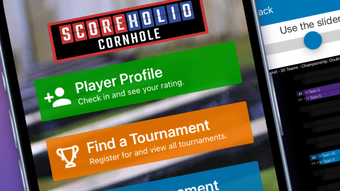
Scoreholio features a clean, intuitive interface designed for rapid access to core functions. The layout prioritizes visibility of the digital scoreboard, with team names, score counters, and game timers displayed prominently. Navigation is straightforward, with key actions like “Start Game,” “Add Score,” and “Create Event” accessible via clearly labeled buttons.
Workflow efficiency is a central design goal. From launch to active gameplay, the process is streamlined into a minimal number of steps. Users can begin tracking scores immediately after setting up an event, with no need for account creation or lengthy onboarding. The application appears optimized for low-latency interactions, allowing real-time updates without noticeable delays.
The developer did not specify resource usage details. However, based on general software behavior patterns, the application is expected to operate efficiently on modern systems. Stability during extended use has not been publicly documented, but the focus on simplicity suggests a lightweight architecture. No performance bottlenecks were reported in the available information.
Compatibility & System Requirements
Scoreholio is available for both Windows and Mac operating systems, supporting a broad range of desktop environments. The software requires 200 MB of installation space, indicating a relatively compact footprint. This makes it accessible even on systems with limited storage capacity.
Exact system requirements were not listed. The developer did not provide details on minimum CPU, RAM, or graphics specifications. Platform compatibility information is limited to the supported OS types. Users should ensure their system meets standard desktop software requirements for Windows and Mac platforms.
Pros and Cons
Pros
- Fast event setup with minimal input required
- Real-time score updates across multiple devices
- Customizable digital scoreboard for diverse game types
- Support for both physical and virtual tournaments
- Free to use with no licensing barriers
Cons
- No publicly available system requirements beyond OS support
- Limited documentation on advanced features or customization options
- Performance behavior under heavy use not specified
- Offline functionality details not provided
- No integration with third-party platforms or analytics
FAQ Section
Is Scoreholio available for Windows and Mac?
Yes, Scoreholio is compatible with both Windows and Mac operating systems, allowing users on either platform to host and participate in events.
Is the software free to use?
Yes, Scoreholio is available at no cost. There are no subscription fees or in-app purchases required to access core features.
Can I use Scoreholio for virtual tournaments?
Yes, the software supports virtual events, enabling remote participants to join and track live scores from different locations.
Does Scoreholio require an internet connection?
While the application supports live score updates and multi-device synchronization, specific details about offline usage were not provided by the developer.
How often is Scoreholio updated?
The software was released on April 15, 2024, and no update frequency has been disclosed. Users are advised to check for the latest version regularly.
Final Thoughts + CTA
Scoreholio delivers a focused, no-frills solution for organizing casual sports and party games. Its standout strength lies in rapid event setup and real-time score tracking, making it ideal for spontaneous or community-based competitions. The ability to manage both local and virtual tournaments adds versatility, while the free pricing model ensures broad accessibility.
While detailed technical specifications and advanced customization options remain limited, the software excels in its core purpose: simplifying scorekeeping for informal games. Users who value speed, ease of use, and real-time collaboration will find Scoreholio to be a reliable companion for weekend matches and recurring leagues.
For anyone looking to enhance the experience of casual sports events with minimal setup, Scoreholio is a compelling choice. Download Scoreholio now to start hosting your next game in seconds.








