
Screenshots
App details
- Updated
- June 12, 2025
- Requires
- Chrome
- License
- Subscription
- Developer
- scribbly
- Category
- Web Apps
About Scribbly
Download Scribbly – AI Email Writing Assistant, Boost Productivity
What Is Scribbly? An In‑Depth Overview
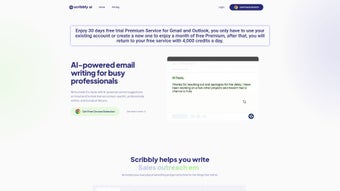
Scribbly is an AI‑powered email writing assistant designed for busy professionals who spend a large portion of their day drafting, revising, and sending messages. Built as a subscription‑based web application, Scribbly sits directly inside Gmail through a free Chrome extension, offering context‑aware suggestions that match the user’s unique tone and communication style. By analysing past emails, the tool learns how you phrase greetings, close conversations, and handle common requests, allowing it to generate personalized content on the fly. The core promise of Scribbly is simple yet powerful: write emails up to ten times faster while maintaining a high level of professionalism and clarity. This speed boost is achieved through real‑time, inline suggestions that appear as you type, covering everything from subject lines and opening sentences to bullet‑point lists and sign‑off signatures. The AI engine behind Scribbly is continuously updated, ensuring that the suggestions stay relevant to industry jargon, emerging trends, and even company‑specific terminology. For teams that rely on fast, accurate communication—sales, support, HR, and project management—Scribbly can become a silent partner that eliminates the mental load of composing routine messages. Because it integrates seamlessly with Gmail, there is no need to switch between windows or copy‑paste content; the assistant works where you already spend most of your email time. Whether you’re a solo entrepreneur juggling client outreach or a corporate professional handling dozens of internal threads daily, Scribbly’s blend of AI insight and user‑centric design aims to transform the way you write, read, and respond to email.
Key Features That Power Email Efficiency
- Context‑Specific Suggestions: The AI evaluates the subject line, recipient, and recent conversation history to deliver relevant phrasing, ensuring each suggestion feels natural and on‑point.
- Personalized Tone Matching: By learning your historical writing patterns, Scribbly mimics your preferred tone—whether formal, friendly, or sales‑focused—so every email sounds authentically you.
- One‑Click Insertion: Suggestions appear as clickable snippets. A single press of the “Enter” key or a mouse click inserts the text instantly, keeping your workflow uninterrupted.
- Dynamic Subject Line Generator: Generates compelling subject lines based on email content, improving open rates and reducing the time spent brainstorming hooks.
- Smart Signature Builder: Stores multiple signatures and automatically selects the most appropriate one based on context (e.g., internal vs. external communication).
- Real‑Time Grammar & Style Check: Integrated proofreading catches spelling errors, passive voice, and overly complex sentences, delivering polished output without a separate editor.
- Team Collaboration Mode: Allows managers to set style guides or approved phrases that the AI will prioritize for all team members, ensuring brand consistency.
- Secure Cloud Sync: All preferences and AI models are stored securely in the cloud, enabling a seamless experience across devices while complying with GDPR and other privacy standards.
- Regular Model Updates: Scribbly’s AI is refreshed monthly with new language patterns, industry terms, and compliance language to keep suggestions current.
- Free Chrome Extension: The core functionality is available at no cost via a Chrome extension, with premium features unlocked through a modest subscription.
These features collectively address the most common pain points of email composition: time consumption, inconsistency, and the mental effort required to craft clear, persuasive messages. By automating repetitive phrasing while preserving individuality, Scribbly helps professionals focus on strategic thinking rather than getting bogged down by mundane typing tasks. The result is a measurable increase in daily output, higher response rates, and a more professional impression with every sent email.
Installation, Usage Instructions, and Compatibility
Step‑By‑Step Installation
- Visit the Chrome Web Store and click “Add to Chrome.”
- Confirm the permissions request; Scribbly needs access to read and modify Gmail content to provide inline suggestions.
- Once installed, you’ll see the Scribbly icon in the Chrome toolbar. Click it to sign in with your Google account.
- Choose a subscription plan (Free, Pro, or Enterprise). The free tier offers basic suggestions, while the Pro plan unlocks advanced tone analysis and team collaboration tools.
- After signing in, open Gmail. Scribbly will automatically inject a small sidebar on the right side of the compose window, ready to deliver suggestions as you type.
How to Use Scribbly Effectively
When you start a new email, Scribbly reads the subject line and the initial paragraph you type. Within seconds, a list of suggested sentences appears in the sidebar. You can hover over each suggestion to see a preview, then click to insert it directly into the email body. For quick edits, press Ctrl + Space (or Cmd + Space on macOS) to toggle the suggestion panel. If a suggestion doesn’t fit, you can dismiss it with a single click, and the AI will generate a fresh alternative. The tool also highlights potential grammar issues in real time, offering a one‑click correction that respects your chosen tone.
Compatibility Across Platforms
Scribbly’s Chrome extension works on any operating system that supports the Chrome browser, including Windows 10/11, macOS Catalina and later, and most Linux distributions. Because the core AI runs in the cloud, the performance is consistent regardless of local hardware. For users who prefer other browsers, a beta version of the extension is available for Microsoft Edge (Chromium‑based) and can be installed from the same web store page. Mobile users on Android and iOS can access Scribbly’s web interface through a responsive portal, though the real‑time suggestions are currently limited to desktop environments where the Chrome extension can interact directly with Gmail’s DOM.
In summary, installing Scribbly takes under five minutes, and the learning curve is minimal. Once activated, the assistant becomes an invisible co‑author that adapts to your workflow, whether you’re on a Windows laptop, a MacBook, or a Linux workstation. The cross‑platform design ensures that you never have to sacrifice speed or security, making Scribbly a reliable ally for any professional email user.
Pros, Cons, and Frequently Asked Questions
Pros
- Significant time savings – users report writing emails up to ten times faster.
- Personalized tone matching based on your own email history.
- Seamless integration with Gmail via a free Chrome extension.
- Real‑time grammar and style checking eliminates the need for separate proofreaders.
- Team collaboration mode enforces brand‑consistent language across departments.
- Secure cloud storage complies with GDPR, CCPA, and other privacy regulations.
- Regular AI model updates keep suggestions current with industry jargon.
Cons
- Full feature set requires a paid subscription; the free tier is limited to basic suggestions.
- Only works directly inside Gmail; other email clients need a separate workflow.
- Mobile functionality is less robust compared to desktop Chrome integration.
- Initial AI training may need a few days of email activity to achieve optimal personalization.
- Requires Chrome (or Chromium‑based browsers), limiting users who prefer Firefox or Safari.
FAQ – Your Most Common Questions Answered
Is Scribbly safe to use with confidential emails?
Yes. Scribbly processes content locally in the browser before sending anonymized data to its secure cloud for AI analysis. All transmissions are encrypted with TLS 1.3, and the service complies with GDPR and CCPA, ensuring that confidential information is never stored in plain text.
Can I customize the AI’s writing style?
Absolutely. Within the extension’s settings, you can choose from preset tones (formal, casual, sales‑focused) or create a custom style guide. The AI will prioritize your selections when generating suggestions.
What happens if I disable the extension after installation?
Disabling Scribbly stops all suggestion pop‑ups, but your saved preferences and AI learning model remain stored in the cloud. You can reactivate the extension at any time without losing any data.
Does Scribbly work with shared Gmail accounts or Google Workspace?
Yes. The extension supports both personal Gmail accounts and Google Workspace domains. Administrators can enforce organization‑wide style guides through the Team Collaboration mode.
How is the subscription billed and can I cancel anytime?
Subscriptions are billed monthly or annually, depending on the plan you choose. Payments are processed via Stripe, and you can cancel at any time from the account dashboard. Cancelation takes effect at the end of the current billing cycle, with no hidden fees.
Overall Rating: 4.5 / 5
Summary: Scribbly delivers on its promise of faster, higher‑quality email composition. While the free tier is useful for occasional users, power users and teams will benefit most from the premium features. The seamless Gmail integration and strong privacy posture make it a trustworthy addition to any professional’s toolkit.
Conclusion – Is Scribbly Right for You?
In today’s fast‑paced business environment, email remains a cornerstone of communication, yet it also consumes a disproportionate amount of time. Scribbly tackles this paradox by marrying advanced AI with a user‑centric design that lives inside the very interface you already use. The combination of context‑aware suggestions, tone personalization, and real‑time proofreading equips professionals with a virtual writing partner that can accelerate inbox management without sacrificing professionalism.
If you find yourself drafting repetitive updates, sales outreach, or internal memos, the time saved with Scribbly quickly pays for itself. Even the free Chrome extension offers a taste of what’s possible, while the paid plans unlock deeper customization, team‑wide consistency, and priority support. The only notable trade‑off is the reliance on Chrome‑based browsers, but for most enterprises this is a minor consideration given the browser’s ubiquity.
Ready to experience faster, smarter email writing? Download Scribbly now and start your free trial. Let the AI do the heavy lifting so you can focus on the conversations that truly matter.
Guides & Tutorials
How to install Scribbly
- Click the Download button above.
- Once redirected, accept the terms and click Install.
- Wait for the Scribbly download to finish on your device.
How to use Scribbly
This software is primarily used for its core features described above. Open the app after installation to explore its capabilities.
User Reviews
No reviews yet. Be the first to share your experience.
You may also like
more
3D AI Studio
3D AI Studio Overview 3D AI Studio is a web-based AI-powered tool developed by S...

3D textures by Polycam
Generate Realistic 3D Textures Effortlessly 3D Textures by Polycam is an innovat...

3DAiLY
Customizable 3D Modeling Tool: 3DAiLY 3DAiLY is an online platform that harnesse...

3DFY
Revolutionizing 3D Model Creation: 3DFY Review 3DFY is an AI-powered service, de...

AI Dungeon
AI Dungeon: Deep Learning Text Adventure AI Dungeon is an artificial intelligenc...

Alpha3D
A subscription-based program for Web apps, by alpha3d. Alpha3D is a subscription...
