
Download SecAI – AI Security, Vulnerability Detection & Data Protection
Overview
SecAI is a cloud‑native security platform built specifically for artificial‑intelligence workloads. In today’s data‑driven enterprises, AI models are often the most valuable intellectual property, yet traditional security suites rarely understand the unique attack surface that these models present. SecAI bridges that gap by continuously ingesting logs, model metadata, and runtime telemetry, then applying a hybrid detection engine that blends deterministic rule sets with adaptive machine‑learning models. This approach enables the platform to identify both well‑known adversarial techniques—such as data poisoning, model extraction, and inference‑time tampering—and emerging zero‑day behaviors that have not yet been cataloged in public threat databases.
The service is designed for a wide audience: data scientists who need assurance that their training pipelines are clean, developers who want security baked into CI/CD, and security operations teams that require audit‑ready reporting for regulators. SecAI’s dashboard presents a clear risk score for each model, highlights anomalous input distributions, and surfaces actionable remediation steps. By surfacing issues early—often before a model reaches production—organizations can avoid costly breaches, preserve model integrity, and maintain compliance with evolving AI‑specific regulations.
Beyond detection, SecAI offers built‑in encryption for data at rest and in transit, role‑based access control (RBAC) for fine‑grained permissions, and seamless integration with popular cloud providers and on‑premises orchestration tools. The platform’s architecture is modular, allowing new threat intelligence feeds to be added without downtime. As a result, SecAI remains effective even as AI frameworks evolve and novel attack vectors emerge.
The solution works on any modern operating system that supports a web browser—Windows 10/11, macOS Ventura or later, and major Linux distributions such as Ubuntu, Fedora, and CentOS. SDKs are available for Python 3.7+, Java 11+, and Node.js 14+, and the platform can be deployed via Docker, Kubernetes, or as a private‑cloud appliance for environments with strict data‑residency requirements.
Core Features & Pros
- Anomaly Detection Engine: Monitors model inputs, outputs, and execution traces in real time to flag out‑of‑norm behavior.
- Automated Vulnerability Scanning: Detects common AI weaknesses such as adversarial attacks, data poisoning, and model extraction.
- Data Confidentiality Controls: Provides encryption‑at‑rest and in‑transit for training data, model weights, and inference payloads.
- CI/CD Integration: Native plugins for Jenkins, GitHub Actions, GitLab CI, and Azure DevOps that embed security checks into the model‑deployment pipeline.
- Compliance Reporting: Pre‑built templates for GDPR, CCPA, and emerging AI‑specific standards, complete with audit‑ready logs.
- Threat Intelligence Feeds: Continuous updates from global security sources that enrich SecAI’s detection rules.
- Dashboard & Alerts: Centralized UI with customizable notifications via email, Slack, or Microsoft Teams.
- RESTful API Access: Programmatic retrieval of findings, risk scores, and remediation recommendations.
- Role‑Based Access Control (RBAC): Fine‑grained permissions ensure that only authorized users can modify security policies.
- Self‑Learning Models: Built‑in ML models improve detection accuracy over time by learning from historical incidents.
Pros
- AI‑Focused Protection: Addresses threats that generic security tools overlook, delivering specialized coverage for model assets.
- Zero‑Installation for Cloud Users: Fast onboarding through a web portal and API keys eliminates complex setup.
- Continuous Updates: Threat‑intelligence feeds and model improvements are applied automatically, keeping defenses current.
- Deep CI/CD Integration: Security becomes a native part of the development workflow, reducing manual effort and human error.
- Regulatory‑Ready Reporting: Built‑in templates simplify audit preparation for GDPR, CCPA, and AI‑specific regulations.
- Scalable Architecture: Handles everything from a handful of prototypes to thousands of production models without performance degradation.
Installation & Usage Instructions
SecAI is delivered as a SaaS platform, which means you can start protecting your AI workloads without provisioning any hardware. Follow the steps below to get up and running:
- Create an Account: Navigate to the SecAI portal, register with your corporate email, and confirm the verification link.
- Select a Subscription: Choose the free tier (supports up to five models) or a paid plan that scales with model count and data volume. All plans include a 14‑day trial of premium features.
- Generate an API Key: After logging in, go to the “API Access” page and create a key. This key will be used to authenticate your AI platforms (TensorFlow, PyTorch, SageMaker, etc.).
- Connect Your Environment: Install the appropriate SDK (Python, Java, or Node.js) and configure it with the API key. The SDK automatically forwards telemetry to SecAI’s cloud service.
- Configure Scanning Policies: Within the dashboard, select from pre‑built policy templates or craft custom rules that reflect your organization’s risk tolerance.
- Integrate with CI/CD: Deploy the SecAI plugin for your chosen CI tool. The plugin runs a vulnerability scan each time a model artifact is built and reports findings back to the SecAI console.
- Monitor & Respond: Live risk scores appear on the dashboard. Set up alert channels (email, Slack, Teams) to receive instant notifications for high‑severity events.
- Generate Compliance Reports: Periodically export audit‑ready reports in PDF, CSV, or JSON formats for internal review or regulator submission.
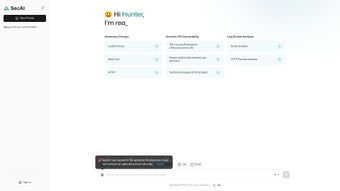
The user interface follows a clean, card‑based design that groups findings by severity, model, and attack vector. Clicking a finding reveals the exact input that triggered the alert, a recommended remediation plan, and a timeline of related events. For power users, the REST API provides full programmatic access to all data, enabling custom dashboards or integration with SIEM solutions.
Cons
- Learning Curve for Advanced Policies: Crafting custom detection rules may require security expertise beyond basic usage.
- Limited Offline Capability: Full offline operation is only available through the private‑cloud deployment, which incurs additional cost.
- Dependency on Internet Connectivity: Real‑time monitoring relies on a stable connection to SecAI’s cloud service.
- Pricing for Large‑Scale Deployments: While the free tier is generous, high‑volume enterprises may find the subscription costs significant.
Frequently Asked Questions
How does SecAI detect AI‑specific attacks?
SecAI blends rule‑based signatures (e.g., known adversarial patterns) with a self‑learning model that establishes a baseline of normal behavior for each pipeline. By continuously comparing live telemetry against this baseline, the system flags anomalies such as unexpected input distributions, sudden changes in inference latency, or unauthorized model weight modifications.
Can SecAI be used with on‑premises AI deployments?
Yes. In addition to the standard SaaS offering, SecAI provides a private‑cloud option that can be deployed inside your own VPC, on‑premises Kubernetes cluster, or as a virtual appliance. This deployment retains the full feature set while satisfying strict data‑residency and compliance requirements.
What CI/CD integrations are available?
SecAI offers native plugins for Jenkins, GitHub Actions, GitLab CI, Azure DevOps, and CircleCI. Each plugin runs automated vulnerability scans during the build phase and pushes results back to the SecAI dashboard, enabling developers to remediate issues before models are promoted to production.
Is there a free version of SecAI?
A free tier is available that supports up to five models and provides basic anomaly detection, vulnerability scanning, and reporting. For advanced capabilities—such as unlimited models, custom policies, and private‑cloud deployment—a paid subscription is required.
How does SecAI help with regulatory compliance?
The platform includes pre‑built compliance templates for GDPR, CCPA, and emerging AI‑specific regulations. It automatically generates audit‑ready reports that detail security findings, remediation actions, and risk scores, simplifying evidence collection for auditors and internal compliance teams.
Conclusion & Call to Action
SecAI delivers a purpose‑built security layer for AI models, data, and inference pipelines, addressing a gap that generic security tools simply cannot fill. Its real‑time anomaly detection, automated vulnerability scanning, and deep CI/CD integration give development and security teams the confidence to innovate without constantly firefighting threats. While no solution can guarantee absolute safety, SecAI raises the defensive baseline dramatically, making it an essential component for any organization that treats AI as a strategic asset.
Start with the free tier to evaluate how SecAI fits into your workflow, then scale to a paid plan as your AI footprint grows. The platform’s cloud‑native architecture ensures you always benefit from the latest threat intelligence without manual patching.
Ready to protect your AI models? Download SecAI now and enjoy a 14‑day free trial of premium features. Secure your models today, safeguard your reputation tomorrow.



.png)




