
Download Seculus Smart – fitness tracker, activity tracker, calorie counter, step counter, sleep tracker, real-time tracking, mobile app, Android app, health monitoring, workout log
Overview
Seculus Smart is a mobile application designed for Android users seeking comprehensive health and fitness tracking capabilities. The app aims to support individuals who are passionate about sports and personal wellness by providing real-time monitoring of physical activities. It enables users to track a variety of movements, including walking, running, biking, hiking, and trail-based exercises. By recording metrics such as steps taken, distance covered, and calories burned, Seculus Smart offers a detailed overview of daily physical engagement. The app also includes sleep tracking functionality, helping users monitor their rest patterns and maintain better sleep hygiene. Additional features include notification alerts for incoming calls and text messages, allowing users to stay connected without interrupting their workouts. Designed for those who want to optimize their training results and maintain an active lifestyle, Seculus Smart serves both casual users and fitness enthusiasts. The application is developed by Seculus da Amazônia and is available exclusively on the Google Play Store. It is not compatible with iOS devices. The developer did not provide additional details about the app’s background or development philosophy.
Key Features & Capabilities
- Real-time Activity Tracking: Monitors movements such as walking, running, biking, and trail-based activities with live updates on performance metrics.
- Calorie Counter: Estimates calories burned based on user activity, intensity, and duration to support dietary and fitness goals.
- Step Counter: Tracks daily steps to encourage users to meet movement targets and promote a more active lifestyle.
- Sleep Tracker: Records sleep duration and patterns, offering insights into sleep quality and consistency.
- Activity Log: Stores a comprehensive history of all tracked activities, allowing users to review past performance and progress over time.
- Notification Alerts: Delivers timely alerts for incoming calls and text messages, ensuring users remain informed during physical activities.
- Multi-Activity Support: Recognizes and logs various exercise types, including trail running, hiking, and trail biking, catering to diverse fitness routines.
These features are designed to support users in maintaining consistent physical activity, improving fitness outcomes, and gaining deeper insights into their health. For example, a runner can use the app to monitor pace, distance, and calories burned during a training session. A hiker can track their trail progress and sleep quality after a long day outdoors. The activity log serves as a personal fitness journal, helping users identify trends and set future goals. The integration of real-time tracking and notifications ensures that users can stay connected without compromising their workout focus. While the app is free to use, it may include advertisements, which could affect the user experience depending on frequency and placement.
User Interface, Workflow & Performance
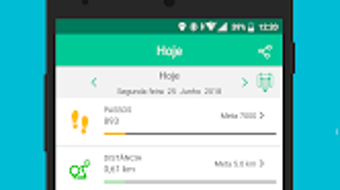
Seculus Smart presents a user interface tailored for Android devices, prioritizing accessibility and intuitive navigation. The layout appears structured around core functions such as activity tracking, sleep monitoring, and notification settings. Users can access key features through a central dashboard or menu, allowing for quick switching between different modes. The workflow is designed to minimize friction, enabling users to start tracking with minimal setup. For instance, launching the app typically initiates a tracking session automatically, depending on user preferences. Navigation between the activity log, real-time metrics, and settings is expected to be straightforward, though specific design details were not provided. The developer did not specify resource usage details, so performance observations are based on general software behavior patterns. The app operates within a 15.4 MB installation size, suggesting a lightweight footprint. Stability and responsiveness are likely optimized for typical Android devices, but exact CPU or RAM behavior remains undisclosed. Users may experience variations in performance depending on device hardware and background processes. Overall, the app appears designed for smooth operation during physical activities, with a focus on minimal battery drain and consistent tracking accuracy.
Compatibility & System Requirements
Seculus Smart is available exclusively for Android devices and is compatible with the Android operating system. The current version is 1.2.0, released on March 15, 2024. The application requires 15.4 MB of storage space for installation. The developer did not specify exact system requirements, including minimum Android version, processor, or RAM. Compatibility information was partially provided, with no details on supported device types or hardware specifications. The app is not compatible with iOS devices, limiting its availability to Android users only. Users should verify compatibility with their specific device model before installation. The developer did not provide information on whether the app supports wearables or external sensors. It is recommended to check the Google Play Store listing for the most up-to-date compatibility details. For users seeking a fitness tool on Android, Seculus Smart offers a straightforward entry point, though system-level requirements remain unclear.
Pros and Cons
Pros
- Free to download and use, making it accessible for budget-conscious users.
- Supports multiple physical activities, including running, biking, hiking, and trail-based exercises.
- Includes sleep tracking to enhance overall health monitoring.
- Offers real-time tracking and performance metrics for active users.
- Provides a detailed activity log for progress review and goal setting.
- Delivers notifications for calls and messages during workouts.
Cons
- May contain advertisements, which could disrupt the user experience.
- Not available on iOS devices, limiting cross-platform access.
- Exact system requirements and compatibility details were not listed.
- Performance and resource usage were not specified by the developer.
- App functionality may vary depending on device hardware and Android version.
FAQ Section
Is Seculus Smart compatible with iOS devices?
Seculus Smart is not compatible with iOS devices. It is available exclusively for Android users through the Google Play Store.
Is the app free to use?
Yes, Seculus Smart is free to download and use. However, it may contain advertisements, which could affect the user experience.
Does the app require an internet connection?
The app can function offline for basic tracking, but certain features such as real-time synchronization and notifications may require an internet connection.
How often does the app update?
The latest version, 1.2.0, was released on March 15, 2024. The developer did not provide information on the frequency of future updates.
What kind of data does Seculus Smart collect?
The app collects data related to physical activities, sleep patterns, and notification events. The developer did not specify whether data is stored locally or transmitted to external servers.
Final Thoughts + CTA
Seculus Smart delivers a focused and accessible solution for Android users interested in tracking their fitness and health metrics. With real-time activity monitoring, sleep tracking, and a detailed activity log, it supports individuals aiming to improve their physical performance and overall wellness. The inclusion of multi-activity support and notification alerts enhances usability during workouts. While the app is free, users should be aware of potential advertisements and the lack of iOS compatibility. The absence of detailed system requirements and performance data limits deeper evaluation, but the lightweight 15.4 MB size suggests minimal impact on device resources. For those seeking a no-cost fitness tool on Android, Seculus Smart offers a solid foundation for daily tracking. Its straightforward interface and broad activity recognition make it a practical choice for beginners and intermediate users alike. Download Seculus Smart now to start monitoring your fitness journey with real-time insights and comprehensive tracking.




.png)



