
Download Seek – AI‑Powered Real‑Time Data Insights Tool
Overview
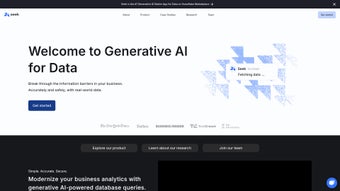
Seek is a cutting‑edge generative AI platform that transforms raw data into actionable insights in real time. Built around a natural‑language interface, Seek lets users ask complex questions in plain English and receive instantly generated visualizations, predictive models, or concise summaries. Whether you are a seasoned data scientist or a business stakeholder with limited technical background, Seek bridges the gap between data and decision‑making. The engine behind Seek is powered by the latest large‑language‑model techniques and has earned top‑ranked results on the Yale Spider benchmark, guaranteeing high accuracy in query interpretation and result generation. Over the past year, dozens of enterprises across finance, healthcare, retail, and manufacturing have reported faster insight cycles, reduced reliance on specialized analytics teams, and measurable cost savings after adopting Seek. Regular updates bring new connectors, refined prompting capabilities, and security enhancements, ensuring the software stays ahead of emerging data‑analysis trends. With seamless integration into popular data warehouses (Snowflake, BigQuery, Redshift) and messaging platforms (Slack, Microsoft Teams), Seek becomes a central hub for data‑driven collaboration across the organization.
Core Features and Benefits
- Natural‑Language Query Engine: Type or speak questions like “What were our top‑selling products last quarter?” and receive instant, chart‑ready answers.
- Real‑Time Data Refresh: Connectors pull the latest data every minute, guaranteeing that insights are always up‑to‑date.
- Multi‑Source Integration: Native adapters for SQL databases, cloud data warehouses, CSV/Excel files, and API endpoints.
- AI‑Generated Visualizations: Automatic selection of the most appropriate chart type (bar, line, heatmap, etc.) based on query context.
- Predictive Analytics: On‑demand forecasting, anomaly detection, and what‑if simulations without writing code.
- Collaboration Hub: Share insights directly to Slack, Teams, or email, and embed interactive dashboards in Confluence or SharePoint.
- Security & Governance: Role‑based access control, audit logs, and end‑to‑end encryption meet ISO 27001 and GDPR standards.
- Continuous Learning: The AI model refines its understanding of your data schema over time, improving answer relevance.
These features translate into concrete business value. Teams can cut down the average time‑to‑insight from days to minutes, freeing analysts to focus on strategic initiatives rather than repetitive report building. The AI‑driven forecasting reduces the need for external consultants, while the collaborative sharing tools foster a data‑first culture throughout the enterprise. Because Seek is cloud‑agnostic, it scales with your data volume, handling millions of rows without performance degradation. The combination of accuracy, speed, and ease of use makes Seek a compelling alternative to traditional BI suites that often require complex scripting and steep learning curves.
Installation, Setup, and Compatibility
Getting started with Seek is straightforward, regardless of whether you prefer a SaaS subscription or an on‑premises deployment. Follow these steps to install and configure the tool:
Step‑by‑Step Installation Guide
- Sign Up for a Free Trial: Visit the official Seek website, enter your business email, and choose the trial plan. An activation link will be sent instantly.
- Create an Account: After activation, set a strong password and enable two‑factor authentication for added security.
- Choose Deployment Mode: Select “Cloud (SaaS)” for instant access or “Self‑Hosted” if you need on‑premises compliance.
- For Self‑Hosted: Download the Docker image (compatible with Windows, macOS, and Linux) or the native installer for Windows Server 2019/2022 and Ubuntu 20.04 LTS. Run the installer, which automatically configures the database, web server, and AI inference engine.
- Connect Data Sources: In the Seek dashboard, navigate to Data Connectors, add your credentials for Snowflake, BigQuery, or any JDBC‑compatible source, and test the connection.
- Set Permissions: Define user roles (Viewer, Analyst, Administrator) and assign them to your organization’s Active Directory or SSO provider (Okta, Azure AD).
- Start Querying: Use the built‑in chat interface or the VS Code extension to begin asking questions.
Seek supports Windows 10/11, Windows Server, macOS 12+, major Linux distributions, as well as mobile access through iOS 14+ and Android 9+ apps. The web interface works on any modern browser (Chrome, Edge, Firefox, Safari) with JavaScript enabled. For large enterprises, Seek offers a Kubernetes deployment option, allowing you to scale horizontally across clusters and integrate with existing CI/CD pipelines for automated updates.
After installation, Seek automatically checks for updates every 24 hours. Administrators receive a notification when a new version with enhanced features or security patches is available, and a one‑click “Apply Update” button ensures the platform stays current without downtime. Comprehensive documentation, video tutorials, and a community forum are accessible directly from the Help menu, making onboarding smooth for both technical and non‑technical users.
Pros, Cons, Frequently Asked Questions & Conclusion
Pros
- Intuitive natural‑language interface reduces learning curve.
- Real‑time data refresh delivers up‑to‑date insights.
- Broad connector library supports most enterprise data sources.
- AI‑generated visualizations and predictive models save time.
- Strong security and compliance features (ISO 27001, GDPR).
- Seamless collaboration via Slack, Teams, and email.
- Scalable deployment options (SaaS, Docker, Kubernetes).
Cons
- Advanced custom modeling may still require a data scientist.
- Initial connector setup can be complex for legacy systems.
- Pricing for large enterprises is tiered and may need negotiation.
- Mobile app lacks some advanced dashboard features available on desktop.
Frequently Asked Questions
Can Seek handle unstructured data such as text documents?
Yes. Seek includes a built‑in text‑analytics module that can ingest PDFs, Word files, and plain‑text logs, allowing you to ask questions like “What sentiment is expressed in the latest customer reviews?”
Is there a limit to the number of queries per day?
The free trial allows up to 1,000 queries per month. Paid plans offer unlimited queries, with tiered pricing based on concurrent users and data volume.
How does Seek ensure data privacy when using the SaaS version?
All data in transit and at rest is encrypted with AES‑256. Seek does not store raw query text after processing, and customers can enable a private VPC for added isolation.
Can I integrate Seek with existing BI tools like Tableau or Power BI?
Absolutely. Seek can export results as CSV, JSON, or direct OData feeds, which can be consumed by Tableau, Power BI, and other visualization platforms.
What support options are available for enterprise customers?
Enterprise subscribers receive 24/7 priority support, a dedicated account manager, and access to a private Slack channel for rapid issue resolution.
Conclusion & Call to Action
Seek stands out as a powerful, AI‑driven analytics companion that democratizes data insight across any organization. By allowing users to ask questions in plain English, it eliminates the bottleneck of complex query languages and accelerates decision‑making. While some advanced modeling scenarios may still need specialist input, the majority of day‑to‑day analytics—from trend spotting to forecasting—can be handled entirely within Seek’s intuitive interface. The platform’s robust security, extensive connector ecosystem, and flexible deployment models make it a safe choice for both startups and large enterprises. If you’re ready to turn raw data into real‑time, actionable intelligence without hiring a legion of analysts, download Seek today and start your free trial. Experience the future of data analytics—fast, secure, and conversational.
Seek delivers an impressive blend of natural‑language querying, real‑time updates, and AI‑generated visualizations. Its integration capabilities and security posture are enterprise‑ready, though large‑scale custom modeling still benefits from a data‑science background. Overall, it is a strong contender for organizations looking to democratize analytics.



.png)




