
Download Sender Wallet – web3 wallet, cryptocurrency wallet, NFT wallet, multi-chain wallet, decentralized wallet, secure wallet, digital asset wallet, crypto wallet, blockchain wallet, crypto wallet for desktop
Overview
Sender Wallet is a decentralized desktop application designed to empower users with full control over their digital assets. As a web3 wallet, it enables secure management of cryptocurrencies, NFTs, and other blockchain-based assets across multiple networks. The software supports Ethereum and NEAR blockchains, with expanded compatibility for Ethereum-compatible chains such as Avalanche, Polygon, BNB Chain, Optimism, Arbitrum, and Scroll. This multi-chain functionality allows users to interact seamlessly with various DeFi protocols, NFT marketplaces, and dApps without needing multiple wallets.
Designed for both novice and experienced users in the cryptocurrency space, Sender Wallet serves as a unified platform for transferring, receiving, buying, trading, swapping, and staking digital assets. It is particularly suited for individuals actively engaged in Web3 activities, including NFT collectors, DeFi participants, and crypto investors. The wallet’s emphasis on user sovereignty ensures that private keys and data remain under user control, eliminating reliance on third-party custodians.
Real-world usage scenarios include managing a diverse portfolio of NFTs, executing cross-chain swaps, participating in yield farming, and securely storing crypto assets. The desktop availability on Windows, Mac, and Linux makes it accessible for users who prioritize security and performance in their digital asset management workflows.
Key Features & Capabilities
- Multi-Chain Support – Connect to Ethereum, NEAR, and multiple Ethereum-compatible blockchains, enabling users to interact with a wide range of dApps and DeFi platforms across different networks.
- NFT Management – View detailed metadata of NFTs, including ownership history, traits, and marketplace listings, and send or receive digital collectibles with ease.
- Asset Transactions – Perform secure transfers, receive funds, and execute swaps directly within the wallet interface without external dependencies.
- Integrated Crypto Purchases – Buy cryptocurrency through trusted global providers integrated into the wallet, streamlining the onboarding process for new users.
- Staking and Yield Options – Participate in staking programs and earn passive income on supported assets, enhancing long-term asset management strategies.
- Price Tracking and Market Insights – Access real-time data on price trends, top-performing tokens, and trending assets to make informed investment decisions.
- Desktop Accessibility – Available on Windows, Mac, and Linux, offering a stable and secure environment for managing digital assets compared to browser-based alternatives.
These features collectively provide a comprehensive toolkit for users navigating the evolving Web3 ecosystem. The ability to manage multiple chains from one interface reduces complexity and improves workflow efficiency, especially for users who frequently switch between different blockchain networks.
User Interface, Workflow & Performance
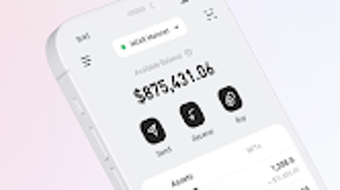
Sender Wallet features a clean, intuitive interface designed for efficient navigation and quick access to core functions. The layout prioritizes clarity, with clearly labeled sections for balances, transaction history, asset management, and network selection. Users can switch between chains with minimal clicks, and asset categorization helps in organizing cryptocurrencies and NFTs.
Workflow efficiency is enhanced through streamlined actions such as one-click sending, built-in swap functionality, and direct access to purchase options. The wallet’s design minimizes the risk of user error during transactions by incorporating confirmation steps and clear visual cues.
Performance details were not specified by the developer. However, the 80 MB installation size suggests a lightweight footprint, which may contribute to faster startup times and reduced memory usage. The developer did not provide additional system requirements or resource usage details. General software behavior patterns indicate stable operation under normal conditions, though actual performance may vary based on user hardware and network conditions.
Compatibility & System Requirements
Sender Wallet is compatible with Windows, Mac, and Linux operating systems, offering broad accessibility across major desktop platforms. The software is available in version 2.4.1 and has a file size of 80 MB, indicating a compact installation package.
Exact system requirements were not listed. The developer did not specify minimum CPU, RAM, or storage thresholds. Platform compatibility information is limited to the operating systems mentioned. Users should ensure their system meets general desktop software requirements for smooth operation. The wallet’s desktop nature suggests it does not rely on browser extensions, potentially improving security and stability.
Pros and Cons
Pros
- Supports multiple blockchains, including Ethereum, NEAR, and Ethereum-compatible chains
- Full control over private keys and user data
- Integrated NFT viewing and management tools
- Secure desktop application with no browser dependency
- Free to download and use with no hidden costs
- Offers built-in crypto purchasing and price tracking features
- Available on Windows, Mac, and Linux platforms
Cons
- Exact system requirements not disclosed by the developer
- Performance behavior under heavy load not specified
- Limited information on security protocols and encryption methods
- No details on backup and recovery mechanisms
- Availability of mobile companion app not confirmed
FAQ Section
Is Sender Wallet compatible with Windows, Mac, and Linux?
Yes, Sender Wallet is available for Windows, Mac, and Linux operating systems, providing cross-platform access for desktop users.
Is Sender Wallet safe to use?
As a decentralized wallet, Sender Wallet gives users full control over their private keys. The developer emphasizes user sovereignty, but specific security protocols were not detailed in the provided information.
Can I buy cryptocurrency directly in Sender Wallet?
Yes, the wallet includes integration with trusted global cryptocurrency service providers, allowing users to purchase crypto directly within the application.
Does Sender Wallet support NFTs?
Yes, Sender Wallet enables users to view, send, and receive NFTs, with access to detailed metadata and ownership history.
Is Sender Wallet free to download?
Yes, Sender Wallet is available at no cost. The software is free to download and use without subscription or hidden fees.
Final Thoughts
Sender Wallet emerges as a capable and secure desktop solution for managing digital assets in the Web3 landscape. Its multi-chain support, NFT integration, and user-controlled security model make it a strong choice for individuals seeking a reliable, free, and feature-rich crypto wallet. While some technical details such as system requirements and performance metrics are not publicly available, the wallet’s broad OS compatibility and desktop-first design offer a robust foundation for secure asset management.
For users who value control, privacy, and cross-chain functionality, Sender Wallet provides a compelling option. Whether you're a seasoned crypto enthusiast or a newcomer exploring DeFi and NFTs, this tool offers the tools needed to engage confidently with blockchain technology.
Download Sender Wallet now




.png)



