
Download SharedPlan – Secure Offline‑Online Project Management Tool
Overview
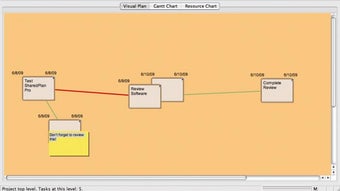
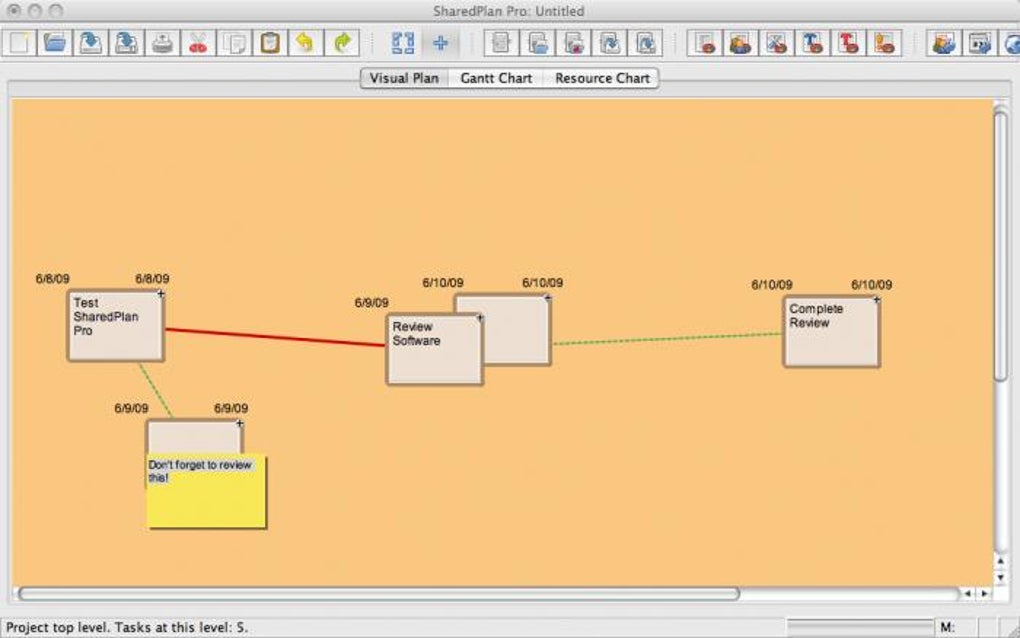
SharedPlan Pro is a sleek, dual‑mode project management application that lets teams work offline and then push their plans to a secure online server for real‑time collaboration. Designed for managers who need both granular control over task details and the flexibility of cloud‑based sharing, SharedPlan bridges the gap between traditional desktop planners and modern SaaS solutions. The interface revolves around an intuitive network diagram: double‑click anywhere to create a task node, drag connections to map dependencies, and use shift‑double‑click to attach sticky notes for extra context. Every task can store essential metadata such as duration, cost, resources, and custom fields, making the tool suitable for everything from small marketing campaigns to large‑scale engineering projects.
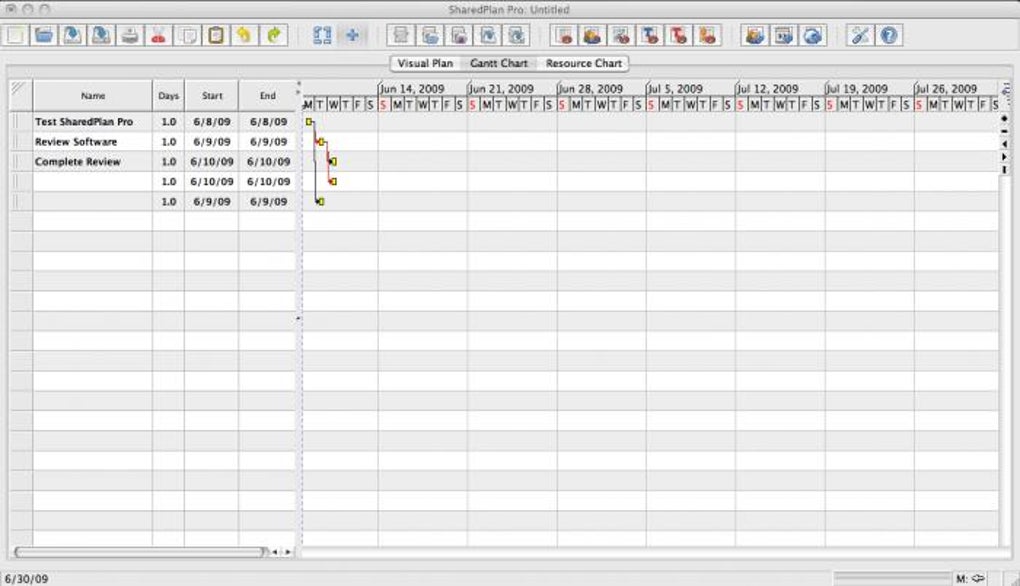
The built‑in Gantt Chart view translates the network diagram into a chronological schedule, highlighting overdue items and allowing quick rescheduling with drag‑and‑drop. When a plan is ready for broader distribution, the “Central” → “Publish to Server” workflow generates a secure link that can be emailed to stakeholders. Permissions are fine‑tuned at the server level, so managers can decide who sees or edits each element of the plan. In addition to task management, SharedPlan offers basic project analytics—resource allocation reports, cost variance charts, and progress summaries—helping teams keep an eye on performance without needing a separate BI platform.
Security is a cornerstone of SharedPlan’s online service. Data is encrypted in transit with TLS, and the server stores information in an isolated database with role‑based access control. Regular updates address known bugs, such as the recent fix for resource‑calculation inaccuracies, ensuring the tool remains reliable for mission‑critical planning. Whether you’re a freelance consultant, a midsize business, or an enterprise looking for a lightweight yet powerful planner, SharedPlan Pro delivers a balanced mix of offline robustness and online agility.
Key Features
- Offline‑First Design: Create and edit full project plans without an internet connection; sync later with a single click.
- Network Diagram Interface: Visualize tasks as nodes, link dependencies with drag‑and‑drop, and attach sticky notes for contextual details.
- Gantt Chart View: Automatic conversion of the network diagram into a chronological schedule, with drag‑to‑reschedule functionality.
- Secure Cloud Publishing: One‑click “Publish to Server” generates an encrypted link; granular permission settings control view/edit rights.
- Resource & Cost Management: Input labor hours, material costs, and automatic resource allocation calculations (including the latest fix for calculation errors).
- Project Analytics: Built‑in reports for cost variance, resource utilization, and progress tracking.
- Cross‑Platform Compatibility: Native Windows and macOS clients; web‑based portal accessible from Android, iOS, and any modern browser.
- Version History & Backup: Automatic snapshots allow you to revert to previous plan states, protecting against accidental changes.
- Multi‑User Collaboration: Real‑time editing notifications, comment threads, and change logs for transparent teamwork.
- Customizable Templates: Save frequently used task structures as reusable templates to accelerate new project setups.
Installation & Usage Instructions
Getting started with SharedPlan Pro is straightforward. Follow these steps to install the desktop client and begin building your first project:
- Download the Installer: Visit the official SharedPlan website and click the Download for Windows or Download for macOS button. The installer is a small, signed executable (approximately 45 MB) that ensures a secure download.
- Run the Installer: Double‑click the downloaded file. The wizard guides you through license agreement acceptance, destination folder selection, and optional desktop shortcut creation. No additional software is required; SharedPlan bundles its own runtime.
- Launch the Application: After installation, open SharedPlan from the Start menu (Windows) or Applications folder (macOS). The first launch may prompt you to create a local user profile; this profile stores your offline projects.
- Create a New Project: Click the New Project button on the welcome screen. A blank canvas appears. Double‑click anywhere to add a task node. A dialog box lets you name the task, set duration, assign cost, and add custom fields.
- Link Tasks: Click and drag the small circles on task edges to create dependency arrows. This visual network defines the project’s critical path.
- Attach Sticky Notes: Hold Shift and double‑click on a task to open a sticky note editor. Use this for brief comments, risk notes, or additional instructions.
- Switch to Gantt View: Select the Gantt Chart tab. The application automatically translates your network diagram into a timeline. Overdue tasks appear in red; you can drag bars to adjust dates.
- Publish to Server: When the plan is ready for collaboration, choose Central → Publish to Server. Enter your server credentials (or create a free account if you’re a first‑time user). The system uploads the project and returns a secure link.
- Invite Team Members: Copy the link and email it to colleagues. In the web portal, they can view or edit the plan based on the permissions you set (viewer, commenter, editor).
- Update & Sync: Any offline changes you make after publishing can be synced by clicking Sync with Server. Conflicts are resolved through a simple merge dialog that highlights differing fields.
Beyond the basic workflow, SharedPlan offers keyboard shortcuts for power users (e.g., Ctrl+Z to undo, Ctrl+S to save a snapshot) and a plugin API for integrating with third‑party tools like Jira or Microsoft Teams. Regular updates are delivered automatically when the application is online, ensuring you always have the latest security patches and feature enhancements.
Compatibility, Pros & Cons, and FAQ
Supported Operating Systems: SharedPlan Pro runs natively on Windows 10/11 (64‑bit) and macOS 11 (Big Sur) or later. A web‑based version is accessible from any modern browser (Chrome, Edge, Firefox, Safari) on Android and iOS devices, allowing on‑the‑go viewing and light editing.
Pros
- Robust offline functionality eliminates dependence on constant internet access.
- Intuitive visual diagram combined with a powerful Gantt view suits both visual thinkers and schedule‑focused managers.
- Secure cloud publishing with granular permission controls protects sensitive project data.
- Built‑in analytics reduce the need for separate reporting tools.
- Cross‑platform support ensures teams can collaborate from desktops, tablets, or smartphones.
Cons
- Learning curve for users unfamiliar with network‑diagram interfaces.
- Web portal offers fewer editing features compared to the full desktop client.
- No native Linux client (though the web version works on Linux browsers).
- Advanced reporting requires a paid Pro subscription; basic version lacks some custom report templates.
- Real‑time collaboration is limited to manual sync; simultaneous editing conflicts may occur.
Frequently Asked Questions
Can I use SharedPlan without an internet connection?
Yes. The core application is offline‑first. You can create, edit, and view all project data locally. When you regain internet access, you can sync your changes to the server with a single click.
Is the data stored on the cloud encrypted?
All data transmitted to the SharedPlan server is encrypted using TLS 1.3. At rest, the server stores information in an encrypted database with role‑based access controls.
What browsers are supported for the web portal?
The web portal works with the latest versions of Chrome, Edge, Firefox, and Safari on both desktop and mobile platforms.
Can I import tasks from other project‑management tools?
SharedPlan supports CSV and Microsoft Project (MPP) import. Use the File → Import menu to bring external tasks into your diagram, then map fields as needed.
How does the pricing model work?
SharedPlan offers a free tier with basic offline features. The Pro subscription ($9.99 per user/month) unlocks cloud publishing, advanced analytics, and priority support.
Overall Verdict: SharedPlan Pro delivers a compelling blend of offline robustness and secure online collaboration. Its visual diagram approach differentiates it from spreadsheet‑heavy competitors, while the Gantt view satisfies traditional scheduling needs. The pricing is reasonable for teams that need cloud sync, and the recent resource‑calculation fix demonstrates active development. For organizations seeking a flexible, cross‑platform planner without the overhead of heavyweight enterprise suites, SharedPlan is a strong candidate.
Conclusion & Call to Action
If you’re ready to streamline your project workflows, protect sensitive data, and enjoy the freedom of offline planning combined with instant online sharing, download SharedPlan Pro today. The free tier lets you test the core features, and upgrading to the Pro plan unlocks secure publishing, advanced reporting, and priority support. Empower your team with a tool that adapts to every stage of the project lifecycle— from concept sketches to final deliverables.








