
Скриншоты

Сведения о приложении
- Версия
- 6.2.1
- Размер
- 13.43 MB
- Обновлено
- February 1, 2023
- Требуется
- Mac OS X
- Язык
- English
- Лицензия
- Trial version
- Разработчик
- Visit Website
- Категория
- Mac OS
О SharedPlan
Скачать SharedPlan – Защищенный инструмент управления проектами в режиме офлайн‑онлайн
Обзор
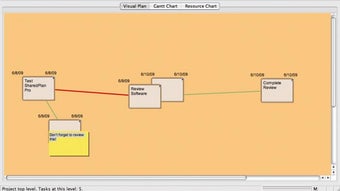
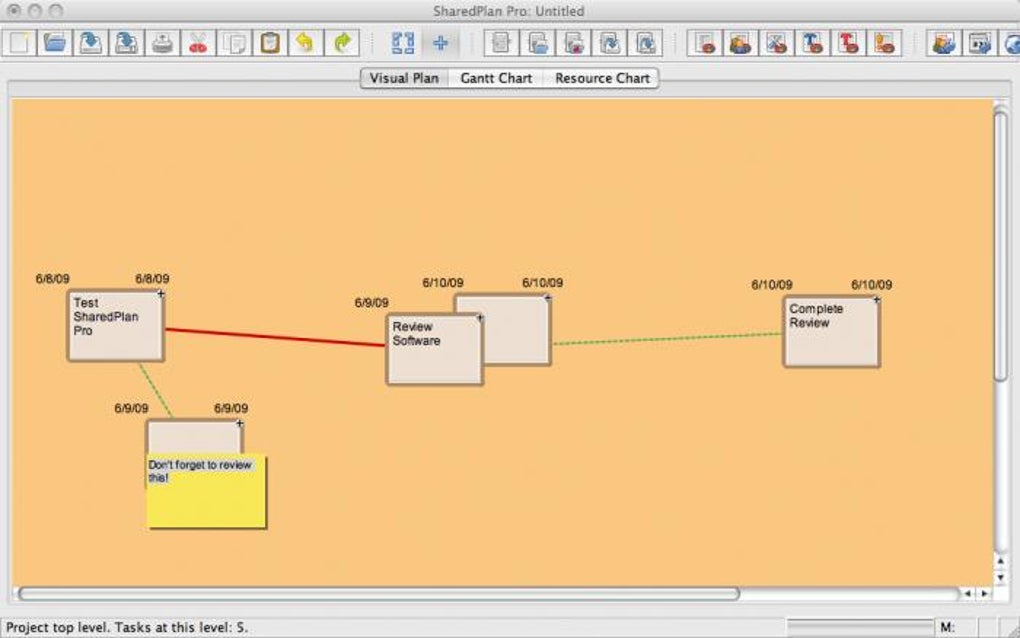
SharedPlan Pro — стильное приложение для управления проектами в двух режимах, позволяющее командам работать офлайн, а затем отправлять свои планы на защищённый онлайн‑сервер для совместной работы в реальном времени. Разработан для менеджеров, которым нужен как детальный контроль над задачами, так и гибкость облачного обмена, SharedPlan заполняет пробел между традиционными настольными планировщиками и современными SaaS‑решениями. Интерфейс построен вокруг интуитивной сетевой диаграммы: двойной клик в любом месте создаёт узел задачи, перетаскивание соединений задаёт зависимости, а Shift‑двойной клик добавляет стикеры для дополнительного контекста. Каждая задача может хранить важные метаданные, такие как длительность, стоимость, ресурсы и пользовательские поля, что делает инструмент подходящим как для небольших маркетинговых кампаний, так и для крупномасштабных инженерных проектов.
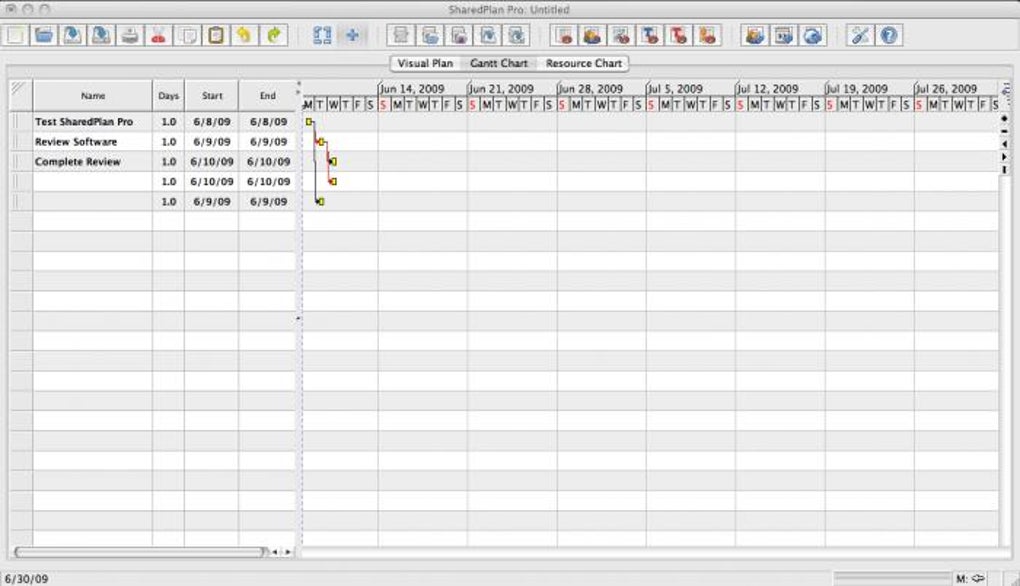
Встроенный просмотр диаграммы Ганта преобразует сетевую диаграмму в хронологический график, выделяя просроченные элементы и позволяя быстро переназначать сроки с помощью перетаскивания. Когда план готов к более широкому распространению, рабочий процесс «Central» → «Publish to Server» генерирует защищённую ссылку, которую можно отправить по электронной почте заинтересованным сторонам. Права доступа тонко настраиваются на уровне сервера, поэтому менеджеры могут решать, кто видит или редактирует каждый элемент плана. Помимо управления задачами, SharedPlan предлагает базовую аналитику проекта — отчёты по распределению ресурсов, графики отклонений стоимости и сводки прогресса, помогая командам следить за эффективностью без необходимости отдельной BI‑платформы.
Безопасность является краеугольным камнем онлайн‑сервиса SharedPlan. Данные шифруются при передаче с помощью TLS, а сервер хранит информацию в изолированной базе данных с контролем доступа на основе ролей. Регулярные обновления устраняют известные ошибки, такие как недавнее исправление неточностей расчёта ресурсов, обеспечивая надёжность инструмента для критически важных планов. Будь вы фриланс‑консультант, средний бизнес или крупное предприятие, ищущее лёгкий, но мощный планировщик, SharedPlan Pro предлагает сбалансированное сочетание офлайн‑надёжности и онлайн‑гибкости.
Ключевые особенности
- Offline‑First Design: Create and edit full project plans without an internet connection; sync later with a single click.
- Network Diagram Interface: Visualize tasks as nodes, link dependencies with drag‑and‑drop, and attach sticky notes for contextual details.
- Gantt Chart View: Automatic conversion of the network diagram into a chronological schedule, with drag‑to‑reschedule functionality.
- Secure Cloud Publishing: One‑click “Publish to Server” generates an encrypted link; granular permission settings control view/edit rights.
- Resource & Cost Management: Input labor hours, material costs, and automatic resource allocation calculations (including the latest fix for calculation errors).
- Project Analytics: Built‑in reports for cost variance, resource utilization, and progress tracking.
- Cross‑Platform Compatibility: Native Windows and macOS clients; web‑based portal accessible from Android, iOS, and any modern browser.
- Version History & Backup: Automatic snapshots allow you to revert to previous plan states, protecting against accidental changes.
- Multi‑User Collaboration: Real‑time editing notifications, comment threads, and change logs for transparent teamwork.
- Customizable Templates: Save frequently used task structures as reusable templates to accelerate new project setups.
Инструкция по установке и использованию
Начать работу с SharedPlan Pro просто. Следуйте этим шагам, чтобы установить настольный клиент и создать свой первый проект:
- Download the Installer: Visit the official SharedPlan website and click the Скачать для Windows or Скачать для macOS button. The installer is a small, signed executable (approximately 45 MB) that ensures a secure download.
- Run the Installer: Double‑click the downloaded file. The wizard guides you through license agreement acceptance, destination folder selection, and optional desktop shortcut creation. No additional software is required; SharedPlan bundles its own runtime.
- Launch the Application: After installation, open SharedPlan from the Start menu (Windows) or Applications folder (macOS). The first launch may prompt you to create a local user profile; this profile stores your offline projects.
- Create a New Project: Click the Новый проект button on the welcome screen. A blank canvas appears. Double‑click anywhere to add a task node. A dialog box lets you name the task, set duration, assign cost, and add custom fields.
- Link Tasks: Click and drag the small circles on task edges to create dependency arrows. This visual network defines the project’s critical path.
- Attach Sticky Notes: Hold Shift and double‑click on a task to open a sticky note editor. Use this for brief comments, risk notes, or additional instructions.
- Switch to Gantt View: Select the Диаграмма Ганта tab. The application automatically translates your network diagram into a timeline. Overdue tasks appear in red; you can drag bars to adjust dates.
- Publish to Server: When the plan is ready for collaboration, choose Central → Опубликовать на сервер. Enter your server credentials (or create a free account if you’re a first‑time user). The system uploads the project and returns a secure link.
- Invite Team Members: Copy the link and email it to colleagues. In the web portal, they can view or edit the plan based on the permissions you set (viewer, commenter, editor).
- Update & Sync: Any offline changes you make after publishing can be synced by clicking Синхронизировать с сервером. Conflicts are resolved through a simple merge dialog that highlights differing fields.
Beyond the basic workflow, SharedPlan offers keyboard shortcuts for power users (e.g., Ctrl+Z to undo, Ctrl+S to save a snapshot) and a plugin API for integrating with third‑party tools like Jira or Microsoft Teams. Regular updates are delivered automatically when the application is online, ensuring you always have the latest security patches and feature enhancements.
Совместимость, плюсы и минусы, часто задаваемые вопросы
Supported Operating Systems: SharedPlan Pro runs natively on Windows 10/11 (64‑bit) and macOS 11 (Big Sur) or later. A web‑based version is accessible from any modern browser (Chrome, Edge, Firefox, Safari) on Android and iOS devices, allowing on‑the‑go viewing and light editing.
Плюсы
- Robust offline functionality eliminates dependence on constant internet access.
- Intuitive visual diagram combined with a powerful Gantt view suits both visual thinkers and schedule‑focused managers.
- Secure cloud publishing with granular permission controls protects sensitive project data.
- Built‑in analytics reduce the need for separate reporting tools.
- Cross‑platform support ensures teams can collaborate from desktops, tablets, or smartphones.
Минусы
- Learning curve for users unfamiliar with network‑diagram interfaces.
- Web portal offers fewer editing features compared to the full desktop client.
- No native Linux client (though the web version works on Linux browsers).
- Advanced reporting requires a paid Pro subscription; basic version lacks some custom report templates.
- Real‑time collaboration is limited to manual sync; simultaneous editing conflicts may occur.
Frequently Asked Questions
Могу ли я использовать SharedPlan без подключения к интернету?
Да. Основное приложение работает в режиме offline‑first. Вы можете создавать, редактировать и просматривать все данные проекта локально. Когда соединение с интернетом восстановится, вы сможете синхронизировать изменения с сервером одним кликом.
Шифруются ли данные, хранящиеся в облаке?
Все данные, передаваемые на сервер SharedPlan, зашифрованы с использованием TLS 1.3. На сервере информация хранится в зашифрованной базе данных с контролем доступа на основе ролей.
Какие браузеры поддерживаются в веб‑портале?
Веб‑портал работает с последними версиями Chrome, Edge, Firefox и Safari как на настольных, так и на мобильных платформах.
Могу ли я импортировать задачи из других инструментов управления проектами?
SharedPlan поддерживает импорт CSV и Microsoft Project (MPP). Используйте меню File → Import, чтобы загрузить внешние задачи в диаграмму, затем сопоставьте поля по необходимости.
Как работает модель ценообразования?
SharedPlan предлагает бесплатный уровень с базовыми офлайн‑функциями. Подписка Pro (9,99 $ за пользователя в месяц) открывает облачную публикацию, расширенную аналитику и приоритетную поддержку.
Overall Verdict: SharedPlan Pro delivers a compelling blend of offline robustness and secure online collaboration. Its visual diagram approach differentiates it from spreadsheet‑heavy competitors, while the Gantt view satisfies traditional scheduling needs. The pricing is reasonable for teams that need cloud sync, and the recent resource‑calculation fix demonstrates active development. For organizations seeking a flexible, cross‑platform planner without the overhead of heavyweight enterprise suites, SharedPlan is a strong candidate.
Conclusion & Call to Action
If you’re ready to streamline your project workflows, protect sensitive data, and enjoy the freedom of offline planning combined with instant online sharing, download SharedPlan Pro today. The free tier lets you test the core features, and upgrading to the Pro plan unlocks secure publishing, advanced reporting, and priority support. Empower your team with a tool that adapts to every stage of the project lifecycle— from concept sketches to final deliverables.
Руководства и уроки
Как установить SharedPlan
- Нажмите кнопку Скачать выше.
- После перенаправления примите условия и нажмите Установить.
- Дождитесь завершения загрузки SharedPlan на ваше устройство.
Как использовать SharedPlan
Это ПО в основном используется для основных функций, описанных выше. Откройте приложение после установки, чтобы изучить его возможности.
Отзывы пользователей
Отзывов пока нет. Поделитесь своим опытом первым.
Вам также может понравиться
еще
DiffusionBee
Generate unique art with this app DiffusionBee is a free and accessible artifici...

Excire Foto Light
Organize your snapshots Excire Foto Light is a free-to-download AI -powered phot...

Topaz Photo AI
Photo enhancement tool with AI Topaz Photo AI is a premium AI image editor for P...

anonymoX
Surf anonymously with Firefox anonymoX for Firefox is an add-on that gives you f...

DownThemAll
Download Them All! Downloading anything or everything on a webpage can be a labo...
.webp)
DuckDuckGo Privacy Essentials
A free program for Mac, by DuckDuckGo, Inc.. DuckDuckGo Privacy Essentials is a...
