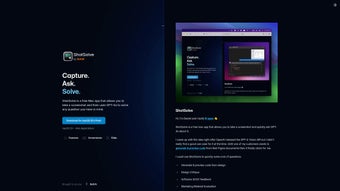

Download ShotSolve – AI‑Powered Screenshot Assistant for Fast Visual Answers
Overview
ShotSolve is a web‑based AI screenshot assistant that leverages the latest GPT‑4 Vision model to turn any captured image into an instant, context‑aware answer. Built for developers, designers, product managers, and anyone who works daily with visual data, the tool lives quietly in the macOS menu bar, ready to grab a screenshot with a single click and immediately ask a question in natural language. Whether you need a snippet of code generated from a UI mock‑up, a quick design critique, an explanation of a complex diagram, or a concise summary of a settings screen, ShotSolve interprets the visual content and returns a focused response that can be copied, edited, or saved for later reference. The application follows a privacy‑first approach: the required OpenAI API key is stored locally in the macOS Keychain, never transmitted to external servers, and all image data is sent only temporarily to OpenAI’s endpoint for processing, after which it is discarded. ShotSolve is part of the broader BoltAI ecosystem, which guarantees regular updates, cross‑platform roadmaps, and a commitment to data security. In short, it bridges the gap between static visual information and actionable insight, making it an indispensable addition to any productivity workflow that relies on screenshots.
Key Features, Installation & First‑Time Usage
- AI‑driven visual analysis powered by GPT‑4 Vision.
- One‑click screenshot capture directly from the macOS menu bar.
- Instant natural‑language query field for fast answers.
- Pre‑configured prompt library for common tasks (code generation, design review, accessibility checks, etc.).
- Customizable global shortcuts (default ⌘+⇧+S) for seamless workflow integration.
- Chat‑style conversation window that preserves context across multiple questions.
- Secure local storage of OpenAI API keys via macOS Keychain; no keys ever leave the device.
- Zero data retention policy – screenshots and prompts are not logged on BoltAI servers.
- Future‑ready architecture that will support Windows, Linux, Android, and iOS clients.
- Regular feature rollouts through the BoltAI suite, ensuring continuous improvement.
Installation Steps
Installing ShotSolve is designed to be quick and secure. Begin by navigating to the official download page at shotsolve.com/download and clicking the “Download for macOS” button. The installer is notarized by Apple, guaranteeing it meets macOS security standards. Once the .dmg file is opened, drag the ShotSolve icon into your Applications folder. On first launch, macOS will request screen‑recording permission; grant this permission in System Settings → Privacy & Security → Screen Recording. The app will then prompt you to paste your OpenAI API key. If you do not have a key, a direct link to OpenAI’s API portal is provided. After entering the key, ShotSolve encrypts it using the macOS Keychain, ensuring the credential stays on your device and is never exposed to third parties. A brief onboarding tour follows, highlighting the menu‑bar icon, shortcut customization, and best practices for phrasing queries.
Everyday Usage Workflow
After setup, using ShotSolve becomes second nature. Press the global shortcut (⌘+⇧+S by default) or click the menu‑bar icon to capture any portion of your screen. The captured image is instantly sent to the GPT‑4 Vision endpoint, and a small query window appears. Type a question such as “Generate React code for this button design,” “What accessibility issues exist in this layout?” or “Summarize the options shown in this settings panel.” The AI returns a concise answer within seconds, displayed in the chat window. Because the conversation history is retained, you can ask follow‑up questions like “Refactor that code to use TypeScript” without re‑uploading the screenshot. The pre‑configured prompts let you skip repetitive phrasing, and the customizable shortcuts let you stay within your primary application (e.g., VS Code, Figma, or Chrome) without breaking focus. This fluid interaction model reduces context switching, accelerates problem‑solving, and transforms static screenshots into dynamic, actionable knowledge.
Compatibility, Security Measures & Pricing Model
ShotSolve currently supports macOS 10.15 Catalina and later. The development team has announced native clients for Windows, Linux, Android, and iOS slated for release within the next 12‑18 months. All platforms will share the same cloud‑backed AI engine, ensuring feature parity and consistent performance across devices. Because the heavy lifting is performed by OpenAI’s API, each client remains lightweight and can receive model upgrades (e.g., a future GPT‑4 Vision 2.0) without requiring a full application update.
Security and Privacy Architecture
Security is embedded at every layer of ShotSolve. Your OpenAI API key is encrypted with the macOS Keychain and never leaves the local machine. Screenshots are transmitted only for the brief duration required by OpenAI’s API call; the image data is not stored, logged, or used for training purposes. ShotSolve’s own privacy policy confirms that no user prompts, conversation histories, or image content are retained on BoltAI servers, aligning with GDPR, CCPA, and other major data‑protection regulations. The application runs in a sandboxed environment, limiting its access to the permissions you explicitly grant (screen recording and keychain access). For enterprise environments, a forthcoming self‑hosted gateway will allow organizations to route API traffic through internal firewalls, providing an additional layer of control.
Transparent Pricing
ShotSolve follows a freemium model. The core application is free to download and use; you only pay for the OpenAI compute you consume, which is billed directly by OpenAI based on the number of tokens processed. ShotSolve itself does not charge a subscription fee. For power users and teams, a “BoltAI Pro” add‑on is available at $9.99 USD per month, unlocking:
- Priority access to the latest GPT‑4 Vision models and early feature releases.
- Extended conversation history (up to 1,000 messages) for deeper project context.
- Custom prompt templates that can be shared across a team.
- Dedicated priority support with a guaranteed response time.
This tiered approach ensures that casual users can benefit from a fully functional AI assistant at no cost, while professional teams have a clear upgrade path that adds productivity‑enhancing capabilities without hidden fees.
Pros, Cons, Frequently Asked Questions & Final Verdict
Pros
- Instant AI‑driven visual analysis powered by GPT‑4 Vision.
- One‑click macOS integration with customizable global shortcuts.
- Privacy‑first design: API keys stored locally, no data retention.
- Pre‑configured prompt library accelerates common workflows.
- Free core version; you only pay for actual OpenAI usage.
- Scalable pricing with an optional Pro add‑on for teams.
Cons
- Limited to macOS at launch; Windows and mobile users must wait.
- Relies on OpenAI API availability and pricing, which can fluctuate.
- Advanced features such as extended history require a paid subscription.
Frequently Asked Questions
Do I need an OpenAI account to use ShotSolve?
Yes. ShotSolve requires a valid OpenAI API key, which you obtain by creating an OpenAI account and generating a key in the API section.
Is my screenshot data stored on any server?
No. Screenshots are transmitted only to OpenAI’s API for temporary processing and are not retained by ShotSolve or BoltAI.
Can I customize the shortcut keys?
Absolutely. ShotSolve includes a preferences pane where you can define your own global shortcuts for capture and query actions.
What happens if I exceed my OpenAI usage limits?
When you hit your OpenAI quota, ShotSolve will display an error message prompting you to upgrade your OpenAI plan or wait until the quota resets.
Is there a roadmap for Windows and mobile support?
Yes. The development team has announced native Windows, Android, and iOS clients slated for release in the next 12‑18 months.
Conclusion – Should You Download ShotSolve?
ShotSolve delivers a powerful blend of AI‑driven visual understanding and a frictionless macOS experience. Its ability to transform a screenshot into actionable code, design feedback, or software insight offers a genuine productivity boost for technical professionals. The privacy‑first architecture, free entry point, and transparent pricing model make it an attractive option for both individuals and teams. While the current platform limitation to macOS may deter some users, the announced roadmap promises broader availability soon. If you regularly work with visual data and want an intelligent assistant that respects your security, downloading ShotSolve today is a smart move. Click the link below to get the latest version, set up your OpenAI key, and start turning images into answers instantly.



.png)




