
Download Shotstack Workflows – No‑Code Video Automation Tool for Marketers & Developers
Overview
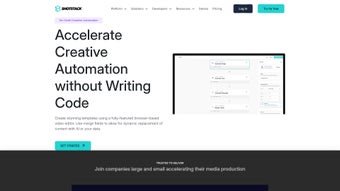
Shotstack Workflows is a cloud‑native, web‑based media automation platform that empowers marketers, developers, and creative agencies to produce high‑quality videos and images without writing a single line of code. Built on a robust suite of RESTful APIs, the solution brings generative AI into the heart of the production pipeline, allowing users to design, batch‑process, and distribute media assets at scale. Whether you’re a real‑estate broker needing property tour videos, an entertainment studio looking to generate teaser clips, or a startup that wants to automate social‑media content, Shotstack Workflows delivers a visual, drag‑and‑drop environment that translates complex workflows into simple, repeatable steps. The platform is hosted on secure, globally distributed servers, ensuring fast rendering times and reliable delivery. Updates are rolled out automatically, keeping the tool free from the maintenance hassles that typically plague on‑premise video editors. By abstracting the underlying infrastructure, Shotstack Workflows lets teams focus on storytelling rather than technical bottlenecks, making it a strategic asset for any organization that values speed, consistency, and creative flexibility.
Key Features and API Suite
- Visual No‑Code Builder: Create end‑to‑end video workflows with a drag‑and‑drop interface, eliminating the need for scripting.
- Generative AI Content Creation: The Create API leverages state‑of‑the‑art AI models to auto‑generate scenes, captions, and overlays based on simple text prompts.
- Batch Video Editing: The Video Editing API processes hundreds of videos simultaneously, perfect for large‑scale campaigns.
- Asset Ingestion & Transformation: The Ingest API automatically pulls media from cloud storage, normalizes formats, and applies watermarking or resizing rules.
- Secure Hosting & Distribution: The Serve API provides CDN‑backed streaming URLs, access controls, and analytics for each video asset.
- Extensive Template Library: Pre‑built templates for real‑estate tours, product demos, social reels, and more accelerate project kick‑off.
- Version Control & Collaboration: Teams can comment, revert, and share workflow versions in real time.
- Scalable Pricing Model: A free tier for experimentation, with pay‑as‑you‑go options for high‑volume usage.
Each API is documented with interactive Swagger pages, making it easy for developers to test endpoints before integrating them into their own applications. The platform also supports webhooks, enabling real‑time notifications when a render completes or when an asset is ready for publishing. By combining no‑code ease with developer‑grade APIs, Shotstack Workflows bridges the gap between creative teams and engineering resources, ensuring that both sides can collaborate without friction.
Installation, Usage Guide & Compatibility
Getting Started – No Download Required
Because Shotstack Workflows is a SaaS solution, there is nothing to install on your local machine. Simply navigate to the official website, register for a free account, and you’ll be greeted by the intuitive dashboard. The platform is optimized for all modern browsers—including Chrome, Firefox, Edge, and Safari—on Windows, macOS, and Linux desktops. Mobile users on iOS or Android can also access the builder through a responsive web interface, though full editing capabilities are best experienced on a larger screen.
Step‑by‑Step Workflow Creation
- Create a New Project: Click “New Workflow,” give it a name, and select a template or start from scratch.
- Add Media Sources: Drag files from your computer or connect cloud storage (AWS S3, Google Cloud, Azure Blob) via the Ingest API.
- Define AI‑Generated Content: Use the Create API block to input prompts like “Generate a 10‑second intro for a luxury condo” and let the AI produce scenes, text overlays, and music.
- Apply Editing Operations: Insert transitions, trim clips, and overlay branding using the Video Editing API node.
- Set Distribution Rules: Attach a Serve API block to publish the final video to a CDN, embed URL, or social media platform.
- Run & Monitor: Hit “Execute,” watch the real‑time progress bar, and receive webhook notifications when rendering finishes.
System Requirements & Security
Since the service runs entirely in the cloud, there are no hardware constraints. All data transfers are encrypted with TLS 1.3, and user authentication supports OAuth 2.0 and API keys with granular permissions. For enterprises, Single Sign‑On (SSO) via SAML is also available. The platform adheres to GDPR and CCPA standards, giving peace of mind that personal data is handled securely.
Updates to the underlying AI models and rendering engine happen automatically, so you always have access to the latest features without manual patches. If you prefer an on‑premise deployment for highly regulated environments, Shotstack offers a self‑hosted Docker image that mirrors the SaaS functionality, though this requires a separate enterprise license.
Pros, Cons and Frequently Asked Questions
Pros
- Zero‑code interface makes video automation accessible to non‑technical users.
- Powerful generative AI reduces content creation time dramatically.
- Scalable cloud infrastructure guarantees fast renders for bulk projects.
- Comprehensive API suite supports deep integration with existing pipelines.
- Secure, GDPR‑compliant hosting with optional SSO for enterprises.
Cons
- Full feature set requires an internet connection; offline editing isn’t possible.
- Advanced AI prompts may need some experimentation to achieve perfect results.
- Pricing for high‑volume usage can become significant without careful budgeting.
Frequently Asked Questions
Is Shotstack Workflows truly free to use?
Yes, there is a free tier that includes up to 10 video renders per month and access to all core APIs. Larger projects can upgrade to a pay‑as‑you‑go plan.
Can I integrate Shotstack Workflows with my existing CMS?
Absolutely. The platform provides RESTful endpoints and webhooks that can be called from any CMS (WordPress, Drupal, Contentful, etc.) to automate video generation on demand.
What file formats does the Ingest API support?
Common video, image, and audio formats such as MP4, MOV, AVI, PNG, JPEG, GIF, and WAV are fully supported. The API also auto‑converts unsupported formats into a compatible codec.
How secure is my media when it’s stored on Shotstack’s servers?
All assets are encrypted at rest using AES‑256 and transferred over TLS 1.3. Access controls can be set per project, and audit logs are available for compliance tracking.
Can I preview videos before final rendering?
Yes. The platform offers a low‑resolution preview mode that updates in real time as you adjust the workflow, allowing you to fine‑tune before committing to a full‑quality render.
Conclusion – Why You Should Download Shotstack Workflows Today
In a world where video content dominates every marketing channel, the ability to produce polished media at speed is no longer a luxury—it’s a necessity. Shotstack Workflows delivers exactly that: a secure, cloud‑based, AI‑enhanced tool that lets marketers launch campaigns without waiting for a video editor, and lets developers embed video generation directly into their applications with clean, well‑documented APIs. The free tier lowers the barrier to entry, while the scalable pricing ensures you only pay for what you use. Whether you’re a real‑estate agency needing hundreds of property tours, a social media manager looking to automate weekly reels, or a tech startup building a SaaS product with embedded video creation, Shotstack Workflows provides the flexibility and performance you require.
Ready to accelerate your media workflow? Sign up now, start a free project, and experience how a no‑code, AI‑powered platform can transform the way you create video content. Download the tool (no installation needed) and join the growing community of marketers and developers who are already saving time, reducing costs, and delivering more engaging visual stories.



.png)




