

Download ShowIP – Free IP Address Viewer & Monitor for Windows
Overview
ShowIP, developed by Bitsoft, is a lightweight Windows utility that instantly reveals both your local (LAN) and external (WAN) IP addresses. While many network tools focus on complex diagnostics, ShowIP adopts a minimalist philosophy: it presents the current hostname, LAN IP, and WAN IP on a clean, single‑window interface. In addition to the basic display, the application offers a concise log screen that records every change in IP status, helping users keep a historical view of network fluctuations. For power users, the built‑in host‑to‑IP resolver lets you type any domain name and instantly see the corresponding IP address. ShowIP also supports real‑time notifications—both visual pop‑ups and optional sound alerts—whenever the IP address changes, which is especially handy for users on dynamic broadband connections. Configuration options are intentionally limited to keep the tool unobtrusive: you can pin the window “always on top,” enable or disable the activity log, and choose whether notifications are silent or audible. Despite its modest feature set, ShowIP runs efficiently on low‑end hardware, consuming minimal CPU and RAM, making it ideal for both desktops and older laptops. Whether you need a quick glance at your public IP for troubleshooting, want to monitor frequent ISP reassignments, or simply desire a permanent on‑screen network status bar, ShowIP delivers the core functionality without the bloat of larger network suites. Its free distribution model, straightforward installation, and reliable performance have earned it a solid reputation among home users, freelancers, and small‑office IT staff who value clarity over complexity.
Key Features
- Instant LAN & WAN IP display: Shows your internal network address and public IP side‑by‑side.
- Hostname visibility: Displays the current computer name for quick identification.
- IP change log: Records each IP alteration with timestamps, allowing you to review historical changes.
- Host‑to‑IP resolver: Enter any domain name and receive the resolved IP address instantly.
- Real‑time notifications: Pop‑up alerts and optional sound cues trigger when your IP changes.
- Always‑on‑top window option: Keep ShowIP visible while you work in other applications.
- Lightweight footprint: Consumes less than 5 MB of disk space and negligible CPU cycles.
- Simple logging to file: Save the activity log for offline analysis or sharing with support teams.
- Customizable start‑up behavior: Choose to launch ShowIP automatically with Windows.
- Free for personal and commercial use: No hidden fees, licensing, or subscription required.
Installation & Usage Guide
Downloading and Installing ShowIP
Begin by visiting the official Bitsoft website or a trusted software repository. Click the “Download ShowIP” button, which typically provides an .exe installer sized around 2 MB. Once the file is saved, double‑click to launch the installer. The wizard follows a classic Windows installation flow: accept the End‑User License Agreement, choose an installation folder (the default C:\Program Files\ShowIP works for most users), and decide whether to create a desktop shortcut. Because ShowIP is a portable‑friendly utility, you can also opt for the “Extract only” mode, which places the executable in any directory without modifying the system registry. After the installation completes, you may be prompted to launch the application immediately; select “Yes” to see the interface for the first time.
Using the Interface Effectively
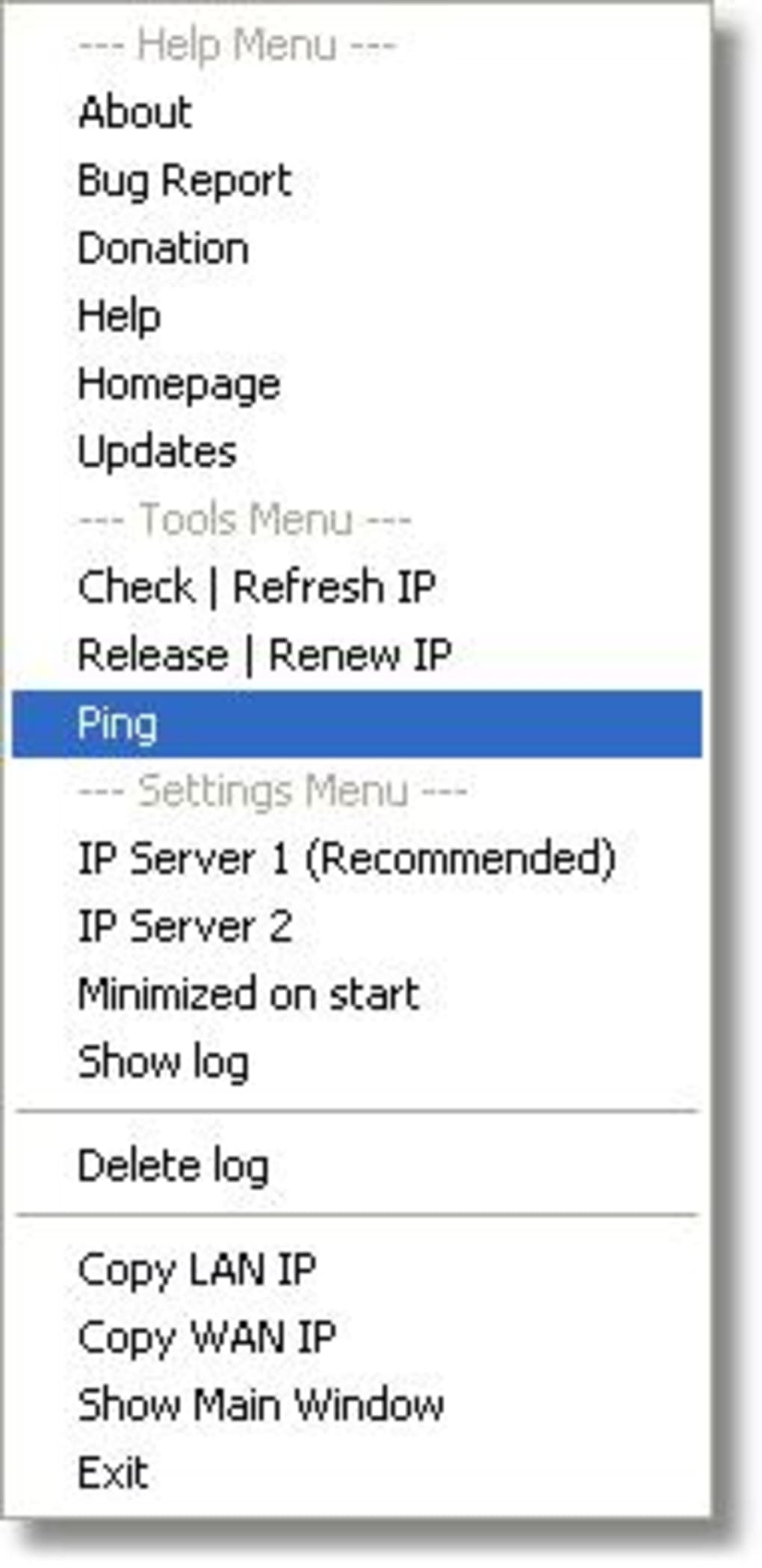
Upon launch, ShowIP presents a compact window divided into three main panels: the hostname at the top, the LAN IP in the middle, and the WAN IP at the bottom. Directly beneath these values lies the activity log, which scrolls automatically as new entries are added. To resolve a hostname, type the domain (e.g., example.com) into the “Resolve Host” field and press Enter or click the adjacent “Go” button; the resolved IP appears instantly. If you wish to enable notifications, open the settings dialog via the gear icon in the upper‑right corner. Here you can toggle pop‑up alerts, enable sound cues, and set the notification frequency to avoid excessive prompts on unstable connections. The “Always on top” checkbox ensures the window stays visible above other applications—a handy feature for users who need constant network awareness while working in IDEs or browsers. For logging, the “Save Log” button writes the current session’s entries to a text file, which can be opened later with any editor. Finally, to exit, simply click the red “X” or use the “Quit” option in the menu; ShowIP will automatically save your preferences for the next launch.
Compatibility, Pros & Cons
Compatibility
ShowIP is built exclusively for Microsoft Windows platforms. It runs smoothly on Windows 7, 8, 10, and 11, supporting both 32‑bit and 64‑bit architectures. Because the program relies only on native Windows networking APIs, there is no need for additional runtimes such as .NET or Java. Users of older Windows versions (Vista, XP) may experience limited functionality, and the developer does not officially support those releases.
Pros
- Zero‑cost, free for all types of usage.
- Instant, accurate display of both LAN and WAN IP addresses.
- Minimal system resource consumption—ideal for older PCs.
- Real‑time change detection with optional audible alerts.
- Simple host‑resolution feature eliminates the need for separate command‑line tools.
- Always‑on‑top window keeps network status visible at all times.
- Log file creation assists with troubleshooting and documentation.
- Portable mode allows running directly from a USB stick without installation.
- Straightforward user interface that requires no technical background.
- Regular updates from Bitsoft keep compatibility with the latest Windows releases.
Cons
- Lacks advanced network diagnostics such as ping, traceroute, or port scanning.
- No native macOS, Linux, Android, or iOS versions—Windows‑only limitation.
- Configuration options are basic; power users may desire deeper customization.
- No built‑in VPN detection; it simply shows the public IP assigned by the network.
- Log file format is plain text only; no CSV or JSON export options.
ShowIP excels at delivering the core information most users need—quick visibility of both internal and external IP addresses—without clutter or performance penalties. Its real‑time alerts and lightweight design make it a solid companion for anyone on a dynamic ISP or for IT staff monitoring multiple workstations. While the feature set is intentionally limited, this focus on simplicity is a strength rather than a drawback for the target audience. Users seeking deeper network analysis will need supplemental tools, but for its primary purpose, ShowIP earns a strong recommendation.
Frequently Asked Questions
Is ShowIP completely free?
Yes, ShowIP is offered as a free download with no hidden fees, licensing costs, or subscription requirements for both personal and commercial use.
Can ShowIP run on Windows 11?
Absolutely. ShowIP is fully compatible with Windows 11, as well as Windows 10, 8, and 7, supporting both 32‑bit and 64‑bit builds.
Does ShowIP require an internet connection to display the LAN IP?
No. The LAN (local) IP address is obtained from your network adapter and is displayed even when the computer is offline. The WAN (public) IP, however, requires an active internet connection.
Can I export the IP change log?
Yes. ShowIP provides a “Save Log” button that writes the current session’s entries to a plain‑text file, which can be opened in Notepad, Word, or any other editor.
Is there a portable version that doesn’t require installation?
Indeed. The installer offers an “Extract only” mode that places the executable in a folder of your choice, allowing you to run ShowIP directly from a USB drive without modifying the system registry.
How does ShowIP notify me when the public IP changes?
When the WAN IP changes, ShowIP can display a pop‑up notification, play a short sound, or both, based on the preferences you set in the Settings dialog.
Conclusion & Call to Action
In a world where network diagnostics tools often overwhelm users with endless options, ShowIP stands out by delivering exactly what most people need—a clear, real‑time view of their local and public IP addresses. Its ultra‑light footprint, instant notifications, and simple host‑resolution capability make it a valuable addition to any Windows workstation, especially for users on dynamic broadband connections or remote workers who must verify their public IP frequently. While it does not replace full‑featured network suites, its focused design, zero‑cost model, and reliable performance have earned it a reputation as a trusted utility for both home and small‑office environments. If you’re looking for a hassle‑free way to monitor your IP status without draining system resources, ShowIP is the answer. Download it today, pin the window to stay on top, and enjoy peace of mind knowing you’ll always be aware of your network’s identity.








