
Download SilentNotes – Secure, Private, WYSIWYG Note-Taking App for Windows, Mac, Android & iOS
SilentNotes is a powerful, open-source note-taking tool that combines a sleek WYSIWYG editor with top-tier privacy and security. Whether you're jotting down quick ideas, managing to-do lists, or organizing complex projects, SilentNotes offers a serene, distraction-free environment. With built-in password protection, end-to-end encryption, and seamless cloud sync via Dropbox, Google Drive, and OneDrive, this software ensures your data stays yours. Download SilentNotes today and experience a clean, secure, and highly functional note-taking solution for Windows, Mac, Android, and iOS.
Beautiful & Functional WYSIWYG Editor for Effortless Note-Taking
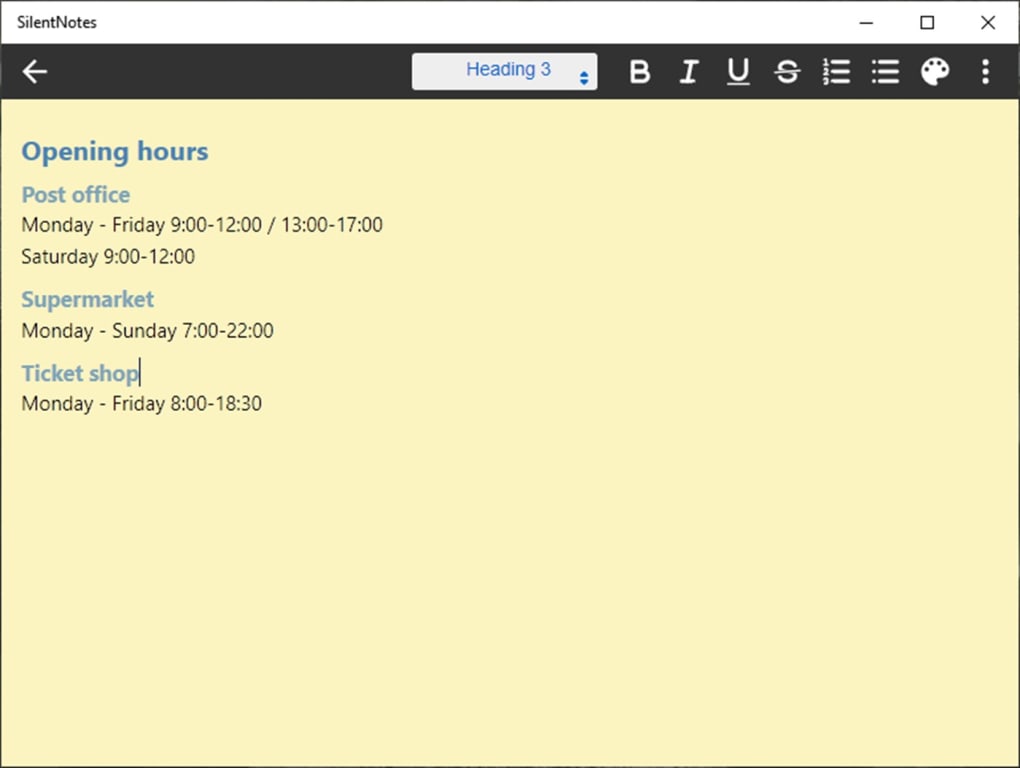
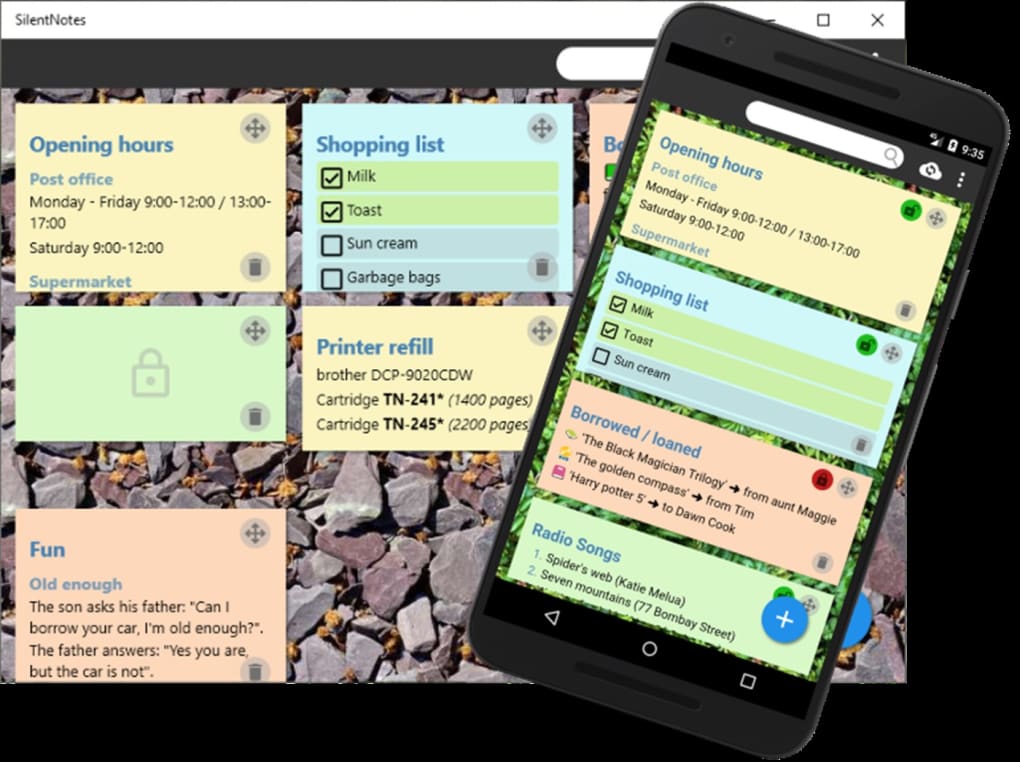
One of the standout features of SilentNotes is its intuitive WYSIWYG (What You See Is What You Get) editor, which allows users to create and format notes with ease. Unlike plain text editors, SilentNotes presents your content exactly as it will appear when saved or exported—no guesswork, no formatting errors. From the moment you open the app, you're greeted with a minimalist interface featuring a subtle background wallpaper and a few starter notes to help you get started quickly. Simply click the + button in the bottom-right corner to create a new note, and you’re instantly dropped into the editor mode.
The toolbar at the top-right corner offers essential formatting tools: Bold, Italics, Underline, Strike-through, Numbered Lists, and Bulleted Lists. These are crucial for structuring content, whether you're drafting a blog post, planning a project, or organizing a grocery list. For added flair, the Windows + Period keyboard shortcut unlocks the full emoji picker, letting you insert expressive icons directly into your notes. This small but thoughtful feature enhances engagement and makes note-taking more enjoyable.
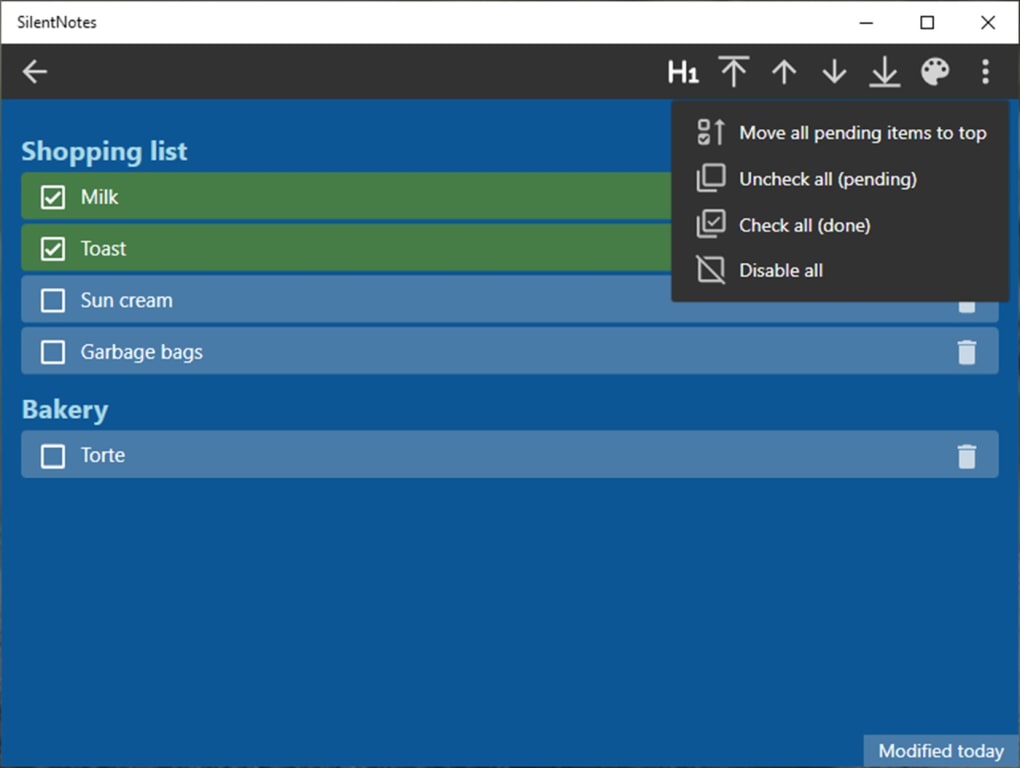
Another hidden gem is the built-in Windows spell-check, which automatically highlights misspelled words—ideal for users who value accuracy. But what truly sets SilentNotes apart is its to-do list functionality. Each item in a list comes with a checkbox, allowing you to mark tasks as complete with a single click. The rearrangement arrows in the toolbar make it simple to reorder tasks, ensuring your priorities stay in place. With features like headers, quotes, URL linking, and automatic saving, SilentNotes ensures your ideas are captured, organized, and preserved without effort.
Smart Organization: Folders, Tags & Instant Search for Maximum Productivity
As your collection of notes grows, staying organized becomes essential. SilentNotes rises to the challenge with a robust system of folders, tags, and a lightning-fast search function. The ability to create custom folders—like “Work,” “Personal,” or “Projects”—lets you group related notes and to-do lists in a logical hierarchy. This eliminates the frustration of sifting through endless lists and ensures you can access critical information in seconds.
But folders alone aren’t enough for complex workflows. That’s where tags come in. You can assign multiple tags to a single note, such as “Marketing,” “In Progress,” or “Urgent.” This enables cross-referencing across folders and helps you track projects or topics more efficiently. For example, if you’re managing a website redesign, you can tag all related notes with “Design” and “Website,” then filter them instantly. This is a game-changer for freelancers, project managers, and students juggling multiple assignments.
Searching is equally powerful. Whether you’re looking for a note titled “Meeting Notes Q3” or a note containing the keyword “budget,” SilentNotes delivers results in milliseconds. The search is both fast and accurate, supporting partial matches and case-insensitive queries. This ensures you never lose important information, even in a library of hundreds of notes. Combined with automatic saving, this makes SilentNotes not just a note-taker, but a reliable personal knowledge base. With these tools, staying productive isn’t just possible—it’s effortless.
Uncompromising Security & Privacy for Your Sensitive Data
In an era where data breaches and privacy violations are rampant, SilentNotes stands out as a beacon of trust. Unlike many popular note-taking apps that harvest user data for advertising or analytics, SilentNotes never collects personal information. Your notes remain yours—fully private and secure. All data is stored locally by default, giving you complete control over your digital footprint.
For added protection, SilentNotes offers password protection for individual notes or entire note collections. This feature uses strong encryption algorithms to safeguard sensitive content—perfect for storing passwords, financial records, or private journals. Even if your device is lost or stolen, unauthorized users can’t access your notes without the password.
When it comes to syncing across devices, SilentNotes supports Dropbox, Google Drive, and OneDrive—but with a critical difference: end-to-end encryption. This means your notes are encrypted on your device before being uploaded, and only you can decrypt them. Even if the cloud provider is compromised, your data remains secure. This level of encryption is rare in consumer apps and makes SilentNotes a top choice for privacy-conscious users.
And because SilentNotes is open-source, the code is publicly available for inspection. This transparency invites scrutiny from security experts and builds long-term trust. No hidden backdoors. No data leaks. Just clean, secure software you can download for free from the Microsoft App Store or other trusted platforms.
Pros and Cons of SilentNotes
Pros
- Free & Open-Source – No hidden costs or subscriptions; source code is publicly available.
- End-to-End Encryption – Your notes stay private, even when synced to the cloud.
- WYSIWYG Editor – Real-time formatting with no learning curve.
- Smart Organization – Folders, tags, and instant search keep notes easy to manage.
- Automatic Saving – No risk of losing work due to crashes or power outages.
Cons
- Limited Mobile App – iOS and Android versions are less feature-rich than the desktop version.
- No Built-in Calendar Integration – Lacks native reminders or calendar sync.
- Minimal Collaboration Features – Not ideal for team-based note sharing.
Frequently Asked Questions (FAQ)
Is SilentNotes free to download and use?
Yes, SilentNotes is completely free to download and use. It is open-source software, meaning you can access, modify, and distribute it without cost. You can download it from the Microsoft App Store or the official GitHub repository.
Can I sync my notes across multiple devices?
Yes, SilentNotes supports cloud sync via Dropbox, Google Drive, and OneDrive. Your notes are encrypted before being uploaded, ensuring end-to-end security during transit and storage.
Does SilentNotes support password protection?
Absolutely. You can password-protect individual notes or entire collections using strong encryption. This ensures sensitive information remains inaccessible to unauthorized users.
Is SilentNotes available for Mac and Linux?
Yes, SilentNotes is available for Windows, Mac, and Linux. The desktop version offers the most features, while mobile apps for Android and iOS are available but with limited functionality.
Can I use SilentNotes offline?
Yes, SilentNotes works fully offline. All notes are stored locally, and you can create, edit, and save them without an internet connection. Syncing only happens when you choose to connect to your cloud service.
Conclusion: A Secure, Elegant Note-Taking Solution for Everyone
If you’re searching for a secure, private, and beautifully designed note-taking app, SilentNotes is an exceptional choice. It combines a clean WYSIWYG editor, powerful organization tools, and military-grade encryption in one free, open-source package. Whether you're a student, professional, or creative thinker, SilentNotes helps you capture ideas, manage tasks, and stay organized—all while keeping your data safe.
With automatic saving, cloud sync, password protection, and cross-platform support, it’s a reliable companion for daily productivity. While the mobile experience is slightly limited, the desktop version is robust and feature-rich. And because it’s open-source, you can trust that no hidden tracking or data collection occurs.
Download SilentNotes today and take control of your digital life—securely, simply, and with peace of mind.
CTA: Get SilentNotes Now – Free Download from Microsoft Store








