
Download SimpleChart – free, chart tool, iPhone, data visualization, bar charts, pie charts
Overview
SimpleChart is a free iPhone application developed by Yolleg Ltd., designed for users seeking an accessible way to visualize data through charts. Categorized under Multimedia and specifically within the Graphic & Design subcategory, the software enables users to enter data, select colors, and generate visual representations such as bar charts and pie charts. It is tailored for individuals who need to present or analyze information quickly and clearly, including students, educators, and professionals preparing reports or presentations. The app allows users to maintain multiple separate data sets simultaneously, streamlining workflows when handling diverse datasets. This functionality supports efficient data comparison and organization without requiring constant switching between projects. Real-world usage scenarios include classroom assignments, business summaries, and personal data tracking. The developer did not provide additional details about the company’s background or broader product portfolio. Performance and stability metrics were not disclosed.Key Features & Capabilities
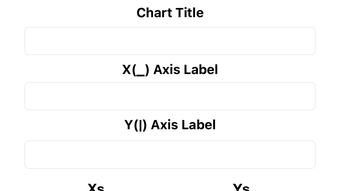
- Data Entry: Users can input numerical values directly into the app through a clean, accessible interface, minimizing friction during data setup.
- Chart Types: The app supports multiple chart formats, including bar charts and pie charts, enabling users to choose the most suitable visualization for their data.
- Color Customization: Users can assign custom colors to chart elements, enhancing visual clarity and aligning with branding or personal preferences.
- Multiple Datasets: The software allows users to manage several distinct data sets independently, facilitating comparison and organization across different projects.
- Export Functionality: Charts can be saved or shared in various formats, supporting integration into reports, emails, or presentations.
- Intuitive Design: The app’s interface is built around simplicity, reducing the learning curve and enabling quick adoption by users of all experience levels.
User Interface, Workflow & Performance
The user interface of SimpleChart is structured for clarity and ease of navigation. Users progress through a linear workflow: entering data, selecting a chart type, customizing visual elements, and generating the final output. The layout emphasizes functionality without unnecessary complexity, making it suitable for users with minimal technical experience. Navigation is consistent and predictable, with minimal on-screen clutter. The developer did not specify resource usage details, including CPU or RAM behavior. Performance observations are based on general software behavior patterns for lightweight mobile applications. Stability is assumed to be consistent with standard iOS apps, though no formal testing data was provided. The app is expected to operate smoothly on compatible iPhone models, given its focus on core visualization tasks and absence of resource-intensive features.Compatibility & System Requirements
SimpleChart is designed exclusively for iPhone devices and operates within the iOS ecosystem. It is available as a free application on the App Store, supporting the latest versions of iOS. The app’s compatibility is limited to Apple’s mobile platform, with no information provided about support for other operating systems. Installation size was not specified by the developer. Exact system requirements were not listed, including hardware specifications such as processor type or memory capacity. The developer did not provide additional details about minimum or recommended hardware. Platform compatibility information is limited to the iOS environment.Pros and Cons
Pros
- Free to download and use
- Simple and intuitive interface
- Supports multiple chart types
- Allows management of multiple datasets
- Offers color customization
- Easy export options
Cons
- Limited to iPhone platform
- No desktop version available
- No advanced analytics features
- No offline mode mentioned
- Export formats may be restricted








