
Popis
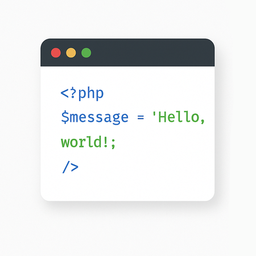
The „Light Code Block“ plugin is a simple and lightweight solution for inserting and displaying code snippets in posts and pages.
It works by adding a custom „LC“ button to the TinyMCE (Classic) editor or a code block in the Gutenberg editor.
The inserted code will be shown on the front end in a clean, readable format.
Usage
- Install and activate the plugin.
- Go to the post or page edit screen.
- In the TinyMCE (Classic) editor, click the „LC“ button in the toolbar.
- In the popup window that opens, paste or write your code, and click OK.
- Save or update your post.
The code will be saved inside a special block and displayed on the front end within a <pre> tag with the class mce-simple-code-block (i.e., <pre class="mce-simple-code-block">...</pre>).
To insert code using the Gutenberg editor, you first need to add a Classic (TinyMCE) block, and then use it to insert your code.
Obrázky

The „LC“ button in the Classic editor toolbar. 
Popup window for inserting/editing code (Classic version). 
Popup window for inserting/editing code (Gutenberg version). 
Example of a rendered code block on the front end.


Inštalácia
- Install the „Light Code Block“ plugin through the standard WordPress plugin installer.
- Or unzip and upload the „light-code-block“ folder to the
/wp-content/plugins/directory. - Activate the plugin through the ‚Plugins‘ menu in WordPress.
Recenzie
Pre tento plugin nie sú žiadne recenzie.
Prispievatelia a vývojári
“Light Code Block” je softvér s otvoreným zdrojovým kódom. Do tohto pluginu prispeli nasledujúci ľudia.
Prispievatelia
„Light Code Block“ bol preložený do 1 jazyka. Ďakujeme prekladateľom za ich príspevky.
Preložiť „Light Code Block“ do vašho jazyka.
Máte záujem o vývoj?
Prehľadávajte zdrojový kód, preskúmajte SVN repozitár, alebo sa prihláste na odber vývojárskeho logu cez RSS.
Zoznam zmien
1.0.2
- Tested up to WordPress 6.9
1.0.1
- For backward compatibility, the class „mce-simple-block-code“ has been added.
1.0.0
- Init release.
