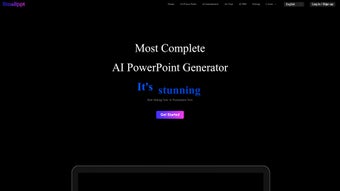

Download Smallppt – AI‑Powered Presentation Creation Tool
Overview
Smallppt is a web‑based, AI‑driven presentation and mind‑map builder that transforms a blank canvas into a polished deck in a matter of minutes. Designed for business professionals, educators, marketers, and anyone who needs to convey ideas visually, the platform harnesses natural‑language processing and generative design to suggest slide layouts, colour palettes, and relevant imagery based on simple text prompts. By automating the repetitive aspects of slide design, Smallppt lets users concentrate on storytelling, data accuracy, and audience engagement. One‑click modifications enable you to reshape an entire slide or replace a single element without breaking the visual language of the deck. Multimedia enrichment is built‑in: you can embed background videos, royalty‑free music tracks, and animated transitions that keep viewers attentive. Export options are flexible, offering PPTX for Microsoft PowerPoint, PDF for easy distribution, and high‑resolution PNG/JPEG images for social media teasers. A live presentation mode lets you deliver directly from the browser, while real‑time performance analytics track slide‑view duration, audience interaction, and overall engagement scores. Whether you are preparing a quarterly business review, a classroom lecture, or a startup pitch, Smallppt positions itself as a fast, secure, and creative alternative to traditional slide‑authoring software, eliminating the steep learning curve that often accompanies legacy tools.
Key Features & Benefits
- AI‑Generated Slide Templates – Create professional layouts from a short text description.
- One‑Click Layout Adjustment – Modify entire slides or individual elements while preserving consistency.
- Mind‑Map Integration – Convert ideas into visual mind maps that can be exported as PNG or SVG.
- Multimedia Enrichment – Add background videos, audio tracks, and animated transitions with drag‑and‑drop.
- Multiple Export Formats – PPTX, PDF, and high‑resolution image files for versatile sharing.
- Live Presentation Mode – Deliver decks directly from the browser with real‑time performance analytics.
- Collaboration & Sharing – Generate shareable links, set view/edit permissions, and collaborate in real time.
- Secure Cloud Storage – Projects are saved on encrypted servers with automatic backups.
- Regular AI Model Updates – Continuous improvements keep design suggestions fresh and relevant.
- Cross‑Platform Accessibility – Works on any modern browser, no installation required.
Each of these features is engineered to reduce the time spent on design while boosting the visual impact of your message. The AI engine analyses your input text, extracts key concepts, and matches them with a library of more than 5,000 design elements, ensuring that every slide feels cohesive and on‑brand. The mind‑map module shines during brainstorming sessions; you can start with a central idea, branch out sub‑topics, and instantly convert the map into a series of slides. Multimedia support is handled through an intuitive interface that lets you layer video backgrounds or background music without worrying about file compatibility or codec issues. Exporting is a single‑click operation: select your preferred format, set resolution preferences, and download. The built‑in analytics dashboard provides actionable insights, such as which slides held audience attention longest, allowing you to iterate and improve future presentations. By automating repetitive tasks, Smallppt frees up mental bandwidth for higher‑level strategic thinking, making it an indispensable tool for fast‑paced environments where time is at a premium.
Installation, Usage, Compatibility & FAQ
Smallppt is a fully web‑based application, so there is no traditional installation process. To begin, visit the official Smallppt website, register a free account using an email address or OAuth (Google or Microsoft), and you are ready to design. After confirming your email, the dashboard greets you with options to create a new project, import an existing PPTX, or start from a blank canvas.
Step‑by‑Step Usage Guide
- Start a New Project: Click “Create New Presentation,” give it a title, and optionally add a brief description of the topic.
- Enter Your Content: Type a paragraph or bullet points describing the slide’s purpose. The AI instantly suggests a layout, imagery, and colour palette.
- Refine the Design: Use the one‑click “Adjust Layout” button to swap themes, or manually drag elements to reposition them.
- Add Multimedia: Drag a video file into the slide background area, or select a royalty‑free track from the built‑in library.
- Generate Mind‑Map: Switch to the “Mind‑Map” tab, input core ideas, and let the AI auto‑create a visual map.
- Preview & Present: Click “Preview” to view the full deck, or select “Live Presentation” to deliver directly from the browser.
- Export & Share: Choose PPTX, PDF, or IMAGE, set export settings, and click “Download.” You can also generate a shareable link with view‑only or edit permissions.
Compatibility: Smallppt runs on any modern operating system that supports a current web browser, including Windows 10/11, macOS Ventura and later, Linux distributions, Chrome OS, Android (via Chrome), and iOS (via Safari). The platform is optimized for Chrome, Edge, Firefox, and Safari, ensuring smooth performance on both desktop and mobile devices. Because all processing occurs in the cloud, local hardware only needs to handle standard web rendering, making Smallppt a low‑resource solution suitable for older laptops, tablets, and even Chromebooks.
Security is a core priority: all data transfers use HTTPS with TLS 1.3 encryption, and files stored on Smallppt’s servers are encrypted at rest. Users can enable two‑factor authentication for added protection. AI model updates are deployed automatically, so you always benefit from the latest design trends without manual patches.
Frequently Asked Questions
Is Smallppt completely free to use?
Smallppt offers a robust free tier that includes unlimited project creation, AI‑generated slides, and basic export options. The free plan limits the number of premium assets and total exported slides per month. A subscription unlocks unlimited exports, premium templates, and advanced analytics.
Can I import an existing PowerPoint file for editing?
Yes. Smallppt supports PPTX import. Once uploaded, the AI analyses the existing slides and allows you to modify layouts, replace media, or convert sections into mind‑maps while preserving the original content.
What browsers are officially supported?
Smallppt is optimized for the latest versions of Chrome, Microsoft Edge, Firefox, and Safari. It also works on Chromium‑based browsers on Android and iOS. For the best experience, keep your browser up‑to‑date.
Is my data safe on Smallppt’s cloud servers?
All data is transmitted over HTTPS with TLS 1.3 encryption, and files stored on Smallppt’s servers are encrypted at rest. Two‑factor authentication is available for added security, and you retain full ownership of your content.
Can I use Smallppt offline?
The core AI generation and cloud‑based features require an internet connection. However, you can view and present previously downloaded PPTX or PDF files offline using any standard viewer.
Pros, Cons & Conclusion
Pros
- Fast AI‑generated designs dramatically cut creation time.
- No installation required; runs entirely in the browser.
- Rich multimedia support (video, audio, animated transitions).
- Export flexibility with PPTX, PDF, and high‑resolution image formats.
- Real‑time collaboration and secure cloud storage.
- Performance analytics help improve future decks.
- Cross‑platform compatibility – works on Windows, macOS, Linux, Android, and iOS.
Cons
- Requires an active internet connection for AI features.
- Advanced customization may involve a learning curve for first‑time users.
- Free tier imposes limits on the number of exported slides per month.
- Some premium design assets are locked behind a paid subscription.
- Complex animations can render slower on older mobile browsers.
Conclusion & Call to Action
Smallppt stands out as a modern, AI‑enhanced solution that bridges the gap between creative design and efficient workflow. By automating layout decisions, offering rich multimedia capabilities, and providing real‑time analytics, it empowers users to produce compelling presentations without the steep learning curve of traditional design software. Whether you are a business professional needing a quick pitch deck, a teacher crafting interactive lessons, or a startup founder preparing investor slides, Smallppt delivers speed, flexibility, and polish. Its web‑based nature means you can start a project on a desktop, refine it on a tablet, and present from a smartphone—all while keeping your work secure in the cloud. If you’re ready to elevate your presentation game, click the button below, sign up for a free account, and experience the future of slide creation today.
Overall Rating: 4.5 / 5
Pros: Fast AI design, cross‑platform, multimedia support, analytics.
Cons: Requires internet, premium assets behind a paywall.



.png)




