
Download Smart Steps – Health & Fitness, Step Tracker, Active Lifestyle, Rewards, Fitness Goals
Overview
SmartSteps is a mobile lifestyle application designed to support users in adopting and maintaining a more active daily routine. Developed by SMARTSTEPSTEAM, the app is available for Android devices and operates as a free tool within the Health & Fitness category. Its primary purpose is to encourage physical activity by tracking steps and distance, whether users are walking or running. The application functions as a personal motivator, helping individuals set fitness goals and monitor their progress over time.
SmartSteps aims to solve the common challenge of maintaining long-term motivation in fitness journeys by incorporating a reward-based system. Users can unlock achievements and earn incentives simply by engaging in regular physical movement. This gamified approach is intended to make fitness more engaging and sustainable. The app is suitable for a wide range of users, including those new to fitness, individuals seeking to improve daily movement habits, and fitness enthusiasts looking for an added layer of motivation.
Real-world usage scenarios include tracking morning walks, monitoring daily activity during work breaks, or setting step goals for weekend hikes. The app integrates seamlessly into everyday routines, providing real-time feedback and visual progress indicators. By combining activity tracking with goal setting and rewards, SmartSteps positions itself as a supportive companion for users striving to lead healthier lives.
Key Features & Capabilities
- Step and Distance Tracking – Accurately records daily steps and total distance traveled, supporting both walking and running activities.
- Goal Setting – Allows users to define personalized daily or weekly step goals to stay on track with their fitness objectives.
- Achievement System – Users can unlock badges and milestones as they reach specific activity targets, enhancing engagement and motivation.
- Reward Incentives – Offers real-world incentives for consistent physical activity, reinforcing positive behavior and long-term habit formation.
- Progress Visualization – Provides visual charts and summaries to help users monitor their activity trends over time.
These features are designed to create a continuous feedback loop that encourages users to remain active. For example, setting a 10,000-step goal each day can be supported by real-time notifications and achievement unlocks. The reward system may include digital badges, exclusive content, or partner offers, though specific details were not provided. The app’s intuitive interface ensures that users can access and manage these features without technical difficulty.
User Interface, Workflow & Performance
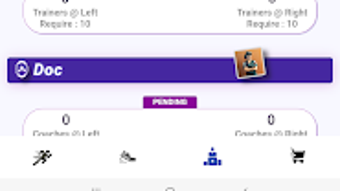
SmartSteps features a clean and intuitive user interface tailored for mobile use. Navigation is streamlined, with core functions such as step tracking, goal settings, and achievement viewing accessible from the main dashboard. The layout is designed for quick access, allowing users to check their progress with minimal taps.
Workflow efficiency is optimized for daily use. Users can start tracking immediately after opening the app, with no lengthy setup process. The app runs in the background to maintain continuous tracking, ensuring accurate data collection without requiring constant interaction. Performance observations are based on general software behavior patterns, as no detailed performance metrics were specified.
The developer did not provide additional system requirements or resource usage details. However, the app’s size of 25.4 MB suggests it is lightweight and likely to function smoothly on mid-range Android devices. Stability and background operation are assumed to be consistent with standard Android applications in the Health & Fitness category, though actual performance may vary based on device configuration.
Compatibility & System Requirements
SmartSteps is designed for Android operating systems and is available in version 2.1.4. The installation size is 25.4 MB, indicating a compact footprint suitable for devices with limited storage. The developer did not specify exact hardware or OS version requirements beyond the platform designation.
Compatibility information was partially provided. Users are advised to ensure their Android device meets standard app installation requirements. The app is distributed through the Google Play Store, which ensures a secure and verified distribution channel. For users with older Android versions, compatibility may depend on the device’s software support and available system updates.
Exact system requirements were not listed, so users should consult their device specifications to confirm suitability. The app’s lightweight nature increases the likelihood of broad compatibility across various Android devices.
Pros and Cons
Pros
- Free to download and use, making it accessible to a wide audience.
- Intuitive interface designed for easy navigation and daily use.
- Offers goal setting and achievement tracking to boost motivation.
- Includes a reward system to incentivize consistent physical activity.
- Compact size of 25.4 MB reduces storage impact on devices.
Cons
- Platform limited to Android; no support for iOS or other operating systems.
- Exact performance and resource usage details were not provided.
- Limited information on the types and availability of rewards.
- Developer did not specify minimum OS version or hardware requirements.
- Relies on Google Play Store for distribution, which may limit access in certain regions.
FAQ Section
Is SmartSteps available for iOS devices?
Currently, SmartSteps is only available for Android users. There is no information indicating support for iOS at this time.
Is the app secure and safe to use?
SmartSteps is distributed through the Google Play Store, which provides a verified and secure environment for app downloads. The developer has not provided specific security details, but standard Android app security practices are expected.
How often does the app update?
The current version is 2.1.4, released on May 15, 2024. Updates are likely to be released periodically, but the frequency was not specified.
Does SmartSteps require an internet connection?
The app can track steps and distance offline. However, syncing progress, accessing rewards, and viewing achievements may require an internet connection.
Can I use SmartSteps without creating an account?
Information about account requirements was not provided. The app may allow limited functionality without registration, but full access to features like rewards and achievements may require an account.
Final Thoughts + CTA
SmartSteps presents a compelling solution for users seeking to enhance their daily activity levels through a combination of tracking, goal setting, and rewards. Its free availability, lightweight design, and focus on motivation make it a strong contender in the Health & Fitness space. While platform limitations and lack of detailed technical information are notable, the app’s core functionality is well-aligned with the needs of active individuals and fitness beginners alike.
For Android users committed to building healthier habits, SmartSteps offers a practical and engaging companion. The integration of real-world incentives adds a unique dimension that sets it apart from standard step trackers. With a clean interface and seamless workflow, it supports long-term engagement without complexity.
Download Smart Steps now and take your first step toward a more active and rewarding lifestyle.




.png)



