
Effortless Screen Capture with SnapShare
Overview
SnapShare is a streamlined desktop utility designed for users seeking a fast and intuitive way to capture screenshots on Windows. Its primary purpose is to simplify the process of selecting and saving screen content, making it ideal for professionals, students, and casual users who frequently need to document visual information. The software addresses common pain points such as disorganized file storage and complex capture workflows by offering a minimal interface with automated saving. By allowing users to define a capture area with a resizable rectangle, SnapShare ensures precision without requiring technical expertise. Real-world applications include creating instructional guides, documenting software bugs, sharing visual updates in team communications, or preserving important on-screen data. The tool is particularly useful in remote work environments where visual clarity is essential. SnapShare Inc. developed the software with a focus on usability and efficiency, though no further details about the company’s background are available. The release date was June 15, 2018.
Key Features & Capabilities
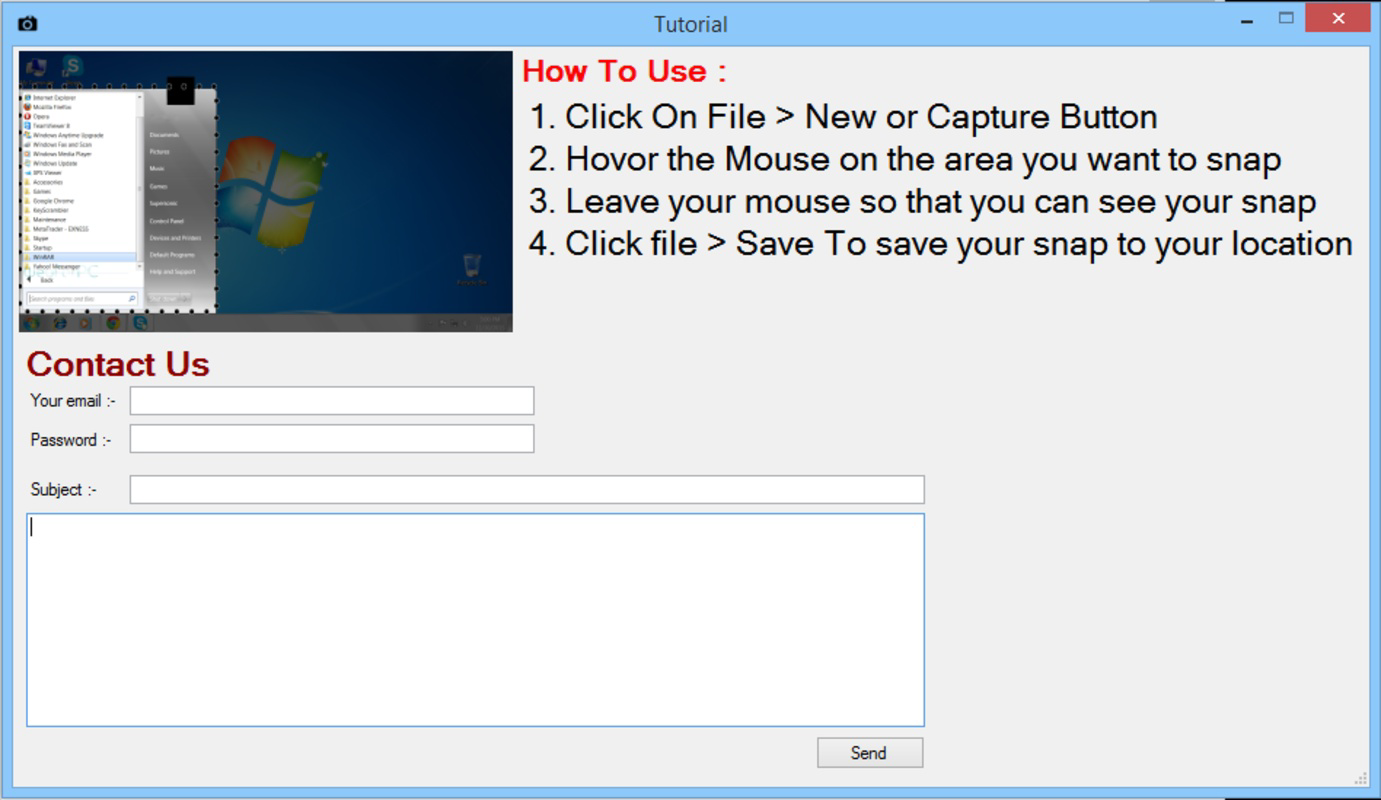
- Simple Capture Method: Users initiate a screenshot with a single click, followed by selecting the desired screen area. This streamlined approach reduces steps and minimizes user error, making it accessible even to non-technical individuals.
- Custom Save Locations: The ability to designate a specific folder for automatic storage enhances file organization. This feature prevents screenshots from being scattered across multiple directories, improving retrieval speed and workflow consistency.
- Resizing Capture Rectangle: A dynamic rectangle allows precise control over the captured region. Users can adjust the size and position before finalizing the capture, ensuring only relevant content is included.
- Automated Screenshot Management: Once captured, images are saved directly to the predefined location without manual intervention. This automation supports efficient documentation processes and reduces post-capture cleanup time.
User Interface, Workflow & Performance
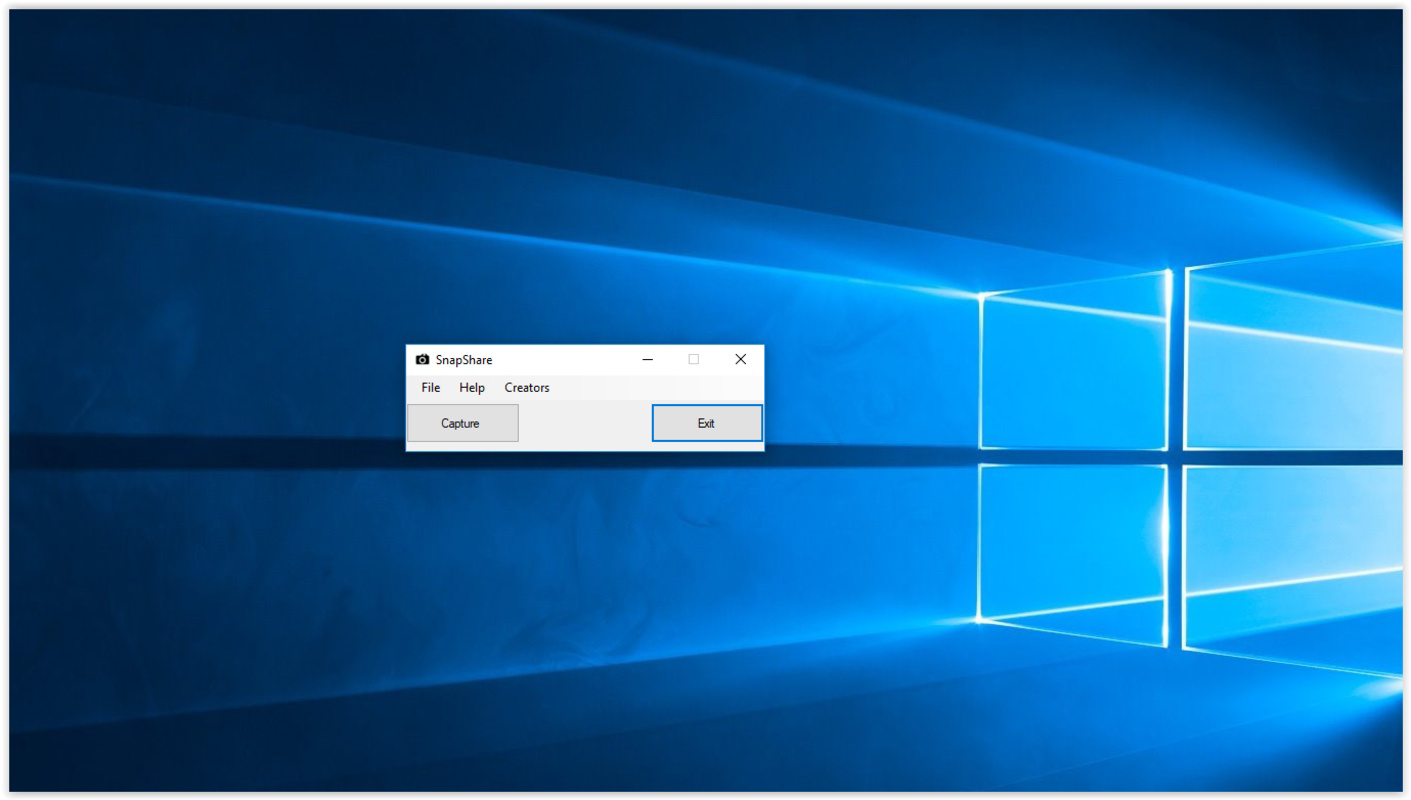
SnapShare features a clean, minimal interface focused on core functionality. The main capture button is prominently displayed, ensuring quick access. Navigation is straightforward, with no complex menus or layered settings. The workflow begins with a single click, followed by selecting the screen area using the resizable rectangle. This simplicity enhances usability, especially for users who need to take multiple screenshots in rapid succession. The tool operates in the background, minimizing disruption to other tasks. No specific performance metrics were provided, but the small file size suggests efficient resource usage. The developer did not specify resource usage details, so actual CPU or RAM behavior remains unknown. Stability is inferred from the tool’s focused design, though no user reports or crash data were included. General software behavior patterns suggest consistent performance under typical usage conditions.
Compatibility & System Requirements
SnapShare is designed for the Windows operating system and runs on version 1.0.0. The installation package is 2.5 MB, indicating a lightweight footprint. This small size implies minimal storage impact and fast installation times. Exact system requirements were not listed, so users should assume compatibility with standard Windows environments. No information was provided about hardware specifications such as processor speed, RAM, or graphics capabilities. Platform compatibility information is limited to Windows, and no details about future or legacy OS support were included. Users should verify functionality on their specific system configuration.
Pros and Cons
Pros
- Intuitive interface ideal for non-technical users
- Automated saving reduces manual file management
- Resizable capture area ensures precise screenshots
- Lightweight design with minimal system impact
- Free to use with no hidden costs
Cons
- No advanced editing or annotation tools included
- Limited customization options for capture settings
- Exact system requirements were not specified
- Only available for Windows platforms
- No built-in sharing or cloud integration
Is SnapShare compatible with all Windows versions?
SnapShare is designed for Windows, but specific OS versions were not listed. Users should test compatibility on their system.
Is SnapShare safe to download and use?
The software is developed by SnapShare Inc. and distributed as a free tool. No security risks were reported, but users should download from official sources.
How often are updates released?
No information about update frequency was provided. The current version is 1.0.0, released in 2018.
What license type does SnapShare use?
SnapShare is available at no cost, and the license type was not specified in the provided details.
Can I use SnapShare offline?
Yes, SnapShare functions without an internet connection. All capture and saving operations occur locally.
Final Thoughts + CTA
SnapShare delivers a focused, no-frills solution for users who need reliable and efficient screen capture on Windows. Its simplicity, automated saving, and precise capture control make it a practical tool for everyday tasks. While it lacks advanced features like editing or cloud sharing, its core functionality is executed well. The free pricing model enhances its accessibility. For individuals seeking a lightweight, straightforward screenshot utility, SnapShare remains a solid choice. Download SnapShare now.


