
Download Socrates – AI Document Chat, Secure Local Assistant
Overview of Socrates – Secure AI Document Chat
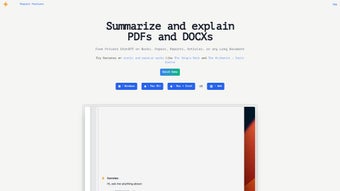
Socrates is a next‑generation web‑app that brings artificial‑intelligence‑driven text generation and editing directly to your desktop environment on Windows or Mac. Unlike cloud‑based chatbots, Socrates lets you engage in private, real‑time Q&A sessions with the very documents you are working on, whether they are PDFs, Word files, or plain‑text notes. The core of the platform is built around advanced natural‑language‑processing (NLP) techniques, enabling the software to understand context, extract key information, and even classify content automatically. Users can choose between a completely local Llama 3 model for offline interaction or tap into OpenAI’s powerful models when an internet connection is available, giving flexibility for both privacy‑focused and performance‑oriented workflows. The design philosophy behind Socrates centers on knowledge management: it scans your files, builds semantic indexes, and offers instant semantic search, so you never have to dig through endless pages to find that one sentence again. Because all processing happens locally, no data ever leaves your machine, eliminating the common privacy concerns associated with cloud AI services. The interface is clean, intuitive, and built for both power users and newcomers, with drag‑and‑drop document loading, a chat‑style window for conversation, and a side panel that displays extracted insights in real time. Whether you are a researcher compiling sources, a writer polishing drafts, or a professional preparing reports, Socrates promises a seamless blend of AI assistance and strict data security, all wrapped in a free, cross‑platform package that can be updated at will.
Key Features and Easy Installation
- Private, local Q&A chat with any loaded document (PDF, DOCX, TXT, etc.).
- Dual AI engine option – Llama 3 for offline, OpenAI for cloud‑enhanced responses.
- Automatic document classification and semantic indexing for instant search.
- Real‑time information extraction – dates, names, figures, and key concepts highlighted.
- Drag‑and‑drop interface with multi‑document support in a single chat session.
- Secure, zero‑cloud architecture – files never leave your computer.
- Free core version with optional premium add‑ons for faster model inference.
Installing Socrates is straightforward and mirrors the simplicity of modern desktop apps. Begin by visiting the official Socrates website and clicking the “Download for Windows” or “Download for macOS” button, depending on your operating system. The installer is a lightweight .exe for Windows or .dmg for Mac, each digitally signed to guarantee authenticity. Once the file is downloaded, run the installer and follow the on‑screen prompts: accept the license agreement, choose an installation folder (the default location works for most users), and let the wizard copy the necessary files. After installation, launch Socrates from your start menu or Applications folder. The first launch triggers a short setup wizard that lets you select your preferred AI engine – you can start with the free local Llama 3 model or connect an OpenAI API key for cloud‑based responses. The wizard also offers to create a default workspace where you can drop your first documents. All subsequent updates are handled automatically within the app; a discreet notification appears when a new version is available, and a single click applies the patch without disrupting your existing data. For users who prefer manual control, the Settings panel provides options to schedule updates, toggle automatic model downloads, and configure privacy preferences, ensuring you stay in full command of how Socrates evolves on your machine.
Compatibility, Pros & Cons, and Frequently Asked Questions
Socrates is built on Electron, which means it runs natively on both Windows 10/11 (64‑bit) and macOS 10.15 (Catalina) or later. The application requires a minimum of 8 GB RAM for smooth operation with the local Llama 3 model; higher memory (12‑16 GB) is recommended for large document sets or when using the OpenAI integration, as the AI inference can be computationally intensive. A modern multi‑core CPU (Intel i5/Ryzen 5 or newer) and a graphics driver that supports OpenGL 3.3 are also advisable to ensure responsive UI rendering. While the current release focuses on English‑language documents, the underlying NLP engine is capable of handling other Latin‑based scripts, though full multilingual support is slated for a future update.
Pros
- Complete data privacy – all processing stays on the local device.
- Powerful semantic search that reduces time spent locating information.
- Flexible AI engine choice accommodates both offline and online preferences.
- User‑friendly drag‑and‑drop workflow makes onboarding fast.
- Free core version provides substantial functionality without a subscription.
Cons
- No built‑in multilingual support in the current release.
- High RAM and CPU usage when handling very large document libraries.
- Update process is not fully automated for major version jumps, requiring manual download.
- Advanced features (e.g., batch processing) are locked behind a paid add‑on.
Frequently Asked Questions
Is Socrates completely free to use?
The core application is free and includes local Llama 3 AI, document chat, and semantic search. Premium features such as accelerated model downloads and batch processing are offered as optional paid add‑ons.
Can I use Socrates without an internet connection?
Yes. When you select the local Llama 3 engine, all AI inference runs on your machine, so no internet connection is required. The OpenAI integration, however, does need online access.
How does Socrates ensure my documents remain private?
All document parsing, indexing, and AI processing happen locally. The software never uploads files to external servers, and any optional cloud calls (e.g., OpenAI) only transmit the extracted text snippets needed for the query, not the original files.
What file formats are supported?
Socrates supports PDF, Microsoft Word (.docx), plain text (.txt), and Markdown (.md). Future updates will add support for Excel, PowerPoint, and image‑based OCR documents.
How do I update Socrates to the latest version?
When a new release is available, Socrates shows a discreet notification inside the app. Clicking “Update” downloads and installs the patch automatically. For major version upgrades, you may need to download the installer from the website and run it again.
Final Verdict and How to Get Socrates
In a market crowded with cloud‑centric AI chat tools, Socrates stands out by putting the user’s data sovereignty front and center. The combination of a local Llama 3 model, seamless document interaction, and an intuitive interface makes it a valuable asset for researchers, writers, and professionals who demand both speed and security. While the lack of built‑in multilingual capabilities and the higher hardware demands may deter some, the free core offering and the ability to toggle between offline and online AI engines provide enough flexibility to fit a wide range of use cases. If you’re looking for a secure, feature‑rich AI assistant that respects your privacy and works across both Windows and macOS, Socrates is well worth a download. Ready to experience private AI chat with your documents? Download Socrates now and start turning your files into interactive knowledge partners—no cloud, no compromise.



.png)




