
Download SOFA – 3D Anatomical Design Editor, Free, Secure, Cross‑Platform
SOFA (Simulation Open Framework Architecture) is not a piece of furniture; it is a powerful open‑source 3‑D editor built especially for creating, visualising, and simulating human anatomical structures. Whether you are a medical student, a researcher in biomechanics, or a developer looking to prototype deformable‑body simulations, SOFA gives you a flexible environment where bone, organ, and tissue models can be combined, animated, and analysed from any angle. The core strength of SOFA lies in its modular architecture: algorithms for solvers, constraints, collision detection, and surface representation are all exposed through simple XML configuration files, making it easy to swap components or integrate custom code. Because it runs on Windows, macOS, and Linux, the tool fits naturally into most academic and research pipelines, and its active community continuously adds new features and documentation. In this review we will explore the most important aspects of SOFA, walk through the installation process, examine its pros and cons, and answer the most common questions asked by new users.
Key Features that Make SOFA Stand Out
- Modular Solver System: Choose from a range of linear and non‑linear solvers, including Conjugate Gradient, GMRES, and the fast Multi‑Grid solver, each configurable via XML.
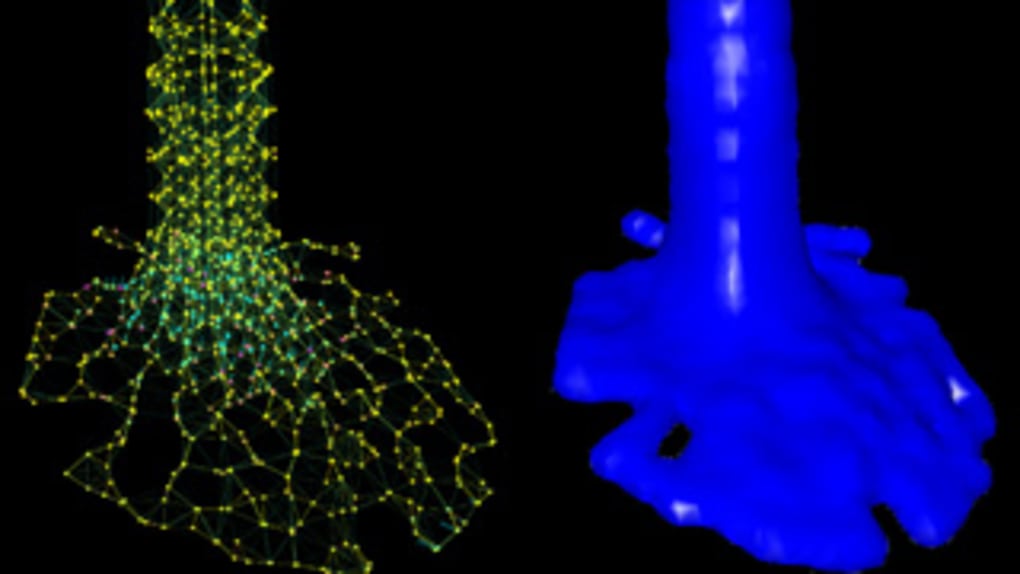
- Deformable Body Simulation: Real‑time soft‑tissue deformation using FEM, mass‑spring, or SPH models, ideal for organ‑level biomechanics.
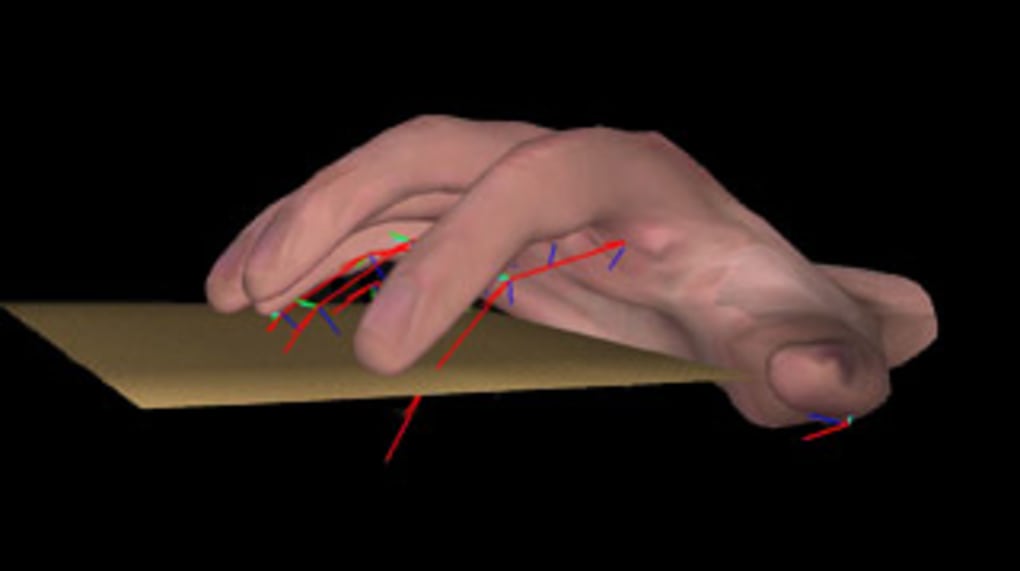
- Advanced Collision Detection: Built‑in algorithms such as Penalty, Frictionless, and Constraint‑Based collision handling, supporting complex interactions between bones, muscles, and surgical tools.
- Rich Visualisation Suite: Multi‑view rendering, volumetric slicing, and customizable shaders let you inspect anatomy from any perspective, with support for high‑resolution textures and transparent organ overlays.
- Extensible Plugin Architecture: Write plugins in C++ or Python, load external libraries, and integrate machine‑learning models for predictive simulations.
- XML‑Driven Workflow: All simulation parameters—from material properties to boundary conditions—are stored in human‑readable XML files, simplifying version control and collaborative development.
- Cross‑Platform Compatibility: Native binaries for Windows 10/11, macOS 10.15+, and major Linux distributions (Ubuntu, Fedora, Debian).
- Open‑Source Community: Licensed under LGPL‑3.0, SOFA benefits from continuous contributions, extensive tutorials, and a vibrant forum where users share models and best practices.
Installation, Configuration, and First‑Run Usage
Getting started with SOFA is straightforward thanks to its well‑documented installers and portable binaries. Follow these steps for a smooth setup on your preferred operating system:
- Download the Installer: Visit the official SOFA website and select the appropriate package (Windows .exe, macOS .dmg, or Linux .tar.gz). The download is completely free and secured with HTTPS.
- Run the Installer: On Windows, double‑click the .exe and follow the wizard.
macOS users drag the SOFA app into the Applications folder. Linux users extract the archive
to a directory of their choice, e.g.,
/opt/sofa, and add thebinfolder to theirPATHfor easy command‑line access. - Verify Dependencies: SOFA bundles most required libraries, but for GPU‑accelerated rendering you may need to install the latest OpenGL drivers. The installer will prompt you if any optional components are missing.
- Launch the Application: After installation, start SOFA from the desktop shortcut
(Windows/macOS) or by running
sofain a terminal (Linux). The first launch may take a few seconds while the internal resource cache is built. - Load a Sample Scene: Navigate to File → Open Sample Scene and select
HeartDeformation.scn. This example demonstrates soft‑tissue deformation, collision with a virtual probe, and real‑time visualisation. - Edit the XML Configuration: Right‑click the scene node and choose Edit XML. Here you can modify material stiffness, change solver parameters, or add new constraints. Save the file and click Reload to see the changes instantly.
- Export Results: SOFA supports exporting simulation data in CSV, VTK, or HDF5 formats, making it easy to analyse results in Python or MATLAB.
The learning curve is gentle for basic tasks because the UI provides visual feedback and tooltips
for every component. For advanced users, the command‑line interface (sofaRunner) allows
batch processing of multiple scenes, integration with CI pipelines, and headless execution on clusters.
Overall, the installation experience is polished, and the documentation includes step‑by‑step
tutorials, video walkthroughs, and a comprehensive API reference.
Supported Operating Systems: Windows 10/11, macOS 10.15+, Ubuntu 20.04+, Fedora 33+, Debian 11+
Pros, Cons, and Real‑World Suitability
Pros
- Fully free and open‑source – no hidden licensing fees.
- Highly modular; swap solvers, collision models, or add custom plugins without recompiling.
- Rich visualisation tools enable detailed anatomical inspection and presentation‑ready screenshots.
- Cross‑platform support ensures the same project works on Windows, macOS, and Linux.
- Strong community backing provides regular updates, bug fixes, and a wealth of shared models.
- XML‑based configuration promotes reproducibility and easy version control.
- Extensive export options facilitate downstream analysis in scientific software.
Cons
- Steeper learning curve for users unfamiliar with XML or C++/Python plugin development.
- Real‑time performance may require a powerful GPU for high‑resolution organ models.
- Documentation, while comprehensive, can be fragmented across wiki pages and forum threads.
- No built‑in tutorial for absolute beginners; users must rely on external video guides.
- Limited native support for VR/AR integration, though third‑party plugins exist.
SOFA delivers a compelling mix of flexibility, scientific rigour, and visual quality that makes it an excellent choice for anyone needing to simulate human anatomy. While the initial setup may feel intimidating, the payoff in terms of customisability and accurate deformation modelling is well worth the effort. For research groups, the open‑source licence and cross‑platform nature simplify collaboration across institutions. In short, SOFA is a robust, future‑proof tool that continues to evolve alongside advances in computational biomechanics.
Frequently Asked Questions (FAQ)
Is SOFA really free to use for commercial projects?
Yes. SOFA is released under the LGPL‑3.0 license, which allows both academic and commercial use without any licensing fees, provided that modifications to the core library are shared back under the same license.
Can I run SOFA on a headless server for batch simulations?
Absolutely. The sofaRunner command‑line tool enables
headless execution, making it ideal for high‑performance computing clusters or automated
testing pipelines.
What programming languages are supported for creating custom plugins?
Core plugins are written in C++ for maximum performance, but SOFA also provides a Python binding (via pySOFA) that lets you prototype algorithms quickly.
How does SOFA handle large, high‑resolution anatomical meshes?
SOFA supports mesh decimation, level‑of‑detail rendering, and GPU‑accelerated collision detection, which together enable interactive manipulation of detailed models while keeping memory usage manageable.
Is there official support for VR headsets or AR devices?
SOFA does not ship native VR/AR modules, but the community has created plugins for OpenVR and Unity integration, allowing developers to build immersive anatomical experiences on top of the core simulation engine.
Conclusion – Why You Should Download SOFA Today
In summary, SOFA stands out as a free, secure, and highly extensible 3‑D editor for anatomical design and simulation. Its modular architecture, robust solvers, and cross‑platform support make it an ideal platform for students, researchers, and developers who need accurate, deformable‑body modelling without the constraints of proprietary software. The learning curve is mitigated by comprehensive documentation and a supportive community, while the XML‑driven workflow ensures reproducibility and easy collaboration. If you are looking to visualise bone structures, simulate organ mechanics, or integrate custom algorithms into a proven framework, SOFA provides all the tools you need—without any cost.
Ready to start building your own anatomical simulations? Download SOFA now and join the growing community of scientists and engineers who are pushing the boundaries of medical simulation.








