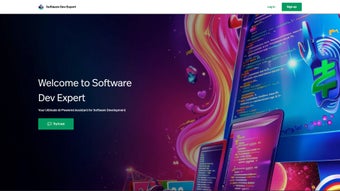

Download Software Dev Expert – AI‑Powered Development Tool for Programmers
Overview
Software Dev Expert is an AI‑driven web application built to accelerate every stage of the software development lifecycle. Whether you are a student learning to code, a freelance developer juggling multiple contracts, or a senior engineer overseeing a large codebase, the platform acts as a virtual assistant that can write, debug, review, test, and maintain code with a single click. By analysing your past interactions, the tool predicts the next steps you’re likely to take, suggesting snippets, refactorings, or even test cases before you ask for them. The subscription‑based model ensures you receive continuous updates, new language support, and access to a growing library of AI‑trained models. With secure single‑sign‑on options—including Google authentication—and a built‑in password reset, onboarding is frictionless.
In practice, developers report a 30‑40 % reduction in repetitive tasks, freeing mental bandwidth for architecture design, performance tuning, and innovation. The intuitive dashboard provides a clear view of active projects, AI suggestions, and a history of automated actions, making it easy to track productivity gains over time. As a cloud‑native solution, Software Dev Expert runs on any modern browser, eliminating the need for local installations while still offering deep integration with popular IDEs through extensions and APIs. The platform also includes granular permission controls, allowing team leads to set role‑based access for sensitive repositories, ensuring compliance with corporate governance policies.
Beyond pure code generation, the service offers a knowledge‑base that aggregates community‑generated prompts, best‑practice guidelines, and industry‑specific templates. This knowledge‑base is searchable and constantly refreshed by both the internal research team and external contributors, making it a living repository of modern development wisdom. Whether you need a quick one‑liner for data transformation or a full‑stack scaffold for a microservice, Software Dev Expert adapts its output to match the complexity of the request. In short, it is a comprehensive, secure, and constantly evolving companion that helps you stay ahead of the rapid pace of technology without drowning in documentation.
Key Features and Benefits
- AI‑Generated Code Snippets: Type a natural‑language description and receive ready‑to‑run code in your chosen language.
- Automated Debugging: The engine scans error logs, pinpoints root causes, and proposes fixes in real time.
- Smart Code Review: Generates review comments, highlights security vulnerabilities, and suggests best‑practice improvements.
- Integrated Testing Suite: Automatically creates unit and integration tests based on your code changes.
- Predictive Workflow Assistant: Learns from your habits and pre‑emptively offers next‑step actions, such as refactoring or documentation updates.
- Multi‑Platform Extensions: Chrome, VS Code, JetBrains, and Sublime plugins keep the AI close to your editor.
- Secure Single Sign‑On: Google, Microsoft, and SSO options with encrypted token storage.
- Version‑Control Integration: Directly commit AI‑suggested changes to GitHub, GitLab, or Bitbucket.
- Continuous Learning Hub: Access tutorials, webinars, and community‑driven prompt libraries.
- Scalable Cloud Backend: Handles projects of any size, from single‑file scripts to enterprise‑level microservices.
The benefits of these features compound throughout the development cycle. By automating mundane tasks, developers experience less burnout and can allocate more time to problem‑solving and design. The AI’s ability to surface security issues early reduces the likelihood of costly patches post‑release. Moreover, the predictive assistant shortens onboarding for junior developers, as the tool offers contextual explanations alongside code suggestions.
Because the platform lives in the cloud, updates are rolled out instantly, ensuring you always have access to the latest language models and compliance patches without manual downloads. In environments where speed to market is critical, Software Dev Expert can shave days off a sprint, turning what used to be a manual, error‑prone process into a streamlined, repeatable workflow. Teams also benefit from the collaborative workspace, where multiple contributors can view, comment on, and accept AI‑generated changes in real time, fostering a shared sense of ownership and reducing hand‑off friction.
Finally, the analytics dashboard provides quantitative insights such as average time saved per task, most frequently used language models, and a heat‑map of recurring error types. These metrics empower engineering managers to make data‑driven decisions about process improvements, training needs, and resource allocation, turning the AI assistant from a simple utility into a strategic productivity asset.
Installation, Usage & Compatibility
Getting Started – No Heavy Installation Required
Software Dev Expert is a web‑based service, which means you can start using it within minutes. Follow these steps to begin:
- Visit softwaredevexpert.com and click “Sign Up”.
- Choose your preferred authentication method – Google, Microsoft, or email/password.
- Complete the quick onboarding questionnaire; this helps the AI tailor suggestions to your preferred languages and frameworks.
- Verify your email (or use the password reset link if you’re returning) to secure your account.
- Navigate to the dashboard, create a new project, and start typing natural‑language prompts.
Browser & OS Support
The application is fully compatible with all major operating systems, including Windows 10/11, macOS 12+, Linux distributions, Android 8+, and iOS 13+. Since it runs in a browser, you only need a modern, standards‑compliant browser such as Chrome, Edge, Firefox, or Safari. For developers who prefer a native feel, dedicated extensions for VS Code, JetBrains IDEs, and Sublime Text provide in‑editor AI assistance, synchronising with the cloud backend via secure API tokens.
Workflow Integration
Once logged in, the interface presents three primary panes: a prompt area, a live code preview, and an action history. Type a request like “Create a REST endpoint in Node.js that returns user data” and watch the AI generate the complete route, including error handling and unit tests. You can then accept, edit, or reject the suggestion. The history log records every AI interaction, allowing you to revert changes or export them to your version‑control system with a single click.
For teams, the platform offers shared workspaces where multiple developers can collaborate on the same AI‑enhanced session, with role‑based permissions to protect production code. The seamless integration with GitHub Actions also means you can trigger automated CI pipelines directly from the AI’s output, ensuring that newly generated code passes all quality gates before merging. Additionally, the system supports webhook callbacks, enabling custom notifications to Slack, Microsoft Teams, or email whenever the AI proposes a high‑impact change.
Because all processing occurs in the cloud, local machine resources remain untouched, which is especially valuable on low‑spec laptops or when working on remote development environments. The platform also includes a lightweight offline mode that caches the most recent language models, allowing you to generate simple snippets without an active internet connection—though advanced features such as real‑time debugging still require connectivity.
Pros, Cons & Frequently Asked Questions
Pros
- Significant time savings on repetitive coding tasks.
- AI suggestions are context‑aware and adapt to your coding style.
- Secure, cloud‑native architecture with automatic updates.
- Broad language and framework coverage, continuously expanding.
- Integrated testing and code‑review features improve code quality.
- Multi‑platform extensions keep AI assistance close to your IDE.
- Analytics dashboard provides actionable productivity insights.
- Collaborative workspaces enable real‑time team cooperation.
Cons
- Subscription cost may be a barrier for hobbyists on a tight budget.
- Reliance on internet connectivity; offline use is limited.
- AI‑generated code still requires human review for edge cases.
- Initial learning curve to understand prompt engineering best practices.
- Feature set may feel overwhelming for users new to AI‑assisted development.
FAQ
Is Software Dev Expert compatible with my existing IDE?
Yes. The platform offers official extensions for Visual Studio Code, JetBrains family (IntelliJ, PyCharm, WebStorm, etc.), and Sublime Text. These plugins communicate with the cloud service via secure API tokens, giving you AI suggestions directly inside the editor you already use.
How does the AI ensure the security of the generated code?
Software Dev Expert incorporates a built‑in static‑analysis engine that scans every AI‑generated snippet for common security flaws (e.g., SQL injection, XSS, insecure deserialization). The tool flags high‑risk patterns and offers safer alternatives, helping you maintain a secure codebase without extra effort.
Can I use the tool for open‑source projects without a commercial license?
The standard subscription covers both commercial and open‑source use. However, if you are part of a non‑profit organization or an educational institution, you may qualify for a discounted academic plan that provides the same feature set at a reduced rate.
What happens to my data if I cancel the subscription?
All project data, AI interaction history, and generated code are retained for 30 days after cancellation, allowing you to export or migrate your work. After that period, the data is securely deleted in compliance with GDPR and other privacy regulations.
Is there a free trial available?
Yes. New users receive a 14‑day free trial with full access to all premium features, including the predictive workflow assistant and unlimited project creation. No credit card is required to start the trial.
How does pricing scale for larger teams?
Beyond the individual plan, Software Dev Expert offers tiered pricing for small teams (5‑20 users) and enterprise‑level organizations (20+ users). Discounts increase with volume, and enterprise packages include dedicated support, SSO integration, and on‑premise deployment options if required.
Conclusion – Boost Your Development Productivity Today
Software Dev Expert stands out as a comprehensive AI‑powered ally that tackles the most time‑consuming aspects of modern programming. By automating code generation, debugging, reviewing, testing, and even maintenance, the platform lets developers focus on high‑level design and innovation. Its predictive capabilities and seamless integration with popular IDEs create a fluid workflow that feels natural rather than forced. While the subscription model represents an investment, the measurable gains in speed, code quality, and reduced error rates often translate into a clear return on investment for both freelancers and enterprise teams.
If you’re looking to accelerate project delivery, reduce manual grunt work, and stay competitive in a fast‑moving tech landscape, downloading Software Dev Expert is a strategic move. Click the “Start Free Trial” button on the official website, experience the AI assistance firsthand, and decide whether the productivity boost aligns with your development goals. Remember, the future of coding is collaborative—partner with an intelligent assistant that learns from you, predicts your needs, and helps you write better software, faster.
Pros: Time‑saving AI code generation, integrated testing, predictive workflow, strong security checks, cross‑platform extensions, analytics dashboard.
Cons: Requires internet, subscription cost, occasional need for human validation, learning curve for prompt engineering.



.png)




