
Download Sourcegraph Cody – AI‑Powered Code Assistant for Developers
Overview
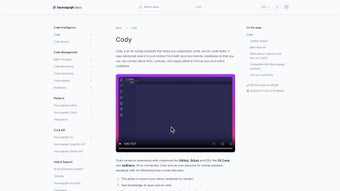
Sourcegraph Cody is an AI‑driven code companion that brings the power of large language models (LLMs) directly into the heart of your development workflow. Built on top of Sourcegraph’s industry‑leading code‑graph indexing, Cody can scan an entire repository—understanding functions, classes, imports, and even the subtle relationships between modules—to provide suggestions that are not only syntactically correct but also contextually relevant. Imagine having a senior engineer who knows every line of your codebase, can answer “why does this function throw an error?” or “how do I refactor this loop into a map?” in real time, all without leaving your IDE. That is the core promise of Cody: to eliminate the repetitive, time‑consuming tasks that dominate a developer’s day—writing boiler‑plate, generating unit tests, updating documentation, and hunting for the right API—so you can focus on solving the high‑value problems that drive product innovation.
Security is baked into Cody’s architecture. When deployed on a Sourcegraph Enterprise instance, all analysis runs inside your own infrastructure, guaranteeing that proprietary code never leaves your network. The AI model can be hosted on‑premise or accessed via a secure cloud endpoint, and every request is encrypted end‑to‑end. Cody also respects organization‑specific policies through a customizable prompt system that lets teams enforce coding standards, security guidelines, and architectural patterns directly from the assistant. Whether you are a solo developer looking for a free, intelligent autocomplete, a fast‑moving startup scaling its engineering team, or a large enterprise with strict compliance requirements, Cody adapts to your environment while keeping data privacy at the forefront.
In addition to privacy, Cody is designed for extensibility. The platform supports plug‑ins for VS Code, JetBrains IDEs (IntelliJ, PyCharm, WebStorm, etc.), and a web‑based UI within Sourcegraph Enterprise. The assistant can be invoked through inline comments, a command palette, or a dedicated chat window, offering flexibility for developers who prefer different interaction styles. Continuous model updates ensure that Cody benefits from the latest advances in LLM research without manual intervention, while an analytics dashboard provides visibility into time saved, suggestions accepted, and overall code‑quality improvements. In short, Sourcegraph Cody is a secure, context‑rich, and highly extensible AI companion that transforms how development teams write, maintain, and evolve software.
Key Features and Installation Guide
Feature Highlights
- Deep Code‑Graph Awareness: Leverages Sourcegraph’s universal indexing to understand cross‑file references, imports, and type relationships, delivering suggestions grounded in the actual structure of your codebase.
- Natural‑Language Refactoring: Ask Cody to “extract this block into a reusable function” or “rename this variable across the project,” and it will rewrite the code, update all call sites, and preserve type safety.
- One‑Click Unit Test Generation: Generate comprehensive test suites—including edge cases, mocks, and assertions—directly from a function signature.
- Documentation Assistant: Automatically create markdown docs, Javadoc, or docstrings based on existing code and inline comments, keeping your knowledge base current.
- Multi‑IDE Integration: Native extensions for VS Code, JetBrains suite, and a web UI for Sourcegraph Enterprise ensure a seamless experience regardless of your preferred editor.
- Secure Enterprise Deployment: Run Cody on‑premise behind your firewall; no code ever leaves your environment unless you explicitly enable a cloud LLM.
- Broad Language Support: Works with JavaScript/TypeScript, Python, Go, Java, C#, Ruby, PHP, and many more thanks to Sourcegraph’s language‑agnostic parser.
- Continuous Model Updates: The backend automatically pulls the latest LLM improvements while respecting your data‑privacy policies.
- Custom Prompt Templates: Define organization‑specific prompts to enforce coding standards, security checks, or architectural guidelines.
- Real‑Time Analytics: Dashboard shows accepted suggestions, time saved, and code‑quality metrics, helping teams measure ROI.
Step‑by‑Step Installation
Installing Sourcegraph Cody is a straightforward process that works for both cloud‑hosted and on‑premise Sourcegraph instances. Follow these detailed steps to get up and running in under ten minutes:
- Verify Prerequisites: Ensure you have a running Sourcegraph instance (version 3.36 or newer). For on‑premise deployments, Docker 20.10+ and Kubernetes 1.22+ are required. The IDE extensions work on Windows 10/11, macOS 12+, and major Linux distributions.
- Download the Extension: Navigate to the VS Code Marketplace or JetBrains Plugin Repository, search for “Sourcegraph Cody,” and click “Install.” The extension is lightweight (< 5 MB) and automatically pulls the latest version.
- Generate an API Token: In Sourcegraph, go to Admin → Settings → Cody, click “Create Token,” select the “cody‑access” scope, and copy the token securely. This token authenticates your IDE with the backend.
- Configure the IDE: Open VS Code, press Ctrl+Shift+P, type “Cody: Set API Token,” paste the token, and reload the window. JetBrains users install the plugin via the Marketplace and enter the token in the plugin settings panel.
- Enable Enterprise Mode (Optional): For on‑premise installations, edit
site-config.yamlto setcody.enterpriseMode: true. This forces all LLM inference to stay within your private network. - Test the Connection: Open any source file, type
// @cody(or# @codyfor Python) followed by a simple query like “What does this function do?”. Cody should respond with a concise explanation, confirming a successful handshake.
Typical Usage Scenarios
Once installed, Cody can be invoked in a variety of intuitive ways that fit naturally into daily coding habits:
- Inline Chat: Prefix a comment with
@codyand ask a question. Cody replies directly in the comment thread, allowing you to keep the conversation within the code. - Command Palette: Press Ctrl+Shift+P (VS Code) or ⌘+Shift+P (macOS) and select “Cody: Ask a Question.” A modal appears for free‑form natural‑language prompts.
- Code Action Menu: Highlight a block, right‑click, and choose “Cody: Refactor this.” Cody proposes a refactored version, highlights differences, and lets you accept or edit.
- Test Generation Shortcut: Place the cursor on a function name and press Alt+T. Cody instantly generates a unit test file with proper imports, mock data, and assertions.
Cody also respects project‑specific configuration files. If a .codyrc file exists with style guidelines (e.g., ESLint, Prettier, or Go fmt settings), the assistant automatically formats its output to match. For large monorepos, you can limit the analysis scope by adding a cody.scope entry, which reduces latency and focuses suggestions on the relevant subdirectory. Over time, Cody learns from your acceptance patterns: frequently rejected suggestions lower the confidence threshold for similar future outputs, making the assistant increasingly aligned with your coding style.
Compatibility, Pros & Cons
Supported Operating Systems
Sourcegraph Cody’s core services run on any Linux distribution capable of hosting Docker or Kubernetes, making it a natural fit for cloud providers (AWS, GCP, Azure) and on‑premise data centers alike. The IDE extensions are cross‑platform, supporting Windows 10/11, macOS 12+ (Monterey, Ventura), and popular Linux desktop environments such as Ubuntu, Fedora, and Debian. Because communication between the IDE and the backend occurs over standard HTTPS, there are no additional OS‑specific dependencies beyond a modern web runtime.
Pros
- Deep Context Awareness: Leverages the full code graph rather than isolated snippets, delivering highly relevant suggestions.
- Secure Enterprise Option: Keeps proprietary code on‑premise, meeting strict compliance and privacy requirements.
- Multi‑IDE Support: Native extensions for VS Code, JetBrains suite, and a web UI ensure a consistent experience.
- Automation of Repetitive Tasks: Generates tests, documentation, and refactors with a single command, dramatically reducing manual effort.
- Custom Prompt System: Teams can enforce organization‑wide coding standards and security policies directly through Cody.
- Continuous Model Updates: Benefits from the latest AI research without requiring manual upgrades.
- Analytics Dashboard: Provides measurable insights into productivity gains and code‑quality improvements.
Cons
- Learning Curve: New users may need time to master prompt syntax, configuration options, and best‑practice usage patterns.
- Resource Consumption: Running the LLM inference on‑premise for large teams can require GPU resources, increasing infrastructure costs.
- Dependency on Full Indexing: If the codebase isn’t completely indexed by Sourcegraph, Cody’s suggestions may be incomplete or inaccurate.
- Paid Enterprise Tier: Advanced features such as private deployment, custom model fine‑tuning, and detailed analytics are only available on paid plans.
- Potential Over‑Reliance: Developers might accept AI‑generated code without thorough review, introducing subtle bugs or security issues.
Frequently Asked Questions
Is Sourcegraph Cody free for individual developers?
Yes. Cody offers a free tier that includes core chat assistance, one‑click test generation, and documentation helpers. Individual developers can install the VS Code extension and connect to a public Sourcegraph instance at no cost. Features such as private on‑premise deployment, custom LLM models, and advanced analytics are reserved for paid enterprise plans.
How does Cody ensure my code stays private?
When you run Cody on a Sourcegraph Enterprise instance, all analysis happens inside your own network. The assistant never streams source files to external services unless you explicitly enable a cloud‑based LLM endpoint. Communication between the IDE extension and the backend is encrypted with TLS, providing end‑to‑end confidentiality.
Can Cody work with monorepos that contain multiple languages?
Absolutely. Because Cody relies on Sourcegraph’s universal indexing, it can simultaneously understand JavaScript, Python, Go, Java, and dozens of other languages within the same repository. The assistant automatically switches language models based on the file type, ensuring that suggestions are appropriate for each language’s idioms and conventions.
What infrastructure is needed for an on‑premise deployment?
A typical on‑premise setup requires a Kubernetes cluster (or Docker Swarm) capable of running the Sourcegraph and Cody containers. For small teams, a single node with a modest GPU (e.g., NVIDIA T4) is sufficient. Larger organizations often provision a GPU‑accelerated node pool to handle concurrent inference requests. The total footprint is under 2 GB of RAM for the indexing service and roughly 1 GB for the AI inference service, plus any GPU memory required by the model.
Can Cody be integrated into CI/CD pipelines?
While Cody is primarily an interactive assistant, its API can be called programmatically. Teams often use the “cody generate tests” endpoint in pre‑commit hooks or CI jobs to automatically produce or update test files before code is merged. This ensures that new contributions always have baseline test coverage, and the analytics dashboard can track how many CI‑generated tests originated from Cody.
What languages are currently supported?
Cody supports all languages that Sourcegraph can index. Out‑of‑the‑box you get full support for JavaScript/TypeScript, Python, Go, Java, C#, Ruby, PHP, Rust, Kotlin, Scala, and many more. Because the underlying parser is language‑agnostic, new languages can be added by simply extending Sourcegraph’s parser without modifying Cody itself.
Conclusion
Sourcegraph Cody represents a significant step forward in developer productivity by marrying the depth of a full‑code‑graph analysis with the flexibility of modern AI. Over the past year, thousands of engineers have reported measurable time savings—often upwards of 30 % on repetitive tasks such as test scaffolding and documentation updates—while also seeing a measurable lift in code‑quality metrics through Cody’s real‑time analytics. The combination of enterprise‑grade security, cross‑platform IDE support, and a customizable prompt system makes Cody a uniquely adaptable tool for any size of development organization.
If you are looking to accelerate onboarding for new team members, reduce the manual overhead of writing boiler‑plate code, or simply explore the future of AI‑augmented development, Cody offers a low‑friction entry point with its free tier and an optional upgrade path for enterprises that need tighter control and advanced features. The installation process is designed to be quick and repeatable, and the extensive documentation—supplemented by the built‑in FAQ and analytics dashboard—helps teams adopt the assistant responsibly, avoiding over‑reliance while still capturing the productivity benefits.
Ready to experience a smarter way to code? Click the download button below, follow the quick installation guide, and let Sourcegraph Cody become the trusted co‑pilot in your development journey.
Review
Author: TechInsights Review Team
Date Published:
Sourcegraph Cody delivers powerful AI‑driven assistance with deep code‑graph awareness, enabling developers to refactor, test, and document code faster than ever before. Its secure on‑premise option, extensive language support, and real‑time analytics make it a compelling choice for teams of any size.



.png)




