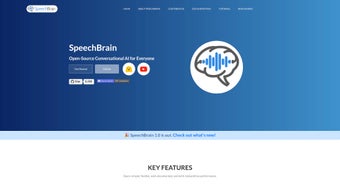

Download SpeechBrain – Open‑Source Speech Processing Toolkit for AI Researchers
Overview
SpeechBrain is a comprehensive, open‑source toolkit that brings together the most demanding speech‑ and audio‑processing tasks under one unified framework. Designed for both developers and academic researchers, SpeechBrain supports everything from automatic speech recognition (ASR) and text‑to‑speech (TTS) synthesis to speaker verification, audio enhancement, and sound‑event detection. What truly sets the platform apart is its flexibility: the same codebase can be used to train classic n‑gram language models as well as state‑of‑the‑art large language models (LLMs) for conversational AI. The project ships with a rich collection of pre‑built recipes for popular datasets such as LibriSpeech, VoxCeleb, and CommonVoice, allowing users to spin up experiments with a single command. Documentation is extensive, covering installation, data preparation, model training, and inference, while a growing community contributes pre‑trained models that can be accessed through a simple Python API. Whether you are building a voice‑controlled assistant, a transcription service, or a research prototype for speech separation, SpeechBrain provides the building blocks, the training pipelines, and the evaluation tools you need—all without licensing fees or hidden costs. Its modular architecture encourages customization, making it a go‑to resource for anyone aiming to push the boundaries of conversational AI.
Key Features
- End‑to‑end ASR pipelines – ready‑to‑use models for transcribing speech in multiple languages.
- Text‑to‑Speech synthesis – neural vocoders and waveform generators for natural‑sounding speech output.
- Speaker recognition – verification and identification tools that work with short utterances.
- Audio enhancement & separation – denoising, dereverberation, and source‑separation algorithms.
- Sound event detection – real‑time classification of environmental sounds.
- Language model training – from traditional n‑gram models to transformer‑based LLMs.
- Pre‑built recipes – one‑click pipelines for datasets like LibriSpeech, VoxCeleb, CommonVoice, and more.
- Extensive documentation – step‑by‑step guides, API references, and Jupyter notebooks.
- Modular architecture – plug‑and‑play components that can be swapped or extended.
- Community‑driven ecosystem – active GitHub repository, forum, and regular releases.
These features combine to make SpeechBrain a truly versatile tool. For example, a developer can start with a pre‑trained ASR model, fine‑tune it on a domain‑specific dataset, and then integrate the same model into a TTS pipeline that uses a custom vocoder for brand‑consistent voice output. Researchers benefit from the same codebase when they experiment with novel loss functions for speaker diarization or test new audio‑separation techniques, because the underlying data loaders and training loops are shared across tasks. The toolkit also supports mixed‑precision training on modern GPUs, which reduces memory consumption and speeds up convergence—critical factors for large‑scale experiments. Overall, SpeechBrain’s feature set reflects a deep understanding of the end‑to‑end workflow needed for modern speech AI development.
Installation, Usage & Compatibility
Getting started with SpeechBrain is straightforward, thanks to its pip‑based distribution and clear dependency list. The recommended installation steps are:
- Ensure you have Python 3.8 or newer installed.
- Install PyTorch that matches your CUDA version (or CPU‑only if you lack a GPU).
- Run
pip install speechbrainto fetch the core library. - Optional: clone the GitHub repository for access to example recipes and pre‑trained model checkpoints.
After installation, a typical workflow involves three steps: data preparation, model training, and inference.
Data Preparation
SpeechBrain provides ready‑made data loaders for popular corpora. For a custom dataset, you simply create a CSV manifest that lists audio file paths and corresponding transcriptions. The library then handles feature extraction (e.g., MFCC, log‑mel spectrogram) on the fly, ensuring reproducibility across experiments.
Model Training
Training is driven by YAML configuration files that describe the architecture, optimizer, learning‑rate schedule, and evaluation metrics. By running python run.py train.yaml, the toolkit launches a full training loop with automatic checkpointing, logging to TensorBoard, and optional distributed training via PyTorch Lightning. Mixed‑precision support can be toggled with a single flag, which is especially useful for large transformer‑based models.
Inference & Fine‑tuning
Once a model is trained, inference is as simple as loading the checkpoint with speechbrain.pretrained.EncoderDecoderASR.from_hparams() and passing raw audio arrays. Fine‑tuning on a niche domain—say, medical dictation—requires only a few additional epochs on a smaller dataset, thanks to the library’s built‑in transfer‑learning utilities.
Supported operating systems: SpeechBrain runs on Windows 10/11, macOS 12+, and major Linux distributions (Ubuntu, Fedora, Debian). The underlying PyTorch backend handles GPU acceleration on NVIDIA cards (CUDA 11+), while CPU‑only environments are fully supported for lightweight tasks such as inference with pre‑trained models.
Overall, the installation process is secure and repeatable, and the clear usage patterns make it easy for newcomers to prototype while giving power users the flexibility to customize every stage of the pipeline.
Pros & Cons, FAQ & Conclusion
Pros
- Open‑source and free of licensing restrictions.
- All‑in‑one solution covering ASR, TTS, speaker ID, and audio enhancement.
- Rich set of pre‑trained models and ready‑made recipes.
- Modular design encourages rapid experimentation.
- Strong community support and frequent updates.
Cons
- Steeper learning curve for absolute beginners compared to some commercial APIs.
- Documentation, while extensive, can be fragmented across multiple repos.
- GPU resources are recommended for training large models; CPU‑only training can be slow.
- Limited out‑of‑the‑box support for Windows‑only environments (some dependencies may need manual compilation).
- Model zoo is growing but still smaller than some proprietary ecosystems.
Frequently Asked Questions
Is SpeechBrain really free to use for commercial projects?
Yes. SpeechBrain is released under the permissive Apache 2.0 license, which allows unrestricted commercial use, modification, and distribution without royalty fees.
Can I run SpeechBrain on a MacBook without a GPU?
Absolutely. While GPU acceleration speeds up training, the library fully supports CPU inference and even CPU‑only training for smaller models. Just install the CPU‑only version of PyTorch.
How does SpeechBrain handle data privacy for sensitive audio recordings?
Since SpeechBrain runs locally, your audio data never leaves your machine unless you explicitly upload it. This on‑premise execution ensures compliance with privacy regulations such as GDPR.
What is the recommended hardware for training a large transformer‑based ASR model?
A system with at least one NVIDIA RTX 3080 or higher, 32 GB of RAM, and fast NVMe storage is advisable. Multi‑GPU setups further reduce training time, and mixed‑precision training can halve memory consumption.
Does SpeechBrain provide real‑time inference capabilities?
Yes. The library includes streaming APIs for ASR and TTS that can process audio chunks with low latency, making it suitable for interactive voice assistants and live transcription.
Conclusion & Call to Action
SpeechBrain stands out as a powerful, free, and highly extensible toolkit for anyone working with speech and audio AI. Its breadth of features—from accurate speech recognition to sophisticated audio‑enhancement modules—covers the full spectrum of modern conversational‑AI needs. While the learning curve may be steeper than that of turnkey commercial services, the long‑term benefits of full control, privacy, and zero licensing costs are undeniable. If you’re ready to experiment with state‑of‑the‑art speech models, fine‑tune your own voice assistants, or contribute to an active open‑source community, download SpeechBrain today and start building the next generation of voice‑first applications.



.png)




