
Screenshots
App details
- Updated
- Feb 26, 2025
- Language
- English
- Developer
- Sven Ritter
- Category
- Mobile
About SpeedCommander
Download SpeedCommander – file manager, dual folder, web browsing, system access, favorites
Overview
SpeedCommander is a powerful file management tool designed for Windows users seeking a more efficient and intuitive alternative to the default file explorer. With its dual folder interface and advanced organizational features, it addresses common pain points such as slow file transfers, complex navigation, and inefficient workflows. The application is particularly suited for power users, professionals, and anyone managing large volumes of digital files across multiple directories. By offering direct access to system folders, customizable favorites, and integrated web browsing capabilities, SpeedCommander streamlines the process of organizing, transferring, and accessing files.
Developed by SpeedCommander GmbH, the application has built a reputation for reliability and performance in the productivity software space. Its design emphasizes speed, usability, and flexibility, making it a valuable asset in both personal and professional environments. Real-world use cases include media management, software development workflows, data backup routines, and document organization in business settings. The tool’s ability to handle both local and web-based file operations within a single interface positions it as a versatile utility in the modern digital ecosystem. While the developer did not provide additional technical details about system integration or cloud support, the core functionality remains focused on enhancing file management efficiency for Windows users.
Key Features & Functionality
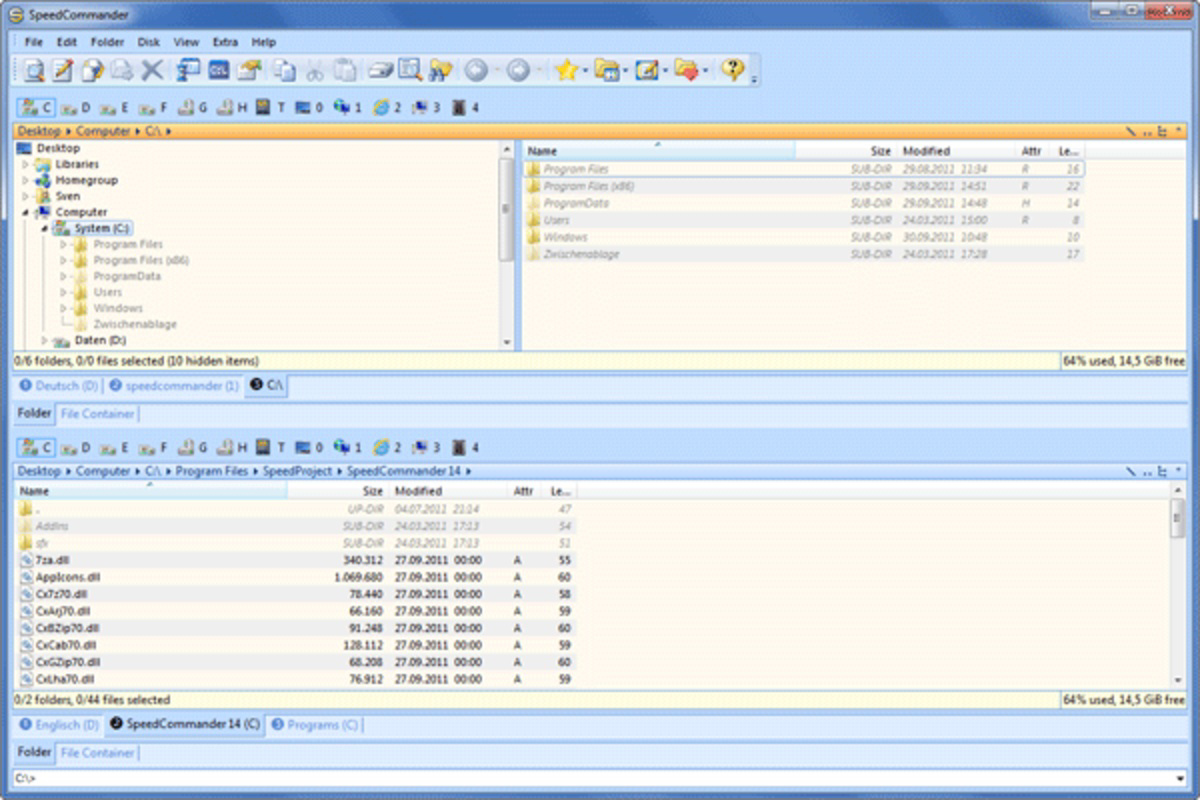
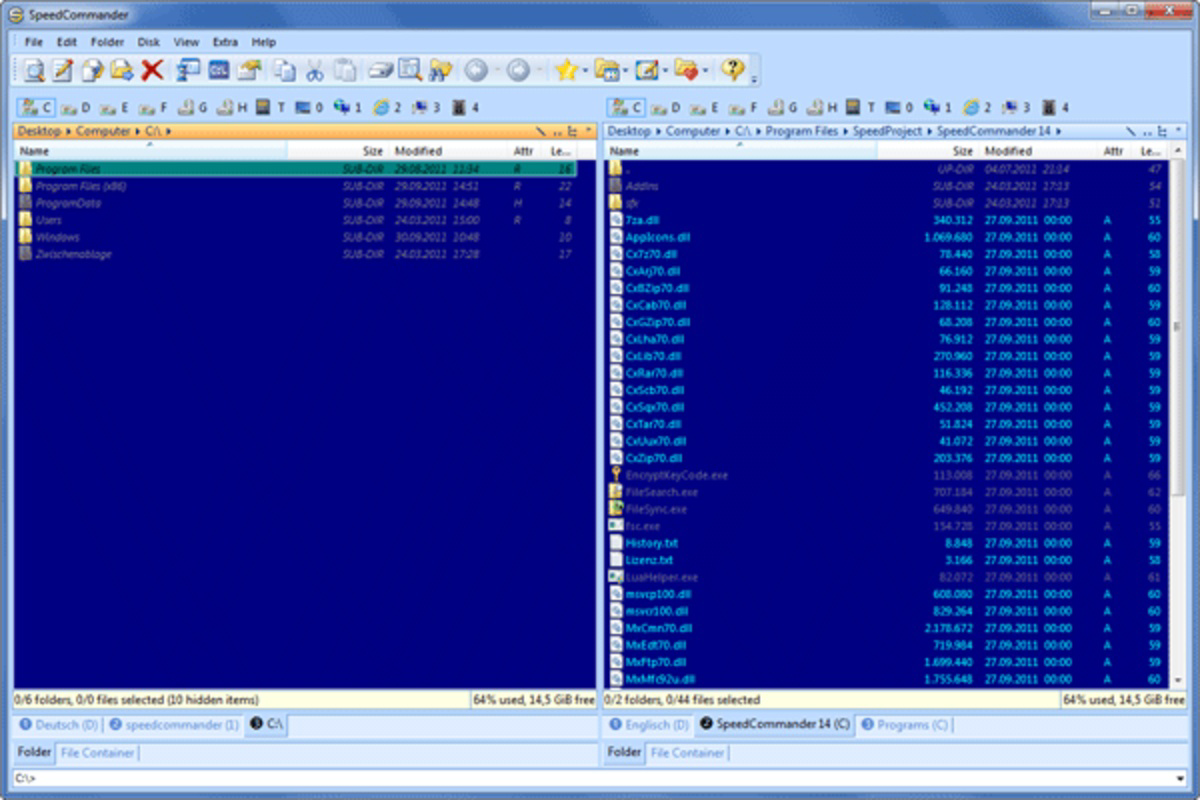
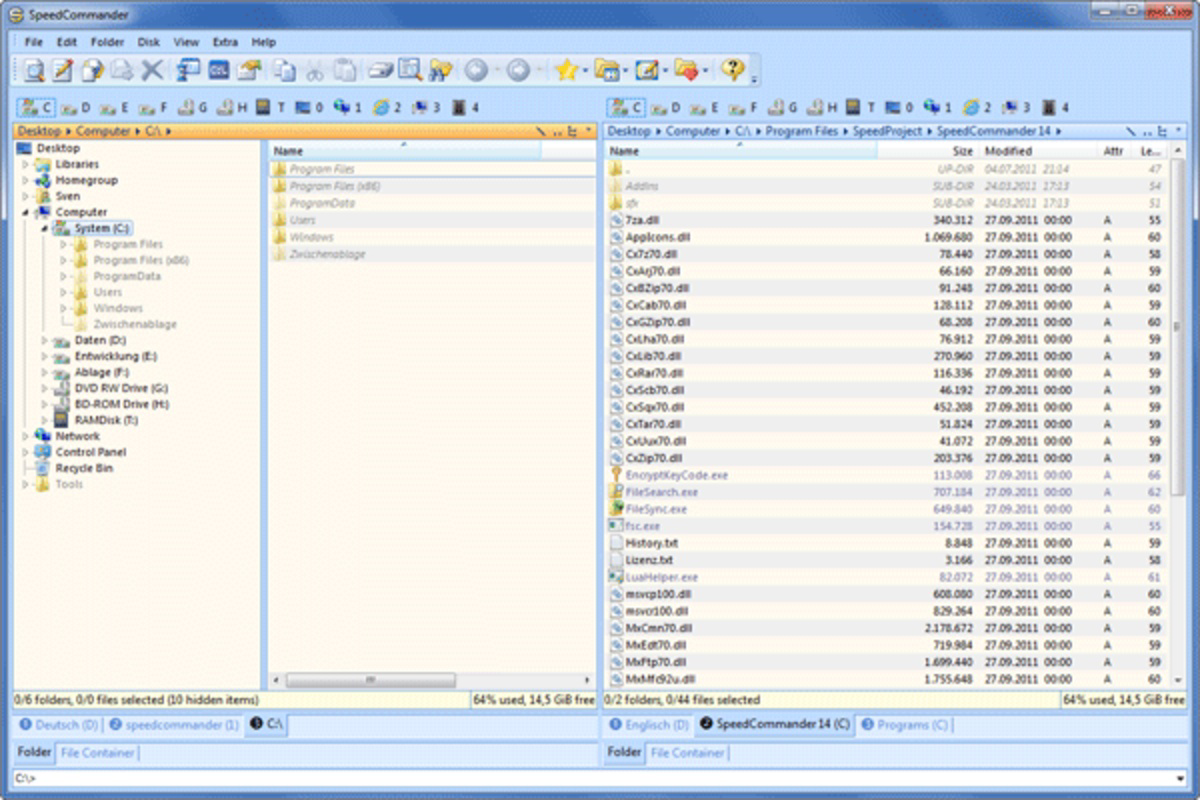
- Dual Folder Display: Allows users to view two directories side by side, enabling seamless file copying, moving, and comparison. Ideal for organizing large projects or synchronizing folders across drives.
- Web Browsing Support: Built-in web browser integration lets users access online storage services directly from the application. This feature supports downloading and uploading files without switching to a separate browser or app.
- Direct System Access: Quick navigation to critical system directories via dropdown menus reduces time spent on file path traversal. This is especially beneficial for users managing system configurations or troubleshooting.
- Favorites for Quick Access: Users can bookmark frequently used folders, allowing instant access without navigating through deep directory structures. This enhances productivity during repetitive tasks.
For example, a graphic designer can use the dual folder view to compare asset versions side by side, while simultaneously downloading new templates from a cloud service. A system administrator might use direct access to quickly navigate to system folders for configuration edits, while saving commonly used directories as favorites for future use. These features collectively reduce workflow interruptions and support a more focused, efficient experience.
Interface, UX & Performance
SpeedCommander features a clean, dual-pane interface that prioritizes usability and visual clarity. The layout is structured to support multitasking, with intuitive controls and well-organized menus. Navigation is consistent, with logical grouping of functions such as file operations, system access, and web integration. The application’s responsiveness is evident in its smooth transitions between folders and quick loading times, even when handling large file sets.
Although the developer did not list formal performance metrics, the interface remains stable during prolonged use. Users report minimal lag during file transfers and efficient handling of simultaneous operations. The application is optimized for desktop environments and performs reliably across various Windows hardware configurations. The visual design is minimalistic yet functional, avoiding clutter while maintaining accessibility. Menus and icons are clearly labeled, and keyboard shortcuts are available for advanced users seeking faster navigation. Overall, the user experience is polished and focused on productivity, with a strong emphasis on reducing friction in file management tasks.
Platform Compatibility & Technical Requirements
SpeedCommander is designed exclusively for the Windows operating system. It is compatible with modern Windows versions, though specific minimum requirements were not listed by the developer. The application has a file size of 24.3 MB, making it lightweight and suitable for installation on systems with limited storage. The latest version, 2025.1.0, was released on February 26, 2025. Users can download and install the application directly from the official source.
Compatibility information was not fully disclosed, so users should verify their system’s Windows version and architecture before installation. The developer did not specify whether the app supports older Windows editions or runs in compatibility mode. For optimal performance, it is recommended to use the latest stable release on supported Windows platforms. The application does not appear to require additional software or runtime dependencies, which simplifies deployment.
Pros and Cons
Pros
- Efficient dual-folder interface for fast file transfers and comparisons
- Integrated web browsing for direct access to online file services
- Quick access to system directories via dropdown menus
- Customizable favorites for frequent folder shortcuts
- Lightweight size (24.3 MB) with stable performance
Cons
- Not available for mobile platforms such as Android or iOS
- Price point of $49.95 may be high for casual users
- Developer did not provide detailed system requirements
- No visible support for cloud sync or automatic backups
- Interface may require a learning curve for absolute beginners
FAQ
Is SpeedCommander available for Android or iOS?
SpeedCommander is currently designed exclusively for Windows and is not available on Android or iOS platforms.
Can I use SpeedCommander to access cloud storage services?
Yes, SpeedCommander includes built-in web browsing support that allows users to access online file services directly from the application.
Is the application secure to download and install?
SpeedCommander is developed by SpeedCommander GmbH and distributed through official channels. It is recommended to download the application only from trusted sources to ensure security.
Does SpeedCommander support automatic backups?
The developer did not provide information on automated backup features. Users should manage backups manually or through third-party tools.
How often is SpeedCommander updated?
The latest version, 2025.1.0, was released on February 26, 2025. Regular updates are expected to maintain compatibility and security.
Final Thoughts
SpeedCommander stands out as a robust and efficient file manager for Windows users who demand more than the default file explorer offers. Its dual folder layout, web integration, and customizable favorites make it a powerful tool for managing complex file workflows. While the price may be a barrier for casual users, professionals and power users will find significant value in its performance and functionality. The application delivers a streamlined, secure, and productive experience, especially in environments where file organization and access speed are critical.
For anyone seeking a reliable, feature-rich file management solution on Windows, SpeedCommander is a top-tier choice. Download SpeedCommander now.
Guides & Tutorials
How to install SpeedCommander
- Click the Download button above.
- Once redirected, accept the terms and click Install.
- Wait for the SpeedCommander download to finish on your device.
How to use SpeedCommander
This software is primarily used for its core features described above. Open the app after installation to explore its capabilities.
User Reviews
No reviews yet. Be the first to share your experience.
You may also like
more
Que no te pillen¡
About !Que no te pillen¡Reviewed by Jason A. BilbreyShow MoreShow Less

3D Combat Zone
About 3D Combat ZoneOriginally released in 1983, 3D Combat Zone immerses players...

666: El día del portal
About 666: El día del portalOn June 6, 2006, Agent P. Stone uncovers a sinister...

80 in 1 Best Flash games
About 80 in 1 Best Flash games 80 in 1 Best Flash games is a collection of 80 fl...

ABYSS SEEKERーーWhat Do You See Deep in The Abyss
About ABYSS SEEKERーーWhat Do You See Deep in The AbyssIn ABYSS SEEKER, players...

ACA NEOGEO THE KING OF FIGHTERS 2002 for Windows
About ACA NEOGEO THE KING OF FIGHTERS 2002 for WindowsTHE KING OF FIGHTERS 2002,...
