
Download SpendTracker – expense tracker, budget planner, financial management, money tracker, personal finance app, spend tracker
Overview
SpendTracker is a dedicated Android application designed to simplify expense tracking and personal financial management. The app enables users to record, categorize, and analyze daily spending with minimal effort. It serves individuals seeking greater control over their finances, particularly those who want to monitor budgets, visualize spending patterns, and work toward financial goals. The target audience includes budget-conscious consumers, young professionals, and anyone aiming to gain clarity on their financial habits.
With features such as customizable categories, multi-account support, and graphical insights, SpendTracker helps users stay organized and informed. Real-world usage scenarios include tracking monthly grocery expenses, monitoring credit card spending, setting savings goals, and identifying recurring costs. The app streamlines the process of managing personal finances by centralizing data in one accessible interface. While the developer is identified as the SpendTracker Team, no additional information about the company or its background is available. The app is designed for mobile use, offering on-the-go financial tracking tailored to modern lifestyles.
Key Features & Capabilities
- Expense Tracking: Users can log expenses quickly with minimal input, enabling consistent data entry without friction.
- Visual Insights with Graphs: Dynamic charts provide a visual representation of spending trends over time, helping users identify patterns and make informed financial decisions.
- Customizable Categories and Subcategories: The app allows users to define their own expense categories and subcategories for precise financial categorization and analysis.
- Multi-Account Management: Users can track multiple financial accounts, including bank accounts, credit cards, and savings, all within a single interface.
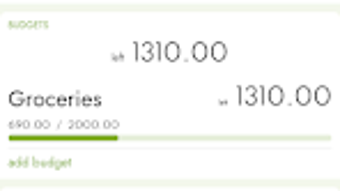
- Budget and Goal Tracking: Users can set spending limits and receive notifications when approaching or exceeding budget thresholds, supporting proactive financial planning.
These features support real-life financial workflows such as monthly budgeting, saving for a vacation, or reducing discretionary spending. By organizing data and providing actionable insights, SpendTracker helps users maintain long-term financial discipline and transparency.
User Interface, Workflow & Performance
The user interface of SpendTracker is designed for simplicity and intuitive navigation, aligning with standard Android app patterns. Core functions such as logging expenses, viewing graphs, and managing accounts are accessible through a clean, menu-driven layout. The workflow prioritizes speed and ease of use, allowing users to record transactions in just a few taps.
Navigation is consistent across screens, with clear labeling and logical grouping of features. The app’s performance is expected to be efficient for an Android-based utility, though exact resource usage details were not specified. The developer did not provide performance benchmarks or CPU/RAM behavior data. Stability is assumed to be adequate for a lightweight finance tool, but real-world reliability may vary depending on device configuration and usage frequency.
Compatibility & System Requirements
SpendTracker is designed for Android operating systems. The current version is 3.2.1, with an installation size of 28.4 MB. This indicates a lightweight footprint, suitable for devices with moderate storage capacity. The app is optimized for mobile environments, ensuring smooth operation on smartphones and tablets.
Exact system requirements were not listed, including minimum Android version, RAM, or processor specifications. Compatibility information is limited to the platform (Android), and no details about supported device types or hardware capabilities were provided. Users should verify compatibility with their specific device through the Google Play Store.
Pros and Cons
Pros
- Free to download and use with no upfront cost.
- Lightweight installation size (28.4 MB).
- Intuitive interface designed for easy navigation and quick expense logging.
- Supports multiple accounts and customizable categories for detailed financial tracking.
- Includes visual graphs and budget alerts to enhance financial awareness.
Cons
- Available only on Android; no support for iOS or desktop platforms.
- Exact system requirements and performance data were not specified.
- Limited information on data security and privacy practices.
- Functionality is restricted to mobile use, which may not suit users preferring desktop workflows.
- Updates and long-term development plans are not publicly detailed.
FAQ Section
Is SpendTracker available for iOS devices?
SpendTracker is currently designed exclusively for Android. There is no official version available for iOS or other mobile platforms.
Is the app secure? Does it store my financial data safely?
The app’s data security and privacy policies were not disclosed in the provided information. Users should review the app’s permissions and privacy settings within the Android system.
How often are updates released for SpendTracker?
Update frequency is not specified. The latest version available is 3.2.1, released on April 10, 2024.
Can I use SpendTracker offline?
While offline functionality is not explicitly mentioned, many similar expense tracking apps support offline data entry. Users may be able to log expenses without an internet connection, though syncing may require connectivity.
What kind of license does SpendTracker have?
SpendTracker is offered as a free application. No premium subscription or in-app purchase details were provided.
Final Thoughts
SpendTracker delivers a streamlined, accessible solution for individuals seeking to manage their personal finances on Android. Its combination of intuitive design, multi-account support, and visual analytics makes it a strong choice for users focused on budgeting and expense tracking. While platform limitations and lack of detailed system requirements are notable, the app’s lightweight nature and free access enhance its appeal.
It is particularly beneficial for Android users who want a no-frills, effective tool to monitor spending, set goals, and gain financial clarity. For those committed to improving financial habits, SpendTracker offers a practical starting point.
Download SpendTracker now




.png)



