
Download Splend – AI Generative Art Creator, Free Trial, Community Hub
Intro & Overview
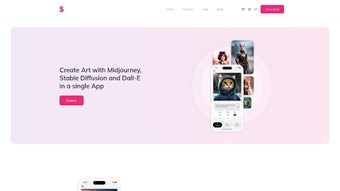
Splend AI is a web‑based generative‑art platform that brings together the three most popular AI engines—Midjourney, Stable Diffusion, and DALL·E—into a single, easy‑to‑use dashboard. By typing a natural‑language prompt, creators can instantly produce portraits, landscapes, abstract concepts, and more, without writing code or installing heavyweight software. The service runs entirely in the browser, which means there is no need for a powerful GPU, no downloads, and full cross‑platform compatibility on Windows, macOS, Linux, Android, and iOS. Beyond the core creation tools, Splend offers a vibrant community hub where users can publish their artwork, comment on others’ pieces, remix prompts, and build personal portfolios that link directly to social media. The platform is subscription‑based but includes a generous free‑trial credit pool, allowing new users to test the full feature set before committing. Security is baked in: all uploads are encrypted, data is stored in GDPR‑compliant servers, and the service respects “Do Not Track” preferences. Whether you are a hobbyist looking for a playful way to explore AI, a professional designer needing rapid concept sketches, or an educator introducing students to cutting‑edge creative tech, Splend AI delivers a low‑friction, continuously updated environment that encourages experimentation and community interaction.
Features, Benefits & Drawbacks
- Multi‑engine integration: Access Midjourney, Stable Diffusion, and DALL·E from a single dashboard.
- Natural‑language prompt generation: Create detailed artwork by describing your vision in plain English.
- Extensive style library: Choose from pre‑defined artistic styles (cyberpunk, impressionist, low‑poly) or craft a custom style profile.
- Real‑time preview: Watch the AI render your image progressively, allowing instant adjustments.
- Community gallery: Publish creations, explore trending works, and receive feedback from fellow artists.
- Profile & portfolio builder: Assemble a personal showcase that can be linked to social media or professional portfolios.
- Prompt sharing & remixing: Duplicate, edit, and remix prompts shared by others, fostering collaborative creativity.
- Secure cloud storage: All generated images are saved to an encrypted account, accessible from any device.
- Subscription flexibility: Free trial with limited credits, then tiered plans for hobbyists, professionals, and enterprises.
- Regular updates: New models, style packs, and community challenges are added monthly.
Pros
- Zero installation – works in any modern browser.
- Broad artistic range thanks to three leading AI engines.
- Active community that inspires and offers constructive critique.
- Cross‑platform compatibility; works on Windows, macOS, Linux, Android, and iOS.
- Transparent pricing with a generous free‑trial credit pool.
Cons
- Subscription cost may be a barrier for occasional users.
- Advanced users might miss deeper parameter controls found in desktop tools.
- Dependence on internet connectivity; offline work is not possible.
- Some premium style packs are locked behind higher‑tier plans.
- Image resolution limits for basic accounts (up to 1024 px).
Installation, Usage & Compatibility
Getting started with Splend AI is intentionally straightforward, eliminating the steep learning curve typical of traditional generative‑art software. Follow these steps to launch your first masterpiece:
- Create an account. Visit splend.ai, click “Sign Up,” and verify your email. You can register with an email address or use Google/Facebook SSO.
- Activate the free trial. Upon registration you receive 20 free credits—enough for 20 image generations—without entering payment details.
- Explore the dashboard. The home screen features a central prompt box, a style selector on the left, and a real‑time preview pane on the right. Tooltips appear on hover to explain each control.
- Enter a prompt. Type a description such as “A serene sunrise over a misty forest in the style of Studio Ghibli.” Choose a style or let the AI auto‑select.
- Generate. Click “Create.” Within seconds a low‑resolution sketch appears, sharpening as the model refines the image.
- Fine‑tune. Adjust sliders for color saturation, lighting, or composition. Regenerate with a modified prompt without spending an extra credit during the trial period.
- Save & share. Download the high‑resolution PNG or publish to the community gallery with tags and a description.
- Upgrade if needed. When credits run out, select a subscription tier. Payments are processed securely via Stripe, and you can cancel anytime.
Because Splend AI is entirely cloud‑based, it runs on any device that supports a modern browser with WebGL and JavaScript—Chrome, Firefox, Safari, or Edge on Windows 10/11, macOS Ventura, Linux distributions, Android 9+, or iOS 14+. No additional plugins, drivers, or local storage are required. The only technical requirement is a stable internet connection (minimum 5 Mbps recommended). All data is encrypted in transit and at rest, and images are stored in GDPR‑compliant EU data centers, ensuring both performance and privacy across platforms.
Frequently Asked Questions
Can I use Splend AI without a credit card?
Yes. Splend offers a free‑trial package that provides 20 credits upon account verification. No payment information is required to start generating images. A credit card is only needed if you choose to upgrade after the trial.
How does Splend handle copyright for generated artwork?
All images created with Splend AI belong to the user who generated them. The platform grants you full commercial rights, allowing you to sell, license, or modify the artwork without additional fees, provided you follow the underlying AI model’s usage policies.
What resolution can I export?
Free‑tier users can download images up to 1024 × 1024 px. Paid subscribers unlock higher resolutions—up to 2048 × 2048 px for the Pro plan and 4096 × 4096 px for the Enterprise plan. All exports are in lossless PNG format.
Is there an offline mode?
Because Splend relies on cloud‑hosted AI models, an internet connection is required for generation. Once an image is downloaded, you can work with it offline using any image‑editing software.
Can I integrate Splend AI into my own website or app?
Splend offers an API for developers on the Business plan. The API lets you embed prompt‑generation capabilities into custom workflows, SaaS products, or educational platforms. Documentation and sandbox keys are available in the developer portal after subscribing.
Conclusion & Call to Action
Splend AI consolidates the most powerful generative‑art engines into a single, browser‑based application that caters to creators of every skill level. Its intuitive prompt system, extensive style library, and thriving community make it more than just a tool—it becomes a creative playground where ideas can be visualized instantly and shared globally. While the subscription cost may deter occasional hobbyists, the free trial and tiered pricing provide enough flexibility to test the platform before committing. Whether you’re designing concept art for a game, producing unique marketing visuals, or simply exploring AI as a new artistic medium, Splend equips you with the resources to produce professional‑grade results without the overhead of traditional software. Ready to transform your imagination into high‑impact artwork? Start your free trial today and join thousands of artists shaping the future of AI‑driven creativity.
Splend AI delivers a seamless, browser‑based experience that democratizes access to top‑tier generative models. The community features add a social dimension rarely seen in AI art platforms, and the regular updates keep the tool fresh. Its main drawback is the subscription pricing, which could be a hurdle for occasional users, but the value provided justifies the cost for serious creators.


.png)




