
Download SplitMySong – AI Music Mixing & Separation Tool
Overview
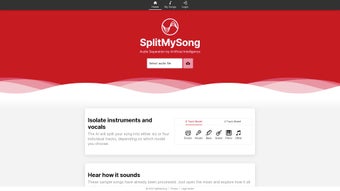
SplitMySong.com is an AI‑driven web application that brings professional‑grade music mixing and audio‑track separation to anyone with an internet connection. Powered by deep‑learning models, the service can isolate vocals, drums, bass, guitar, piano, and many other instrument stems from a single audio file. The interface is intentionally minimalistic: drag‑and‑drop your track, choose the stems you want to extract, and let the AI do the heavy lifting. Once the processing finishes, you can fine‑tune each stem’s volume, pan, tempo, and pitch before exporting the final mix in your preferred format (MP3, OGG, FLAC, WAV, or AIFF). The free tier lets users experiment with two uploads per day, but each upload is limited to a 15‑second snippet—perfect for testing the quality of the separation algorithm. For creators who need full‑length song splitting, a Patreon subscription unlocks unlimited uploads, longer processing times, and priority queue handling. Privacy is a core design principle: every uploaded file is automatically deleted from the servers after 24 hours, ensuring that your creative material never lingers online. Additionally, SplitMySong can be installed as a progressive web app (PWA), giving mobile users a native‑like experience without the need for a separate App Store download. Whether you’re a producer looking to remix a classic hit, a vocalist needing a clean backing track, or a hobbyist curious about the inner layers of your favorite songs, SplitMySong provides a secure, fast, and user‑friendly solution.
Key Features
- AI‑Powered Stem Extraction: Separate vocals, drums, bass, guitar, piano, and other instruments with high accuracy.
- Multi‑Format Support: Import and export MP3, OGG, FLAC, WAV, and AIFF files up to 200 MB.
- Custom Mix Controls: Adjust volume, panning, tempo, and pitch for each isolated track.
- Progressive Web App (PWA): Install on Android or iOS for offline access and push notifications.
- Privacy‑First Architecture: All uploaded files are automatically erased after 24 hours.
- Free Tier with Daily Limits: Two uploads per day, 15‑second snippets for quick testing.
- Patreon Subscription Benefits: Unlimited uploads, full‑song processing, priority queue, and early access to new AI models.
- Responsive Design: Works on desktop browsers, tablets, and smartphones with the same feature set.
- Batch Processing (Patron Only): Upload multiple songs at once and receive a zip file of all stems.
- Instant Preview: Listen to each stem before finalizing the mix to ensure quality.
Installation & Usage Instructions
Getting started with SplitMySong is intentionally straightforward, allowing users of any skill level to jump straight into music manipulation. Follow these steps for a seamless experience:
- Open Your Browser: SplitMySong runs on any modern browser (Chrome, Firefox, Safari, Edge). No additional plugins or extensions are required.
- Navigate to SplitMySong.com: The homepage presents a clean drag‑and‑drop zone labeled “Upload your track.”
- Upload Your Audio: Click the zone or drag a file (MP3, OGG, FLAC, WAV, or AIFF) into it. The free version will warn you if the file exceeds 15 seconds; the Patreon version removes this limit.
- Select Desired Stems: After the AI finishes processing (typically 30‑60 seconds for a 3‑minute song), a list of available stems appears. Check the boxes for vocals, drums, bass, etc., that you wish to isolate.
- Fine‑Tune Each Stem: Use the sliders beneath each stem to adjust volume, pan (left/right), tempo (speed up or slow down), and pitch (raise or lower the key). Real‑time playback lets you hear changes instantly.
- Choose Export Settings: Pick your output format from the dropdown menu. For highest fidelity, select FLAC or WAV; for smaller file size, choose MP3 or OGG.
- Download Your Mix: Click “Export” and the file will be prepared. A download link appears within seconds, and the file is saved to your device.
- Optional – Install as PWA: On mobile, tap the browser’s “Add to Home Screen” button. This creates an app‑like icon that opens SplitMySong in a standalone window, giving you quick access without navigating to the website each time.
Troubleshooting tips: If the upload fails, ensure your file size is under 200 MB and the duration does not exceed 20 minutes. Clear browser cache if you experience stale UI elements. For Patreon users, verify that your subscription is active; otherwise, the platform will revert to free‑tier limits.
Compatibility & System Requirements
SplitMySong is a cloud‑based service, which means it works on any operating system that can run a modern web browser. Below is a breakdown of supported environments:
- Desktop: Windows 10/11, macOS 12+ (Monterey, Ventura), Linux distributions with recent Chrome/Firefox/Edge.
- Mobile: Android 8.0+ (Chrome), iOS 13+ (Safari). The progressive web app can be installed on both platforms for an app‑like experience.
- Browser Requirements: JavaScript must be enabled. The service uses WebAssembly for AI inference, so a recent version of Chrome, Firefox, Safari, or Edge is essential.
- Internet Connection: A stable broadband connection (minimum 5 Mbps) is recommended for fast uploads and downloads. Large files (e.g., FLAC) may take longer to transfer.
- Hardware: No special GPU or CPU is needed on the client side because all heavy processing occurs on SplitMySong’s servers.
Because the application runs entirely in the cloud, there are virtually no system‑level dependencies. Users with older browsers may experience slower UI responsiveness, but the core AI separation will still function. For the best experience, keep your browser updated and clear cache regularly.
Pros and Cons
Pros
- High‑quality AI stem separation that rivals desktop DAWs.
- Supports a wide range of audio formats, from lossy MP3 to lossless FLAC.
- Customizable mix controls (volume, pan, tempo, pitch) without needing additional software.
- Privacy‑first design: files are auto‑deleted after 24 hours.
- Progressive web app gives a native feel on mobile devices.
- Free tier available for quick testing and learning.
- Patreon subscription adds full‑song processing and priority queuing.
Cons
- Free version limits uploads to 15‑second snippets, which may frustrate casual users.
- Processing time can be longer for high‑resolution files during peak usage.
- No offline processing; an internet connection is mandatory.
- Advanced features (batch processing, unlimited length) require a paid subscription.
- Limited to audio files under 20 minutes and 200 MB, restricting very long recordings.
Frequently Asked Questions
How does SplitMySong separate vocals from instruments?
SplitMySong uses a deep‑learning model trained on millions of songs. The neural network analyzes the frequency spectrum and temporal patterns to predict which parts belong to vocals versus instrumental tracks, then reconstructs each stem independently.
Is my uploaded music safe and private?
Yes. SplitMySong automatically deletes every uploaded file after 24 hours. No personal data is stored beyond the processing session, and the service complies with GDPR standards.
Can I use SplitMySong on my iPhone or Android tablet?
Absolutely. The web app works in Safari and Chrome on iOS and Android. You can also add it to your home screen as a progressive web app for quicker access.
What happens if my file exceeds the 200 MB limit?
You’ll need to compress the audio or split it into smaller sections before uploading. The free tier will reject files larger than 15 seconds regardless of size.
Do I need to download any software to use SplitMySong?
No installation is required. All processing happens in the cloud. However, you can install the PWA for a more app‑like experience on mobile devices.
Conclusion & Call to Action
SplitMySong fills a noticeable gap in the market by offering AI‑driven music separation directly in the browser. Its combination of high‑quality stem extraction, flexible mix controls, and strong privacy safeguards makes it a compelling choice for producers, DJs, and hobbyists alike. While the free tier’s 15‑second limit may feel restrictive, it serves as an excellent sandbox to evaluate the algorithm’s performance before committing to a Patreon subscription. For anyone looking to remix, practice karaoke, or simply explore the layers of a favorite track, SplitMySong delivers a secure, fast, and user‑friendly experience without the overhead of traditional DAW software.
Ready to unleash your creativity? Download SplitMySong now, try the free snippet, and consider upgrading to the Patreon plan for unlimited, full‑song processing. Transform ordinary songs into personalized mixes in just a few clicks—your next remix is only a browser window away.



.png)




