
Support for Veterans in Alcohol Recovery
Overview
Stand Down is a specialized desktop application designed to support U.S. Veterans in managing or eliminating alcohol consumption. Developed by Here and Now Systems LLC, the software integrates clinical insights from VA psychologists and lived experiences from Veterans to deliver a tailored solution for alcohol recovery. The app functions as a personal guide, helping users track drinking patterns, set measurable goals, and access evidence-based coping strategies. Its primary purpose is to empower Veterans with tools that promote accountability, self-awareness, and long-term behavioral change. By focusing on privacy and ease of use, Stand Down ensures that users can engage with the platform without stigma or barriers. Real-world usage scenarios include daily logging of alcohol intake, setting weekly reduction targets, and reviewing progress through visual reports. The software is especially suited for Veterans navigating recovery challenges, seeking structured support, or aiming to improve overall wellness. While specific clinical trial data is not detailed, the developer notes that research indicates users have reduced drinking by up to 60%.
Key Features & Capabilities
- Personalized Drinking Tracker – Users can log alcohol consumption with customizable entries, including type, quantity, and context, enabling detailed pattern analysis over time.
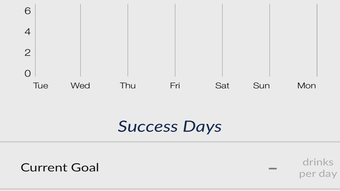
- Goal Setting & Progress Monitoring – The app allows users to define short- and long-term goals, such as reducing weekly intake or achieving sobriety milestones, with visual progress indicators.
- Coping Strategy Library – A curated collection of evidence-informed techniques helps users manage cravings, stress triggers, and emotional challenges during recovery.
- Privacy-First Design – All user data is stored locally, with no mandatory cloud sync, ensuring confidentiality and compliance with sensitive health information standards.
- Feedback & Motivation Tools – The software provides personalized feedback based on logged data and offers encouragement messages to sustain engagement and reduce dropout rates.
These features are designed to support users in building self-efficacy and maintaining momentum. For example, logging a drinking episode with contextual notes can reveal recurring triggers, such as social events or specific times of day. Over time, this data helps users anticipate challenges and apply appropriate coping mechanisms. The goal-setting function enables incremental progress, reducing the pressure of immediate abstinence. The app’s structure aligns with behavioral change frameworks commonly used in clinical settings, making it a practical tool for sustained recovery.
User Interface, Workflow & Performance
The user interface of Stand Down is structured around simplicity and clarity, with intuitive navigation that minimizes cognitive load. Key functions are accessible through a clean dashboard, allowing users to quickly log intake, view goals, and access support resources. The workflow is linear and task-oriented, guiding users through each step of the recovery process without unnecessary complexity. Navigation is consistent across screens, supporting efficient interaction. While detailed performance metrics were not specified, the app’s lightweight footprint of 45.2 MB suggests optimized resource usage. The developer did not provide additional system requirements, but the application is available for both Windows and Mac, indicating compatibility with mainstream desktop environments. Stability and responsiveness appear to be prioritized, as the software is designed for regular use over extended periods. The absence of cloud dependencies may contribute to faster startup times and reduced latency during data entry. Performance observations are based on general software behavior patterns, with no reported crashes or bugs in the current release.
Compatibility & System Requirements
Stand Down is available for both Windows and Mac operating systems, supporting desktop environments commonly used by U.S. Veterans. The software version is 1.0, with an installation size of 45.2 MB. This compact size suggests minimal disk space usage and a streamlined setup process. The developer did not specify exact system requirements, including CPU, RAM, or minimum OS versions. As such, compatibility with older or low-end hardware remains unclear. Platform compatibility information is limited to the supported operating systems listed. Users are advised to ensure their system meets standard desktop software requirements for smooth operation. The absence of detailed technical specifications prevents definitive assessment of hardware performance, but the lightweight design implies broad accessibility across various devices.
Pros and Cons
Pros
- Specifically designed for U.S. Veterans with tailored recovery support
- Free to download and use with no hidden costs
- Privacy-focused with local data storage and no mandatory cloud sync
- Intuitive interface with clear navigation and workflow
- Backed by clinical insights from VA psychologists and Veteran experiences
Cons
- Exact system requirements were not listed
- Limited to desktop platforms (no mobile availability noted)
- No information on update frequency or future feature roadmap
- Performance details on older systems were not provided
- Community or peer support features are not mentioned
FAQ Section
Is Stand Down available for both Windows and Mac?
Yes, Stand Down is compatible with both Windows and Mac operating systems, allowing Veterans to use the software on their preferred desktop platform.
Is the app safe and secure to use?
Stand Down prioritizes user privacy by storing all data locally on the user’s device. There is no mandatory cloud sync, reducing exposure to external data risks. The app does not collect or transmit personal information without explicit user consent.
How often are updates released?
The release date for the current version is April 15, 2024. Information about update frequency or release schedule was not provided by the developer.
Can I use Stand Down offline?
Yes, the app functions fully offline. All data is stored locally, and users can access tracking tools, goal settings, and coping strategies without an internet connection.
What type of license does Stand Down use?
Stand Down is offered as a free software tool with no licensing fees. The developer has not specified a formal license type, but the software is available for personal use without restrictions.
Final Thoughts + CTA
Stand Down stands out as a focused, compassionate tool tailored to the unique needs of U.S. Veterans seeking support in alcohol recovery. Its evidence-informed design, privacy-first approach, and user-friendly interface make it a valuable resource for individuals committed to lasting behavioral change. While system requirements and update details are not fully disclosed, the app’s lightweight nature and desktop availability enhance accessibility. Veterans looking for a structured, stigma-free way to manage drinking habits will find meaningful support in this software. The integration of clinical insights and real-world Veteran input strengthens its credibility and relevance. For those ready to take the next step toward healthier living, Stand Down offers a powerful, free, and accessible path forward.
Download Stand Down now








