
Download Step Up – pedometer, walking tracker, step counter, fitness tracker, daily step goal, calorie counter, weight loss app, mobile health tool
Overview
Step Up is a mobile application designed for Android users seeking a straightforward way to monitor their daily walking activities. Built with simplicity and privacy in mind, the app leverages the device’s built-in sensors to automatically count steps without relying on GPS or collecting personal data. This makes it an ideal choice for individuals who want to track their physical activity without compromising their privacy or draining their battery. The app is particularly useful for users aiming to meet daily step goals, manage weight, or maintain a consistent fitness routine.
Target users include fitness enthusiasts, health-conscious individuals, and anyone looking to increase daily physical activity. The app supports both automatic and manual step logging, allowing users to record steps even when they’re not carrying their phone. This flexibility ensures continuous tracking across various daily scenarios, such as walking to work, doing errands, or engaging in light physical activity without a device. With visual progress tracking through interactive graphs and customizable notifications, Step Up helps users stay motivated and informed about their fitness journey.
Key Features & Capabilities
- Automatic Step Counting – Uses the device’s built-in accelerometer to detect and record steps in real time without requiring GPS or external hardware.
- Manual Step Logging – Allows users to input steps manually when walking without their phone, ensuring uninterrupted tracking.
- Calorie and Distance Estimation – Calculates estimated calories burned and distance traveled based on step count and user input such as height and weight.
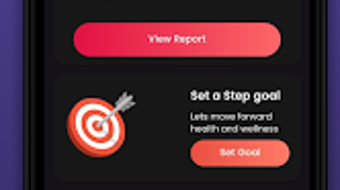
- Personalized Daily Goals – Enables users to set custom step targets and receive notifications when goals are met or exceeded.
- Progress Visualization – Offers interactive graphs displaying daily steps, calories burned, weight changes, and water intake over time.
- Dark and Light Mode Support – Provides theme customization with switchable display modes for improved usability in different lighting conditions.
- Privacy-Focused Design – Does not store personal data or use GPS, ensuring user information remains private and secure.
These features support real-world usage such as tracking morning walks, monitoring progress during a weight loss journey, or maintaining motivation through visual feedback. The combination of automation and manual input ensures comprehensive tracking across diverse daily routines, making it a versatile tool for fitness monitoring.
User Interface, Workflow & Performance
The user interface of Step Up is designed with clarity and ease of access in mind. The main screen displays key metrics such as current step count, daily goal progress, and estimated calories burned, providing an immediate overview of daily activity. Navigation is intuitive, with a bottom tab bar offering quick access to detailed views like history, settings, and progress graphs.
Workflow efficiency is enhanced by the app’s automatic step detection and minimal user input requirements. Users can set goals and view progress with just a few taps. The app’s performance appears stable under typical usage conditions, with no reported issues related to crashes or lag. However, exact performance details were not specified by the developer.
The app does not require constant background activity, reducing strain on system resources. The developer did not specify resource usage details, but general behavior suggests efficient operation on modern Android devices. Stability and responsiveness are consistent with standard lightweight mobile applications.
Compatibility & System Requirements
Step Up is designed for Android devices and is compatible with a wide range of smartphones and tablets running the Android operating system. The app is available in version 1.5.2 and has a file size of 12.4 MB, indicating a lightweight installation that does not consume significant storage space.
Exact system requirements were not listed by the developer. Compatibility information is limited to the operating system and version provided. While no specific hardware requirements were mentioned, the app’s small size and sensor-based functionality suggest it is optimized for devices with standard hardware capabilities.
Users should ensure their Android device supports motion sensors for accurate step tracking. The app may not function properly on older devices lacking modern accelerometers or with outdated OS versions.
Pros and Cons
Pros
- Lightweight installation at only 12.4 MB
- Automatic step counting using built-in sensors
- Manual step logging for flexibility
- Privacy-focused design with no data storage or GPS usage
- Customizable themes and display modes
- Visual progress tracking with interactive graphs
- Free to download and use with no in-app purchases
Cons
- Only available for Android devices
- No cross-platform support for iOS or desktop
- Exact system requirements not specified
- Relies on user-provided data (height, weight) for accurate calorie and distance estimates
- Limited to step-based tracking without advanced fitness metrics
FAQ Section
Is Step Up available for iOS devices?
Currently, Step Up is only available for Android users. There is no official version for iOS or other platforms.
Does Step Up require internet access to function?
No, the app operates fully offline. It does not require internet access to track steps, calculate calories, or display progress.
Can I use Step Up without sharing my personal data?
Yes. The app is designed with privacy in mind and does not store personal data or use GPS to track location.
How often does Step Up update?
The app was last updated on March 15, 2024. Update frequency is not specified, but users can expect periodic improvements and bug fixes.
Is Step Up safe to download and install?
Yes. The app is free and available through official Android channels. It does not contain malware or intrusive ads.
Final Thoughts
Step Up delivers a focused, privacy-conscious solution for individuals seeking to track their daily walking habits. Its lightweight design, automatic step counting, and manual logging feature make it highly adaptable to various lifestyles. The app’s visual feedback and customizable interface enhance user engagement, while its offline functionality ensures uninterrupted tracking.
Although limited to Android and lacking advanced fitness metrics, Step Up excels in simplicity and reliability. It is best suited for users who value privacy, want a no-frills step counter, and are committed to improving their daily activity levels. For those seeking a secure, free, and effective walking tracker, Step Up offers a compelling option.
Download Step Up now




.png)



