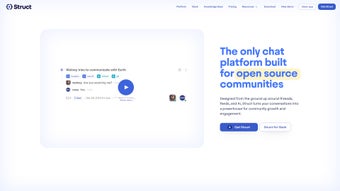

Download StructAI – AI‑Powered Team Chat, Semantic Search & Free Collaboration Tool
Overview
StructAI is a cutting‑edge, web‑based chat platform built to streamline team communication and boost collaborative productivity. By harnessing generative AI, the service automatically crafts concise titles, summary snippets, and resolution statuses for each conversation, allowing team members to capture the essence of a discussion without scrolling through endless message threads. The platform’s standout Vector Search blends traditional full‑text lookup with powerful vector embeddings, delivering semantic search results that surface relevant information in a fraction of the time required by conventional tools. In addition, every chat thread is transformed into an SEO‑optimized knowledge page, making internal documentation instantly searchable both inside and outside the organization. While a free tier is available for public channels, paid plans unlock private workspaces, advanced analytics, and upcoming features such as a conversational AI assistant that can answer questions, schedule meetings, and even draft follow‑up emails on the fly. Whether you’re a startup looking for a no‑cost solution or an enterprise seeking AI‑enhanced collaboration, StructAI provides a secure, cloud‑hosted environment that scales with your team’s needs.
Key Features of StructAI
- AI‑Generated Conversation Summaries: Instantly creates clear titles, bullet‑point summaries, and resolution tags for every chat, reducing the time spent hunting for context.
- Vector Search Engine: Combines full‑text search with vector embeddings to deliver semantic results, allowing users to find related ideas, code snippets, or decisions even when exact keywords differ.
- SEO‑Optimized Knowledge Pages: Each discussion is exported as a searchable knowledge article, complete with meta tags and structured data, improving internal discoverability and external brand presence.
- Conversational AI Interface (Upcoming): Planned chatbot that can answer queries, summarize meetings, and automate routine tasks directly within the chat window.
- Public & Private Channels: Free public channels for open community discussions; paid private channels for secure, organization‑wide collaboration.
- Real‑Time Collaboration Tools: Inline file sharing, task assignment, and reaction emojis keep the workflow fluid and transparent.
- Secure Cloud Architecture: End‑to‑end encryption, GDPR compliance, and regular security audits safeguard sensitive team data.
- Cross‑Platform Accessibility: Accessible via modern browsers on Windows, macOS, Linux, Android, and iOS without the need for a native client.
- Flexible Pricing Plans: Tiered pricing that scales from a free tier for small teams to enterprise packages with SSO, admin controls, and dedicated support.
Installation, Setup, and Daily Usage
Getting started with StructAI is intentionally frictionless. Since the platform is fully web‑based, there is no traditional “installation” process required for desktop users. Simply navigate to structai.com, click the “Sign Up” button, and choose between a free public channel account or a paid private workspace. The registration flow asks for a name, work email, and a secure password; single‑sign‑on (SSO) options such as Google Workspace, Microsoft Azure AD, and Okta are available for paid plans.
Once logged in, the onboarding wizard guides you through three essential steps: (1) create your first channel, (2) invite teammates via email or share an invite link, and (3) configure AI preferences. AI preferences let you toggle automatic summarization, set the frequency of title generation, and define the level of detail for resolution tags. For teams that handle sensitive data, you can enable “Enterprise‑Mode,” which encrypts all AI‑generated content at rest.
Daily usage mirrors familiar chat apps. The left sidebar displays all channels, while the central pane shows the active conversation. As messages flow, StructAI’s background AI engine continuously analyzes the text, updating the conversation title in real time and appending a concise summary block at the bottom of the thread. Users can click the “Search” icon to launch the Vector Search interface, entering natural language queries like “What was the decision on the Q3 marketing budget?” The engine returns relevant messages, related threads, and associated knowledge pages, complete with confidence scores.
To create a knowledge page, simply click the “Export” button at the top of any channel. The page is automatically formatted with headings, bullet points, and SEO meta tags, then published to a private knowledge base accessible via a unique URL. Team members can embed these pages in internal wikis or share them externally without exposing raw chat logs. The platform also supports webhook integrations, allowing you to push notifications to Slack, Microsoft Teams, or custom dashboards whenever a new AI summary is generated.
For mobile users, the responsive web UI adapts seamlessly to Android and iOS browsers. The same AI features—including real‑time summarization and vector search—are available on the go, ensuring that remote or field‑based employees stay aligned with the latest project context.
Compatibility, Pros, Cons, and Pricing
StructAI is a cloud‑native SaaS solution that runs in any modern web browser, making it compatible with Windows 10/11, macOS Ventura and later, Linux distributions (Ubuntu, Fedora, etc.), as well as mobile browsers on Android 9+ and iOS 13+. Because no native client is required, updates are rolled out automatically on the server side, guaranteeing that every user always works with the latest AI models and security patches without manual downloads.
Pros
- AI‑driven summaries and titles cut meeting‑recap time by up to 70%.
- Vector Search delivers semantic results that traditional keyword search misses.
- Free tier available for public channels, ideal for open‑source communities.
- SEO‑optimized knowledge pages improve internal discoverability and external brand visibility.
- Cross‑platform web access eliminates the need for device‑specific installations.
- End‑to‑end encryption and GDPR compliance protect sensitive information.
- Scalable pricing model fits startups to large enterprises.
Cons
- Advanced AI features (e.g., conversational assistant) are currently in beta and may have occasional inaccuracies.
- Reliance on internet connectivity; offline access is not yet supported.
- Free public channels are visible to anyone with the link, which may not suit confidential discussions.
- Custom branding and deep admin controls are limited to higher‑tier plans.
- Search performance can vary with extremely large datasets unless proper indexing is configured.
Pricing Overview
- Free Plan: Unlimited public channels, AI summarization, vector search, and knowledge page export. Limited to 5,000 messages per month.
- Starter ($12/user/month): Private channels, increased message limits, basic admin console, and priority email support.
- Business ($25/user/month): SSO integration, advanced analytics, custom branding, and access to the beta conversational AI.
- Enterprise (Custom pricing): Dedicated account manager, on‑premise deployment option, SLA‑backed uptime, and full API access.
Frequently Asked Questions
Is StructAI truly free for public channels?
Yes. The free tier allows unlimited public channels, AI‑generated summaries, vector search, and knowledge page exports. The only limitation is a monthly message cap of 5,000, which is sufficient for most community‑driven projects.
How does Vector Search differ from regular keyword search?
Vector Search converts each message into a high‑dimensional embedding that captures semantic meaning. When you type a query, the engine finds messages with similar embeddings, returning results that match intent rather than exact words, making it ideal for locating concepts, code snippets, or decisions expressed in different phrasing.
Can I integrate StructAI with existing project management tools?
Absolutely. StructAI provides webhook endpoints and a RESTful API that can push AI‑generated summaries, task assignments, and resolution statuses to tools like Jira, Asana, Trello, and Monday.com. Native integrations for popular platforms are also on the roadmap.
Is my data encrypted during transmission and storage?
Yes. All data in transit uses TLS 1.3 encryption, and at rest StructAI encrypts content with AES‑256. For enterprise customers, an optional customer‑managed key (CMK) feature provides full control over encryption keys.
When will the conversational AI assistant be generally available?
The conversational AI is currently in beta and expected to reach general availability in Q2 2026. Early adopters on Business and Enterprise plans can request access via the “Beta Programs” portal.
Conclusion & Call to Action
StructAI stands out in a crowded collaboration market by marrying powerful generative AI with an intuitive, browser‑based chat experience. Its ability to auto‑generate conversation titles, concise summaries, and resolution tags transforms chaotic message streams into clear, searchable knowledge assets. The Vector Search engine adds a layer of semantic intelligence that traditional chat tools simply cannot match, making it easier for teams to locate decisions, code snippets, or project milestones without endless scrolling.
For organizations that prioritize security, scalability, and SEO‑friendly documentation, StructAI offers a compelling value proposition. The free public tier lets communities experiment without risk, while paid plans unlock private channels, advanced admin controls, and the upcoming conversational AI assistant—features that can dramatically reduce meeting overhead and improve cross‑functional alignment.
Ready to experience AI‑enhanced collaboration? Sign up for a free account today and see how quickly your team can move from “information overload” to “actionable insight.” For larger teams, explore the Starter or Business plans to benefit from private workspaces, SSO, and priority support. With StructAI, the future of team communication is already here—download, join, and let the AI do the heavy lifting for you.
Pros
- AI‑generated summaries save time
- Semantic Vector Search is a game‑changer
- Free public channel option
- Cross‑platform web access
- Secure, GDPR‑compliant architecture
Cons
- Conversational AI still in beta
- No offline mode
- Limited branding on lower tiers



.png)




