-
Azure DevOps Learning path
Sharing a learning path for Azure DevOps for those who are still using features which mean they cannot move to GitHub.
learn.microsoft.com/en-gb/training/paths/evolve-your-devops-practices
-
How to truncate old logs in Debian 12
Problem
Logs filling up a Debian 12 server
Solution
Thanks to some searching I found the command
journalctl --vacuum-size=50MYou can also set to auto trim by updating
/etc/systemd/journald.confwithSystemMaxUse=50M
-
Disable sign in with Google popup
Problem
If you are getting popups from Google when you browse the web like this and want to disable this...

Solution
There are a few things you need to do..
In your Google account settings
To disable the Sign in with Google sign-in prompt on Android, go to your Sign in with Google settings and turn off Google Account sign-in prompt. Visit your browser to disable additional prompts. Learn to disable third-party sign-in prompts in Chrome.
In Google Chrome
Even though you may have disabled the popup in your Google account you also need to set a setting in Chrome by typing this into the address bar
chrome://settings/content/federatedIdentityApi -
GitHub Advanced Security - found means fixed webinar
Sharing a link to my recent webinar I presented.
When it comes to application security, finding vulnerabilities is only half the battle—fixing them is where the real impact lies. In this short video, I share how GitHub Advanced Security is redefining application security with AI-powered tools like Copilot Autofix and Security Campaigns.
These innovations don’t just identify issues; they empower teams to remediate faster, reduce security debt, and foster true collaboration between developers and security teams.
From stopping secrets from being exposed to real-time vulnerability fixes, it’s all about embedding security directly into the developer workflow. Watch to discover how adopting the ‘Found means fixed’ mindset can transform your security posture AND accelerate development.
Watch the 📽️ video
-
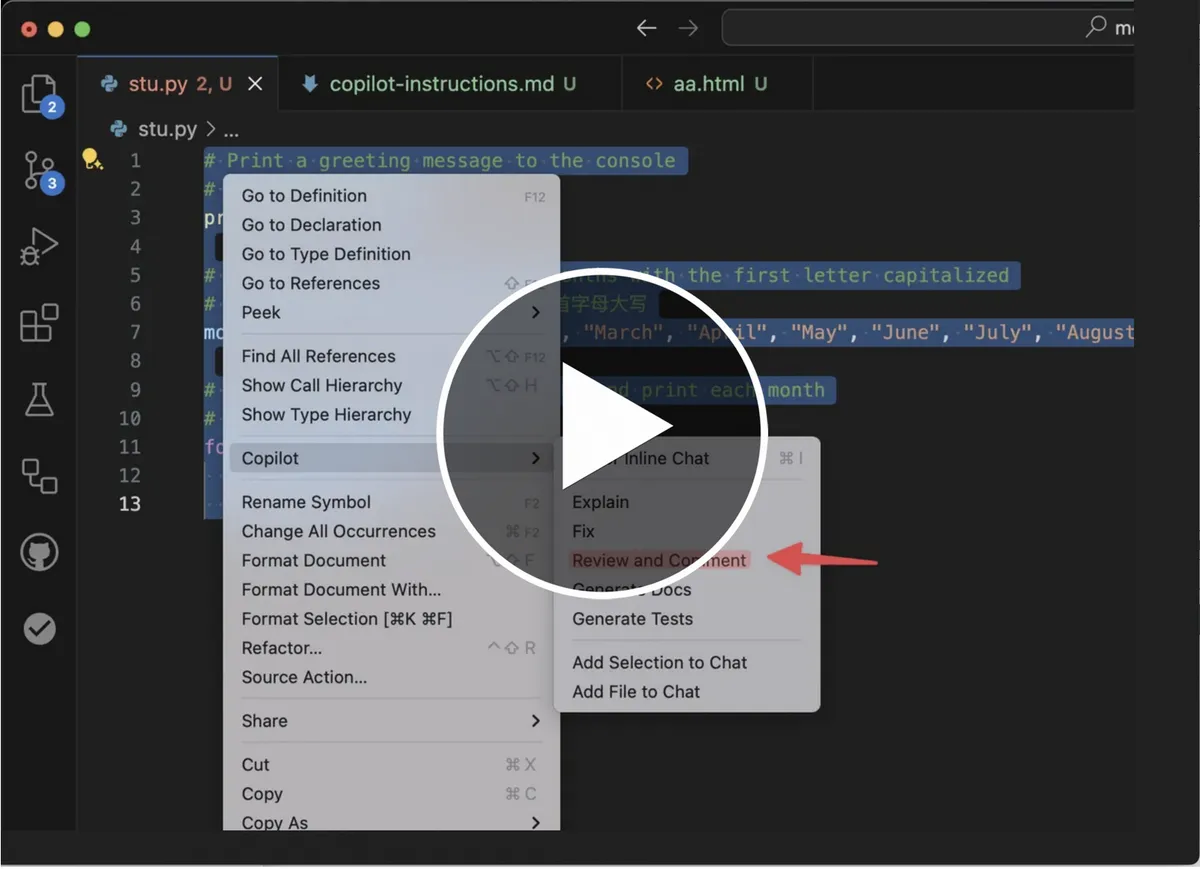
AI Code reviews in VS Code with Copilot Code Review
At GitHub Universe we shared so many ways GenAI can help developers ship, secure and write code faster.
One things we demonstrated was code reviews with custom code guidelines in Visual Studio Code (VS Code)
Quick demo below...
-
Missing the Copilot icon in VS Code
Today I found the Copilot icon missing from the top of my VSCode
In case it helps someone else you need to update the
window.commandcentersetting in VS Code..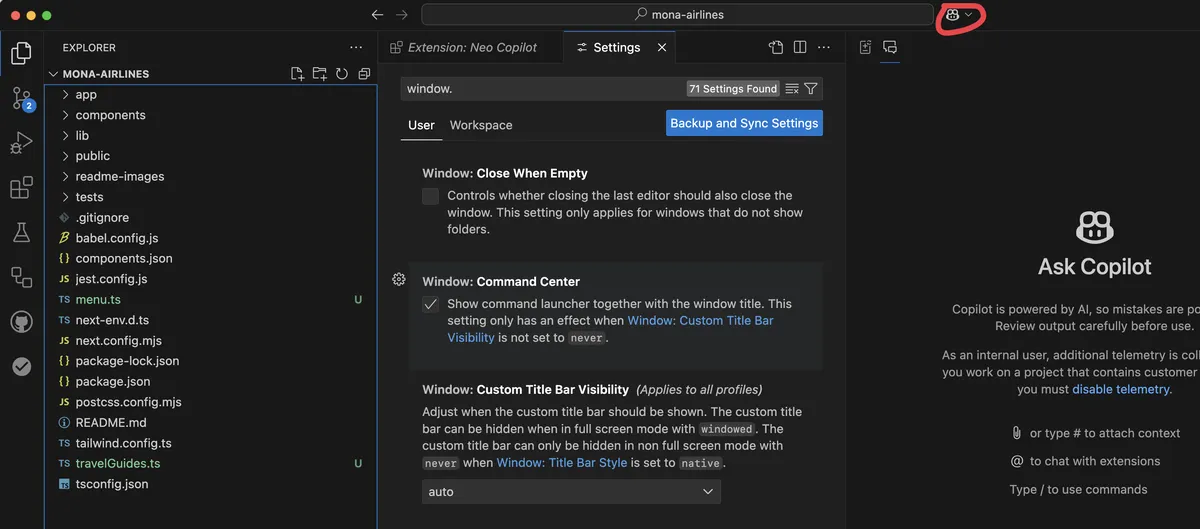
-
Tools for working with your online videos
Recently I needed to download one of the videos I published. These are some tools which make it easy to download the Video and Transcript.
Note
Whilst these tools help me download content which I own they can also be used to download copyrighted videos. To support producers use these tools only on things you own or where the content is permitted to be distributed.
Video download
It used to be easy to download your own videos by grabbing a browser extension but today you get the choice of lots of spammy extensions.
There has been some excellent work published where people have written code e.g yt-dlp
I found this site which worked for me
Transcript download
Downloading a transcript helps you understand the content. This one only supports one video sharing platform but there are similar for others... https://www.youtube-transcript.io/
-
Well-Architected GitHub
Welcome! 👋😃
A journey to 1.0
After 2 years of working on this we can share that we have released the initial version of WellArchitected.GitHub.com
Our goal is to provide you with foundational design thinking and practices to help you build secure, high-performing, resilient, and efficient codebases for your applications, built on top of the world’s leading AI-powered developer platform.
Some highlights
There is lots of great content but here is a taster...
- Anti-patterns - what we have seen not work too well
- GitHub Enterprise Policies and Best Practices - Key design strategies and checklist
- Governance Design Principles
- Checklist for Application Security
Next
We will continue to iterate on the content as we bring more insights from our technical teams such as customer success architects, expert services consultants, solutions engineers and our awesome partners.

