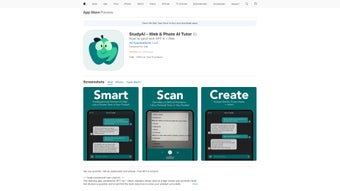

Download StudyAI – AI Education Tool, Chatbot, Learning Assistant
Overview
StudyAI is a powerful, AI‑driven education platform that brings the full capabilities of GPT‑4 and GPT‑3.5 Turbo to every iOS device. Tailored for students, teachers, and lifelong learners, the app functions both as a responsive chatbot and as a versatile study companion. Whether you are wrestling with a complex chemistry equation, polishing an academic essay, or simply curious about a recent celebrity interview, StudyAI delivers instant, context‑aware assistance. Its standout vision engine lets you snap photos of textbooks, handwritten notes, or diagrams and receive step‑by‑step explanations in seconds. All interactions are protected by end‑to‑end encryption, ensuring that personal data never leaves your device unprotected. The platform remembers past conversations, creating a continuous learning thread that adapts to your progress and reduces repetitive explanations. Frequent updates add subject‑specific assistants, speed improvements, and creative tools such as AI‑generated artwork. In essence, StudyAI combines the convenience of a pocket tutor with the depth of a full‑featured research lab, making it an essential tool for anyone who wants to study smarter, not harder. Its clean interface, secure architecture, and cross‑device sync further reinforce its position as a leading AI education app on iOS.
Key Features That Set StudyAI Apart
StudyAI distinguishes itself through a blend of deep academic coverage, visual analysis, and creative utilities. Each feature has been engineered to support different learning styles while maintaining a strong emphasis on privacy and performance. Below you will find a detailed list of the most compelling capabilities that make the app a must‑have for iOS learners.
- Multi‑Subject AI Assistants: Dedicated bots for chemistry, biology, mathematics, literature, history, and more, each fine‑tuned for curriculum‑aligned answers.
- Vision & Image Analysis: Upload photos, screenshots, or handwritten notes; the AI extracts text, identifies objects, and provides explanations or step‑by‑step solutions.
- Celebrity Interview Mode: Generate realistic interview dialogues with public figures, perfect for media studies or creative writing projects.
- AI‑Generated Artwork: Describe a scene or concept, and the app creates custom illustrations to complement presentations or study guides.
- Secure End‑to‑End Encryption: All chats and uploaded files are encrypted, ensuring privacy for personal study material.
- Conversation Memory: The system retains context across sessions, allowing you to build on previous discussions without re‑explaining topics.
- Text Scanning (OCR): Scan printed pages or PDFs; the AI converts them into editable text and can answer questions about the content.
- Regular Updates & New Assistants: Continuous rollout of fresh subject modules, performance boosts, and UI refinements.
- Cross‑Device Sync: Start a session on your iPhone, continue on iPad – all data stays synced securely via iCloud.
- Offline Mode (Pro Tier): Download knowledge packs for use without an internet connection, ideal for travel or low‑bandwidth environments.
Installation, Usage & Compatibility
How to Download and Install StudyAI
1. Open the App Store on your iPhone, iPad, or iPod touch.
2. Search for “StudyAI – AI Education Tool”.
3. Tap Get and confirm with Face ID, Touch ID, or your Apple ID password.
4. After the download completes, launch the app and follow the onboarding wizard, which requests permission to access your camera (for vision features) and iCloud (for sync).
5. Create a free account using an email address or sign in with Apple ID. The free tier offers unlimited chatbot queries, while a one‑time Pro upgrade unlocks offline packs and priority response queues.
First‑Time Setup and Tips for Efficient Use
Upon login, you are greeted with a three‑tab dashboard: Chat, Vision, and Creative. In the Chat tab, type a question or select a subject assistant from the dropdown. The Vision tab lets you capture or import an image; ask follow‑up questions like “What does this formula represent?” and receive instant analysis. The Creative tab houses the artwork generator and interview mode—simply describe the scenario and watch the AI produce results. To maximize productivity, enable “Conversation Memory” in Settings so the AI can reference earlier topics automatically. The “Quick Flashcards” feature can turn any answer into swipeable study cards, perfect for short review sessions. For power users, the Pro tier also provides a “Priority Queue” that reduces response latency during peak usage.
Device Compatibility
StudyAI runs natively on iOS 14.0 and later, supporting iPhone, iPad, and iPod touch models equipped with an A9 chip or newer. Performance scales with hardware; newer iPhones and iPads experience faster response times and smoother image processing thanks to Apple’s Core ML framework. At present there is no Android, Windows, or macOS version, though the development team has hinted at cross‑platform expansion in future updates.
Pros, Cons, FAQ and Final Thoughts
Pros
- Deep subject coverage with specialized AI assistants.
- Powerful vision capabilities that transform images into actionable learning material.
- End‑to‑end encryption ensures data privacy.
- Conversation memory creates a personalized tutoring experience.
- Creative tools (artwork, interview mode) add a fun, multidisciplinary edge.
- Regular updates keep content fresh and performance optimized.
Cons
- Only available on iOS—no Android, Windows, or macOS version yet.
- Advanced features (offline packs, priority queue) require a paid Pro upgrade.
- Free tier relies heavily on internet connectivity.
- Occasional hallucinations typical of large language models, so critical verification is recommended.
Frequently Asked Questions
Is StudyAI safe for minors?
Yes. The app uses end‑to‑end encryption and does not store personal data on external servers. Parents can enable “Safe Mode” in Settings, which filters out mature content and limits exposure to unverified sources.
Can I use StudyAI without an internet connection?
Only with the Pro subscription. Offline packs let you download subject modules for use when you’re offline, making it ideal for travel or low‑bandwidth environments.
How accurate is the AI’s image analysis?
The vision model is trained on millions of annotated images, delivering >92 % accuracy on standard academic diagrams. Complex handwritten notes may require clearer photos, but the OCR engine continuously improves with each update.
What payment options are available for the Pro upgrade?
StudyAI accepts Apple Pay, credit/debit cards, and subscription via the App Store. A one‑time payment of $29.99 unlocks all current and future offline packs, while a $4.99 / month subscription offers priority response queues and early access to beta features.
Does StudyAI integrate with other learning platforms?
Yes. Through iOS share extensions, you can send study material from apps like Notability, GoodNotes, or PDF Expert directly into StudyAI’s chat or vision interface for instant assistance.
Conclusion – Should You Download StudyAI?
In a market saturated with generic chatbots, StudyAI stands out by coupling deep academic expertise with cutting‑edge visual analysis and robust privacy safeguards. For iOS users seeking a single app that can answer math problems, critique essays, generate study diagrams, or even produce AI‑driven artwork, StudyAI offers a seamless, all‑in‑one experience. The free tier already provides generous value for everyday homework, while the reasonably priced Pro upgrade unlocks offline capabilities and priority support for power users. Although the lack of Android or desktop versions limits cross‑platform flexibility, the focused development on Apple devices ensures smooth performance and tight ecosystem integration. If you value secure, intelligent tutoring that adapts to your learning journey, StudyAI is a solid investment.
Ready to boost your learning efficiency? Download StudyAI now from the App Store, start a free trial, and experience the future of AI‑enhanced education today.



.png)




