
Download Stylebot – CSS editing, web design, real-time changes, Chrome extension, browser tool, style customization, developer tool, web experimentation, visual editing, code editor
Overview
Stylebot is a specialized Chrome extension designed to empower web developers and designers with real-time CSS editing capabilities. Its primary purpose is to eliminate the traditional workflow bottleneck of uploading changes and refreshing pages to view modifications. Instead, users can directly edit website styles while browsing, enabling immediate visualization of design changes. This functionality streamlines the design and development process, making it ideal for rapid prototyping, style testing, and on-the-fly experimentation.
The tool targets professionals and hobbyists in web development, UI/UX design, and digital content creation who require a lightweight, accessible method to manipulate website aesthetics. By allowing both visual and code-based editing, Stylebot accommodates users with varying levels of CSS expertise, broadening its utility across different skill sets. Its integration into the Chrome browser ensures minimal disruption to the browsing experience, making it a practical addition to any developer’s toolkit.
Although the developer did not provide additional technical details about the origin or evolution of the tool, its release date of August 27, 2010, indicates a long-standing presence in the web development ecosystem. Over more than a decade, Stylebot has maintained relevance by focusing on core functionality: efficient, real-time style customization. Its enduring utility underscores its importance as a foundational browser tool for anyone engaged in web experimentation or front-end development.
Key Features & Functionality
- Real-time CSS Editing: Users can modify CSS properties directly on any webpage and see changes instantly. This feature is particularly useful during design iterations, allowing developers to test color schemes, font sizes, and layout adjustments without leaving the current page.
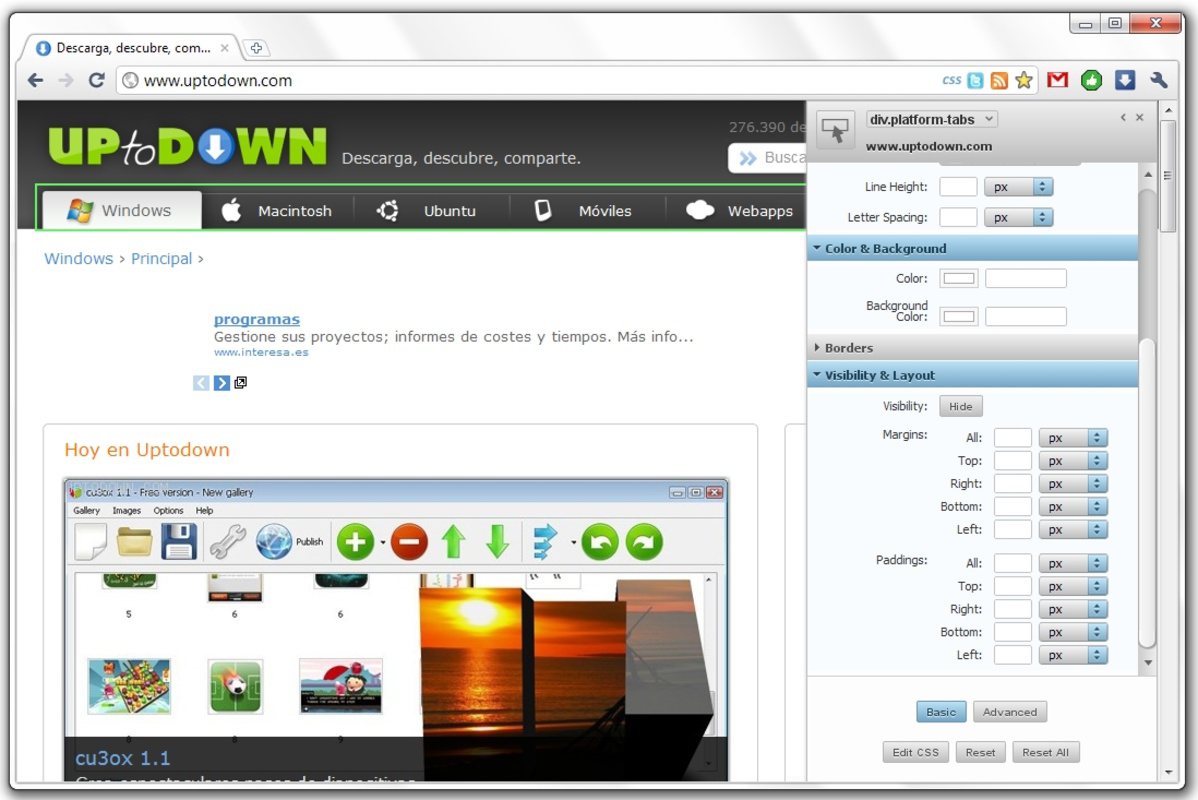
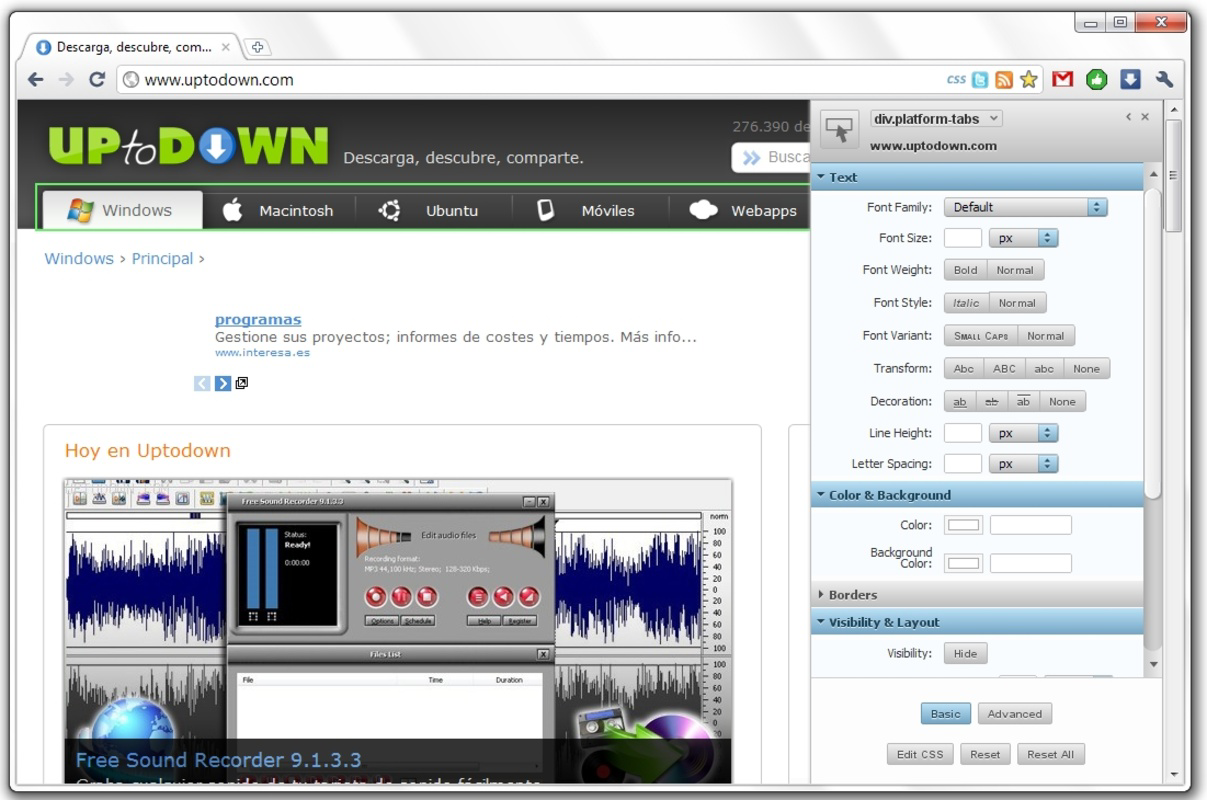
- Visual Editing Interface: A user-friendly panel enables style modifications through intuitive controls, such as color pickers, sliders, and property selectors. This approach lowers the barrier to entry for users less familiar with CSS syntax, enabling them to customize web appearances with minimal coding effort.
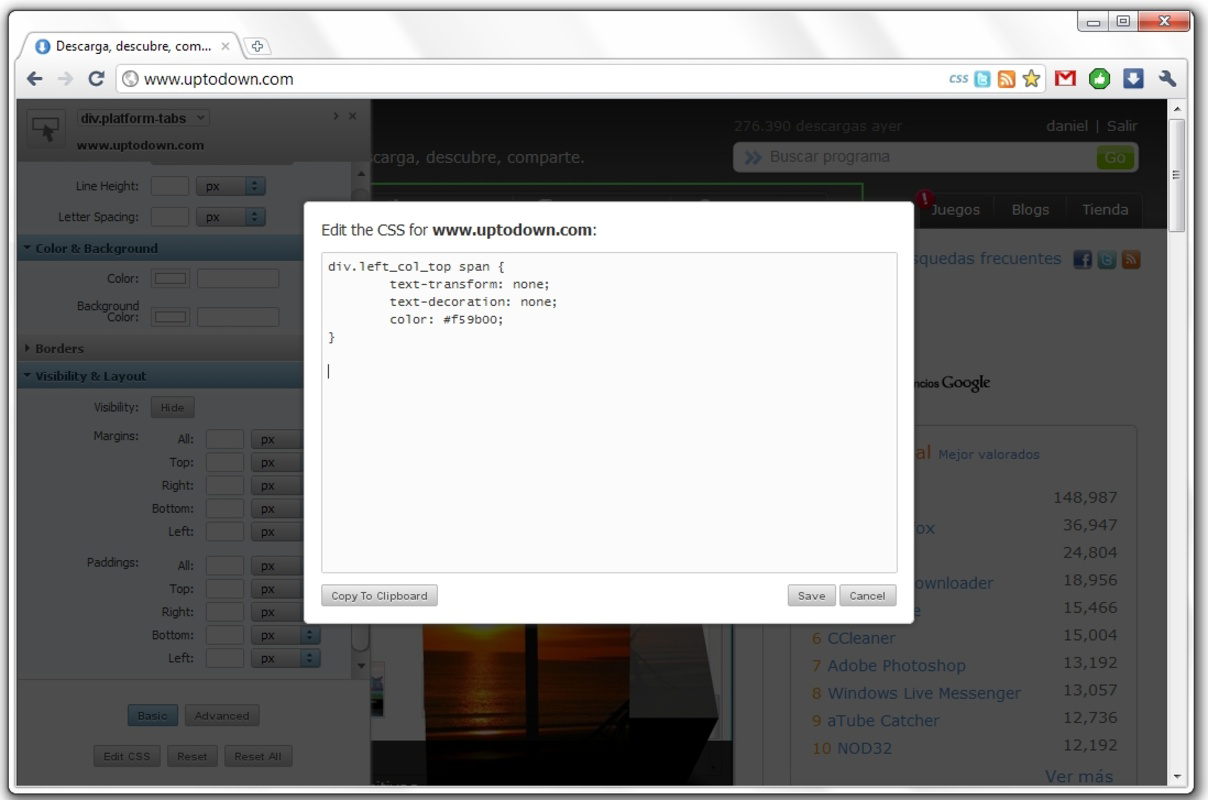
- Plain Text Code Editor: For advanced users, Stylebot includes a built-in code editor that supports full CSS syntax. This allows precise control over selectors, media queries, and complex styling rules, catering to developers who prefer writing code over visual adjustments.
- Browser Integration: The extension appears as an icon in the Chrome address bar. Clicking it opens a collapsible editing panel, ensuring quick access without cluttering the browser interface or interrupting workflow.
- Web Experimentation Support: Stylebot excels in testing new design ideas. Users can apply temporary styles to evaluate visual impact, compare alternatives, or prototype interfaces before implementing changes permanently.
Interface, UX & Performance
The interface of Stylebot is minimal and focused, designed to integrate seamlessly into the Chrome browsing environment. The editing panel appears as a vertical sidebar that can be toggled open or closed, preserving screen real estate while providing full access to editing tools. The layout emphasizes clarity, with categorized CSS properties and immediate feedback on applied changes.
Navigating between visual and code editing modes is straightforward, supporting a smooth transition based on user preference. The visual controls are responsive, with intuitive elements like color pickers and input fields that react instantly to user input. Although the developer did not list formal performance metrics, the lightweight nature of the extension—1.5 MB in size—suggests efficient resource usage across a range of devices.
Stability is maintained through direct browser integration, reducing the likelihood of crashes or conflicts. Responsiveness is consistent during editing sessions, with minimal lag when applying styles. While specific device compatibility details were not disclosed, the extension functions reliably on standard desktop and laptop systems running Chrome.
Platform Compatibility & Technical Requirements
Stylebot is designed exclusively as a Chrome extension, meaning it operates within the Google Chrome browser environment. It is compatible with all current versions of Chrome that support extensions, though the developer did not specify minimum OS requirements or version constraints.
The application size is listed at 1.5 MB, which is compact for a tool offering real-time editing capabilities. This small footprint contributes to quick installation and minimal impact on browser performance. The extension is available at no cost, with the current version being 1.0.108.
Compatibility information was not fully disclosed. Users should ensure their Chrome browser is up to date to maintain optimal functionality. The developer did not provide additional technical specifications such as RAM or processor requirements.
Pros and Cons
Pros
- Enables real-time CSS modifications without page reloads
- Supports both visual and code-based editing for diverse user skill levels
- Lightweight and fast, with minimal impact on browser performance
- Seamless integration into the Chrome browser interface
- Free to use with no hidden costs or subscription fees
Cons
- Available only for Chrome, limiting cross-browser use
- Not compatible with mobile browsers or non-Chrome platforms
- Specific system requirements were not listed
- Limited to web styling; does not support JavaScript or HTML editing
- Does not offer cloud sync or export functionality for saved styles
FAQ
Is Stylebot safe to use?
Yes, Stylebot is a trusted Chrome extension developed for legitimate web development purposes. It does not collect personal data or track browsing behavior. Users should only install it from official sources such as the Chrome Web Store.
Can I use Stylebot on mobile devices?
Stylebot is currently designed exclusively for the Chrome browser on desktop systems. It does not support mobile browsers or operate on Android or iOS devices.
Is Stylebot free to download and use?
Yes, Stylebot is completely free. There are no subscription models, in-app purchases, or premium features that require payment.
How do I update Stylebot?
Updates are automatically managed through the Chrome browser. When a new version is available, Chrome will prompt users to update the extension. Manual updates are not required.
Can I save my custom styles for future use?
Stylebot does not include built-in functionality to save or export styles permanently. Changes are applied temporarily during a browsing session and are not retained after the page is refreshed or closed.
Final Thoughts
Stylebot remains a valuable tool for web developers and designers seeking a fast, efficient way to test and refine website styles. Its real-time editing, dual-mode interface, and lightweight design make it a practical choice for both beginners and experienced users. While it is limited to Chrome and lacks advanced features like style export or cloud sync, its core functionality is robust and purpose-built.
For anyone involved in web experimentation, UI prototyping, or front-end development, Stylebot offers a reliable, no-cost solution to enhance workflow efficiency. Its decade-long presence in the developer community speaks to its stability and utility.
Download Stylebot now


