
Screenshots
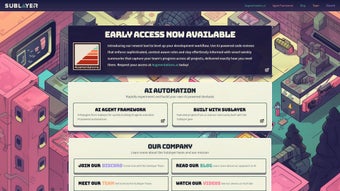
App details
- Updated
- June 6, 2025
- Requires
- Chrome
- License
- Full
- Developer
- sublayer
- Category
- Web Apps
About Sublayer
Download Sublayer – Generative AI‑Powered Product Development Tool
Overview of Sublayer
Sublayer is a cutting‑edge web‑based development suite that embeds generative AI directly into the product‑creation workflow. Designed for developers, designers, and ops engineers, the platform unifies three core modules—Blueprints, CLAG (Command Line AI Gem), and the Sublayer AI Framework—into a single, browser‑first interface. Blueprint scans your repositories, learns coding conventions, and instantly generates context‑aware snippets, dramatically reducing boilerplate. CLAG translates everyday language into precise shell commands, bridging the gap between conversation and terminal execution. The AI Framework offers a Ruby‑centric DSL that lets you embed large‑language‑model capabilities inside your applications without writing repetitive API calls. Beyond these pillars, Sublayer encourages open‑source collaboration, offering a plugin marketplace, community‑driven blueprints, and a secure containerized execution environment. Whether you’re a solo freelancer or part of a multinational engineering team, Sublayer promises a fast, secure, and continuously evolving platform that accelerates code delivery while maintaining high standards of quality and safety.
Key Features and Benefits
- Blueprint AI Code Generator: Analyzes existing codebases, learns style guides, and produces ready‑to‑use snippets that respect linting rules and project architecture.
- CLAG Natural‑Language CLI: Converts plain English requests (e.g., “list running Docker containers”) into exact Bash, PowerShell, or Zsh commands, eliminating context‑switching.
- Sublayer AI Framework (Ruby DSL): Provides idiomatic methods to call generative models, auto‑generate documentation, tests, or data transformations directly from Ruby code.
- Cross‑Platform Web UI: Runs in any modern browser on Windows, macOS, Linux, Android, or iOS, requiring no heavy local installations.
- Secure Containerized Execution: All AI inference happens inside isolated Docker containers, safeguarding source code and preventing accidental data leakage.
- One‑Click Auto‑Updates: The platform checks for new AI model releases and feature patches, ensuring you stay on the cutting edge without manual effort.
- Extensible Plugin Ecosystem: Write plugins in Ruby or JavaScript to add custom models, integrate CI/CD tools, or create UI widgets that suit your workflow.
- Open‑Source Community: Every component lives on GitHub, inviting contributions, shared blueprints, and community‑maintained extensions.
The synergy of these features creates a virtuous cycle of productivity. For example, a developer can ask Blueprint to “create a service object for user authentication” and receive a fully‑tested Ruby class that follows the project’s naming conventions. Immediately after, CLAG can be invoked with “run the RSpec suite for the new service,” opening a sandboxed terminal that executes the appropriate test command. Meanwhile, the AI Framework can enrich the class with inline documentation generated on‑the‑fly, keeping the codebase self‑describing. Because all AI operations are containerized, teams benefit from enterprise‑grade security while still enjoying the rapid iteration that generative models enable. The result is a streamlined pipeline where ideation, implementation, and verification happen within a single, cohesive environment.
Installation, Usage, Pros, Cons & Frequently Asked Questions
Step‑by‑Step Installation
Getting started with Sublayer is deliberately frictionless. First, visit the official website and click the “Download Sublayer” button; the site automatically detects your operating system and serves the correct installer (Windows EXE, macOS DMG, or Linux AppImage). Run the installer, create or link a GitHub/Google account, and then connect your local repositories. The platform will scan each repository, build a pattern model, and populate the Blueprint library. After enabling CLAG in the settings panel—choosing your preferred shell and granting sandboxed execution rights—you’re ready to start coding.
Operating System Support
While the core UI runs in any modern browser, native desktop clients are available for:
- Windows 10 + (64‑bit)
- macOS 11 (Big Sur) +
- Linux distributions with glibc 2.27+ (Ubuntu 18.04, Fedora 30, Debian 10, etc.)
- Android 8.0+ and iOS 13+ via responsive web app (no separate mobile app needed)
Typical Usage Workflow
A typical day begins with opening a feature branch in your IDE, then switching to the Sublayer console. You might ask Blueprint, “Generate a Ruby service that validates email formats according to these regex rules.” Blueprint returns a ready‑to‑commit class with unit tests. Next, you type “show me failing tests in this folder” into CLAG, and a sandboxed terminal runs the appropriate `rspec` command instantly. Finally, you embed a tiny language model using the AI Framework DSL to auto‑update the README as you write new methods. This loop eliminates manual boilerplate, reduces context switching, and keeps documentation synchronized.
Pros
- Rapid, pattern‑aware code generation cuts development time dramatically.
- Natural‑language CLI bridges communication gaps between devs and ops.
- Ruby‑centric DSL abstracts complex AI calls into simple, readable code.
- Cross‑platform web access ensures flexibility on any device.
- Open‑source ecosystem fuels continuous innovation and community support.
- Containerized execution guarantees security and data privacy.
Cons
- Heavy reliance on cloud‑hosted AI models requires a stable internet connection.
- Ruby‑focused framework may present a learning curve for non‑Ruby teams.
- Initial repository analysis can be time‑consuming for very large codebases.
- Limited native support for languages beyond Ruby (Python, JavaScript support is roadmap‑bound).
Frequently Asked Questions
Is Sublayer free to use?
Yes. Sublayer offers a generous free tier that includes unlimited Blueprint generation, CLAG usage, and access to the Ruby DSL. Paid plans add higher‑volume AI calls, priority support, and on‑premises deployment options.
Can I generate code for languages other than Ruby?
Blueprint can output snippets for JavaScript, Python, Go, and other popular languages, though the AI Framework DSL itself remains Ruby‑centric for now.
How does Sublayer protect my data during AI inference?
All inference runs inside isolated Docker containers with strict network policies. No source code leaves your environment unless you explicitly enable external model hosting, and all persisted data is encrypted at rest.
Do I need an internet connection for CLAG?
Yes, CLAG’s natural‑language parsing relies on cloud‑based models. For offline scenarios, you can deploy a self‑hosted model via Sublayer’s enterprise Docker image.
Can Sublayer be integrated into CI/CD pipelines?
Absolutely. Sublayer provides a CLI tool and pre‑built GitHub Actions that let you run Blueprint reviews, generate documentation, or execute CLAG commands as part of your build process.
Conclusion & Call to Action
Sublayer redefines modern software development by unifying generative AI, natural‑language command execution, and a Ruby‑focused framework into a single, secure, and cross‑platform environment. The platform’s open‑source nature, containerized security model, and vibrant community make it a practical choice for freelancers, startups, and large enterprises alike. While the current Ruby emphasis and internet dependency are modest limitations, the rapid release cadence and strong roadmap suggest these gaps will close quickly. If you’re ready to accelerate your development cycles, eliminate repetitive boilerplate, and explore AI‑enhanced workflows, Sublayer offers a compelling, free‑to‑start solution.
Download Sublayer today and join a growing community of innovators shaping the future of product development with generative AI.
Guides & Tutorials
How to install Sublayer
- Click the Download button above.
- Once redirected, accept the terms and click Install.
- Wait for the Sublayer download to finish on your device.
How to use Sublayer
This software is primarily used for its core features described above. Open the app after installation to explore its capabilities.
User Reviews
No reviews yet. Be the first to share your experience.
You may also like
more
3D AI Studio
3D AI Studio Overview 3D AI Studio is a web-based AI-powered tool developed by S...

3D textures by Polycam
Generate Realistic 3D Textures Effortlessly 3D Textures by Polycam is an innovat...

3DAiLY
Customizable 3D Modeling Tool: 3DAiLY 3DAiLY is an online platform that harnesse...

3DFY
Revolutionizing 3D Model Creation: 3DFY Review 3DFY is an AI-powered service, de...

AI Dungeon
AI Dungeon: Deep Learning Text Adventure AI Dungeon is an artificial intelligenc...

Alpha3D
A subscription-based program for Web apps, by alpha3d. Alpha3D is a subscription...
