
Screenshots
App details
- Updated
- August 16, 2025
- Requires
- Chrome
- License
- Subscription
- Developer
- Mohamed Salamatao
- Category
- Web Apps
About SubShort
Download SubShort – AI‑Powered Video Quiz Generator for Educators & Creators
Overview: Transform Ordinary Videos into Interactive Learning Experiences
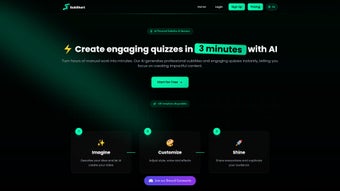
SubShort is an AI‑driven video quiz generator that streamlines the production of interactive educational content. Whether you are a teacher preparing lesson‑materials, a corporate trainer designing compliance modules, or a YouTube creator looking to boost audience engagement, SubShort lets you convert any standard video into a fully‑featured quiz in just minutes. The platform automatically generates professional subtitles in multiple languages, ensuring that every learner—regardless of hearing ability or native tongue—can follow along. With built‑in voice customization, you can choose from a range of natural‑sounding narrators to match the tone of your brand or classroom. SubShort’s intuitive dashboard lets you pick quiz formats such as multiple‑choice, true/false, or thematic rounds, and then embed the finished product directly into websites, LMSs, or social channels. By automating the most time‑consuming steps—transcription, subtitle styling, and question placement—SubShort frees creators to focus on pedagogy and creativity instead of technical chores. The result is a more engaging, accessible, and shareable learning experience that can reach a global audience without the usual production headaches.
In an era where video consumption outpaces text, educators and marketers alike are searching for ways to keep viewers active rather than passive. SubShort addresses this need by turning every frame into a potential learning moment. Its AI engine parses spoken content, extracts key concepts, and suggests question templates that you can accept or edit. The platform also supports batch processing, so a whole series of videos can be transformed into quizzes with a single click. Because subtitles are generated on the fly and can be exported in SRT, VTT, or embedded formats, you maintain full control over accessibility compliance (e.g., WCAG 2.1). Whether you operate on Windows, macOS, Android, or iOS, SubShort’s web‑based interface ensures a consistent experience across devices, making it a truly cross‑platform solution for modern education and training.
Key Features and How They Work
- AI‑Powered Transcription: Fast, accurate speech‑to‑text conversion in over 30 languages.
- Automatic Subtitle Generation: Exportable subtitles with customizable fonts, colors, and timing.
- Multiple Quiz Formats: Multiple‑choice, true/false, drag‑and‑drop, and thematic rounds.
- Voice Customization: Choose from male, female, and neutral AI voices with adjustable speed and pitch.
- Bulk Processing: Convert entire playlists or folders of videos into quizzes in one operation.
- Cross‑Platform Dashboard: Accessible via any modern browser on Windows, macOS, Android, and iOS.
- Embedding Options: Export quizzes as iframe, HTML5, or SCORM packages for LMS integration.
- Analytics Suite: Track learner performance, completion rates, and question difficulty.
- Branding Controls: Add logos, watermarks, and custom color schemes to match your visual identity.
- Secure Cloud Storage: All projects are saved encrypted, with optional two‑factor authentication.
Each feature is designed with the end‑user in mind. The AI transcription engine leverages deep‑learning models that have been trained on diverse audio sources, ensuring high accuracy even with background noise or accented speech. Once the transcript is ready, SubShort instantly creates synchronized subtitles that you can edit for timing or style. The quiz builder then scans the transcript for key phrases, automatically suggesting relevant question stems. You can accept the suggestions, modify them, or create new questions from scratch, giving you full editorial control. Voice customization works by applying text‑to‑speech synthesis to the subtitle text, letting you produce narrated quizzes that sound natural and engaging. The analytics dashboard provides real‑time insights, highlighting which questions are too easy or too hard, so you can iterate quickly. All of these capabilities are delivered through a responsive web interface, meaning there’s no need to download heavy software—just a secure login and you’re ready to create.
Installation, Usage, Compatibility, Pros & Cons, and Frequently Asked Questions
Installation & First‑Time Setup
Getting started with SubShort is straightforward because it is a cloud‑based SaaS solution. Follow these steps to begin:
- Visit www.subshort.com and click the “Sign Up – Free Trial” button.
- Enter your email address, create a strong password, and verify your account via the confirmation link.
- Once logged in, you’ll be greeted by the Dashboard where you can upload a video file (MP4, MOV, AVI) or paste a YouTube/Vimeo link.
- Select your desired language for transcription and subtitle generation, then click “Process Video.”
- After processing, choose a quiz format, edit the auto‑generated questions if needed, and hit “Publish.”
The entire workflow is performed in the browser, so there’s no local installation required. For organizations that prefer on‑premise solutions, SubShort offers an enterprise‑grade Docker image that can be deployed on private servers, ensuring data residency and compliance with internal IT policies.
Operating System Compatibility
SubShort works on all major operating systems because it runs in any modern web browser. Supported environments include:
- Windows 10, 11 (Chrome, Edge, Firefox)
- macOS Monterey and later (Safari, Chrome, Firefox)
- Linux distributions with recent Chrome or Firefox versions
- Android 8.0+ (Chrome, Firefox)
- iOS 13+ (Safari, Chrome)
The responsive design ensures that the dashboard scales gracefully on tablets and smartphones, allowing creators to edit quizzes on the go.
Pros and Cons
Pros
- Fast AI transcription saves hours of manual typing.
- Multilingual subtitle support broadens audience reach.
- No software download; works entirely in the browser.
- Rich quiz formats keep learners engaged.
- Bulk processing ideal for large course libraries.
- Secure cloud storage with optional 2FA.
- Detailed analytics help refine content effectiveness.
Cons
- Advanced features (e.g., SCORM export) require a paid plan.
- Internet connection is mandatory; offline mode not available.
- AI suggestions may need editing for highly technical subjects.
- Limited free tier caps the number of minutes processed per month.
FAQ – Your Most Common Questions Answered
Is SubShort free to use?
SubShort offers a free tier that includes up to 30 minutes of video processing per month, basic subtitle styling, and standard quiz formats. For unlimited usage, higher‑resolution output, and premium integrations, a paid subscription is required.
Can I import existing subtitles?
Yes. SubShort accepts SRT, VTT, and TXT subtitle files. You can upload them alongside your video, and the platform will sync them automatically, allowing you to focus on quiz creation.
How secure is my data?
All user data is encrypted at rest and in transit using TLS 1.3. SubShort also supports two‑factor authentication and offers an on‑premise Docker deployment for organizations with strict compliance requirements.
Can I customize the look of the quizzes?
Absolutely. The platform provides a visual style editor where you can set fonts, colors, button shapes, and add your logo or watermark. You can also export custom CSS for deeper branding control.
Does SubShort integrate with Learning Management Systems?
Yes. SubShort can export quizzes as SCORM 1.2 or xAPI packages, which can be imported into popular LMSs such as Moodle, Canvas, and Blackboard. For simple embedding, an iframe snippet is also provided.
Expert Review
SubShort stands out as a versatile, AI‑powered solution for anyone looking to add interactivity to video content. Its automatic transcription and subtitle generation are remarkably accurate, and the quiz builder is intuitive enough for beginners while still offering depth for power users. The main drawback is the reliance on an internet connection, which can be a limitation in low‑bandwidth environments. Overall, for educators, corporate trainers, and content creators who want to boost engagement without investing in expensive video‑editing suites, SubShort delivers strong value.
Conclusion: Elevate Your Video Content with SubShort Today
In a digital landscape where attention spans are shrinking, converting passive video watching into an active learning experience is no longer a luxury—it’s a necessity. SubShort equips you with the tools to make that transformation quickly, securely, and at scale. By handling transcription, subtitle creation, and quiz generation in a single, cloud‑based environment, it removes the technical barriers that have traditionally slowed down content production. Whether you’re teaching a high‑school class, delivering compliance training, or simply trying to increase viewer retention on your YouTube channel, SubShort gives you the flexibility to reach multilingual audiences, meet accessibility standards, and gather actionable analytics—all without writing a line of code.
Ready to see how easy interactive video can be? Start your free trial now and create your first subtitle‑rich quiz in under five minutes. With a generous free tier, secure cloud storage, and a suite of premium features available on demand, SubShort is positioned as the go‑to solution for modern educators and creators alike. Don’t let your videos sit idle—turn them into engaging, measurable learning experiences with SubShort.
Guides & Tutorials
How to install SubShort
- Click the Download button above.
- Once redirected, accept the terms and click Install.
- Wait for the SubShort download to finish on your device.
How to use SubShort
This software is primarily used for its core features described above. Open the app after installation to explore its capabilities.
User Reviews
No reviews yet. Be the first to share your experience.
You may also like
more
3D AI Studio
3D AI Studio Overview 3D AI Studio is a web-based AI-powered tool developed by S...

3D textures by Polycam
Generate Realistic 3D Textures Effortlessly 3D Textures by Polycam is an innovat...

3DAiLY
Customizable 3D Modeling Tool: 3DAiLY 3DAiLY is an online platform that harnesse...

3DFY
Revolutionizing 3D Model Creation: 3DFY Review 3DFY is an AI-powered service, de...

AI Dungeon
AI Dungeon: Deep Learning Text Adventure AI Dungeon is an artificial intelligenc...

Alpha3D
A subscription-based program for Web apps, by alpha3d. Alpha3D is a subscription...
