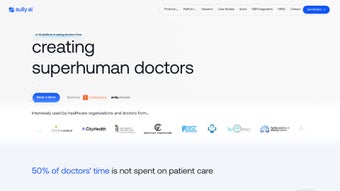

Download Sully – AI Medical Assistant for Doctors, Secure HIPAA‑Compliant Tool
Overview
Sully.ai is an all‑in‑one AI Medical Assistant built to relieve physicians from the endless stream of administrative work that eats up valuable clinic time. By leveraging natural‑language processing, deep‑learning models, and seamless EMR integration, Sully automates pre‑visit screenings, post‑visit documentation, symptom collection, and decision‑support tasks. The platform transcribes doctor‑patient conversations in real time, converts them into accurate medical notes, and even suggests possible diagnoses based on the captured symptoms. All data handling is 100 % HIPAA‑compliant, ensuring patient privacy while delivering a fast, reliable, and secure experience. Whether you are a solo practitioner, part of a large health system, or a telehealth provider, Sully promises to streamline the workflow, cut down on repetitive paperwork, and let clinicians focus on what matters most – patient care.
Key Features & How Sully Boosts Clinical Workflow
- Real‑time Conversation Transcription: Uses advanced speech‑to‑text algorithms to capture every spoken word during a visit and instantly generate a structured note that aligns with ICD‑10 and CPT coding standards.
- Pre‑Visit Screening Automation: Sends customizable questionnaires to patients before appointments, gathering vital signs, medical history, and symptom details, which are then pre‑populated into the EMR.
- Post‑Visit Documentation & Follow‑Up: Automatically creates discharge summaries, medication lists, and after‑visit instructions, reducing the time physicians spend on charting after the encounter.
- Decision‑Support Engine: Analyzes collected symptoms against a curated medical knowledge base, offering differential diagnoses and recommended next steps while preserving clinician autonomy.
- Custom Automation Builder: Allows doctors to design rule‑based workflows (e.g., trigger a lab order when a specific symptom pattern is detected) without writing code.
- Multi‑EMR Integration: Connects with major EMR platforms such as Epic, Cerner, Athenahealth, and NextGen via secure APIs, ensuring that data flows bidirectionally without double entry.
- Multilingual Support: Provides native language processing for English, Spanish, French, and Mandarin, with plans to expand to additional languages based on user demand.
- HIPAA‑Level Security & Encryption: All data is encrypted at rest and in transit, with role‑based access controls, audit logs, and regular third‑party security assessments.
- Continuous Updates & AI Model Refresh: Monthly model retraining incorporates the latest clinical guidelines, ensuring that decision‑support recommendations stay current.
- Cross‑Platform Availability: Accessible via web browsers on Windows, macOS, iOS, and Android devices, enabling clinicians to use Sully from the clinic, hospital, or remote setting.
Installation, Setup & Daily Usage
Getting Sully up and running is straightforward, even for practices with limited IT resources. Follow these steps to download, install, and integrate the assistant into your daily routine:
- Create an Account: Visit sully.ai and sign up using your professional email. You will receive a verification link to confirm your identity and professional credentials.
- Select Your Deployment Option: Choose between the cloud‑hosted SaaS version (recommended for most practices) or the on‑premises package if your organization requires strict data residency.
- Install the Client Application: For desktop use, download the Windows (.exe) or macOS (.dmg) installer. Mobile users can install the iOS app from the App Store or the Android app from Google Play.
- Configure EMR Integration: Within the Sully dashboard, navigate to “Integrations,” select your EMR vendor, and follow the guided OAuth flow. Sully will request read/write permissions; these are scoped to only the data needed for transcription and note‑creation.
- Set Up Custom Automations: Use the visual “Automation Builder” to define triggers (e.g., “Patient reports chest pain”) and actions (e.g., “Create ECG order”). No programming knowledge is required – drag‑and‑drop blocks guide you through the process.
- Test the Workflow: Run a mock patient encounter using a test account. Verify that the transcription appears correctly, the note populates fields as expected, and any automation fires as configured.
- Go Live: Once testing is complete, start using Sully with real patients. The system runs in the background, listening to the conversation (with patient consent) and updating the chart in real time.
Compatibility (itemprop="operatingSystem"): Sully supports the following operating systems and devices:
- Windows 10, Windows 11 (64‑bit)
- macOS 12 Monterey and later
- iOS 14+ (iPhone, iPad)
- Android 9+ (smartphones, tablets)
- Any modern web browser (Chrome, Edge, Firefox, Safari) for the SaaS portal
The platform requires an internet connection for real‑time transcription and cloud‑based AI inference. For on‑premises deployments, a local GPU‑enabled server can be provisioned to run the models offline, though this option increases hardware costs.
Pros, Cons and Frequently Asked Questions
Pros
- Significant reduction in charting time – up to 60 % faster documentation.
- Seamless integration with major EMR systems eliminates duplicate data entry.
- HIPAA‑compliant architecture protects patient privacy.
- Multilingual support expands usability in diverse patient populations.
- Custom automation empowers clinicians to build personalized workflows without IT overhead.
Cons
- Limited availability on legacy operating systems (e.g., Windows 7, older macOS versions).
- Minor languages such as Hindi or Arabic are not yet supported.
- Automation rules rely on predefined logic; highly complex clinical pathways may require manual tweaking.
- Initial setup, while straightforward, still demands a short learning curve for non‑tech‑savvy users.
- Full offline functionality is only possible with the on‑premises license, which can be costly for small practices.
FAQ (FAQPage)
Is Sully.ai compliant with HIPAA regulations?
Yes. All data transmitted between the client and Sully’s servers is encrypted using TLS 1.3, and data at rest is encrypted with AES‑256. The platform undergoes regular third‑party audits and provides detailed audit logs to meet HIPAA requirements.
Can Sully integrate with my existing EMR?
Sully supports native integrations with Epic, Cerner, Athenahealth, and NextGen. For other EMRs, a standard FHIR API can be used to create a custom connector. The integration wizard in the dashboard guides you through the OAuth setup.
What languages does Sully currently support?
The platform offers full speech‑to‑text and NLP support for English, Spanish, French, and Mandarin. Additional languages are in the roadmap, and users can request priority support through the product team.
Is there a free version or trial available?
Sully provides a 30‑day free trial with full feature access. After the trial, pricing is based on a per‑provider subscription model, with volume discounts for larger organizations.
How does Sully handle updates and new medical guidelines?
The AI models are retrained monthly using the latest clinical guidelines from sources such as the WHO, CDC, and specialty societies. Updates are pushed automatically to the cloud version; on‑premises customers receive notifications and can schedule a maintenance window.
Conclusion & Call to Action
Sully.ai stands out as a powerful, secure, and physician‑centric AI medical assistant that tackles the most time‑intensive aspects of modern clinical practice. By automating pre‑visit screenings, real‑time transcription, and post‑visit documentation, it frees doctors to focus on direct patient interaction and clinical decision‑making. While the platform could broaden language support and simplify complex automation logic, its current feature set, HIPAA compliance, and seamless EMR connectivity make it a compelling choice for practices seeking to modernize their workflow.
Ready to experience a faster, cleaner, and more secure documentation process? Start your 30‑day free trial today and see how Sully can transform your practice. Download the desktop client, install the mobile app, and let the AI do the heavy lifting while you focus on healing.
Sully delivers on its promise to cut charting time dramatically while keeping patient data secure. The real‑time transcription and built‑in decision support are especially valuable for busy clinicians. Minor language gaps and the need for a modest learning curve are the only notable drawbacks.



.png)




