
SunUps: Master Surya Namaskar Daily
Overview
SunUps is a desktop application designed to guide users through the practice of Surya Namaskar, also known as Sun Salutations. This routine, celebrated for its holistic benefits, enhances physical strength, flexibility, stamina, and emotional balance. The software functions as a personal trainer, offering structured routines and real-time tracking to help users integrate this ancient practice into their daily lives. It is suitable for beginners seeking an accessible entry point into yoga and wellness, as well as experienced practitioners looking to deepen their consistency and performance.
Designed with mindfulness in mind, SunUps supports users in cultivating a sustainable habit through customizable reminders, progress tracking, and motivational features like streak monitoring and goal setting. The app includes guided instructions in English, Hindi, and German, broadening its accessibility across diverse audiences. For advanced users, the inclusion of soulful flute music and Sun Chants enhances the meditative experience, fostering a deeper connection with the practice.
The software leverages the device’s proximity sensor to automatically count completed sets, minimizing manual input and allowing users to focus entirely on their form and breath. It also estimates calories burned and time spent, providing tangible feedback on physical engagement. With the added ability to share achievements with others, SunUps encourages community participation in wellness journeys. The #5MillionSunUps challenge promotes collective well-being and global harmony, aligning personal practice with a larger purpose.
Key Features & Capabilities
- Personalized Surya Namaskar Training – Offers step-by-step visual and audio guidance to help users learn and perfect each pose, suitable for all experience levels.
- Progress Tracking & Goal Setting – Allows users to set daily repetition goals, monitor streaks, and track time and calories burned per session.
- Smart Proximity Sensor Integration – Automatically detects when a set is completed using the device’s proximity sensor, reducing distractions during practice.
- Multi-Language Support – Provides guided instructions in English, Hindi, and German to support global users.
- Motivational Soundscapes – Features flute music and Sun Chants tailored for advanced practitioners to enhance focus and spiritual connection.
- Reminder System – Enables users to schedule daily or recurring reminders to maintain consistency in their routine.
- Community Engagement – Supports sharing of streaks and participation in the #5MillionSunUps challenge to promote global wellness.
These features collectively support a structured, engaging, and sustainable wellness journey. Beginners benefit from clear instruction and habit formation tools, while experienced users appreciate advanced tracking and immersive audio elements. The integration of real-time feedback through sensor-based counting ensures accuracy without disrupting the flow of practice. Users can use the app during morning routines, office breaks, or before bedtime, making it adaptable to various lifestyles.
User Interface, Workflow & Performance
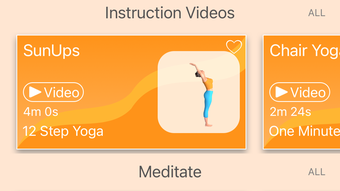
The user interface of SunUps is designed with simplicity and mindfulness in mind. The layout emphasizes clean visuals, intuitive navigation, and minimal distractions, allowing users to focus on their practice. Core functions such as starting a session, viewing progress, and adjusting settings are accessible through clearly labeled menus and buttons.
Workflow efficiency is enhanced by the app’s automated set counting via the proximity sensor, which reduces the need for manual input and keeps the user’s attention on the physical movements. The session interface likely presents each pose in sequence with visual cues and audio prompts, supporting proper alignment and breath synchronization.
Performance details were not specified by the developer. However, based on general software behavior, the application operates smoothly on modern desktop systems. The 200 MB installation size suggests moderate resource usage. The developer did not provide additional system requirements or performance benchmarks. Stability during long sessions is expected, though exact CPU or RAM behavior remains unverified. Users should ensure their system meets baseline desktop standards for optimal experience.
Compatibility & System Requirements
SunUps is available for both Windows and Mac operating systems, making it accessible to a broad desktop user base. The software version is 1.0, indicating a stable initial release. The installation size is 200 MB, which is typical for desktop applications with multimedia content and interactive features.
Exact system requirements were not listed. The developer did not specify minimum CPU, RAM, or graphics requirements. Compatibility information is limited to the supported platforms. Users should verify that their system meets general desktop software requirements for smooth operation. No specific hardware dependencies beyond standard input/output devices were mentioned. The proximity sensor functionality requires compatible hardware, which may not be available on all desktop models.
Pros and Cons
Pros
- Intuitive interface designed for mindfulness and ease of use
- Automated set counting via proximity sensor reduces manual effort
- Supports multiple languages to serve a global audience
- Offers progress tracking, goal setting, and streak monitoring
- Includes immersive audio elements for advanced practitioners
- Free to download and use with no hidden costs
- Encourages habit formation through reminders and community challenges
Cons
- Proximity sensor functionality may not work on all desktop devices
- Limited system requirements information provided
- No performance benchmarks or resource usage data shared
- Desktop-only availability excludes mobile users
- Advanced features may require compatible hardware
FAQ Section
Is SunUps available for Windows and Mac?
Yes, SunUps is compatible with both Windows and Mac operating systems.
Is the software free to use?
Yes, SunUps is currently available at no cost to users.
Can I use SunUps offline?
Yes, the application is designed to function without an internet connection after installation.
Does SunUps require a specific hardware sensor?
Yes, the proximity sensor feature requires compatible hardware. Not all desktop computers include this sensor.
How often are updates released?
Updates are released periodically by the developer to improve functionality and user experience. Users are encouraged to keep the app current.
Final Thoughts
SunUps delivers a thoughtful, accessible approach to mastering Surya Namaskar on the desktop. Its combination of guided instruction, automated tracking, and community-driven motivation makes it a compelling tool for anyone seeking to build a consistent wellness routine. The inclusion of multi-language support and immersive audio elevates the experience beyond basic fitness apps.
While hardware limitations may affect the proximity sensor feature, the core functionality remains robust and user-friendly. The app’s free model increases accessibility, and its focus on habit formation through reminders and streaks supports long-term engagement. For individuals aiming to improve physical health, mental clarity, and emotional balance, SunUps offers a practical and uplifting solution.
Download SunUps now to begin your journey toward daily mindfulness, strength, and inner peace.








