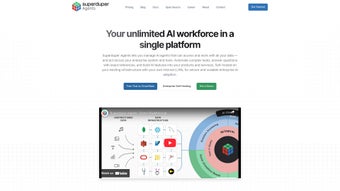

Download SuperDuperDB – Open‑Source AI Integration for Databases
Introduction & Overview
In today’s data‑driven landscape, the ability to embed artificial intelligence directly into a database can dramatically shorten the time from model training to real‑world impact. SuperDuperDB answers that call with a clean, open‑source web application that lets developers and data scientists add AI capabilities to any existing database using pure Python. Unlike traditional MLOps stacks that require separate vector stores, orchestration tools, and costly cloud services, SuperDuperDB consolidates the entire workflow—training, inference, and vector search—inside the familiar relational or NoSQL environment you already manage.
The platform’s philosophy is simple: “If you can write a SQL query, you can run an AI model.” By exposing a straightforward Python API, SuperDuperDB eliminates the need for deep DevOps expertise while still supporting a wide array of machine‑learning frameworks such as TensorFlow, PyTorch, Scikit‑Learn, XGBoost, and Hugging Face. This results in a seamless, secure, and scalable AI layer that updates automatically as fresh data flows into your tables, turning your database into a living, learning system.
Whether you are building recommendation engines, anomaly detectors, or natural‑language search, SuperDuperDB offers a low‑friction path from prototype to production. Its open‑source license encourages community contributions, and its web‑based UI makes monitoring model performance as easy as checking a dashboard. In the sections that follow we explore the core feature set, walk through a step‑by‑step installation, discuss cross‑platform compatibility, and weigh the pros and cons so you can decide if SuperDuperDB is the right tool for your next AI‑enabled project.
Core Features That Set SuperDuperDB Apart
- In‑Database Model Training: Write Python code that reads directly from your tables, trains a model, and saves the serialized artifact back into the database for future inference.
- Real‑Time Inference Engine: Perform predictions on new rows as they are inserted, enabling instant personalization or fraud detection without external API calls.
- Native Vector Search: Convert text, images, or embeddings into vectors and run similarity queries using standard SQL syntax, removing the need for separate vector databases.
- Multi‑Framework Support: Compatible with TensorFlow, PyTorch, Scikit‑Learn, XGBoost, and Hugging Face Transformers, giving you the flexibility to choose the best model for your use case.
- Auto‑Updating APIs: Expose trained models as RESTful endpoints that refresh automatically whenever the underlying data changes, ensuring predictions stay current.
- Secure Role‑Based Access Control: Leverage existing database authentication mechanisms to restrict who can train models, view predictions, or modify pipelines.
- Scalable Deployment Options: Run SuperDuperDB on a single server for small projects or deploy it in a Kubernetes cluster for enterprise‑grade workloads.
- Extensible Plugin Architecture: Add custom preprocessing steps, post‑processing logic, or integration hooks via a simple Python plug‑in system.
These features are not merely a checklist; they form a cohesive ecosystem that bridges the gap between data storage and intelligent inference. For example, the native vector search allows you to build a “find similar products” feature with a single SQL statement, while the auto‑updating APIs mean you never have to redeploy a microservice when new training data arrives. Because everything lives inside the database, data duplication is minimized, storage costs drop, and synchronization headaches disappear.
The developer experience is another strong point. The built‑in dashboard provides a notebook‑style environment where you can experiment with Python snippets, visualize model metrics, and instantly see how predictions affect downstream queries. This rapid feedback loop accelerates experimentation and encourages cross‑functional collaboration—data engineers, analysts, and product managers can all contribute to AI initiatives without learning an entirely new stack.
Finally, the plugin architecture ensures future‑proofing. Whether you need to integrate a proprietary data‑augmentation library, add a custom evaluation metric, or hook into an external monitoring system, a few lines of Python code let you extend SuperDuperDB’s capabilities without touching the core codebase.
Installation, Usage & Compatibility
Step‑by‑Step Installation
Getting SuperDuperDB up and running is intentionally straightforward. The project is distributed via pip, so a typical installation looks like this:
python -m venv supduperdb-env
source supduperdb-env/bin/activate  # On Windows use `supduperdb-env\Scripts\activate`
pip install superduperdb
superduperdb init   # Generates a default config and launches the web UI
The init command creates a config.yaml file where you can specify your database connection string (PostgreSQL, MySQL, SQLite, MongoDB, etc.), define default model storage locations, and toggle optional features like GPU acceleration. After the initial setup, navigate to http://localhost:8000 to access the dashboard.
Running a Simple Model
Below is a minimal example that trains a logistic regression model on a table called customers and then uses it for real‑time scoring:
from superduperdb import SuperDuperDB
import pandas as pd
from sklearn.linear_model import LogisticRegression

db = SuperDuperDB("postgresql://user:pass@localhost:5432/mydb")

# Load data directly from the DB
df = db.read_table("customers")
X = df[["age", "income", "activity_score"]]
y = df["churn"]

# Train and store the model in the DB
model = LogisticRegression()
model.fit(X, y)
db.save_model("churn_predictor", model)

# Real‑time inference: new rows are scored automatically
db.enable_inference("churn_predictor", target_table="customers")
Once enable_inference is called, every new row inserted into customers will receive a churn_score column populated by the model, all without writing additional application code.
Cross‑Platform Compatibility
SuperDuperDB is truly cross‑platform. It runs on any OS that supports Python 3.9+—including Windows 10/11, macOS Monterey and later, and major Linux distributions such as Ubuntu, Debian, and CentOS. For production deployments, official Docker images are provided, making it trivial to run the service in containerized environments or on cloud platforms like AWS ECS, Azure Container Instances, and Google Cloud Run.
GPU acceleration is optional but recommended for deep‑learning workloads. If you have an NVIDIA GPU and the appropriate CUDA drivers, installing torch or tensorflow‑gpu alongside SuperDuperDB will automatically enable hardware‑accelerated training. Even without a GPU, the framework remains performant for classic machine‑learning algorithms.
Pros, Cons, FAQ & Conclusion
Pros
- Eliminates the need for separate vector databases or complex MLOps pipelines.
- Full Python API integrates seamlessly with existing data pipelines.
- Supports a wide range of ML frameworks, making it versatile for many use‑cases.
- Real‑time inference directly inside the database reduces latency.
- Open‑source with an active community, ensuring regular updates and extensions.
- Docker and Kubernetes support simplify scaling for enterprise workloads.
Cons
- Still a young project; some advanced MLOps features (e.g., visual model versioning UI) are in early development.
- Complex queries with heavy vector operations may require tuning for optimal performance.
- Learning curve for developers unfamiliar with in‑database analytics.
- Limited native support for non‑SQL databases beyond the primary adapters.
Frequently Asked Questions
Is SuperDuperDB truly free to use?
Yes. SuperDuperDB is released under the Apache 2.0 license, which allows free commercial and non‑commercial use, modification, and distribution.
Can I run SuperDuperDB on a cloud‑managed database like Amazon RDS?
Absolutely. As long as your cloud database accepts standard PostgreSQL/MySQL connections, SuperDuperDB can connect via the provided connection string in the config.yaml file.
How does SuperDuperDB handle model versioning?
Each model saved through the API receives a unique identifier and metadata (creation date, framework, hyperparameters). While a dedicated UI for version comparison is planned, you can query the model_registry table to manage versions programmatically.
Does SuperDuperDB support GPU‑accelerated training?
Yes. If your host machine has an NVIDIA GPU and the appropriate CUDA drivers, installing the GPU variants of TensorFlow or PyTorch enables hardware acceleration for compatible models.
What kind of monitoring does SuperDuperDB provide?
The built‑in dashboard displays model training metrics, inference latency, and storage usage. Additionally, you can export logs to Prometheus or integrate with Grafana for advanced monitoring.
Conclusion & Call to Action
SuperDuperDB represents a paradigm shift in how organizations think about AI deployment. By bringing model training, inference, and vector search into the heart of the database, it removes layers of complexity that traditionally required specialized MLOps teams and costly infrastructure. Whether you are a startup prototyping a recommendation engine in days, or an enterprise seeking to embed predictive analytics into legacy data warehouses, SuperDuperDB provides a secure, scalable, and developer‑friendly pathway.
The open‑source nature ensures you stay in control of your models and data, while the growing ecosystem of plugins and community contributions continues to expand its capabilities. If you’re ready to accelerate AI adoption without the overhead of separate pipelines, download SuperDuperDB now, follow the quick install guide, and start turning your database into an intelligent engine today.



.png)




